
An Amazon digital charge is the money you pay for Amazon’s online services and products. On a payment statement it can show up under several names, such as AMZN Digital, Amazon Digital Svcs, AMZN Mktp, Prime Video, Kindle Svcs or Audible. Some of these payments renew automatically. Others only appear when you buy something yourself, such as a single ebook or a movie rental.
What the charge covers
The idea is simple, but Amazon’s digital services fall into many categories. Each one has its own price, billing cycle and renewal rules. The sections below cover the main types, so you know what each one costs and which are worth keeping.
Overview of the Amazon digital charge
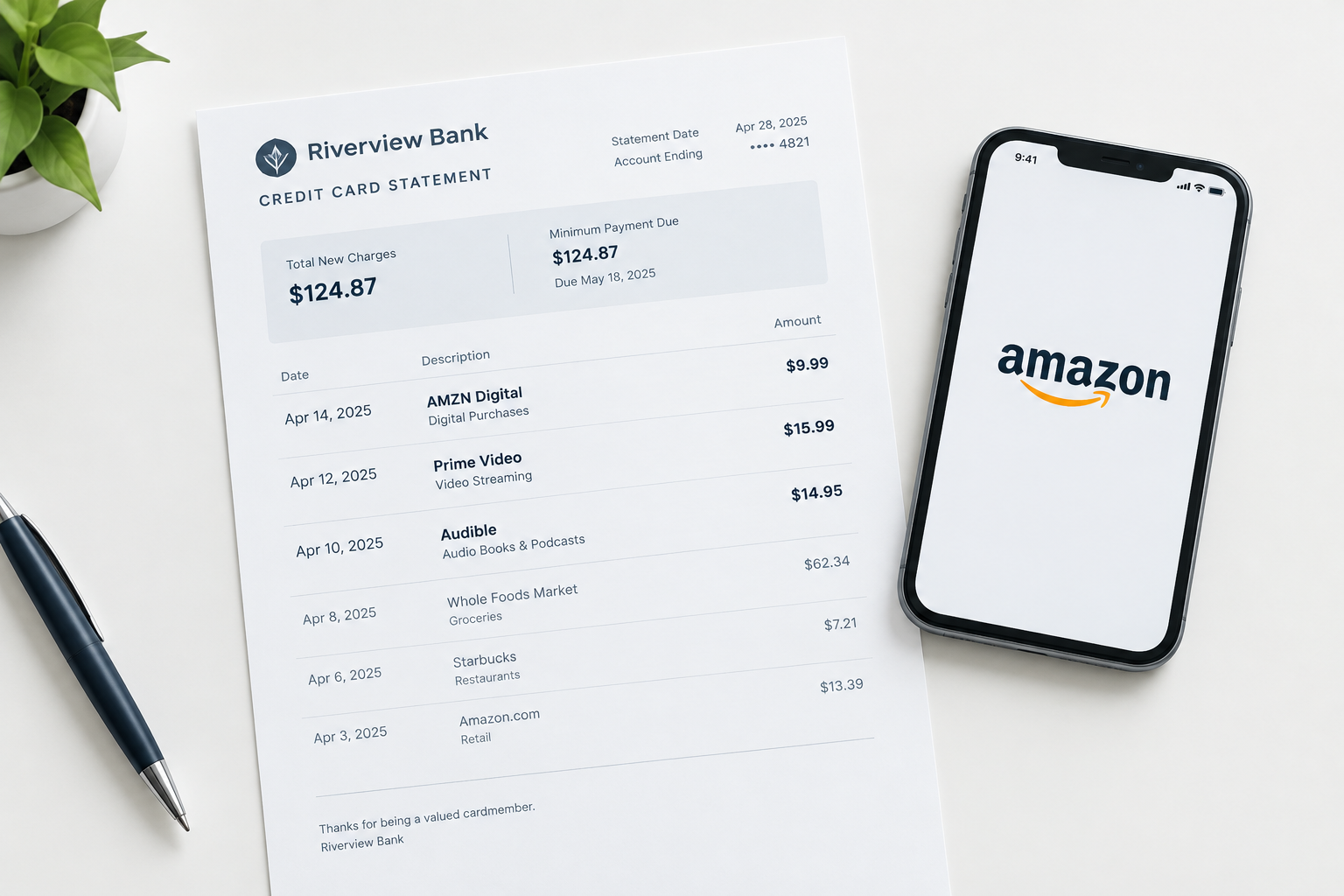
When you buy digital content, the charge appears on your bank or credit card statement. Here is an example of how it can look:

Look for the word “AMZN” or “Amazon.” Not every digital charge is a subscription. Sometimes it’s a single purchase, such as an app, an ebook or a movie rental. If you rarely use Amazon, a one-off charge can be a surprise, so check your orders before you assume something is wrong.
Not every Amazon charge is a consumer digital purchase, either. If you sell on Amazon, fees for advertising and seller services, such as Amazon PPC Tools & Software for running sponsored product ads, are billed through your seller account. They are separate from digital content charges on a shopping account.
Scammers also use Amazon’s name a lot. They send texts, emails or phone calls saying your account was hacked, that someone made fraudulent purchases, or that a big order needs your approval. The worst thing you can do is reply, call back or tap a link in those messages. That’s how they get you to hand over passwords, card numbers or remote access to your computer. Check your account yourself instead. Type amazon.com into your browser, or open the Amazon app, and use only contact details you find there.
You can usually tell quickly whether the claim is false. Check your debit card, credit card and bank accounts for charges you don’t recognise. If everything matches your orders, the message was almost certainly a scam. That’s why it pays to know your normal Amazon charges: an odd one stands out right away. If you get a suspicious message about your account, you can report it on Amazon’s “Report something suspicious” page in its Help section.
What Amazon digital content includes
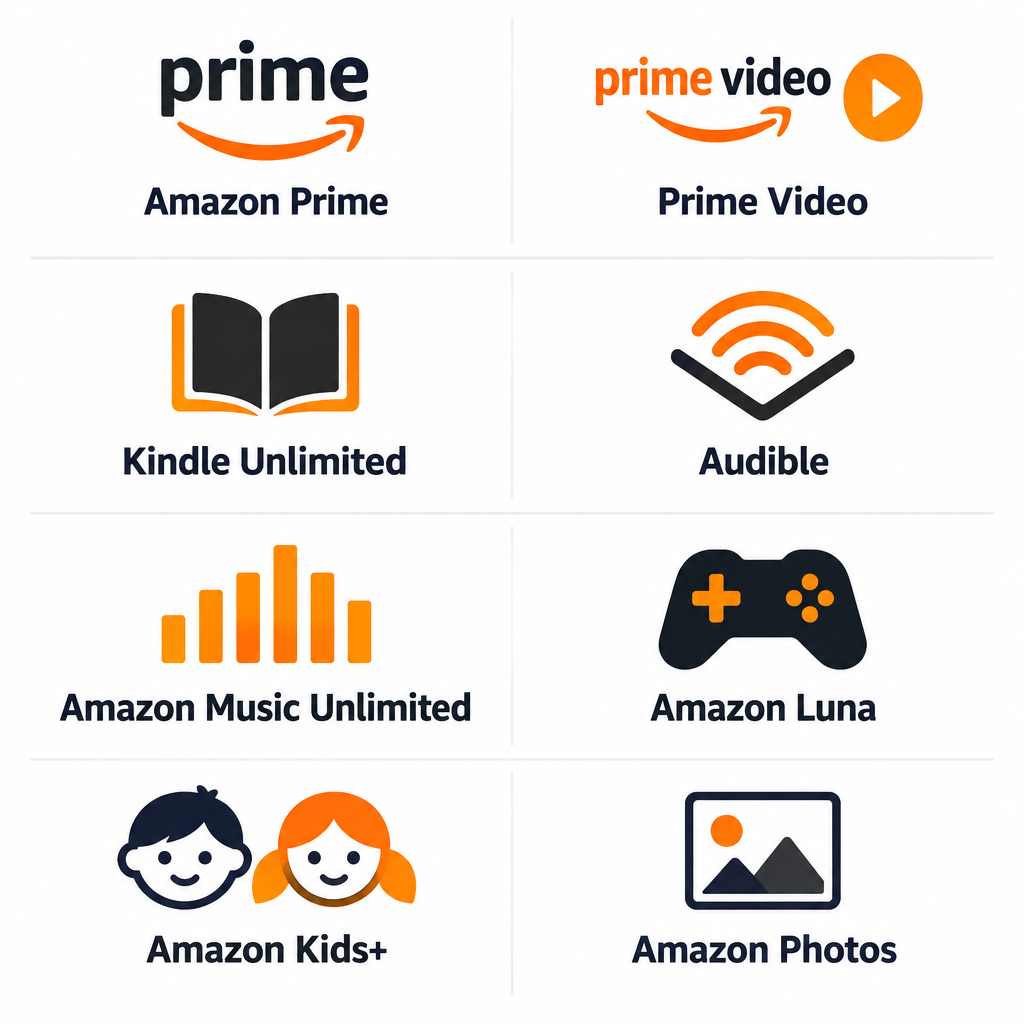

Amazon digital content comes in many forms. These are the most common ones.
Apps and games
You can buy apps and games through Amazon for Fire tablets and Fire TV devices. Many are one-time purchases, and others include in-app purchases or recurring subscriptions. Amazon closed its Appstore on regular Android phones in August 2025. It still runs on Amazon’s own Fire devices, so that’s where most app charges come from now.
Amazon Prime
Amazon Prime is the digital charge most people sign up for. It’s a paid membership with a monthly or yearly fee, and it includes:
- Prime Video, with ads by default
- Free and fast shipping on eligible items sold on Amazon.com
- Savings at Whole Foods Market
- Early access to Lightning Deals and Prime-only deals
- Amazon Music, which includes a large catalogue and ad-free top podcasts
- Prime Reading, a rotating library of ebooks and magazines
- Amazon Luna games included with Prime. Amazon moved these benefits, previously called Prime Gaming and before that Twitch Prime, under the Luna name on October 1, 2025.
- Unlimited full-resolution photo storage in Amazon Photos
Amazon Prime Video
Prime members get Prime Video included. If you’re not a member, you can buy Prime Video on its own. It streams movies and TV shows, including Amazon originals. Since January 2024 it has shown ads by default, and in the US, removing them now costs extra (prices are below). Movie rentals, purchases and add-on channels such as Max or Paramount+ are billed separately, and they’re a common source of unexpected “Prime Video” charges.
Kindle Unlimited
Prime members get Prime Reading, which offers a rotating selection of ebooks and magazines. Kindle Unlimited is a separate paid subscription with a much bigger library of over a million titles. Many heavy readers pay for it on top of Prime because it greatly expands what they can read without buying each book.
Amazon Kids+
Amazon Kids+ is a subscription for children aged 3 to 12. It includes books, games, videos and apps from brands such as Disney, Nickelodeon, National Geographic, Marvel and PBS Kids. Parents get a dashboard with controls, time limits and content filters. It works on Fire tablets, Fire TV, Kindle devices, and Android and iOS devices through the Amazon Kids+ app.
Audible
Audible is not included with Prime, just like Kindle Unlimited. It’s a separate Amazon service with audiobooks, podcasts and original audio shows, including comedy and drama. People like it for listening on a commute or while doing chores, and it’s a strong option for blind or low-vision listeners.
Amazon Music Unlimited
Prime includes Amazon Music at no extra cost. You get a large song catalogue, playlists, stations and ad-free top podcasts. However, on-demand playback (choosing any exact song whenever you like) is limited.
Amazon Music and Amazon Music Unlimited are different products. Unlimited is a paid subscription that lets you play any song on demand from the full catalogue, download for offline listening, and stream in HD and Ultra HD quality.
Amazon Luna
Amazon Luna is Amazon’s cloud gaming service. It runs on Windows PCs, Macs, Fire TV, Fire tablets, Chromebooks, iPhone, iPad, Android devices and some smart TVs, so you don’t need a console. You can play with a compatible Bluetooth controller, Amazon’s Luna Controller (which connects straight to the cloud), or, for many games, your phone as a controller. Prime members get a set of games included, and Luna Premium adds a bigger library for a monthly fee.
Amazon Photos
Amazon Photos is free with Prime. Members get unlimited full-resolution photo storage plus 5 GB of video storage, backups, access on all their devices, and print ordering. Customers without Prime get 5 GB of free storage in total. Paid plans add more space if you need it. Amazon Drive, which stored documents as well as photos, closed on December 31, 2023, so Amazon could focus on Photos.
What Amazon digital services cost
Prices vary a lot from one service to another. Here’s how the main subscriptions compare. All prices are in US dollars, before any sales tax your state adds, and Amazon changes them from time to time. Your account always shows the rate you’ll actually pay.
Amazon Prime
You can pay for Prime monthly or yearly. The monthly fee is $14.99 and the annual fee is $139, which works out to about $11.58 a month. If you’re on a free trial or a promotional free period, Amazon charges you automatically when it ends. So if you’re trying Prime and don’t like it, cancel before the trial ends. Depending on where you live, tax may be added.
Students and young adults get a big discount. Prime for Young Adults, previously sold as Prime Student, is open to people aged 18 to 24 and to students in higher education. It costs $7.49 a month or $69 a year after a six-month free trial. When you stop qualifying, it switches to the full price rather than ending.
If you receive certain government assistance, such as SNAP/EBT or Medicaid, you may qualify for Prime Access at $6.99 a month. Amazon checks eligibility again every 12 months. You can check whether you qualify on Amazon’s Prime Access page.
Amazon Prime Video
Prime Video is included with Prime. Without Prime, the standalone Prime Video membership costs $8.99 a month, with ads. In the US, the old $2.99 ad-free add-on became Prime Video Ultra in 2026. It costs an extra $4.99 a month, or $45.99 a year, on top of your membership. A standalone member who wants no ads pays about $13.98 a month in total. Rentals, purchases and add-on channels are charged separately.
Kindle Unlimited
Kindle Unlimited is a monthly subscription, and tax is added where it applies. New members are often offered a free trial, and you can cancel at any time from Memberships & Subscriptions. The price and the catalogue depend on your country. You sign up through your local Amazon store, such as Amazon.com in the US or Amazon.co.uk in the UK, and the service isn’t sold in every country.
Amazon Kids+
Prime members pay less for Amazon Kids+ than non-members, and new subscribers usually get a free trial first. Amazon has changed Kids+ pricing several times. It has moved between single-child and family plans and between monthly and annual billing. Check the price on the Amazon Kids+ page or in Memberships & Subscriptions before the trial ends.
Audible
Audible has some of the most complicated pricing of any Amazon digital service. There are several plans, and new members usually get a free trial. A credit lets you buy any one audiobook in the catalogue, whatever its list price. These are the main US plans:
- Audible Standard: $8.99 a month. It launched in March 2026 and includes one audiobook a month from a curated selection, but you lose access to those titles if you cancel.
- Audible Premium Plus: $14.95 a month. You get the Plus catalogue to listen to plus one credit a month for any title, including bestsellers and new releases, which you keep.
- Premium Plus with more credits and annual plans: You can pay for two credits a month, or prepay for a year of credits. These cost more upfront but less per credit.
- Audible Plus: Closed to new members. People who already have it can keep it.
Amazon Music Unlimited
Amazon raised Music Unlimited prices in the US in February 2026, and existing customers moved to the new rates on or after March 5, 2026. An individual plan is $11.99 a month with Prime and $12.99 a month without. Family, single-device and student plans have their own prices, which you can see in the Amazon Music app or under Memberships & Subscriptions.
Amazon Luna
Prime members get a rotating set of Luna games at no extra cost. Luna Premium costs $9.99 a month, adds a much bigger game library, and replaced the old Luna+ plan. Amazon automatically moved Luna+ subscribers to Luna Premium. You used to be able to subscribe to Ubisoft+ ($17.99 a month) and Jackbox Games ($4.99 a month) through Luna. Amazon stopped selling those subscriptions and removed its third-party game stores in 2026.
Amazon Photos
Photo storage is free for Prime members. If you need more room for videos, or you don’t have Prime and need more than the free 5 GB, you can buy extra storage. Plans start at $1.99 a month for 100 GB and go up to terabyte-sized plans. You can see the current options in the Amazon Photos app or website under storage settings.
How to dispute an Amazon digital charge
You dispute a digital charge by finding the order in your Amazon account and then asking for a refund or contacting Customer Service. Amazon is a huge company, so getting a problem fixed can feel overwhelming. The steps below make it simpler, from preventing surprise charges to cancelling services and asking for your money back.
Prevention
The best fix is to avoid unwanted charges in the first place:
- Keep your email address and phone number up to date, so Amazon’s renewal and order emails actually reach you.
- Cancel digital services you no longer use, and note the end date of every free trial.
- Turn on purchase controls if children use your devices. On Fire tablets and Fire TV you can require a PIN or parent approval for purchases, and Prime Video has its own purchase PIN in its parental controls settings. These also stop accidental purchases from a cat walking across your keyboard or remote. That really does happen.
- Turn on two-step verification under Your Account > Login & security, so a stolen password alone can’t be used to buy things.
- Be careful where you use your debit and credit cards, so the details don’t fall into the wrong hands.
- Check your bank statements regularly. A problem is easier to fix right away than after months.
Check your Amazon transaction history
To make sure everything looks right, review your transactions regularly:
- Sign in to your Amazon account and open Your Account.
- Select Your Payments.
- Open the Transactions tab to see recent charges, and check each one against your bank statement.
To see recurring charges, go to Your Account > Memberships & Subscriptions. Every active subscription is listed there, and you can cancel or change each one from that page. Prime Video channels are listed there too. You can also manage them in Prime Video’s account settings under Channels.
How to dispute a charge
There are lots of reasons to dispute a charge on your Amazon account. A subscription might have kept renewing after you cancelled it, a child might have bought something by mistake, or your card might have been compromised. In most cases Amazon Customer Service is the fastest route. Refunds are up to Amazon, but accidental and unauthorised digital purchases are often refunded. Here are the steps:
- Sign in to your Amazon account.
- Select Returns & Orders (Your Orders).
- Open the Digital Orders tab.
- Find the transaction or subscription you want to dispute.
- Select Order Details.
- Request a refund there if the option is offered, or go to Help > Customer Service to contact a representative by chat or phone.
Kindle ebooks bought by mistake can usually be returned within seven days from Manage Your Content and Devices, as long as you haven’t read much of the book. If you don’t recognise the charge at all and none of your orders match it, change your Amazon password right away and contact Amazon. If your card details may have been stolen, call your bank or card issuer too, using the number on the back of your card.
Final thoughts
An Amazon digital charge is any fee for one of Amazon’s many digital services, from Prime itself to a single movie rental. There are so many services and add-ons that it’s easy to lose track of where your money goes, especially since several prices went up in 2026. Look at Memberships & Subscriptions every few months, and watch for Amazon’s emails about price increases. Then cancel anything you haven’t used lately. A subscription you forgot about still costs you every month, and those charges add up quickly.
FAQ
Why is there an Amazon digital charge on my statement when I didn’t order anything?
The most common causes are a subscription renewal, a free trial that turned into a paid plan, a Prime Video channel or rental, or a purchase by someone else using your account or devices. Check Memberships & Subscriptions and the Digital Orders tab first. If nothing matches, change your Amazon password and contact Amazon Customer Service.
What does AMZN Digital mean on a bank statement?
It means a charge from Amazon’s digital services side, not a physical item from the marketplace (those usually show as AMZN Mktp). It could be a Kindle book, a Prime Video rental, an app, or a subscription such as Prime, Music Unlimited or Kindle Unlimited. The amount and date usually match an entry in your Digital Orders or Your Payments transaction list.
How do I cancel an Amazon subscription?
Go to Your Account > Memberships & Subscriptions and select the cancel or manage option next to the service. To cancel Prime, go to Your Account > Prime membership and select Manage membership. Cancelling usually stops the next renewal, and you keep access until the current billing period ends.
Can I get a refund for an Amazon digital purchase?
Often you can, especially for accidental purchases. Kindle ebooks can usually be returned within seven days. For other items, use Order Details in the Digital Orders tab or contact Customer Service. Amazon decides each case, and it’s more likely to refund a purchase you report quickly than one from months ago.
Is a text or call about an Amazon digital charge a scam?
Usually it is, especially if it pushes you to act fast, call a number, or install software. Amazon won’t ask for your password, payment details or remote access to your computer by phone or text. Check your account directly in the Amazon app or by typing amazon.com into your browser, and report the message to Amazon.
Should I dispute the charge with my bank instead of Amazon?
Try Amazon first, because it’s usually faster and keeps your account in good standing. If you can’t resolve it with Amazon, or your card has clearly been stolen, contact your bank or card issuer. They can block the card and open a dispute.
Sources
- Amazon Music FAQs
- Audible Help: Learn about Audible Plus
- Music Business Worldwide: Amazon Music raises subscription prices in the US and UK
- Advanced Television: Prime Video’s US ad-free tier becomes Prime Video Ultra
- Amazon Luna on Wikipedia













