AppValley’s own status page now shows “Current Status Revoked” for its free version and tells you to pay for VIP if you want apps that stay working. If your AppValley apps stopped opening, or you no longer trust the site, there are safer ways to get the apps you want on your iPhone, and this guide ranks them by how they install and whether they still work in November 2026.
Key takeaways
- The free version of AppValley is revoked, and AppValley VIP still depends on certificates Apple can kill.
- SideStore, Sideloadly and AltStore sign apps with your own Apple ID, so Apple’s mass revokes don’t touch them.
- Apple-approved app stores exist in the EU, Japan and Brazil only. Readers in the US have none.
- Google’s Android developer verification began September 30, 2026 in four countries and goes global in 2027.
- Many apps people used to hunt for on AppValley, like the Delta emulator, are now in the App Store.
Fact-checked
We checked these key facts against the sources named, on November 15, 2026:
- Tutu was part of the April 2019 mass revoke, and its iOS side has the same certificate problem as AppValley (source: piunikaweb.com)
- In April 2019, PiunikaWeb reported that AppValley, TweakBox, Tutu and Ignition were all revoked at the same time, and users of all four stores were stuck with dead icons (source: piunikaweb.com)
- SideStore: best if you don’t want to keep a computer around after setup (source: idownloadblog.com)
- It’s free, carries only open-source apps, and builds them from published source code (source: f-droid.org)
- Apple-approved alternative app stores exist in only three places: the European Union, Japan and Brazil (source: 9to5mac.com)
Quick answer: the best AppValley alternatives right now (November 2026)
The best AppValley alternative for most iPhone owners is SideStore. Once it’s set up, it signs and refreshes apps on the phone with your own Apple ID, so no computer is needed after day one. If you live in the EU or Japan, use an Apple-approved marketplace like AltStore PAL instead.
Here is the ranked list, ordered by reliability, safety and how well each one matches what AppValley users actually wanted:
- SideStore: best if you don’t want to keep a computer around after setup. The catch is the free Apple ID limits: 7-day signatures and 3 active apps.
- Sideloadly: best if you have a Windows PC or Mac and want the most flexibility. The catch is that auto-refresh needs your computer running on the same Wi-Fi.
- AltStore Classic with AltServer: the free, open-source original. The catch is the same computer dependency as Sideloadly.
- AltStore PAL: best if you’re in the EU or Japan. It’s Apple-approved, so apps don’t expire. The catch is that it doesn’t work in the US.
- Epic Games Store: the legal way to get Fortnite on an iPhone in the EU and Japan. The catch is a small catalog.
- Onside: a general-purpose approved marketplace in the EU and Japan. The catch is that its catalog of big-name apps is still small.
- TestFlight: Apple’s free beta app for trying unreleased versions of real apps. The catch is that each developer has to invite you.
- The App Store’s free official versions and web apps: the zero-risk route for most of what people wanted from AppValley. The catch is that you won’t get “tweaked” apps.
- F-Droid and other safer Android sources: the best fit if you’re on Android. The catch is that Google’s 2026 verification rules add friction in some countries.
Paid signing services that promise an AppValley-style store aren’t on this list. They register your device under someone else’s developer account, which breaks Apple’s developer terms, they can be revoked at any time, and their apps skip Apple’s App Store review and notarization.
How these alternatives were ranked
The ranking draws on each project’s documentation, Apple’s and Google’s published rules, and current reporting from outlets like MacRumors, 9to5Mac, TechCrunch and Android Authority. Nothing was ranked on popularity alone.
Four criteria decided the order, weighted roughly in this order:
- Who controls the signature. Options that sign with your Apple ID, or that Apple approved itself, rank above stores that rely on someone else’s certificate.
- Status in November 2026. Anything shut down, revoked or overrun by clone sites drops to the bottom or out of the list.
- Safety of the source. Open-source tools and reviewed or notarized apps beat unreviewed catalogs.
- Effort and cost. Free and low-effort options win ties.
AppValley alternatives at a glance (status as of November 2026)
This table covers every option this page discusses, including the stores other “alternatives” lists still recommend. “Revoke risk” means how likely Apple is to stop the apps from opening without warning.
| Option | Platform | How it installs | Needs computer? | Cost | Revoke risk | Status Nov 2026 | Our safety call |
|---|---|---|---|---|---|---|---|
| SideStore | iPhone, iPad | Your Apple ID, on-device refresh | Once, for setup | Free | Very low | Working | Safe with your own apps |
| Sideloadly | iPhone, iPad | Your Apple ID via PC or Mac | Yes | Free | Very low | Working | Safe with your own apps |
| AltStore Classic | iPhone, iPad | Your Apple ID via AltServer | Yes | Free | Very low | Working | Safe, open source |
| AltStore PAL | iPhone (EU, Japan) | Apple-approved marketplace | No | Free | None | Working | Safe |
| Epic Games Store | iPhone (EU, Japan) | Apple-approved marketplace | No | Free | None | Working | Safe |
| Onside | iPhone (EU, Japan) | Apple-approved marketplace | No | Free | None | Working | Safe |
| TestFlight | iPhone, iPad, Mac | Apple’s beta channel | No | Free | None | Working | Safe |
| F-Droid | Android | Open-source APK store | No | Free | Not applicable | Working | Safest APK store |
| AppValley (free) | iPhone | Enterprise or shared certificate | No | Free | Very high | Revoked | Avoid |
| AppValley VIP | iPhone | Paid certificate | No | Paid | Medium to high | Revoke-prone | Risky |
| TutuApp / Tutubox | iPhone, Android | Shared certificate, APKs | No | Free + VIP | High | Revoke-prone | Risky |
| Panda Helper | iPhone, Android | Shared certificate | No | Free + VIP | High | Revoke-prone | Risky |
| iOSGods | iPhone | Shared certificate, game hacks | No | Free + VIP | High | Revoke-prone | Ban risk, avoid |
| BuildStore | iPhone | Paid device registration | No | Paid | Medium | Revoke-prone | Risky |
| Scarlet / ESign-type signers | iPhone | On-device signer, third-party certificates | No | Varies | High | Revoke-prone | Risky |
| TweakBox | iPhone, Android | Shared certificate | No | Free | Very high | Clone-scam | Avoid |
| iOS Haven | iPhone | Shared certificate | No | Free | Very high | Dead or clone | Avoid |
| Cydia | Jailbroken iPhone | Jailbreak package manager | No | Free | Not applicable | Discontinued | Avoid |
| Setapp Mobile | iPhone (EU) | Apple-approved marketplace | No | Was subscription | Not applicable | Closed Feb 2026 | Gone |
| TrollStore | iPhone | CoreTrust bug | No | Free | None on supported iOS | iOS 14 to 17.0 only | Not for iOS 26 |
Is AppValley still working?
Mostly no. AppValley’s official site, run under the Signulous name, shows the free version as revoked in November 2026 and pushes users to AppValley VIP to “avoid revokes.” The catalog still gets updates: tweaked builds such as YTKACE for YouTube 21.46.3 and Apollo Reborn 4.1.0, plus game hacks with god-mode and location-spoofing features, all marked VIP.
On your iPhone, a revoke shows up in a few ways:
- An app icon that does nothing when you tap it, or opens and closes right away.
- An “Unable to Verify App” message, or a warning that the app is no longer available.
- Apps that worked yesterday crash on launch today, often all at once.
Pro tip
If an AppValley app says “Unable to Verify App”, its certificate has been revoked. Reinstalling the same free build won’t fix it for long. Switch to a method that signs with your own Apple ID.
Why AppValley and stores like it get revoked
AppValley-style stores install apps using a signing certificate that belongs to someone else. Usually that’s an Apple enterprise certificate meant for a company’s internal staff apps, or a developer certificate shared across thousands of strangers. Apple’s rules don’t allow either use, so when Apple notices, it revokes the certificate and every app signed with it stops opening.
This is not a new problem. In April 2019, PiunikaWeb reported that AppValley, TweakBox, Tutu and Ignition were all revoked at the same time, and users of all four stores were stuck with dead icons. The stores came back with new certificates, Apple revoked those too, and that cycle has continued for years.
Did you know?
In April 2019, AppValley, TweakBox, Tutu and Ignition were all revoked at once, according to PiunikaWeb’s report on the outage. Shared certificates mean a single action from Apple can break millions of installs in one go.
AppValley free vs VIP: what you actually pay for
AppValley VIP buys you a less crowded certificate, not a safe one. Paid tiers tend to use certificates shared by fewer people, or register your device’s ID on a paid developer account, so they attract less attention and get revoked less often.
To the reader question “Is VIP actually revoke-proof or will it get revoked too?”: it can be revoked too. Apple can revoke any certificate it finds being resold, and AppValley’s own wording promises fewer revokes, not none. More to the point, paying doesn’t change what you’re installing. The apps are still modified by people you can’t identify, and none of them go through any review.
Is AppValley safe?
No. AppValley is unlicensed, its apps skip Apple’s review, and many of them are modified versions of other companies’ apps. The certificate that installs them is the same tool attackers have used to push malware onto iPhones. Most people who use it never get infected, but you’re trusting anonymous strangers with full access to whatever you type into their apps.
The real risks, roughly from most to least likely:
- Pop-up ads, redirects and fake download buttons. Sites in this space run aggressive ad networks. Some buttons install a profile or a different app from the one you wanted.
- Data harvesting. A modified social media or messaging app sees your login and your messages. If you signed into a tweaked Instagram, YouTube or Snapchat build, treat that password as exposed.
- Account bans. Hacked games and modded social apps break those services’ terms. Games with anti-cheat systems ban accounts, sometimes for good, and you lose anything you paid for in-game.
- Malware through enterprise certificates. This has happened before. WireLurker, found by Palo Alto Networks in 2014, used enterprise provisioning to push malicious apps from infected Macs onto connected iPhones. In June 2022, 9to5Mac reported that Apple revoked all known certificates tied to Hermit, commercial spyware that was sideloaded onto iPhones with enterprise certificates.
- Legal exposure. Downloading cracked paid apps is copyright infringement. Individual users are rarely pursued, but this is the reason these stores can’t get a license.
Big companies have abused enterprise certificates too. In January 2019, Apple revoked Facebook’s enterprise certificate after TechCrunch reported its paid “Research” app was collecting phone data outside the App Store, and Google’s internal certificate was pulled shortly after over a similar app. If Apple will shut off Facebook’s internal apps for this, a free app store has no protection at all.
Does AppValley void your iPhone warranty?
Installing an AppValley app doesn’t jailbreak your iPhone or physically modify it, so it doesn’t automatically void your AppleCare or warranty. Apple’s service terms do exclude problems caused by unauthorized software modification, though, and a technician will usually ask you to remove the apps or erase the phone before troubleshooting.
So the honest answer to “Is using AppValley to download free apps safe and warranty-compliant on Apple devices?” is: warranty-tolerated, not safe. Delete it before any repair appointment.
Red flags: clone sites and fake “TweakBox 2026” pages
Most sites calling themselves “TweakBox 2024” or “TweakBox 2026” are phishing pages or malware droppers, according to 2026 guidance from Fone.tips. The same goes for lookalike AppValley domains. Older reviews still point readers to different “official” addresses for the same store, which is exactly the confusion scammers use.
Watch for these signs:
- The page asks you to install a “configuration profile” before you see any app.
- It makes you complete a “human verification” survey or download another app first.
- The domain has a year in it or ends in an unusual extension.
- It asks for your Apple ID password on a web page.
Any one of these is reason enough to close the tab.
Download only from official sites
Get sideloading tools only from their official project pages. Treat any “TweakBox 2026” page or AppValley lookalike domain as a scam, however professional it looks.
First, where you live changes your options
Apple-approved alternative app stores exist in only three places: the European Union, Japan and Brazil. In the United States, Apple still allows apps only from the App Store, plus the sideloading routes that sign apps with your own Apple ID. Most “alternatives” lists leave this out.
| Region | Since | Law or ruling | Example stores | Fees to developers |
|---|---|---|---|---|
| European Union (27 countries) | iOS 17.4, March 2024 | Digital Markets Act (DMA) | AltStore PAL, Epic Games Store, Onside | 5% Core Technology Commission (originally a €0.50-per-install Core Technology Fee) |
| Japan | iOS 26.2, December 2025 | Mobile Software Competition Act | AltStore PAL, Epic Games Store, Onside | 5% core technology fee |
| Brazil | iOS 26.5, June 2026 | Settlement with CADE, Brazil’s antitrust regulator | Apple-authorized marketplaces | 5% Core Technology Commission |
| United States | Not available | None | None | Not applicable |
Even in these regions, Apple keeps a baseline check in place. In Japan and Brazil, Apple notarizes every app distributed outside the App Store, which means a basic review for functionality and serious threats, and keeps parental gates for younger users. The marketplace itself must also be authorized by Apple. Direct downloads from random websites stay blocked, so an “approved marketplace” is never the same thing as AppValley.
Did you know?
Since iOS 26.2 in December 2025, iPhone owners in Japan can legally install alternative app marketplaces, according to Apple’s newsroom announcement. MacRumors reported AltStore launched there one day later. US owners still can’t.
Best iPhone alternatives that sign with your own Apple ID
These three tools work everywhere, including the US, because they use the same free signing Apple gives every Apple ID for testing your own apps in Xcode. The certificate belongs to you, so Apple’s crackdowns on shared certificates don’t touch you. The trade-off is Apple’s limits on free accounts.
On a free Apple ID, Apple’s rules (as described in Sideloadly’s FAQ) are:
- 7-day expiry. Each signed app stops opening after seven days unless you refresh it.
- 3 active apps. Since iOS 10, free accounts can run only three sideloaded apps at once, and the sideloading tool itself counts as one.
- No duplicate bundle IDs. Apple blocks free accounts from sideloading an app that shares a bundle ID with an App Store app.
Sideloading tools themselves are legal. What matters is what you load: open-source projects, apps you built, or IPA files you have the right to use. Using them to install cracked paid apps puts you back in AppValley’s legal problem.
Use a spare Apple ID
Create a separate Apple ID just for signing apps with SideStore, AltStore or Sideloadly. If anything goes wrong, your main account with your purchases and iCloud data isn’t involved.
1. SideStore (no computer after setup)
SideStore is the closest thing to AppValley’s “everything on the phone” convenience without the borrowed certificate. It’s a fork of AltStore that refreshes your apps on the iPhone itself, so you don’t need a computer on the same Wi-Fi every week. That answers a common question: “Sideloadly needs my computer running and on the same Wi-Fi to refresh, is there a way without a PC?” Yes, SideStore.
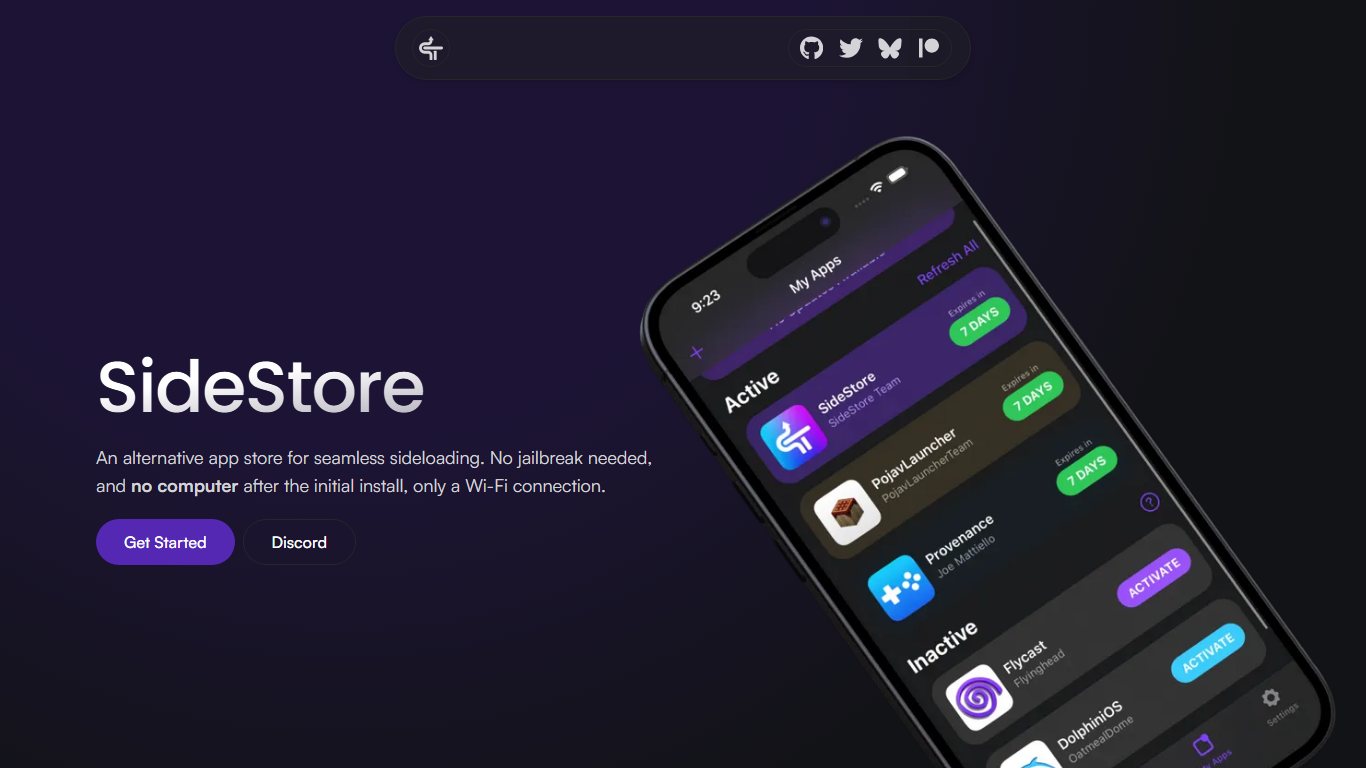
On iOS 26, SideStore uses LocalDevVPN, a small on-device VPN that lets the app talk to your iPhone’s own system services, to refresh your 7-day signatures. Setup takes about 20 to 30 minutes the first time and needs a computer once.
Set up SideStore
- On a Windows PC, Mac or Linux computer, follow the install guide on SideStore’s official site to install SideStore and create your device’s pairing file.
- On the iPhone, install LocalDevVPN as the guide describes and allow its VPN configuration.
- Sign in to SideStore with your spare Apple ID.
- Go to Settings > General > VPN & Device Management, tap your Apple ID under Developer App, and tap Trust.
- Turn on Settings > Privacy & Security > Developer Mode, then restart when asked.
- Once a week, connect LocalDevVPN and tap Refresh All in SideStore.
The most common SideStore complaint is “SideStore says I hit the 3 app limit, how do I get more?” The usual answer is LiveContainer: a single sideloaded app that runs other apps inside itself, so the three-slot limit counts LiveContainer once. It doesn’t work with every app, especially ones that rely on notifications or extensions, but it handles most open-source tools and emulators well.
Set a refresh reminder
Put a weekly reminder in your calendar to tap Refresh All in SideStore a day before the 7-day signature runs out. If you miss it, the apps won’t open until you refresh.
2. Sideloadly (computer, most flexible)
Sideloadly is a free Windows and macOS app that signs any IPA file you give it and installs it over USB or Wi-Fi. It suits people who want fine control over things like the app name, bundle ID and which version they install. It’s also the easiest tool to pair with a paid developer account.
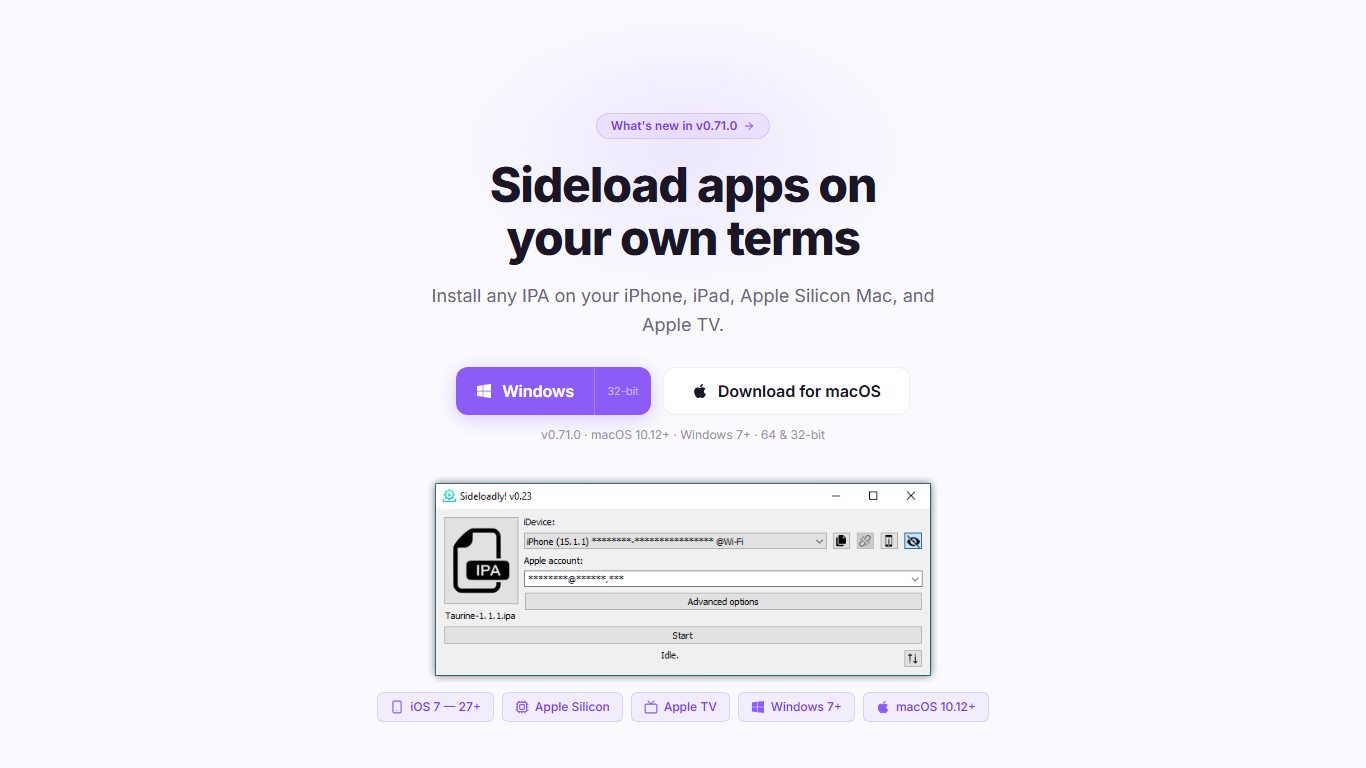
The basic flow takes about five minutes per app:
- Install Sideloadly from its official site on your Windows PC or Mac. On Windows, it needs Apple’s own iTunes and iCloud apps, not the Microsoft Store versions.
- Connect your iPhone with a cable and tap Trust This Computer on the phone.
- Drag the IPA into Sideloadly, enter your Apple ID and click Start.
- Trust the developer profile on the iPhone in Settings > General > VPN & Device Management, and turn on Developer Mode if asked.
The catch is refreshing. Sideloadly’s automatic refresh works only while the computer is on and your iPhone is on the same Wi-Fi network. If your laptop is slow to boot, it’s worth cleaning it up so it’s ready when you need it. Our guide to 8 ways to speed up your PC covers the basics.
3. AltStore Classic + AltServer (Windows/Mac)
AltStore is the project that started this category in 2019, and it’s still free and open source under the AGPL-3.0 license. You install AltServer on a Windows PC or Mac, use it to put AltStore on your iPhone, and AltStore then refreshes your apps in the background whenever AltServer is running on the same Wi-Fi.
Pick AltStore Classic over Sideloadly if you prefer an app-store style interface on the phone, with sources you can add for open-source projects. Pick Sideloadly if you mostly install one-off IPA files. Both have the same 7-day and 3-app limits, and both need your computer for refreshes.
Paid Apple Developer account: when money buys you out of the limits
Apple’s Developer Program costs $99 a year and removes the worst free-account restrictions. Apps you sign stay valid for a year instead of seven days, and the 3-app limit no longer applies. Sideloadly, AltStore and SideStore all work with a paid account.
It’s worth it if you depend on four or more sideloaded apps, or if weekly refreshing keeps failing on you. It isn’t worth it for one emulator you open twice a month. In that case, LiveContainer or the App Store version of the app does the job for free.
| Method | App limit | Re-sign frequency | Region | Cost |
|---|---|---|---|---|
| Free Apple ID (SideStore, AltStore, Sideloadly) | 3 active apps (more with LiveContainer) | Every 7 days | Worldwide | Free |
| Paid Apple Developer account | No 3-app limit | Once a year | Worldwide | $99/year |
| Apple-approved marketplace (AltStore PAL and others) | No limit | Never | EU, Japan, Brazil | Free |
| AppValley VIP-style paid certificate | Varies | Whenever it’s revoked | Worldwide | Paid subscription |
Apple-approved alternative app stores (EU, Japan and Brazil)
If you live in the EU or Japan, an approved marketplace is the best AppValley alternative available. Apps install like normal apps, they never expire, and Apple’s notarization screens them for malware. Brazil opened to authorized marketplaces with iOS 26.5 in June 2026, so the options there are still filling in.
4. AltStore PAL
AltStore PAL is the Apple-approved version of AltStore. It launched in the EU in April 2024 and in Japan in December 2025. In the EU, it originally cost €1.50 a year plus tax to cover the €0.50-per-install Core Technology Fee Apple charged at launch, but it became free in August 2024 after an Epic Games MegaGrant took over that cost. Apple has since replaced the per-install fee with a 5% Core Technology Commission.
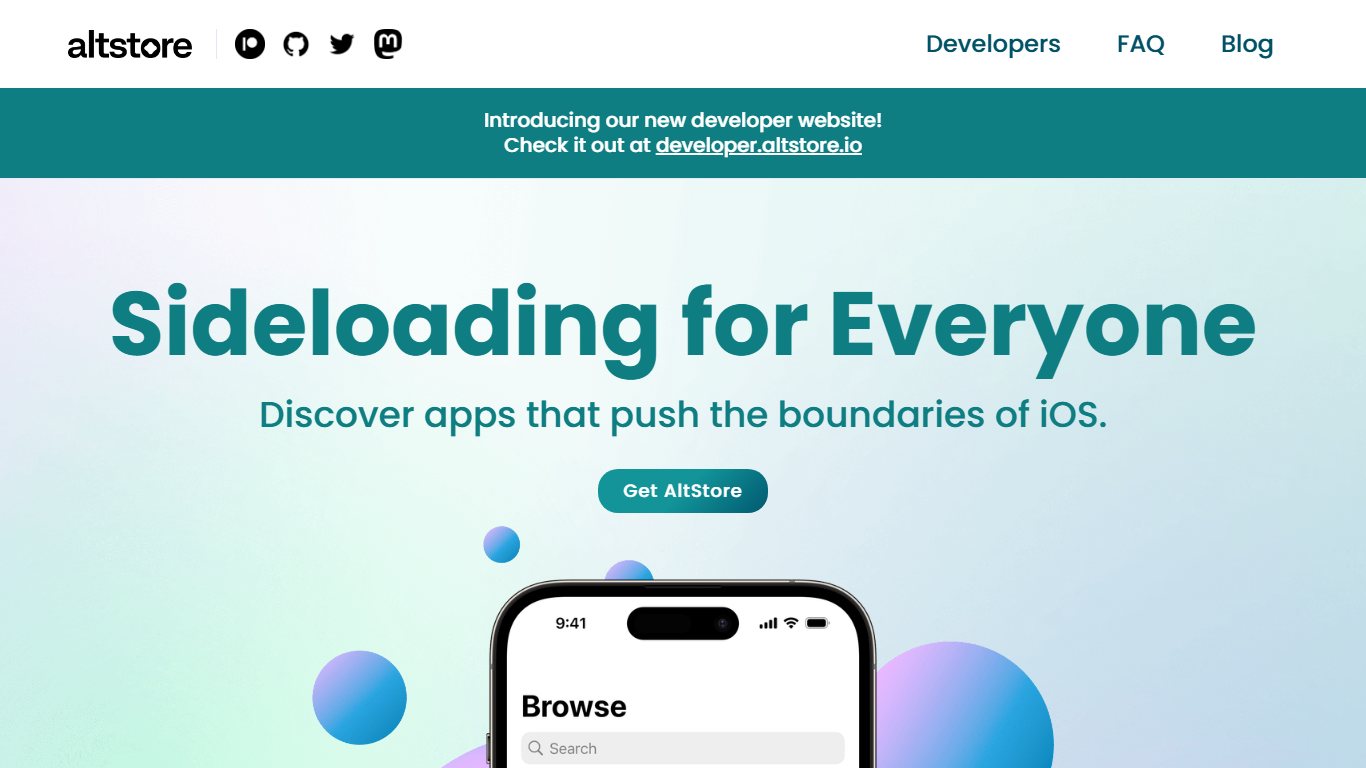
It carries a small set of independent apps, including the Delta emulator and Clip, a clipboard manager. In Japan, MacRumors reports you need to be physically in the country with a Japanese Apple account and iOS 26.2 or later. In the EU, you need iOS 17.4 or later and an EU account.
To the question “Can I use AltStore PAL in the US?”: no. Apple checks your account region and location, and US iPhones don’t have the marketplace option at all. Use AltStore Classic or SideStore instead.
5. Epic Games Store
The Epic Games Store is the legal way to play Fortnite on an iPhone. It’s been available in the EU since 2024 and launched on iPhones in Japan on April 30, 2026, carrying Fortnite and Rocket League Sideswipe. You download it from Epic’s website and approve it in Settings, a flow Epic says takes nine steps in Japan.
Its catalog is mostly Epic’s own games, and TechSpot reported no Japanese publishers signed on at launch. It’s great for Fortnite and of little use for anything else.
6. Onside
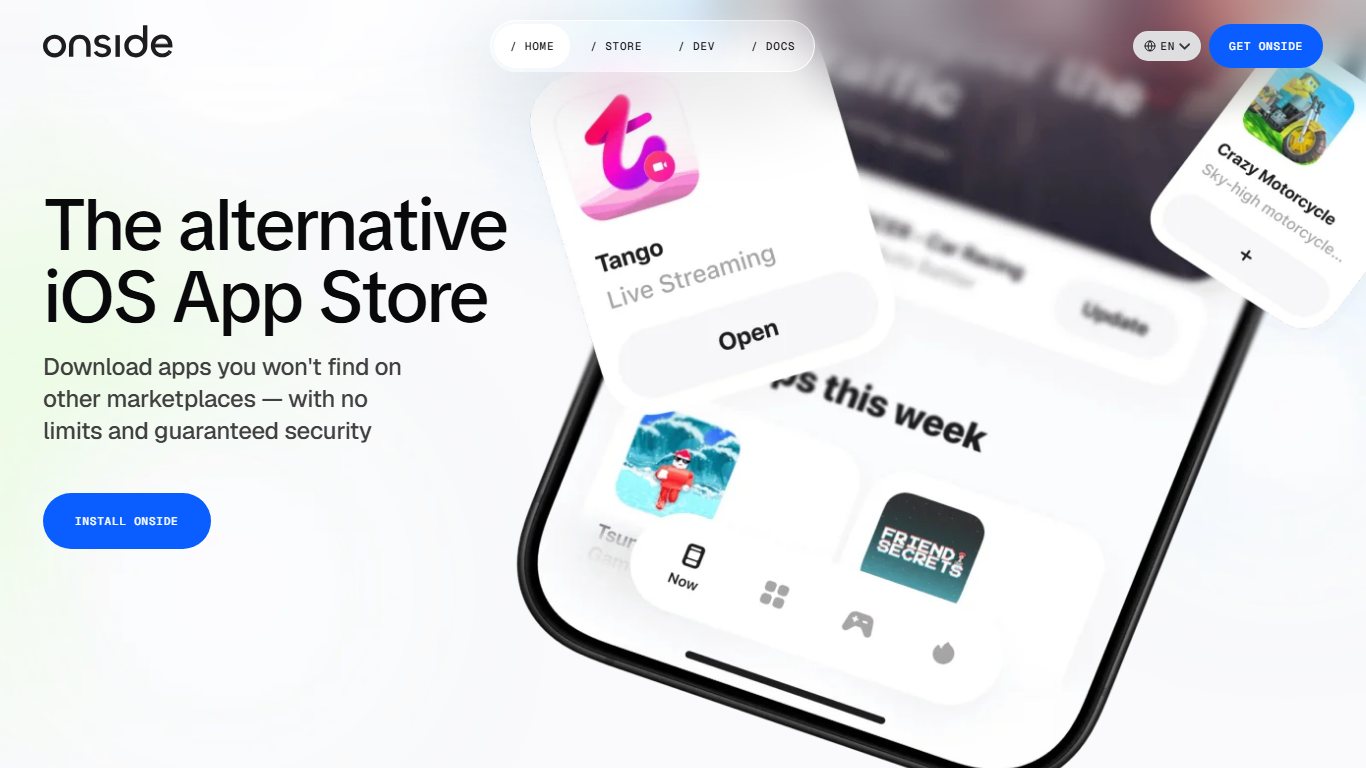
Onside is a general-purpose alternative app store available in both the EU and Japan. It’s the closest thing to a broad “second App Store” among the approved options, though the big-name apps most people want are still found only on Apple’s App Store.
One approved store is gone. Setapp Mobile, MacPaw’s subscription marketplace for the EU, shut down on February 16, 2026. MacPaw blamed Apple’s “still-evolving and complex business terms,” and any list still recommending it is out of date.
Maybe you don’t need a sideload store at all
A lot of what people went to AppValley for is now on the App Store, legally and for free. Before you set up any sideloading, check whether the thing you want already has an official route.
7. TestFlight for early versions
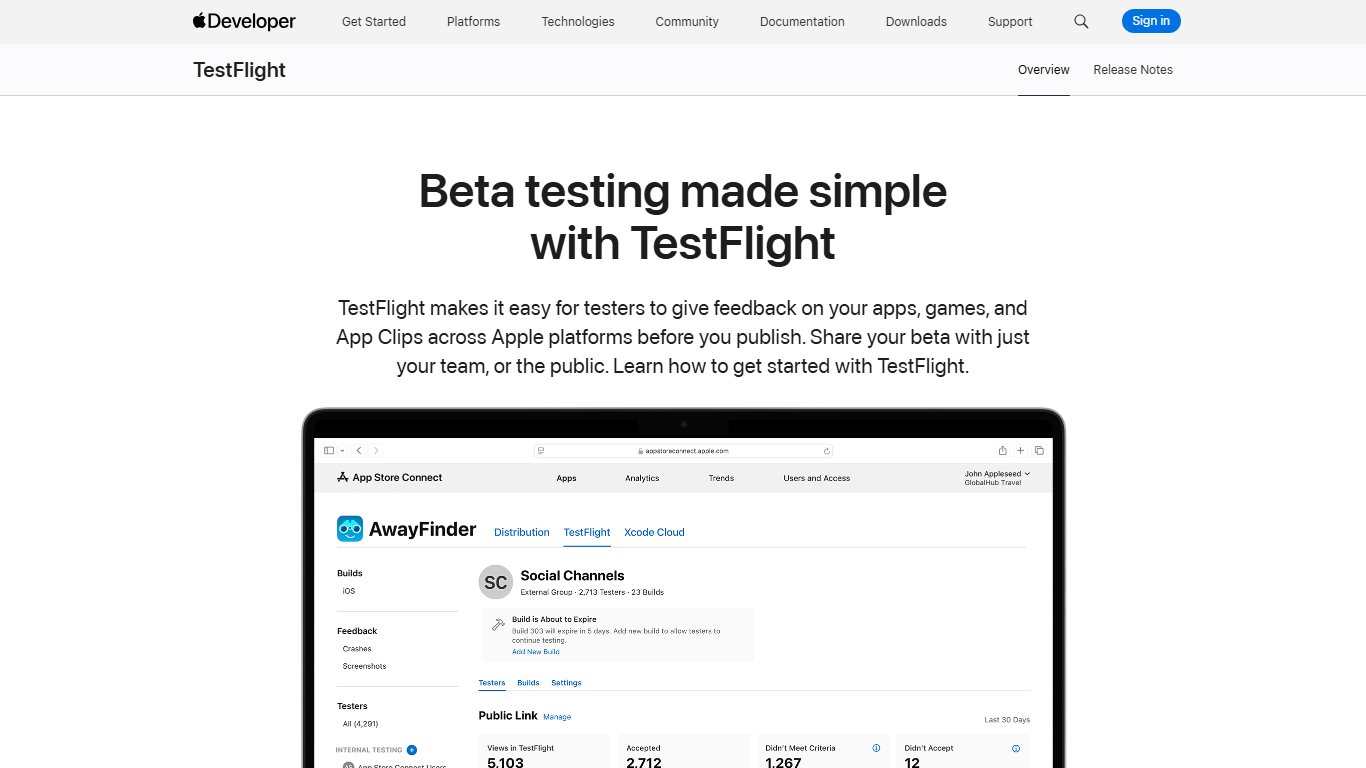
TestFlight is Apple’s free beta app. Developers invite testers through a public link or by email, and you get pre-release versions of real apps that have passed a light Apple check. If you used AppValley to get the newest version of an app before everyone else, TestFlight is the legitimate way to do it. Many popular apps, including emulators and Mastodon clients, run public betas.
8. Official free versions and web apps
The Delta emulator is the clearest example. It used to need sideloading, and since April 2024 it has been on the App Store worldwide because Apple began allowing retro game emulators. You still have to supply your own game files.
Other common AppValley requests have official answers too:
- Ad-free YouTube and background play. Tweaked builds like YTKACE break YouTube’s terms and can get your Google account flagged. The official route is YouTube Premium.
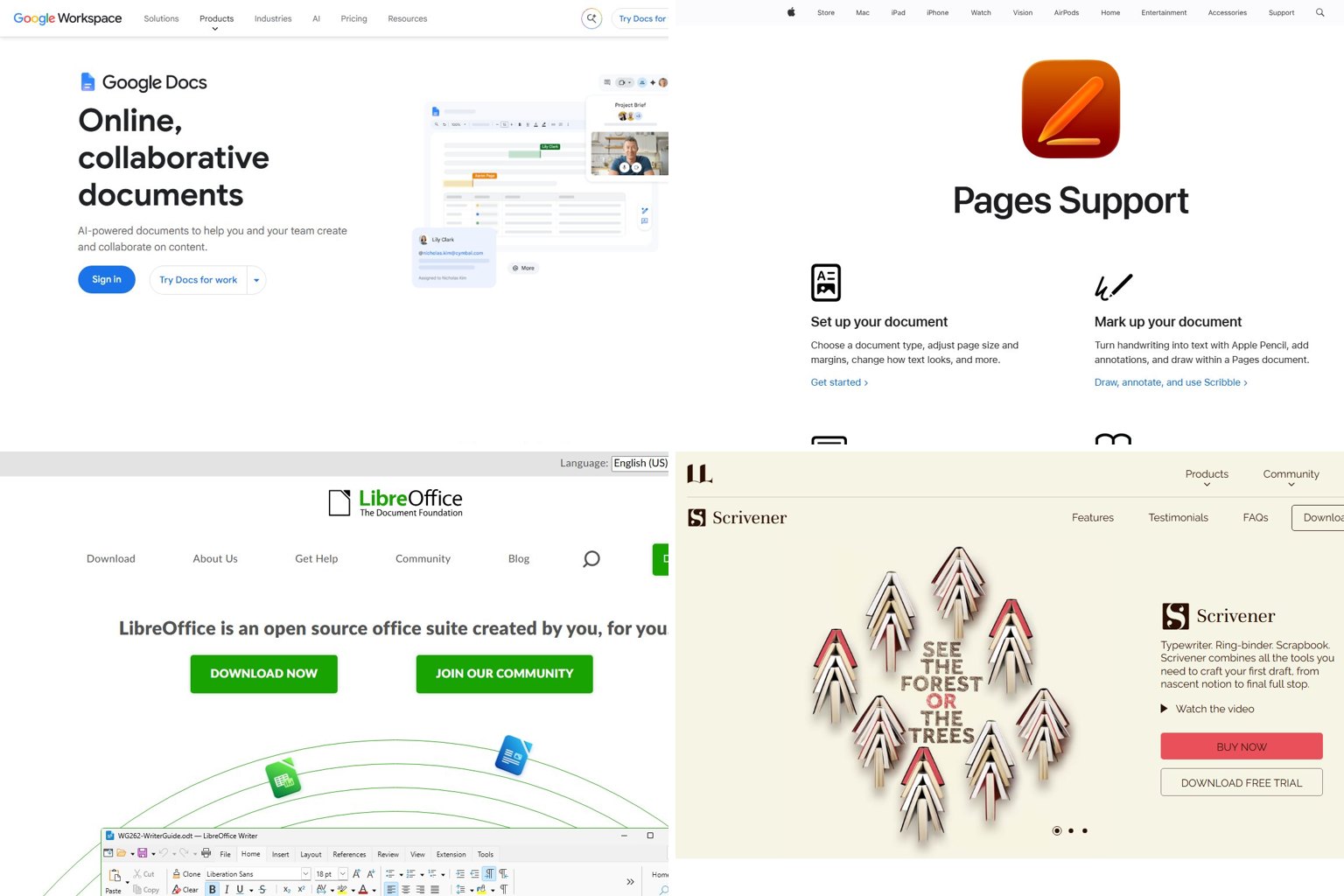
- Paid productivity apps. Apple’s Pages, Numbers, Keynote, iMovie and GarageBand are free on every iPhone.
- Movies, TV and anime. Free ad-supported apps like Tubi and Pluto TV, and library apps like Libby and Kanopy, cover a lot of ground. Our list of free Crunchyroll alternatives covers legal anime apps.
- Web apps. In Safari, open the site, tap Share > Add to Home Screen, and it opens full screen like an app, with no certificate involved.
“How do I keep Apollo working on my iPhone?” is a common question, and the honest answer is that there’s no official way. Apollo shut down on June 30, 2023 after Reddit’s API pricing changes. Apollo Reborn and similar patched builds are fan projects that depend on Reddit’s API access, and Reddit can cut that off at any time. The stable option is Reddit’s own app or a client available in the App Store.
AppValley-style third-party stores: still around, still risky
These stores work the same way AppValley does, so they fail the same way. Each one relies on certificates it doesn’t own, and each has been through revoke cycles. They’re described here so you know what you’re looking at, not as recommendations.
- TutuApp / Tutubox: an older store with both iOS and Android versions and a paid VIP tier. Tutu was part of the April 2019 mass revoke, and its iOS side has the same certificate problem as AppValley.
- Panda Helper: a free store with a VIP tier, known for tweaked apps and modified games. Same model, same revoke risk.
- iOSGods: a game-hacking community with its own app store. Its catalog centers on modified games, which carry real account-ban risk on top of the revoke risk.
- BuildStore: a paid service that registers your device’s ID on a developer account. That’s more stable than an enterprise certificate, but you’re still trusting a third party’s account and its catalog.
- Scarlet, ESign and similar signers: on-device apps that sign IPAs with whatever certificate you load. The certificates are usually bought from resellers or leaked, and Apple revokes them regularly.
Paying for VIP on any of these reduces how often revokes happen. It doesn’t make the apps reviewed, licensed or safe.
Dead or dangerous: TweakBox, Cydia, iOS Haven, OpenAppMkt
- TweakBox: no trustworthy official source remains. Sites using the name in 2026 are mostly phishing pages or malware droppers.
- Cydia: listed as discontinued on AlternativeTo. Its store shut down years ago, and it only ever worked on jailbroken devices.
- iOS Haven: no longer a dependable source. Treat anything using the name now as a clone.
- OpenAppMkt: an older web store known for cracked paid apps. Skip it for legal and malware reasons.
So, “All services (Tweakbox, Tutu, Appvalley, Ignition) have been revoked, what now?” Stop chasing the next certificate. Move to SideStore or Sideloadly, which sign apps with your own Apple ID instead of a shared certificate, or to an approved marketplace if you live in the EU or Japan. Signatures from your own Apple ID can still expire or be revoked, but they aren’t tied to the shared certificates that mass revokes target.
Jailbreak and TrollStore: only for specific iOS versions
Jailbreaking and TrollStore aren’t realistic AppValley alternatives on a current iPhone. Both depend on security bugs Apple has since fixed, and they only work on older iOS versions.
TrollStore installs apps permanently using bugs in Apple’s CoreTrust component. Its official GitHub page lists support for iOS 14.0 beta 2 through 16.6.1, 16.7 RC (build 20H18) and 17.0. The developer says 16.7.x and 17.0.1 or later will never be supported unless a new CoreTrust bug is found. So if you’re asking “Trollstore works only on very specific iOS versions, does it work on mine?”, check Settings > General > About. On iOS 26, it doesn’t.
Sileo is a package manager for jailbroken devices, and Cydia is discontinued. Neither can be installed on a normal iPhone, and some older guides wrongly say Sileo is in the App Store. On iOS 26, plan as if no jailbreak exists for your phone. Jailbreaking also weakens the security protections built into iOS, which is a poor trade for a few tweaks.
AppValley alternatives for Android (and Google’s 2026 rule change)
Android has always allowed apps from outside Google Play, so you don’t need an AppValley-style store. The question is which sources are trustworthy, and from September 30, 2026, some countries also add a verification step.
Which APK store is best for Android?
F-Droid is the best APK store for most people looking for alternatives. It’s free, carries only open-source apps, and builds them from published source code. After that, stick to stores run by your phone’s maker, such as Samsung’s Galaxy Store, or the developer’s own website.
APKMirror is a reasonable way to get older versions of free Play Store apps, because it checks that files match the developer’s original signature. Avoid sites offering “modded” or “premium unlocked” APKs, including TutuApp’s Android version. Those are the Android equivalent of AppValley’s tweaked catalog, and they’re a common malware route. If an installed app starts misbehaving, our guide to fixing an Android app that isn’t working walks through the steps.
9. What changes with Android developer verification
Google’s developer verification requires apps on certified Android devices to come from developers who’ve registered their identity with Google. It took effect September 30, 2026 in Brazil, Indonesia, Singapore and Thailand. Android Authority reports it covers participating stores including Google Play, Galaxy Store, HONOR, OPPO, Xiaomi GetApps, vivo and Transsion’s Palm Store.
| Milestone | Date | What changes for you |
|---|---|---|
| Advanced flow begins rolling out | 2026, ahead of enforcement | Android gets an official setting for installing unverified apps |
| Enforcement, first wave | September 30, 2026 | In Brazil, Indonesia, Singapore and Thailand, apps from unregistered developers need the advanced flow |
| Global rollout | 2027 (planned) | The same rule reaches certified devices everywhere, including the US |
The advanced flow is Google’s official route for apps from unregistered developers. You turn it on in Developer options, confirm your identity, restart, and wait 24 hours before your first install. TechRepublic reports that installs over ADB from a computer are exempt, which matters for developers testing their own apps.
In the US, nothing is enforced yet as of November 2026. Expect the same rules in 2027. F-Droid apps from developers who don’t register will then need the advanced flow.
Which alternative should you pick?
Start from your situation, not the app you want. This table matches the common situations to the safest option that works.
| Your situation | Best pick | Backup option | Avoid |
|---|---|---|---|
| iPhone, no computer at all | Official App Store apps, TestFlight, web apps | Ask a friend’s computer for one-time SideStore setup | AppValley, TweakBox clones |
| iPhone + Windows PC | SideStore (set up once) | Sideloadly or AltStore Classic | Enterprise-certificate stores |
| iPhone + Mac | SideStore | AltStore Classic or Sideloadly | Paid “revoke-proof” certificates |
| iPhone in the EU or Japan | AltStore PAL, Epic Games Store, Onside | SideStore | Setapp Mobile (closed) |
| iPhone in Brazil | Apple-authorized marketplaces | SideStore | AppValley-style stores |
| Android phone | Google Play, F-Droid | Galaxy Store, developer websites | Modded-APK sites |
| “I just want one tweaked app” | The official version or its paid tier | SideStore with an open-source build | Logging into modded social apps |
If you also want your iPhone on the big screen, our guide to mirroring an iPhone to an Android TV covers that, with no sideloading needed.
How to remove AppValley completely
To remove AppValley, delete its apps, then delete the profile or certificate it left behind in Settings. If you signed into any modded app, change those passwords too. The whole process takes about ten minutes.
Before you start
If you plan to erase the iPhone, back up your photos and important files first. Then set the phone up as new rather than restoring a full backup, because restoring can bring the same apps and profiles back.
Remove AppValley
- Press and hold the AppValley icon, tap Remove App, then Delete App. Repeat for every app you installed from it.
- Open Settings > General > VPN & Device Management.
- Tap any profile or enterprise app entry you don’t recognize, then tap Remove Profile or Delete App.
- Check Settings > General > VPN & Device Management again and remove any VPN configuration you didn’t add yourself.
- Change the passwords for every account you used inside a tweaked app, starting with email and social media, and turn on two-factor authentication.
- If you still see unexplained pop-ups or battery drain, go to Settings > General > Transfer or Reset iPhone > Erase All Content and Settings.
If your Apple ID shows sign-ins you don’t recognize after this, contact Apple Support directly from the Apple Support app or apple.com, not from a number on a pop-up.
FAQ
What are the best alternatives to AppValley in 2026?
SideStore is the best overall, followed by Sideloadly and AltStore Classic, because they all sign apps with your own Apple ID. In the EU and Japan, AltStore PAL, the Epic Games Store and Onside are better still, since Apple approves them and their apps never expire.
Is AppValley still working?
The free version is revoked as of November 2026, according to AppValley’s own status page. AppValley VIP still works for some users, but it relies on certificates Apple can revoke at any time.
Is AppValley safe?
No. Its apps aren’t reviewed, many are modified copies of other companies’ apps, and the certificate method it uses is the same one behind past spyware like Hermit. Logging into a tweaked social app exposes your password.
Which APK store is best for Android?
F-Droid is a strong choice, because its repository carries free and open-source apps and its build tools can verify builds against source code, though reproducible builds aren’t available for every app. Google Play, Galaxy Store and the developer’s own site are the next-safest. Avoid “modded APK” sites.
Is AppValley VIP worth it?
No. VIP reduces revokes, but it doesn’t stop them, and the apps carry the same risks as the free tier. For about the same money, a $99 Apple Developer account gives you year-long signing under your own name.
Does AppValley void my iPhone warranty?
Not automatically, since it doesn’t jailbreak or physically modify the phone. Apple doesn’t cover problems caused by unauthorized software, though, and will usually ask you to remove the apps or erase the iPhone before a repair.
Is TweakBox still working?
There’s no trustworthy TweakBox left. Sites calling themselves “TweakBox 2026” are mostly phishing pages or malware droppers, so close any page that asks you to install a profile.
Can I get AppValley alternatives on iPhone without a computer?
For the App Store, TestFlight and web apps, yes. SideStore needs a computer once for setup, then refreshes on the phone. In the EU and Japan, approved marketplaces need no computer at all.
Can I use AltStore PAL in the US?
No. AltStore PAL works only in the EU and Japan, and Apple checks your account region and location. US users can run AltStore Classic or SideStore instead.
Why do sideloaded apps stop working after 7 days?
Apple makes signatures from free Apple IDs expire after seven days, because free signing is meant for developers testing their own apps. Refresh weekly in SideStore or AltStore, or pay $99 a year for a developer account and year-long signatures. Your next step: decide which situation in the chooser table fits you, and set up that one option instead of another revoke-prone store.