As of November 2026, you can’t download the original DuplexPlay from any official store. Its developer stopped selling new activations and pulled the app from Google Play in August 2021, then from the Samsung and LG TV stores. The only DuplexPlay-style app in an official Fire TV store is a newer “Duplex Play” listing in the Amazon Appstore, published by inoRain LLC. Install that one from the Appstore. Copies of the APK passed around on download sites and short links are unofficial, so avoid them.
If your device can play IPTV, you may be looking for a good IPTV player app to use with it. Apps such as XCIPTV and IPTV Smarters are the usual picks, and DuplexPlay was a popular alternative for a few years. This guide explains what DuplexPlay is, what happened to it, and what you can still install today on an Amazon Firestick, a smart TV or an Android device.
Installing DuplexPlay on a Firestick today
On a Firestick, the safe route is to search the Amazon Appstore, not to sideload. DuplexPlay was known for its clean, easy interface, which made it worth trying. That only helps if the copy you install comes from an official source, because anything else could carry malware.
What is DuplexPlay
DuplexPlay is an IPTV media player app that you use to watch an IPTV subscription. The app has no channels or content of its own. You buy a subscription from an IPTV provider and load its playlist into the app.
That matters for two reasons. First, the app does nothing until you add a playlist. Second, the player is only as legal as the service you put into it. Only use a playlist from a provider that has the rights to the channels it sells.
The original developer said it stopped selling new activations because resellers were using the DuplexPlay name to trick customers into buying their subscriptions. According to the store tracker AppBrain, the Google Play listing was removed on August 29, 2021, after about 2.2 million installs. Forum posts that quote the developer’s notice say existing customers could keep using the app. Many users later reported that the app stopped working or disappeared from their devices.
Features of DuplexPlay
These are some of the features the original DuplexPlay offered:
- Saves playlists and can start from the last channel you watched
- Supports embedded subtitles and lets you change the audio track of IPTV streams
- Lets you customize channels and IPTV country categories
- Lets you move the playback slider with precision control
- Includes built-in search for finding channels
- Supports embedded groups in playlists
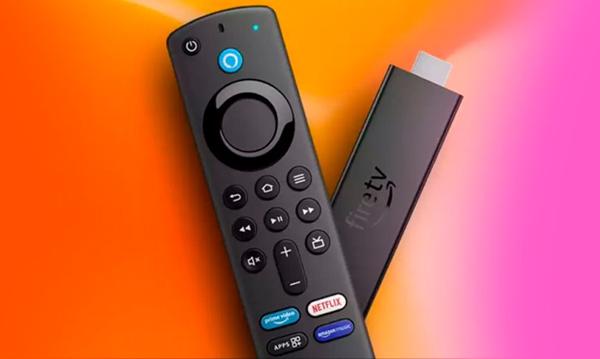
The Amazon Appstore’s “Duplex Play” is a separate listing, and its features may not match this list. Its store description calls it a media player for your own playlists with no built-in content, and it works with the Fire TV voice remote.
How to download the DuplexPlay IPTV app
Today, the only official download is the Duplex Play listing in the Amazon Appstore for Fire TV devices. The original DuplexPlay is no longer on the Google Play Store, so older guides that send you to a Play Store link no longer work.
Old guides also told Firestick owners to download a DuplexPlay APK and install it with the Downloader app, or to send it over with a wireless file manager. Skip that method. The developer no longer distributes the app, so any APK you find online comes from an unknown source. Many “activation” websites that use the DuplexPlay name are not run by the original developer either.
How to install Duplex Play on an Amazon Firestick, Fire TV or Fire TV Cube
You don’t need to change any developer settings to install an app from the Amazon Appstore. Follow these steps:
- From the Firestick home screen, choose Find, then Search.
- Type Duplex Play and select it from the results.
- Open the app page and check that the publisher is inoRain LLC and that your device is listed as compatible.
- Select Get or Download and wait for it to install.
- Select Open.
- Add the playlist details from your IPTV provider.
The listing went up in the Amazon Appstore on July 28, 2025, and the app is free to download. inoRain’s link to the original DuplexPlay developer hasn’t been confirmed, so treat it as a new app. Read the store reviews and the permissions it asks for before you enter any account details.
About the “unknown sources” setting
You only need this setting for apps that aren’t in the Amazon Appstore, and you don’t need it for Duplex Play. The menu has moved since older guides were written. On current Fire OS models, the path is Settings > My Fire TV > Developer Options > Install unknown apps. On older Fire OS versions, the setting was called Apps from Unknown Sources. If Developer Options is missing, open Settings > My Fire TV > About and select your device name seven times to show it. On Fire TV smart TVs, the menu is called Device & Software instead of My Fire TV.
Newer Firesticks can’t sideload at all
Amazon’s Fire TV Stick 4K Select, released in October 2025, runs Vega OS, which is based on Linux instead of Android. Amazon says every future Fire TV Stick will run Vega. Vega devices can’t install Android APK files and have no unknown-apps setting, so the Amazon Appstore is the only way to get apps on them. Older models that run Fire OS, such as the Fire TV Stick 4K Max and Fire TV Cube, still have the setting.
How to install DuplexPlay on a smart TV
You can no longer install DuplexPlay on a Samsung or LG smart TV. Both TV app stores used to carry it, but the developer’s notice said the app would be removed from all official stores. Samsung owners on Samsung’s community forums later reported that it was no longer in the store, including after a TV reset.
If the app is still on your TV from before 2021, it may keep working. If you uninstall it or reset the TV, you can’t get it back. A different IPTV player from your TV’s own app store, such as the LG Content Store or Samsung’s Smart Hub apps, is a better long-term choice.
How to install DuplexPlay on an Android device
On an Android TV box, phone or tablet, searching the Google Play Store for “DuplexPlay” no longer finds the original app. Some results with similar names are unrelated apps or “guide” apps that only borrow the name. Check the developer name before you install anything.
Older guides said to use the Firestick sideloading steps on Android devices without the Play Store. That advice is out of date too, because there’s no official APK left to install. A better option is a player that’s still in the Play Store and accepts M3U playlists. VLC can open M3U playlist files, for example.
Conclusion
DuplexPlay was a well-liked IPTV player, but the original app has been discontinued since 2021. Treat any website still selling DuplexPlay activations with suspicion. On a Firestick, install Duplex Play or another player straight from the Amazon Appstore. On a smart TV or Android device, choose a player from that device’s official store and pair it with a legal subscription.
For mainstream channels, the official apps are often simpler than any IPTV player. For example, see How To Install And Watch Crave On Firestick and How To Get Watch TNT On Firestick.
FAQ
Is DuplexPlay still available?
The original DuplexPlay isn’t available from any official store. The developer stopped selling new activations, and its Google Play listing was removed on August 29, 2021. The only current official listing with a similar name is “Duplex Play” by inoRain LLC in the Amazon Appstore.
Is the Duplex Play app in the Amazon Appstore the same as the old DuplexPlay?
That hasn’t been confirmed. The Appstore listing is published by inoRain LLC and first appeared on July 28, 2025, four years after the original app was pulled. Treat it as a separate app and judge it by its reviews and permissions.
Is DuplexPlay legal to use?
The player itself is legal software, because it only plays playlists you add to it. What you stream through it decides whether it’s legal. If an IPTV service offers hundreds of premium channels for a few dollars a month, it almost certainly doesn’t have the rights to them.
Why can’t my new Fire TV Stick install APK files?
Fire TV Stick models from the 4K Select onward run Amazon’s Vega OS, which can’t run Android APK files. These models have no setting for installing unknown apps. You can only add apps from the Amazon Appstore.
Can I renew an old DuplexPlay activation?
Forum reports say renewals worked for some existing customers for a while after 2021. Many others found the app stopped working. Many sites offering DuplexPlay activation or renewal aren’t run by the original developer, so don’t pay one until you’re sure who runs it.
What can I use instead of DuplexPlay on a Firestick?
Search the Amazon Appstore for an IPTV or media player that accepts M3U playlists, and check the publisher and reviews before you install it. If you only want specific channels, the broadcaster’s official Fire TV app is usually the most reliable and fully legal option.
Sources
- Amazon Appstore: Duplex Play listing by inoRain LLC
- Amazon Fire TV developer documentation and announcements on Vega OS
- AppBrain: DuplexPlay (com.duplexiptv) Google Play listing history
- Samsung Community forums: posts about DuplexPlay missing from the Samsung TV app store
- How-To Geek: Fire TV Developer Options guide