In Canada, you can install Crave free from the Amazon Appstore on any Fire TV device running Fire OS 6, 7 or 8. Then activate it with a code at crave.ca/firetv, or at crave.ca/activate if you get Crave through a TV provider. You need a paid Crave plan: Standard with Ads costs $11.99 a month and Premium costs $22 a month (Canadian dollars, before tax). Crave only works in Canada, and the newer Fire TV Stick 4K Select runs Amazon’s Vega OS, which Crave’s device list doesn’t include.
Crave is Bell Media’s subscription streaming service. It carries a curated collection of movies and series, including HBO shows in Canada. You can sign in with a Crave account bought on crave.ca, with a TV provider login from Bell, Rogers, Telus and others, or with a Crave subscription you added through Prime Video Channels in Canada.
How to Install Crave on Firestick
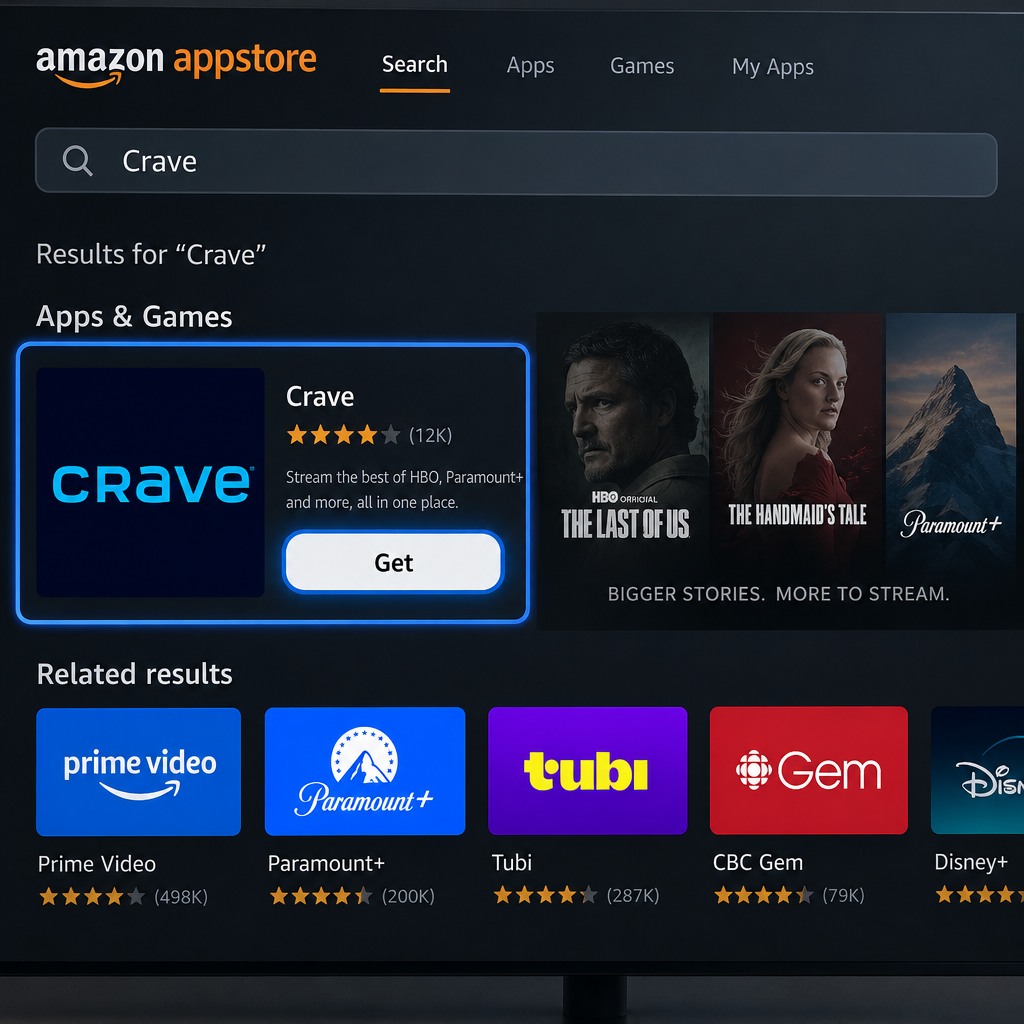
The Crave app comes from the Amazon Appstore. It only shows up when your Amazon account’s country is set to Canada. If the app doesn’t appear in search, check your country under Manage Your Content and Devices > Preferences > Country/Region Settings on the Amazon.ca website.
- Turn on your Firestick or Fire TV and go to the Home screen.
- Select the Find icon on the Home screen.
- Select Search.
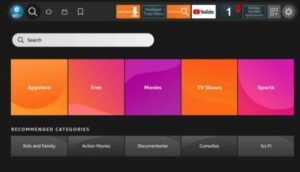
- Type Crave with the on-screen keyboard and run the search.
- Pick the Crave app from the results under Apps & Games.
- Select Get or Download to install Crave from the Amazon Appstore.
- When it finishes installing, select Open to start the Crave app.
Why Sideloading the Crave APK Is Not Recommended
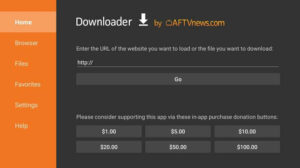
Older guides said you could install a Crave APK with the Downloader app to get Crave outside Canada. That method isn’t worth using. The APK links came from unofficial file hosts, so there’s no way to know whether the file was changed or bundled with malware. Crave also limits streaming to Canada, so a sideloaded app doesn’t change what your account is allowed to play.
Sideloading is also going away on Fire TV. The Fire TV Stick 4K Select runs Vega OS, which has no option to install unknown apps and can’t run the Downloader app. Amazon’s developer site says all future Fire TV Sticks will run Vega too.
If you followed an old guide and turned on unknown apps for Downloader, switch it back off:
- Open Settings on your Firestick and select My Fire TV.
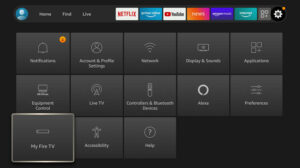
- Select Developer Options.
- Select Install Unknown Apps.
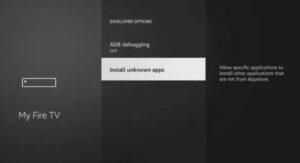
- Select Downloader and set it to Off.
- Uninstall any Crave copy you didn’t get from the Amazon Appstore. Go to Settings > Applications > Manage Installed Applications > Crave > Uninstall, then install the official version from the Appstore.
If you’re in the United States, the HBO series that Crave carries in Canada stream on HBO Max, which has its own Fire TV app in the US Appstore.
How to Activate and Stream Crave on Firestick
Crave on Fire TV uses an activation code, so you never have to type your password with the remote. Open the app and start sign-in. A code appears on the TV, and you enter it on your phone or computer.
- Open the Crave app and select Sign In, or pick any title to play. An activation code appears on your TV.
- On your phone or computer, open a browser and go to crave.ca/firetv. If you’re signing in with a TV provider, choose your provider in the app first and use crave.ca/activate.
- Sign in with your Crave email and password, or with your TV provider account.
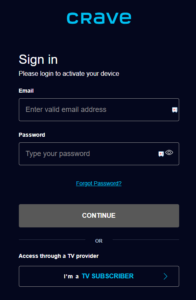
- Enter the activation code and select Submit.
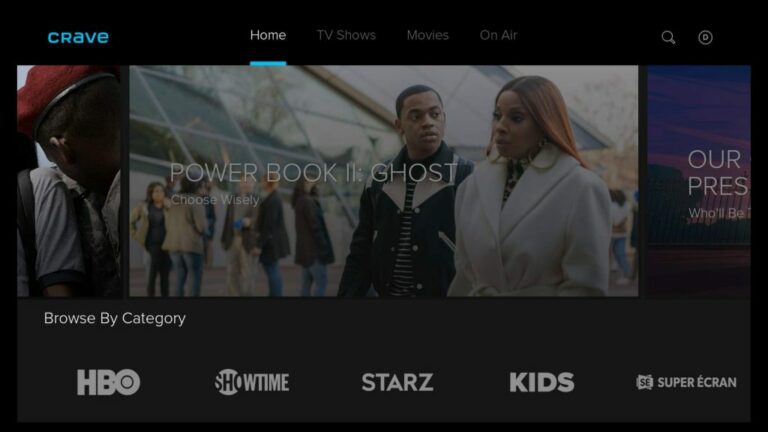
- The Crave app on your Firestick activates within a few seconds.
- If the home screen doesn’t refresh by itself, close and reopen Crave, and you can start watching. For another channel app with a similar activation flow, see How To Get Watch TNT On Firestick.
Codes expire after a short time. If yours stops working, go back in the app to get a new one. Check characters that are easy to mix up, such as 0 and O or 1 and I.
Crave plans you can use on Firestick
These prices are in Canadian dollars, before tax, as listed by Crave in late 2026:
| Plan | Monthly | Yearly | Ads |
|---|---|---|---|
| Standard with Ads | $11.99 | $119.99 | Yes |
| Premium | $22.00 | $220.00 | No |
Crave dropped the old $9.99 Basic with Ads plan in October 2025. Canadian Prime members can also add Crave through Prime Video Channels and pay through their Amazon account. In that case you watch inside the Prime Video app as well as the Crave app.
How to Fix Crave Not Working on Firestick
Most Crave problems on Fire TV come from a bad connection, an old app version or an unsupported device. Try these fixes in order, from quickest to most involved.
Check the internet connection. Go to Settings > Network, select your Wi-Fi network and press Play/Pause on the remote to check its status. If it shows connected without internet, restart your router.
Restart the device. Go to Settings > My Fire TV > Restart, or hold Select and Play/Pause together for about five seconds. This clears temporary glitches.
Update Fire OS and the app. Go to Settings > My Fire TV > About > Check for Updates and install anything that’s waiting. App updates usually install automatically from the Appstore.
Clear the cache. Go to Settings > Applications > Manage Installed Applications > Crave > Clear Cache. If Crave keeps failing, use Clear Data there too. You’ll need to activate the app again afterward.
Check that your device is supported. Crave supports Fire TV devices running Fire OS 6, 7 and 8. Very old models, such as the first-generation Fire TV Stick, no longer run the app. The Fire TV Stick 4K Select runs Vega OS, which isn’t on Crave’s device list. To check your version, go to Settings > My Fire TV > About.
If none of these work, contact Crave support. If you pay through a TV provider, contact Bell, Rogers or your provider instead. In November 2025, a faulty Crave update stopped the app from playing on some Fire TV devices until Bell fixed it. Subscribers who also had Crave through Prime Video Channels could still watch in the Prime Video app while they waited.
FAQ
Can I stream Crave for free with Amazon Prime?
No. Prime doesn’t include Crave. Prime members in Canada can add Crave as a paid Prime Video Channel and get billed through Amazon, but it costs extra on top of Prime.
Is there a Crave free trial on Firestick?
Crave doesn’t offer a permanent free trial anymore. It runs limited-time deals instead, such as the October 2025 offer of $3.99 a month for the first three months of the plan with ads. Check crave.ca/subscribe for the current offer before you sign up.
Why can’t I find Crave in the Firestick Appstore?
Crave is only listed in the Canadian Amazon Appstore. Your Amazon account country has to be set to Canada, and your device has to run Fire OS 6, 7 or 8. If you live outside Canada, Crave isn’t available to you through the official app.
Does Crave work on the Fire TV Stick 4K Select?
Crave’s official device list covers Fire TV models on Fire OS 6, 7 and 8. The Fire TV Stick 4K Select runs Amazon’s Vega OS instead. If you want Crave, choose a model like the Fire TV Stick 4K Max, which runs Fire OS. You also can’t sideload apps on the 4K Select.
What’s the activation website for Crave on Fire TV?
If you have a Crave account, go to crave.ca/firetv and enter the code shown on your TV. If you’re signing in through a TV provider, choose your provider in the app, then enter the code at crave.ca/activate.
How many screens can I stream on at once?
That depends on your plan. Standard with Ads lets you stream on two screens at once in up to 1080p. Premium allows more streams and adds 4K for titles that support it. Crave’s subscribe page lists the current limits for each plan.
Sources
- Crave: Subscribe and plans
- Crave: Device compatibility
- Crave Support: I can no longer access Crave on my Amazon Fire TV
- Bell Media: Bell Media brings Crave to Prime Video Channels in Canada
- Amazon Developer: Fire OS overview