
Most large employers now run an internal portal so staff can handle pay, benefits and company news online at any time and from anywhere. American Airlines calls its portal Jetnet. Paperwork that once went through an office now happens on the website or in the app.
Why American Airlines uses an employee portal
An employee portal saves time for staff and for the company. Jetnet is American Airlines’ version, and it is often searched as Newjetnet.aa.com. It keeps employee information in one place, including pay statements, tax documents and benefits.
The homepage has a menu that is easy to browse and links to the company’s most important pages. You don’t need to call or visit an office to find routine information, which keeps work moving.
What is Newjetnet.aa.com
Newjetnet.aa.com, also called Jetnet, is the online portal American Airlines built for its employees. It is the main channel between the airline and its workforce. You can view your pay statements, check your benefits and keep up with company news and announcements.
You can also use Jetnet to find tax information, update direct deposit details and manage your benefits. Access goes to current team members and to retirees who keep a Jetnet login. Some contractors get it too, if American Airlines issues them credentials. Because pay and benefit details are posted before payday or before an enrollment deadline, you can spot a problem early and raise it with HR or payroll.
How to access Newjetnet.aa.com
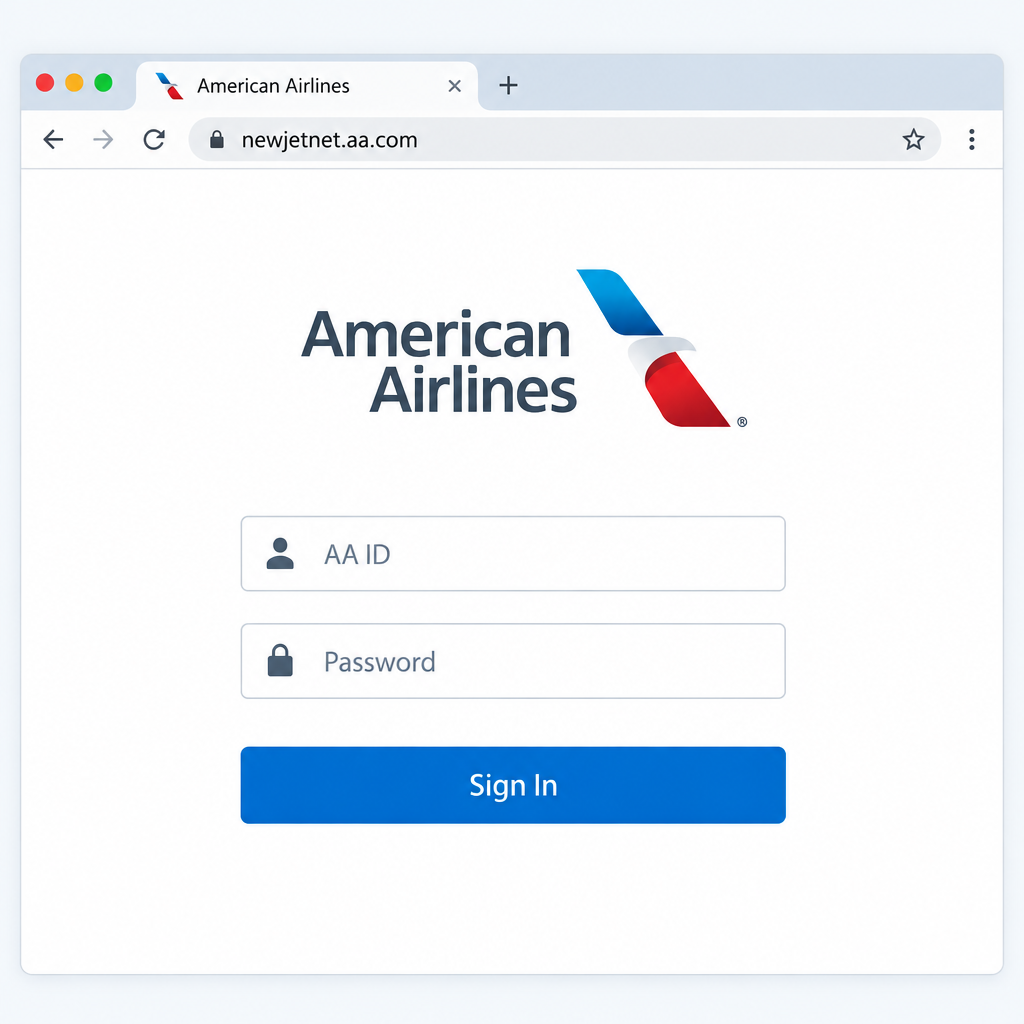
Getting into the portal takes a few steps. If you are on a personal device, use a browser you trust.
- Type newjetnet.aa.com into your browser’s address bar. You can also use jetnet.aa.com. Either one takes you to the Jetnet sign-in page.
- Find the sign-in box on the first page.
- Enter your AA ID (your employee number) and your password. Check both carefully before you continue.
- Select the sign-in button. If you are asked to confirm your identity with a code or a prompt, finish that step to open the portal.
First-time users
New team members get their AA ID during onboarding and set up a password using the instructions American Airlines provides. Contractors get credentials through the American Airlines department that sponsors them. If your first sign-in fails or you never got setup instructions, contact your manager or HR. Don’t use a third-party site that offers to “register” you.
What information and resources you can access through the portal
Once you sign in, Jetnet gives you a range of services. What you see depends on your role and your status as a team member, retiree or contractor. The main ones are:
- Pay statements for each pay period.
- Details of direct deposits made by American Airlines, and a way to update your direct deposit information.
- The benefits American Airlines provides, such as health coverage and retirement plans.
- Tax documents, including year-end forms.
- Work-related tools and schedule information for your work group.
- Company announcements and news.
- Updates to company policies and other company information.
Retirees use a separate site, retirees.aa.com, for retiree benefits and travel information, and it requires Jetnet access. Transport Workers Union Local 514 tells its retired members that the union cannot reset Jetnet passwords, so login problems go to American Airlines.
On a phone, the “Jetnet, American Airlines” app from developer Unily Limited is free on Apple’s App Store and Google Play. Its store listing says it is made for American Airlines mainline team members, so they can keep up with work while away from a computer.
How to use the American Airlines employee portal
Only people who work for American Airlines, or who have been given Jetnet credentials, can use the portal. It saves time because you can find your information without going through a supervisor or an office.
To sign in:
- Type newjetnet.aa.com into your browser’s address bar. You will go straight to the portal.
- Find the sign-in box on the first page.
- Enter your AA ID and password, then select sign in to open the portal.
Make sure the details you enter are correct. Choose a strong password that you don’t use anywhere else, and keep it private. Never share your AA ID, password or verification codes with anyone. American Airlines staff and union representatives don’t need them to help you.
Type the address yourself or use a bookmark you saved from the real site. Don’t click a search result or an email link. The same goes for any sign-in page you reach from a search, whether it’s a firstpremier com login search or a myflorida access fl login search. Many lookalike pages copy a real portal’s name to collect passwords. Every genuine Jetnet address ends in aa.com.
After you sign in, you land on the homepage. The menu is sorted by topic, and the homepage also links to important company announcements and recent updates.
Direct link to the portal
The address for the American Airlines employee portal is http://newjetnet.aa.com. You can also use jetnet.aa.com. Both should open a secure https page on an aa.com address. If your browser shows any other domain, close the page.
The bottom line
Jetnet gives team members one place to check their pay, benefits, schedules and company news. Retirees use it to get into the retiree site. Save the official address as a bookmark today, and put the Jetnet app on your phone if you are a mainline team member. Then, if you ever get locked out, you’ll know that the only safe place to fix it is through American Airlines.
FAQ
What is my AA ID for Jetnet?
Your AA ID is your American Airlines employee number. It’s on your onboarding paperwork, and your manager or HR can confirm it. Retirees use the same ID they had while working.
Is newjetnet.aa.com the same as jetnet.aa.com?
Both addresses are used to reach Jetnet, American Airlines’ employee portal, and both sit on the aa.com domain. Use whichever one your onboarding or HR materials gave you. Bookmark it so you don’t have to find it through a search engine.
How do I reset a forgotten Jetnet password?
Use the password help option on the Jetnet sign-in page. If that fails, contact American Airlines’ internal help desk or HR. Unions such as TWU Local 514 have said they cannot reset Jetnet passwords, so don’t wait on your union for this.
Can retirees still use Jetnet?
Yes. Retirees who keep their Jetnet login can reach retiree benefits and travel information at retirees.aa.com, and that site requires Jetnet access. If the login stops working after retirement, contact American Airlines’ retiree support.
Is there a Jetnet app?
Yes. “Jetnet, American Airlines” is a free app from Unily Limited on the Apple App Store and Google Play. It is made for mainline team members. Only download it from those official stores.
Is it safe to log in to Jetnet from a personal phone or computer?
Yes, as long as the device is up to date and you are on the real aa.com address or the official app. Don’t sign in on shared or public computers. Never enter your AA ID and password on a site you reached through an unfamiliar link.
Sources
- Jetnet, American Airlines on the Apple App Store
- Jetnet, American Airlines on Google Play
- TWU Local 514: Retiree Support and Jetnet













