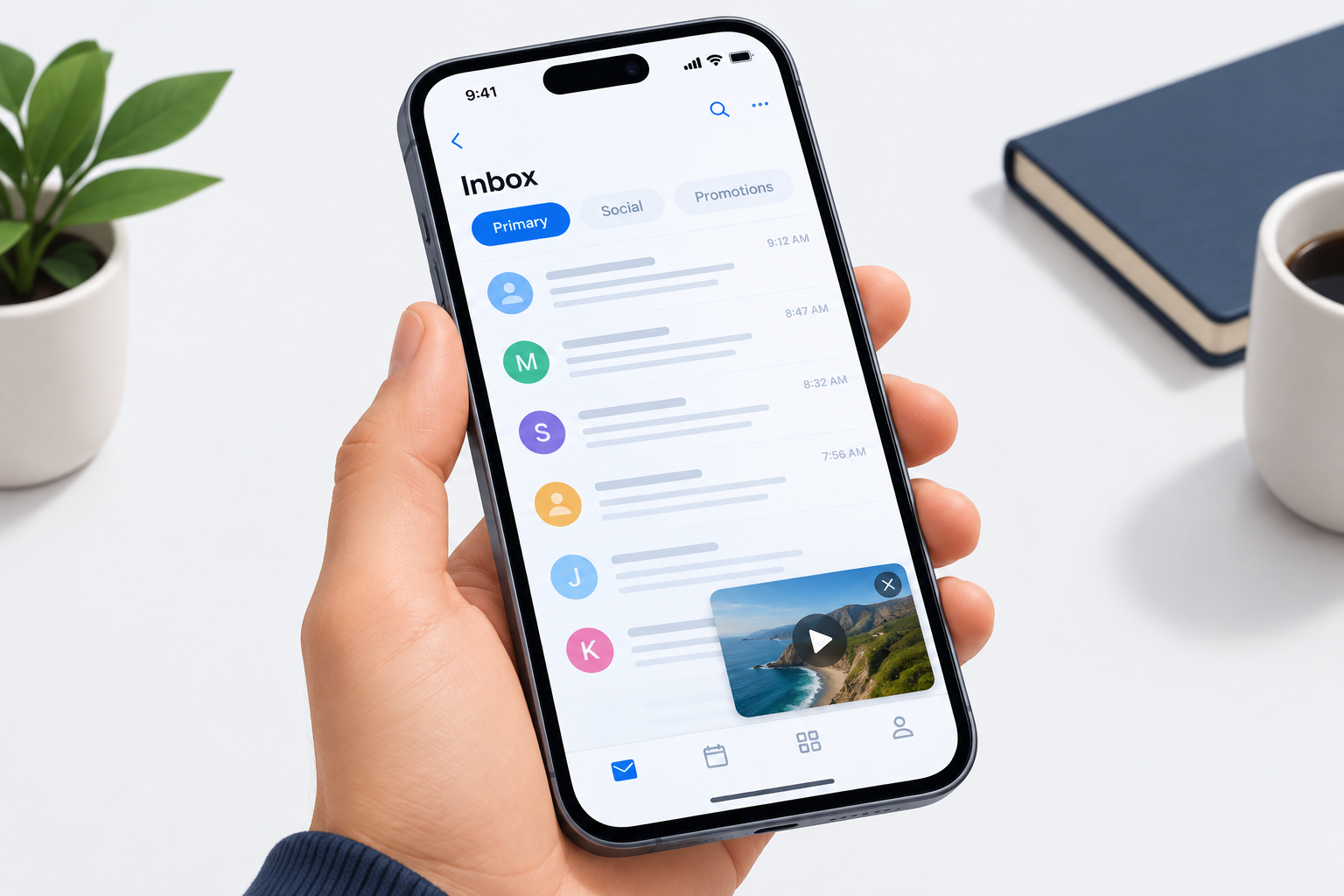
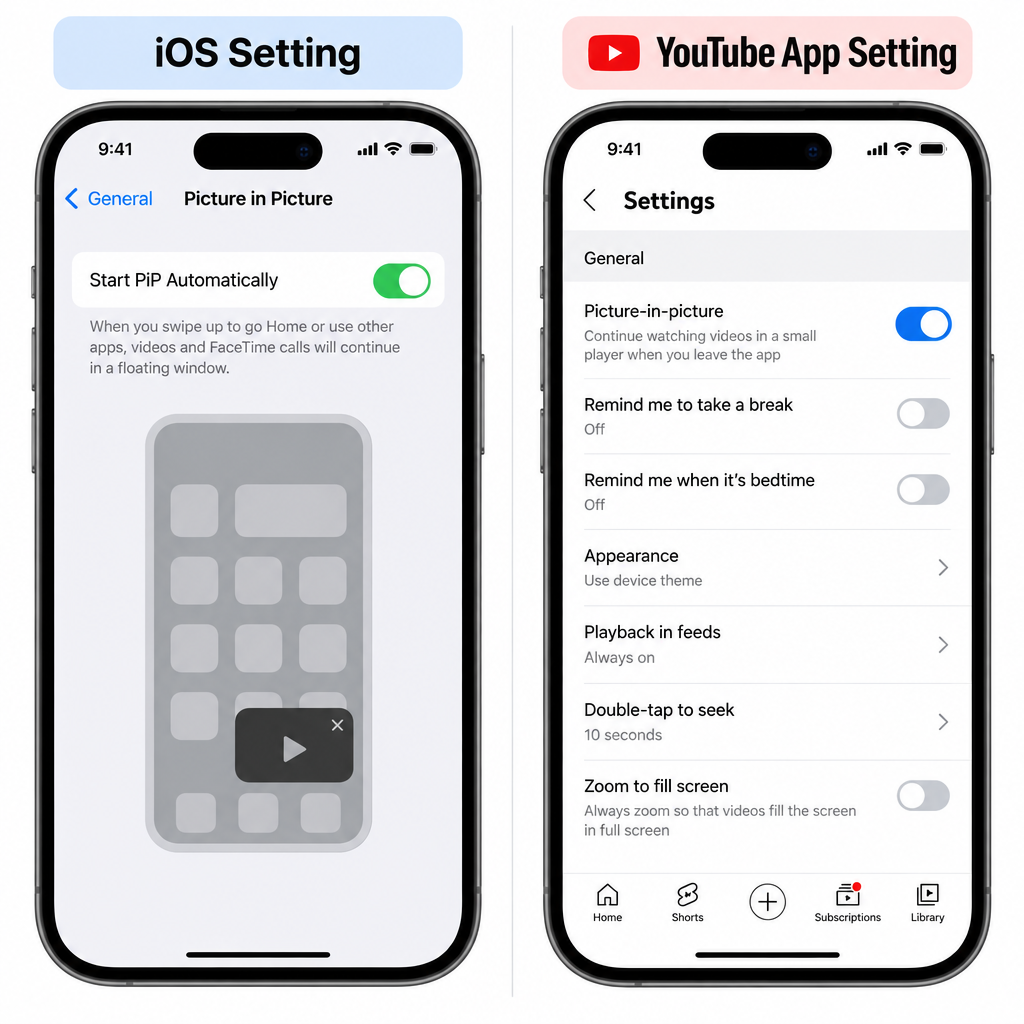
To get YouTube picture-in-picture (PiP) on an iPhone or iPad, you need two switches turned on: Settings > General > Picture in Picture > Start PiP Automatically in iOS, and You > Settings (gear icon) > General > Picture-in-picture in the YouTube app. Your device also needs iOS 16 or later. As of November 2026, Premium subscribers can use PiP worldwide for all videos. Free users in the US can use it for non-music videos, and since April 2026 YouTube has been extending free PiP to the rest of the world for long-form, non-music videos. If PiP still won’t start, it is usually because of a music video, an out-of-date app, or a region where the free rollout hasn’t arrived yet.
YouTube first brought picture-in-picture to its iOS app in 2021, and at first only YouTube Premium subscribers in the US could use it. Google said back then that PiP would come to every iOS user in the United States, and it did in July 2022. Since then the feature has spread further, so the old “Premium only, US only” rule no longer applies.
Who can use YouTube picture-in-picture on iPhone today
The answer depends on your plan, where you live and what you’re watching. Music content is the main exception: free users can’t play music videos in PiP anywhere.
| Plan | Where | What plays in PiP | US price (2026) |
|---|---|---|---|
| Free (with ads) | United States | Non-music videos | Free |
| Free (with ads) | Outside the US | Long-form, non-music videos (rolling out since April 2026) | Free |
| Premium Lite | Where offered | Long-form, non-music videos | $8.99 per month |
| Premium | Worldwide | All videos, including music | $15.99 per month |
YouTube announced the worldwide free rollout on April 29, 2026 and said it would reach users “in the coming months.” So if you live outside the US and don’t pay for Premium, PiP may simply not be on your account yet, even with every setting right.
YouTube picture-in-picture mode on iOS
Apple added native PiP support to the iPhone with iOS 14 in 2020. YouTube’s app didn’t support it at first, so people used workarounds. Some played YouTube’s mobile website in Safari, and others used a YouTube PiP shortcut built in the Shortcuts app. In 2026 you don’t need either one, because the official app supports PiP.
“Picture-in-picture (PiP) allows users to watch YouTube videos in a small mini player while simultaneously browsing outside of the YouTube app on their mobile device. We’re starting to roll out PiP for YouTube Premium members on iOS and plan to roll out PiP for all US iOS users as well,” Google told MacRumors in 2021.
At first, Premium members had to opt in to PiP as an experimental feature on YouTube’s “Try new features” page. It became a standard feature in July 2022. That month YouTube made PiP available to every US user on iOS and iPadOS 15 or later, and to Premium members worldwide.
How YouTube PiP compares on Android
Android got YouTube PiP earlier than the iPhone. Premium members have had PiP on Android in all regions for years. US users without Premium have had ad-supported PiP for non-music videos since 2018, on phones running Android 8.0 Oreo or newer. iOS caught up in 2022 with the same US rules, and the April 2026 announcement covers free, non-music PiP on both iOS and Android outside the US.
What this means for users in India and other regions
The pattern above has changed. For years, users outside the US needed YouTube Premium to get PiP, on Android and on iOS alike. Since the April 2026 announcement, free PiP for long-form, non-music videos has been rolling out worldwide, including in India. Music videos still require full Premium in every country.
How to turn on YouTube PiP and fix it when it’s not working
Most PiP problems come down to a switched-off setting, an outdated app or a video that isn’t eligible. Work through these fixes in order, starting with the quickest.
- Check the video. Music videos only play in PiP with full Premium. Try a regular non-music video to see if the feature works at all.
- Update iOS and the app. The YouTube app has required iOS 16 or later since June 2025. That rules out the iPhone 6s, iPhone 7 and first-generation iPhone SE. Update iOS in Settings > General > Software Update, then update YouTube in the App Store.
- Turn on the iOS setting. Go to Settings > General > Picture in Picture and turn on Start PiP Automatically.
- Turn on the YouTube setting. In the YouTube app, tap You (bottom right), tap the gear icon (top right), then General, and turn on Picture-in-picture.
- Start PiP the right way. Play a video, then swipe up from the bottom edge or press the Home button while the video is playing. A paused video won’t pop out.
- Check your account. Make sure your Premium or Premium Lite membership is active on the Google account the app is signed in to. If you have more than one account, switch accounts from the profile menu.
- Restart and reinstall. Restart the iPhone. If PiP still fails, delete the YouTube app and install it again from the App Store.
If none of these steps works and you are a paying member, contact YouTube through the Help section in the app. They can check whether your account and region have the feature.
Handy ways to use PiP
PiP is most useful when a video is guiding you through something in another app. You can keep a drawing tutorial floating in the corner while you work in one of the best animation apps. You can follow a walkthrough on podcast creation while you set up your recording app, or watch a review before you install one of the free paranormal apps or pick the best face swap app android ios users are comparing.
PiP only works for videos inside the YouTube app. Xbox Cloud Gaming on iPhone runs in Safari, and iOS has no official way to install something like an xbox game streaming apk.
FAQ
Is YouTube picture-in-picture free on iPhone?
Yes, for most non-music videos. US users have had free PiP since July 2022. Since April 2026, YouTube has been rolling out free PiP for long-form, non-music videos to users in other countries too. Music videos still require YouTube Premium.
Why does PiP work for some YouTube videos but not others?
Music content is restricted to full Premium members, so free and Premium Lite users can’t play music videos in PiP. Outside the US, free PiP covers long-form videos only. Try a regular non-music video to confirm the feature itself is working.
What iOS version do I need for YouTube PiP?
You need iOS or iPadOS 16 or later, because that is the minimum the current YouTube app supports. Older devices such as the iPhone 6s and iPhone 7 can’t install current versions of the app.
Do I need to turn on PiP in two places?
Yes. Turn on Start PiP Automatically under Settings > General > Picture in Picture in iOS, and turn on Picture-in-picture under You > Settings > General in the YouTube app. If either one is off, the video won’t pop out when you leave the app.
Does YouTube Premium Lite include picture-in-picture?
Yes. Premium Lite costs $8.99 per month in the US and includes PiP for long-form, non-music videos. Background play for music and PiP for music videos stay with full Premium, which costs $15.99 per month in the US.
Why isn’t free PiP showing up for me outside the US?
YouTube said in April 2026 that the global rollout would take place “in the coming months,” so some accounts get it later than others. Keep the app updated and check that both PiP settings are on. If you need PiP right away, Premium includes it in every region.
Sources
- MacRumors: YouTube Bringing Free Picture-in-Picture to iPhone Users Outside the U.S.
- MacRumors: YouTube Rolling Out Picture-in-Picture Support on iOS for All U.S. Users, Premium Users Globally
- MacRumors: YouTube’s iOS App Just Dropped Support for These iPhone Models
- Google Help Community: YouTube picture-in-picture settings on iOS
- AppleInsider: YouTube enables picture-in-picture on iPhone for Premium subscribers