
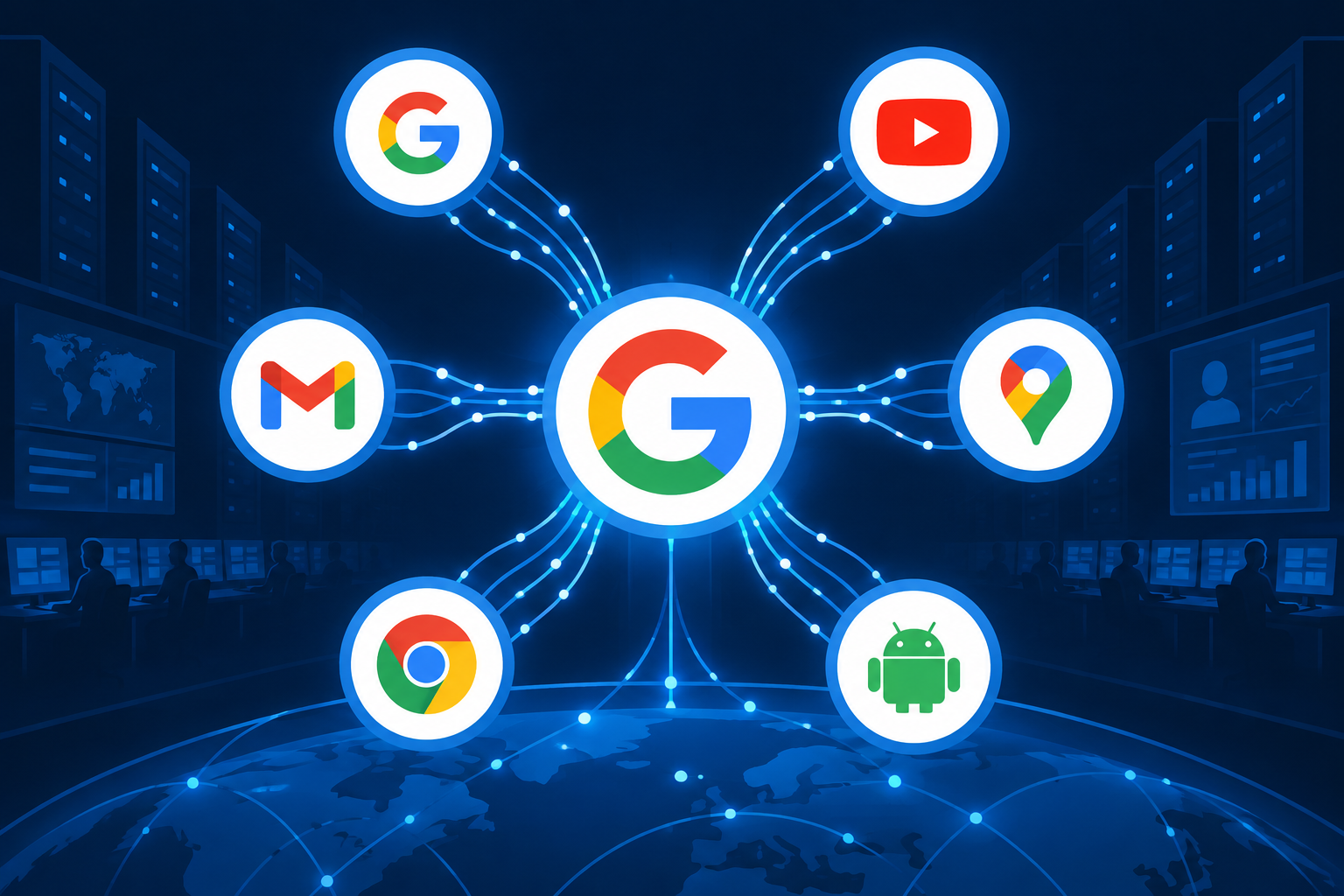
Google collects data from almost every product you use: Search, YouTube, Maps, Gmail, Chrome, Android and its voice assistants. It uses that data to personalize services, improve products and target ads. Google says it does not sell your personal information, but it does use it to help advertisers reach you. As of November 2026, you control most of this from three places in your Google Account: My Activity for deleting history and setting auto-delete, My Ad Center for turning off personalized ads, and Results about you for removing your personal details from Search.
Google knows better than most companies that data is valuable. This guide explains Google’s privacy policy in plain English: what Google tracks, how it uses the data, and how you can protect your privacy.
Why it pays to understand Google’s data use
You almost certainly use at least one Google product, so it helps to know what Google collects. Then you can decide which settings to keep and which to switch off. A signed-in Google Account can record a lot of what you do: searches, videos you watch, places you go and purchases that leave a receipt in your inbox.
Is Google really spying on you?
Google does collect information about how you use its products, services and apps. That includes your location, Gmail and YouTube activity, browsing in Chrome, Google searches and online purchases. Anything connected to your Google Account can add to the picture of your interests and habits.
Many people want to know how Google gets this information and what it keeps. Voice-activated devices draw the most worry. People wonder whether a Google Nest speaker, Google Assistant or Gemini (which is replacing Assistant on Android phones and Google Home devices) is doing more than playing music in the living room or ordering toilet paper.
According to Google, these devices do not record your private conversations. They stay in standby until they detect an activation, such as the wake phrase (“Hey Google”), and only then do they send audio to Google. Google also admits they sometimes activate by mistake, for example when a sound is misheard as the wake phrase. What Google stores is mostly what you typed, said to it or allowed it to collect. You can check and delete those recordings in My Activity.
Google is not unusual here. Most companies you deal with online use tracking technology to learn about your habits and personalize what you see. The difference is scale: Google runs so many services that it collects far more, often in ways that are not obvious.
Why does Google want your data?
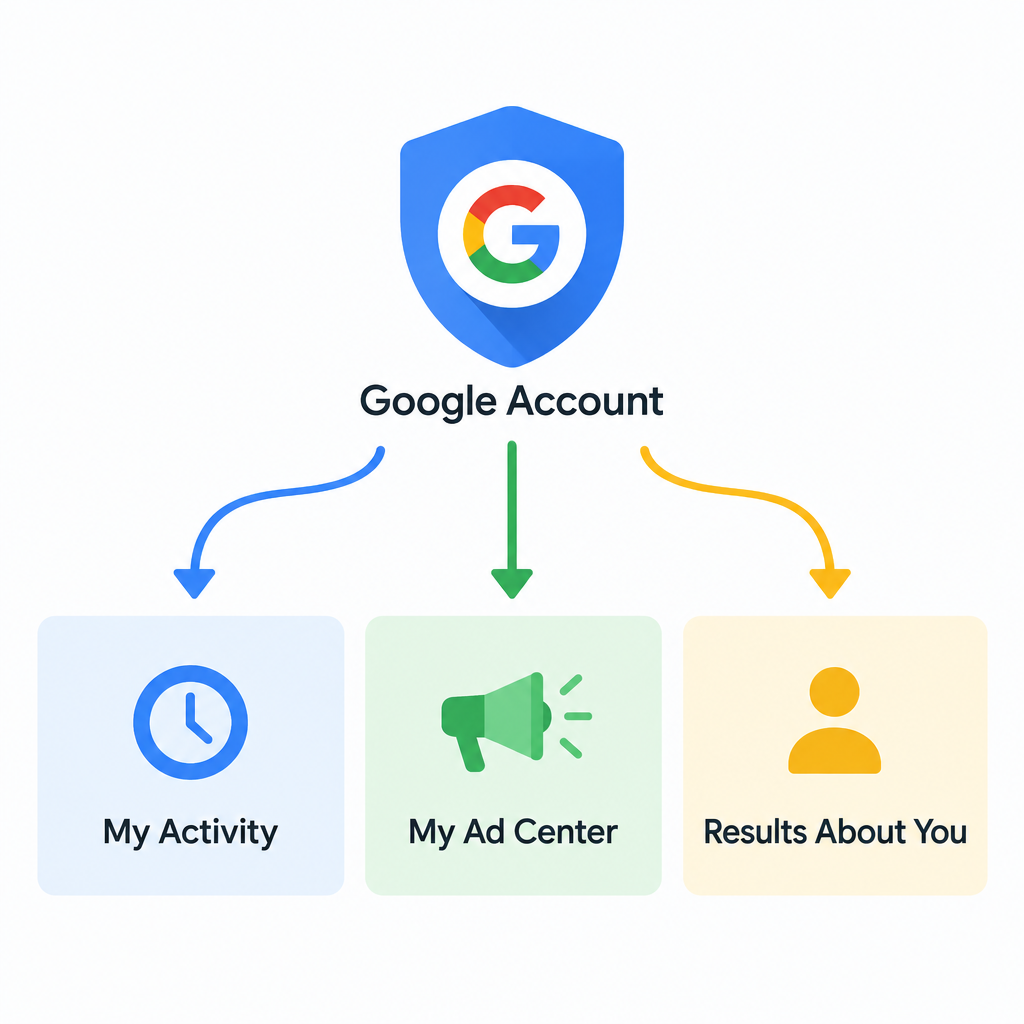
Google says it uses your data to personalize your experience, improve its products and build new ones. In practice, knowing your behavior and interests lets Google make its services more useful to you, and it makes those services more valuable to advertisers.
The line between helpful and creepy is thin, and companies sometimes collect more than they need. Advertising brings in most of Google’s revenue, so more data means more profit. Here are the main ways Google’s data collection shows up in your digital life.

Targeted advertising
Google combines the data it collects across its platforms, services and devices into an advertising profile. That profile can include your interests, your approximate age range and your gender. Google then uses it to show you ads that match your interests, both on its own services and on partner sites and apps.
Say you search for a place to rent skis. Soon afterwards, ads for ski jackets and similar gear start appearing on other websites you visit. To see what Google thinks it knows about you, open your Google Account, select Data & privacy, then open My Ad Center. It lists the topics and brands Google uses to choose your ads, and you can turn them off one by one.
Location tracking
If you let it, Google uses your location to make results more relevant to where you are. That covers finding the nearest bus stop, the fastest route to a meeting or a café nearby. Searching for movie showtimes after work, for example, brings up listings for cinemas close to you.
Location data is stored differently from how it was a few years ago. Google moved Maps Timeline (the old Location History) off its servers and onto your phone. Users had until June 9, 2025 to migrate, and data still in the cloud after that date was deleted. A bug in early 2025 also wiped Timeline data for some people who had not turned on encrypted backups. Your phone and the apps you use can still share your location with Google in other ways, for example through Web & App Activity, when you search in Maps, or through your IP address.
Improving usability
More data makes services work better. Google does not rely only on your data. It pools information from billions of users to make its services better for everyone.
Google Maps and Waze (Google bought Waze in 2013) are good examples. When you navigate, your phone sends your location to Google anonymously. Google combines it with data from other drivers nearby to build a live picture of traffic. If you have ever been rerouted around a crash or a jam, you have the drivers around you to thank, and your own data helped them in turn.
Tweaking algorithms
Google’s search algorithms are the rules that decide which results you see and in what order. They change all the time. In 2022, Google reported more than 4,000 improvements to Search, which works out to more than ten a day.
Google decides what to show by looking at what people search for, which results they find relevant, and how good the content and sources are. Google’s engineers also keep adding features to the results page. Featured snippets pull a quick answer from a third-party website and put it at the top of the page. Since 2024, AI Overviews in the United States have added a summary written from several sources.
Trendspotting and analysis
Your searches also feed Google Trends. This free Google site tracks the most popular search terms on Google Search, YouTube and other platforms. It shows popular searches by language, country and time period, so you can see which topics, news stories and trends are taking off in different places and at different times.
Google does not publish exactly how this data is processed internally. It is open about what it collects and how, though. Its privacy policy is written in fairly plain language and includes short videos and examples.
Being open is not the same as being easy to understand, and plenty of people feel that companies and governments know more about them than they would like. If you want to keep your browsing more private, the most effective step is to limit tracking in your browser.
Safari and Firefox block third-party tracking cookies by default. Chrome does not. Google dropped its plan to phase out third-party cookies in April 2025, and in October 2025 it retired most of the Privacy Sandbox technologies it had built to replace them. In Chrome you can block third-party cookies yourself under Settings > Privacy and security > Third-party cookies.
Paid tools are another option. Avast AntiTrack, from Avast’s parent company Gen Digital, works at the browser level. It blocks tracking attempts, masks your browser fingerprint and clears cookies and browsing data. It adds to the controls your browser already has but does not replace them.
Does Google sell data?
No. Google says it does not sell your personal information to anyone, and it is not a data broker. Google’s privacy policy says it shares personal information outside Google only in these cases:
- With your consent, for example when you allow a third-party app to access your account.
- With domain administrators, if your Google Account is managed by your employer or school through Google Workspace.
- For external processing, when Google’s affiliates or trusted businesses process data on its behalf, following Google’s instructions and privacy policy.
- For legal reasons, such as complying with an enforceable government request.
Google does use your information to help advertisers show relevant ads to people using Google products, partner websites and mobile apps. Advertisers do not get your name or email address. They pay Google to show ads to audiences it builds from signals such as your activity on sites and apps, the videos and ads you have viewed, and your approximate age and gender.
How can you tell if your data has been shared?
Maybe ads for the TV you looked at last week keep following you from site to site. Or you searched for “food delivery services” and now see Instagram ads for DoorDash and Grubhub. In cases like these, your activity has almost certainly been used for targeted advertising. That can happen through Google, through Meta’s own trackers, or through the shops’ tracking pixels.
You can control what Google uses for ads in My Ad Center (it replaced the old Ad Settings page in late 2022). Open it from Google Account > Data & privacy > My Ad Center, or tap the three-dot menu on a Google ad. There you can:
- See the topics and brands Google uses to pick your ads.
- Turn individual interests off.
- Switch the Personalized ads toggle off completely.
- Under Partner ad settings, switch off Help advertisers select ads for you to limit personalization on non-Google sites and apps.
Turning off personalized ads does not stop the ads, and it does not stop data collection. Google will no longer use your account activity to choose ads, but you will still see ads based on things like the page you are on, the time of day and your rough location. A reputable ad blocker extension from your browser’s official store can cut down on pop-ups and intrusive ads.
To check privacy settings across many accounts at once, Avast BreachGuard offers a guided review of settings for popular services. It also sends removal requests to data brokers for you. Reviews from 2026 note that its broker coverage is limited to around 14 brokers in North America. That is far fewer than dedicated removal services, and some brokers still ask you to confirm by email.
What information does Google have on you?
Knowing that Google tracks you is one thing. Most people underestimate how much it actually holds. Depending on your settings and the products you use, Google can have:
- The language or languages you use.
- What you buy and roughly how much you spend, often from receipts in Gmail.
- The places you search for in Google Maps and, if Timeline is on, where you have been.
- Your favorite stores, especially if you have added loyalty cards to Google Wallet.
- Everything in your Gmail inbox, including attachments, plus the spam and trash folders until they are emptied. Google stopped using Gmail content to personalize ads in 2017, but the mail is still stored on its servers.
- Everything you store in Google Drive and Google Photos: work documents, receipts, photos, videos and more.
- Your YouTube history: videos watched, comments posted and searches made.
- Your Google Calendar, including past and upcoming events.
- Which apps you open on an Android phone and when, if Web & App Activity includes app activity.
- What you ask Google Assistant or Gemini.
- The stories you read in Google News.
- The ads you see and click, in mobile apps, on partner websites and on Google services.
Purchase records can reveal more than people expect. Cryptocurrency is a digital asset many people assume is private, yet the exchange sign-up emails and trade confirmations in Gmail say a lot about what you own. Sign-ins work the same way. Searching for a Yepic Alternative or any other AI video tool and then signing up with your Google Account leaves a trace in your search history. It also adds an entry under Google Account > Security > Your connections to third-party apps & services.
That is a long list. The good news is that you can see all of it and download a copy with Google Takeout, which exports your data product by product.
Does Google store sensitive or personal information?
Yes. Beyond the activity listed above, Google stores the personal details you gave it when you set up your account, such as your name, gender and birthday. You can see them under Google Account > Personal info. If you have saved your home or work address in Google Maps, Google knows those places too.
Google can also learn about private parts of your life without you ever telling it. From your searches, the videos you watch and the articles you read, it can work out things like your relationship status or how happy you are at work.
Google’s ad policies bar advertisers from targeting personalized ads on sensitive categories such as race, religion, sexual orientation or health. Even so, your online activity reveals a lot about who you are, whether you mean it to or not.
How does Google get your data in the first place?
Your searches are one of Google’s main data sources, but far from the only one. Google also uses the same tracking technologies as the rest of the ad industry, mainly cookies and IP addresses.
An IP address is a unique set of numbers given to each device that connects to the internet. It reveals your approximate location, usually your city or region, which is why Google can show local results even when location services are off.
Cookies are small files that websites store in your browser, starting with your first visit. They let websites and other companies recognize you and remember what you did before. They are used to serve ads, measure site traffic and remember personal settings. Google’s analytics and advertising tags run on a huge share of websites, so its cookies can follow you well beyond Google’s own services.
Other companies use further methods to identify you later. Browser fingerprinting builds a profile from details of your device and browser. Web beacons, also called pixels or tags, track what you do on a page.
To cut down on these trackers:
- Clear your browser’s cookies and site data now and then.
- Block third-party cookies in your browser settings. Safari and Firefox do this by default, while Chrome needs the setting changed by hand.
- Use a content blocker from your browser’s official extension store.
- Choose a browser with fingerprinting protection built in, such as Firefox, Safari, Brave or Avast Secure Browser.
Can you ask Google to delete your data?
Yes. Besides turning off ad personalization, you can delete your saved activity from your Google Account on the My Activity page (myactivity.google.com). It shows every item Google has saved from your activity, and you can delete items by product and by date range.
To delete all of your saved Google activity:
- Go to myactivity.google.com and sign in.
- Above your activity list, select Delete, then choose All time as the date range.
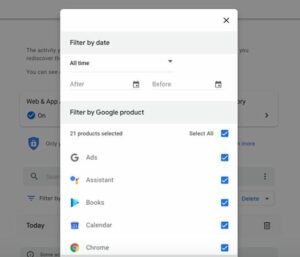
- Make sure Select all is ticked so every product is included, select Next, then Delete.
This clears activity such as searches, YouTube history and assistant requests. It does not remove emails, files in Drive or photos. You delete those in Gmail, Drive and Photos themselves. If you want to stop history from piling up again, open Web & App Activity in My Activity and set Auto-delete to 3, 18 or 36 months. Accounts created since June 2020 delete Web & App Activity after 18 months by default.
Getting your personal information removed from Google Search results is harder, because the pages belong to other websites. Google’s Results about you tool is the official route. You enter the contact details you want watched, and Google alerts you when they appear in Search so you can ask for removal. Since early 2026 it also covers ID numbers, including Social Security numbers, driver’s license details and passport information. Removal only takes the result out of Google Search. The original page stays online unless the site owner deletes it. For other cases, such as explicit images or doxxing, use Google’s personal information removal request page.
Keep an eye on who is accessing your personal data
You would not tell a stranger where you live or what you buy, and the same caution makes sense online. Google is not the only one interested in your details. Data brokers collect and sell personal information for profit, and criminals use leaked data for scams and identity theft.
The most reliable way to limit what companies collect is to share less in public: lock down social media profiles, skip optional profile fields and review app permissions. Data removal services can ask brokers to delete your records for you. Avast BreachGuard is one of them, alongside dedicated services that cover many more brokers.
BreachGuard also scans the dark web for your email addresses and other details and alerts you when they show up in a breach. When an alert comes in, change the affected password straight away, turn on two-step verification and check that account for logins you do not recognize. Google’s own Password Manager runs a similar check for free on passwords saved in Chrome and Android.
FAQ
Does Google listen to your conversations through your phone or smart speaker?
Google says its assistants are designed to respond to the wake phrase, such as “Hey Google,” or a tap on the microphone, but recording is not limited to those moments. Sometimes a device mishears and activates by accident, for example when it mistakes a sound for the wake phrase, and those clips are saved too. You can review and delete voice recordings in My Activity, or stop them being saved in your activity settings.
Does turning off personalized ads stop Google from collecting data?
No. Switching off personalized ads in My Ad Center stops Google using your account activity to choose ads, but it does not stop collection. To save less data, pause Web & App Activity and YouTube History in your activity controls, and set auto-delete for whatever stays on.
Does Incognito mode stop Google from tracking you?
Only partly. Incognito mode in Chrome does not save your browsing history, cookies or form entries on your device after you close the window. Websites, your employer or school, and your internet provider can still see your activity. If you sign in to a Google service in an Incognito window, that activity can be saved to your account.
How do you download everything Google has on you?
Use Google Takeout at takeout.google.com. Choose the products you want, pick a file type and delivery method, and Google prepares an archive for download. Large accounts with lots of Gmail, Drive or Photos content can take hours or even days to export.
Is deleted data really gone from Google’s servers?
Google’s privacy policy says deletion starts straight away. Data is removed from view first, then from Google’s storage systems over time, with backups taking longer. Google may keep some information longer for legal or security reasons, such as billing records.
Does Google sell your personal information?
Google says it does not sell personal information. It earns money by showing ads to audiences it builds from your data, without handing advertisers your identity. It shares personal data only with your consent, with Workspace administrators, with processors working for it, or for legal reasons.
Sources
- Google Privacy Policy
- Get started with My Ad Center (Google Help)
- Control what data Google uses to show you ads (Google Help)
- Avast launches BreachGuard for data monitoring (Avast)
- Data brokers: everything you need to know (Avast)













