
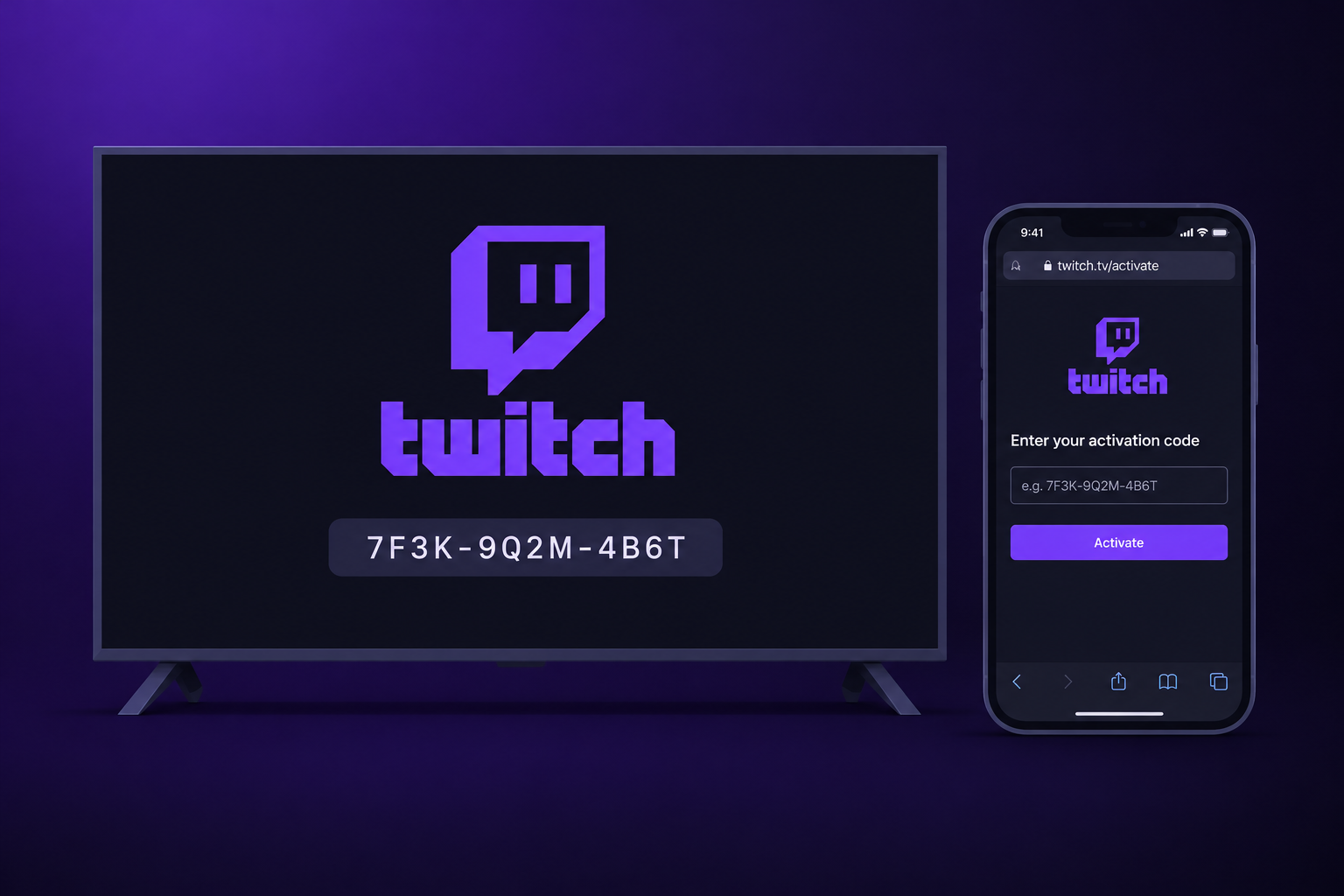
To sign in, open the Twitch app on your TV or console and pick Log In. Then go to twitch.tv/activate on your phone or computer and type the code from the TV screen. If the code fails, expires or never shows up, the troubleshooter below covers each symptom. Last checked: November 15, 2026.
Key takeaways
- The code on your TV goes into twitch.tv/activate, in a browser that’s already signed in to your Twitch account.
- Codes are short-lived and work only once. If yours fails, get a new one from the TV.
- Roku has had no official Twitch app since 2017, and the Nintendo Switch app stopped working on January 31, 2024.
- A blank activate page or an Activate button that does nothing usually comes from the browser. Try a private window or turn off blockers.
- Only enter a code your own screen showed you. Twitch support never asks for codes.
Fact-checked
We checked these key facts against the sources named, on November 15, 2026:
- According to Stream Rise, it’s listed for sets running webOS 3.5 (2017) through webOS 25 (2025 models) (source: stream-rise.com)
- According to TechCrunch, Samsung TVs had no official Twitch app until Samsung Gaming Hub launched in 2022 (source: techcrunch.com)
- Roku has had no official Twitch app since 2017, and the Nintendo Switch app stopped working on January 31, 2024 (source: cordcuttersnews.com)
How to enter your code at twitch.tv/activate (the 60-second version)
You need two screens: the TV, which shows the code, and a phone or PC, where you type it in. Keep the TV app on the login screen the whole time. If you back out, that code stops working.
Fix it
- Open the Twitch app on your TV, console or streaming stick.
- Select Log In (on some devices it’s the profile icon). A code appears, usually with a QR code next to it.
- On your phone or computer, go to twitch.tv/activate, or scan the QR code.
- Check that you’re signed in to the right Twitch account. If you’re not, sign in now.
- Type the code exactly as it appears on the TV, then select Activate.
- Wait a few seconds. The TV app refreshes and shows your followed channels.
Pro tip
Sign in to twitch.tv on your phone before you ask the TV for a code. Then the code can’t expire while you’re typing your password and 2FA code.
Using the QR code instead of typing the address
Scanning the QR code is faster and avoids typos. Twitch’s developer documentation describes the TV sign-in as an “OAuth device code flow,” a sign-in method made for devices with limited input, such as set-top boxes and games. In that flow, the link the TV gives you can include the code itself.
Did you know?
A sample device-sign-in response posted on the Twitch Developer Forums shows a verification link in the form twitch.tv/activate?device-code=…. The code travels inside the link, so scanning the QR code can fill it in for you.
Typing the address by hand works just as well. Type exactly twitch.tv/activate. Searches for “https //www.twitch.tv/activate” and “www.twitch.tv.activate” all mean this same page.
Make sure you’re signed in to the right account first
The activate page links the TV to whichever account the browser is signed in to. On a shared family laptop or tablet, that may be your partner’s or your child’s account. Look at the profile picture in the top-right corner before you press Activate.
Which devices use twitch.tv/activate (November 2026)
Every device with an official Twitch TV app uses the activation code. That covers PlayStation, Xbox, Amazon Fire TV, Apple TV, Android TV and Google TV, LG webOS and supported Samsung TVs. Phones, tablets and computers don’t need it. You just sign in with your username and password. Roku and Nintendo Switch have no working official app.
| Device | Official Twitch app? | Uses activation code? | Where to get it / notes |
|---|---|---|---|
| PlayStation 4 / PlayStation 5 | Yes | Yes | PlayStation Store |
| Xbox One / Xbox Series X|S | Yes | Yes | Microsoft Store on Xbox |
| Amazon Fire TV (sticks, Fire TV smart TVs) | Yes | Yes | Amazon Appstore |
| Apple TV | Yes | Yes | App Store on tvOS |
| Android TV / Google TV (incl. Chromecast with Google TV) | Yes | Yes | Google Play; may be missing in some regions or on old OS versions |
| LG smart TVs | Yes, webOS 3.5 (2017) to webOS 25 | Yes | LG Content Store |
| Samsung smart TVs (Tizen) | Yes, on compatible models | Yes | Samsung apps store or Samsung Gaming Hub; varies by model and region |
| Roku | No (pulled in 2017) | No | Cast or mirror from another device |
| Nintendo Switch | No (ended January 31, 2024) | No | App no longer works |
| iPhone, iPad, Android phones | Yes | No | Sign in directly in the app |
| Windows PC, Mac | Browser (twitch.tv) | No | Sign in directly on the website |
Smart TVs: LG, Samsung, Android TV and Google TV
LG TVs get the app from the LG Content Store. According to Stream Rise, it’s listed for sets running webOS 3.5 (2017) through webOS 25 (2025 models). Older LG sets won’t show it.
Samsung’s history is messier. TechCrunch reported that an unofficial Twitch app was removed from Samsung TVs in 2019. The official app arrived in 2022 with the launch of the Samsung Gaming Hub. Today you’ll find Twitch in Samsung’s app store or inside Gaming Hub on compatible Tizen models. Availability depends on the model and the region.
Did you know?
According to TechCrunch, Samsung TVs had no official Twitch app until Samsung Gaming Hub launched in 2022. The unofficial app that owners used before was removed in 2019.
Android TV and Google TV devices include the official app through Google Play. Digital Citizen notes that the app can be missing from a TV’s store. That happens when it was pulled in your region or when the TV runs an older OS.
Streaming sticks: Fire TV, Apple TV, Chromecast with Google TV
Twitch belongs to Amazon, so the Fire TV app is easy to find in the Amazon Appstore. On Apple TV, search for Twitch in the tvOS App Store. Chromecast with Google TV runs Google TV, so it uses the same Google Play app and the same twitch.tv/activate sign-in. An older Chromecast without a remote has no app. You cast to it from your phone instead.
Consoles: PlayStation 4/5 and Xbox One/Series X|S
Install Twitch from the PlayStation Store or the Microsoft Store on Xbox. Open it, choose Log In, and enter the code at twitch.tv/activate. The steps are the same on both consoles. Console users run into error 274F1828 more than anyone else, so it gets its own fix below.
Devices with no Twitch app: Roku, Nintendo Switch, older TVs
Roku: How-To Geek reports that Amazon pulled the official app from the Roku Channel Store in 2017. CastBrowser notes that the unofficial workaround stopped working in March 2022. There is still no Twitch app on Roku.
Nintendo Switch: If the Twitch app disappeared from your Switch, it wasn’t a glitch on your end. AlternativeTo reported that it left the Nintendo eShop on November 6, 2023, and stopped working for existing users on January 31, 2024.
Device code, verification code or 2FA code: which one is this?
Twitch uses three different codes. Only the one shown on your TV screen goes into twitch.tv/activate. A common mistake is typing an email or authenticator code into the activate page, and that always fails.
| Code | Where you see it | Where you type it |
|---|---|---|
| Device activation code | On your TV or console after selecting Log In | twitch.tv/activate on your phone or PC |
| Login verification code | Email or text from Twitch when you sign in on a new device or browser | The sign-in screen that asked for it |
| Two-factor (2FA) code | Your authenticator app or SMS, if 2FA is on | The sign-in screen, after your password |
The device code never comes by text or email. If you’re waiting for one in your inbox, look at the TV screen instead.
Code not working? Fix it by what you’re seeing
Most failures come from one of three things: an old code, a browser problem or the wrong account. Start with the first fix in each row. Move on only if it doesn’t work.
| What you see | Most likely cause | Fix (in order) |
|---|---|---|
| “Invalid code” | Typo, look-alike characters, or an old code | Retype carefully; get a new code from the TV; reopen the app |
| Code expired | Took too long, or the TV left the login screen | Sign in on your phone first, then request a fresh code |
| Page blank or Activate does nothing | Ad/tracker blockers, browser bug | Private window; another browser; pause blockers for twitch.tv |
| “Browser unsupported” | Brave, Opera or another browser blocking scripts | Switch to Chrome, Edge, Safari or Firefox for this step |
| Error 274F1828 (often with F512222) | Console sign-in fault | Activate in a private window; update app; reinstall |
| No code on TV | Old app version or network issue | Update app; restart device; check internet |
| TV shows the wrong account | Browser was signed in to another profile | Log out on TV, switch account in browser, reactivate |
| TV keeps signing you out | Password changed, 2FA turned on, or app data corrupted | Sign in again; clear app data or reinstall |
“Invalid” or “expired” code
Get a fresh code. Old codes don’t start working again. Back out of the TV app’s login screen, select Log In again, and use the new code straight away.
Watch the look-alikes
Check 0 against O, 1 against I, and 5 against S. Capital letters don’t matter, but every character has to match exactly.
People often say the code keeps expiring before they can enter it. The usual reason is typing a password and a 2FA code on the phone while the TV code ticks down. Sign in on the phone first, then get the code.
twitch.tv/activate page won’t load or Activate does nothing
This is nearly always a browser problem, not an account problem. Work through these in order:
- Open twitch.tv/activate in a private or incognito window.
- Pause ad and tracker blockers for twitch.tv. That includes Brave Shields, uBlock Origin and any blocker built into your browser.
- Try a different browser. On the Brave Community forum, users have reported Twitch login buttons doing nothing and a “browser unsupported” error. Vivaldi forum users have reported similar login trouble, and so have people who couldn’t log in after an Opera update.
- Clear cookies for twitch.tv, then sign in again.
- Switch from Wi-Fi to mobile data on your phone to rule out a network filter.
Error 274F1828 on PlayStation or Xbox
Gamer Tweak describes error 274F1828 as a sign-in failure in the console app. It often appears together with F512222. You can authorize the TV in the browser and the console still refuses to log in. There’s no official fix. The workaround that helps some people is to open twitch.tv/activate in a private window and enter a fresh code there. It doesn’t work for everyone.
If it fails, update the Twitch app, restart the console fully, and reinstall the app. If you still can’t sign in, contact Twitch through the Twitch Help Center. A server-side fault isn’t something you can fix at home.
No code appears on the TV
Update the Twitch app and restart the device. Then check that your other streaming apps can reach the internet. If the login screen still stays blank, uninstall and reinstall Twitch. On Android TV and Fire TV, clearing the app’s data under Settings > Applications does the same job faster.
Activated the wrong account
Log out in the TV app, which signs the TV out of that account. On your phone, switch to the right account at twitch.tv, then request a new code on the TV and activate again.
How long does a Twitch activation code last?
Not long, and Twitch doesn’t publish a fixed time. A device-sign-in example posted on the Twitch Developer Forums shows a lifetime of 1,800 seconds (30 minutes). Third-party guides report codes failing after just a few minutes. In real use, the code also dies the moment the TV app leaves its login screen.
Treat each code as single-use and short-lived. If you get interrupted, ask the TV for a new one. That takes seconds, while fighting with a stale code wastes minutes.
Stay safe: fake activate pages and code scams
The activate page links a device to your account. That makes it a target. Check that the address bar reads exactly twitch.tv/activate before you type anything.
Before you start
Entering a code someone else sends you signs their device into your account. It’s the same as handing over your login.
Never enter a code you didn’t generate yourself
Login.com’s Twitch security guide states that real Twitch support never asks for your password, a verification code or a 2FA code. Scammers offer fake sponsorships, affiliate invites, copyright-strike warnings, or free emotes and followers. In return, they ask you to “verify” by entering a code. Ignore all of them. Turn on two-factor authentication under Settings > Security and Privacy. If you set up shared devices for kids, the same rule applies: they should never enter a code a stranger sends them.
What to do if you think someone linked a device to your account
- Change your password in Settings > Security and Privacy.
- Use the option there to sign out of other sessions, and disconnect any device you don’t recognize.
- Turn on 2FA. Guides report that turning it on signs out your other devices.
- Confirm that the email address and phone number on the account are still yours.
If you’re already locked out, use Twitch’s official tool at twitch.tv/user/account-recovery.
How to sign a TV or console out of Twitch
The fastest way is to log out inside the TV app itself, from its profile or settings menu. Do this before you sell a TV or console, return a rental, or leave a hotel room.
If you no longer have the device, for example a sold TV or an ex-partner’s console, sign out remotely. Change your password, then sign out of other sessions in Settings > Security and Privacy. On a console, also reset the Twitch app or the console itself before you hand it over. That removes cached logins.
No Twitch app on your TV? Your options
You have three routes. Casting costs nothing, the TV’s browser is clunky, and a streaming stick gives you the full app.
- Cast or mirror. Use AirPlay from an iPhone or iPad to an AirPlay-compatible TV. Use Google Cast from the Twitch phone app or Chrome. Or mirror your PC screen.
- Use the TV’s web browser. It works, but playback and sign-in are often unreliable.
- Add a budget streaming stick. An Amazon Fire TV Stick or a Google TV device gives you the official app and normal twitch.tv/activate sign-in.
Roku workarounds
If you watch Twitch on Roku, you have to cast or mirror from your phone. Unofficial “Twitch” channels aren’t supported by Twitch. They can stop working without warning, as the old workaround did in March 2022. Some of them ask you to sign in, which hands your account details to a third party.
Old smart TVs that lost the app
If Twitch isn’t in your TV’s app store, the TV is probably too old, or the app was pulled in your region. Install any pending firmware update first. If it still doesn’t appear, a streaming stick is cheaper and more reliable than waiting for an update that won’t arrive.
FAQ
How do I enter my Twitch activation code?
Open Twitch on your TV and select Log In. Then go to twitch.tv/activate on a signed-in phone or PC, type the code from the TV and select Activate.
Why does twitch.tv/activate say my code is invalid?
Usually you mistyped it, mixed up 0 and O, or used an old code. Request a new code from the TV and enter it immediately.
How long does a Twitch activation code last?
It varies. A Twitch developer example shows 30 minutes, but codes often fail sooner. A code also dies if the TV leaves the login screen. When in doubt, get a new one.
Can I activate Twitch without scanning the QR code?
Yes. Type twitch.tv/activate into any browser and enter the code by hand. The QR code just saves typing.
Do I need twitch.tv/activate on my phone or PC?
No. The Twitch phone app and twitch.tv in a browser use a normal username and password. The activate page is only for TVs, consoles and streaming devices.
Where do I enter the code that shows on my TV?
At twitch.tv/activate, on a phone, tablet or computer. Don’t type it into the TV itself.
Is there a Twitch app on Roku?
No. Amazon removed it from the Roku Channel Store in 2017. To watch on a Roku TV, cast or mirror from another device.
Can I still use Twitch on Nintendo Switch?
No. The app left the Nintendo eShop on November 6, 2023, and stopped working on January 31, 2024.
How do I activate Twitch on a Samsung or LG smart TV?
Install Twitch from the LG Content Store (webOS 3.5 or newer). On Samsung, install it from the Samsung apps store or Samsung Gaming Hub. Then select Log In and enter the code at twitch.tv/activate.
How do I activate Twitch on PS5 or Xbox Series X|S?
Install the app from the PlayStation Store or the Microsoft Store on Xbox. Open it, select Log In, and enter the code at twitch.tv/activate. If you get error 274F1828, try a private browser window.
Why didn’t my activation code come by text or email?
The device code only appears on the TV screen. Texts and emails carry login verification codes or 2FA codes, and those go on the sign-in screen.
Why are the Twitch login buttons not working on Brave?
Brave Shields and other blockers can stop the page’s scripts from running. That gives you dead buttons or a “browser unsupported” message. Pause Shields for twitch.tv or use another browser for the activation step.
Once the TV shows your followed channels, you’re done. That sign-in stays put until you log out, change your password or turn on 2FA. If you set up another streaming service on the same TV next, activating YouTube works almost the same way: a code on screen, typed into a web page on your phone.













