
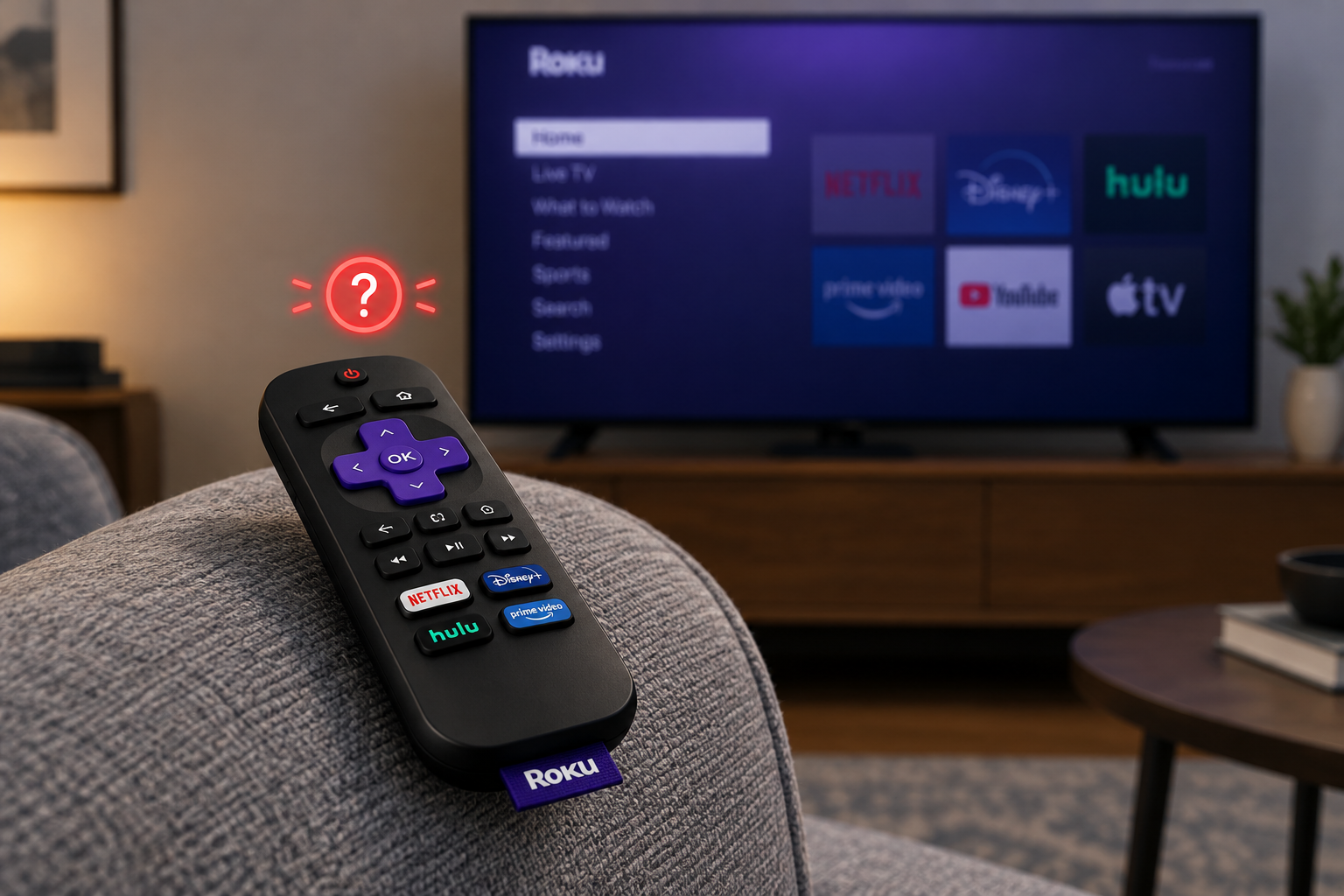
Most Roku remotes that stop working come back after one of three fixes. Put in fresh batteries. If it’s a voice remote, re-pair it by unplugging the Roku, putting the batteries back once the Home screen appears, and holding the pairing button (or Home and Back) for about 5 seconds. If it’s a simple remote, point it straight at the Roku with nothing in the way. If none of that works, check for a Roku software update with the free Roku mobile app, try an HDMI extender on a Streaming Stick, and then contact Roku support or replace the remote.
Every Roku player and Roku TV ships with a remote, and it’s easy to forget how much you rely on it until it stops responding at the start of a movie night. Until it’s fixed, you have to walk to the TV or use the Roku mobile app instead. The fixes below start with the quickest and safest and end with the most involved.
First, check which Roku remote you have
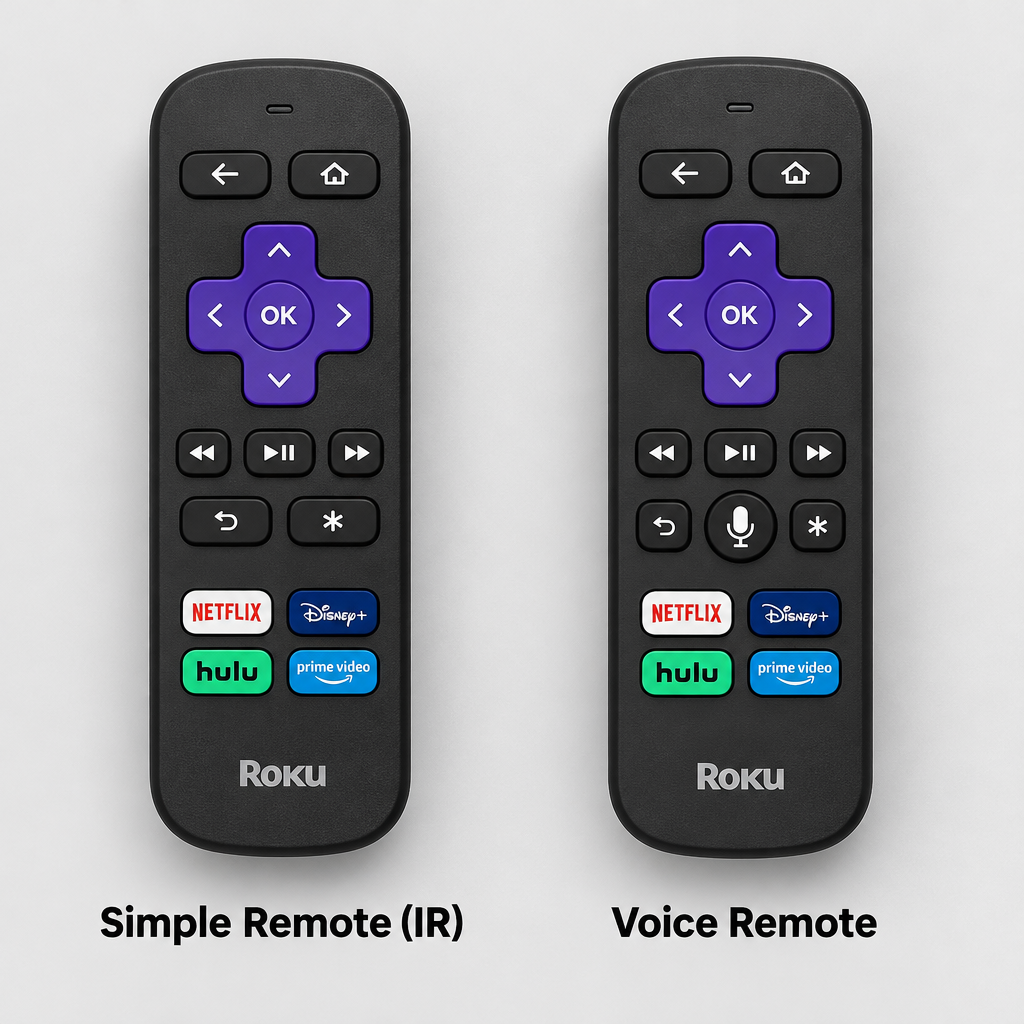
According to Roku’s support guide, the quickest way to tell is the voice button. If your remote has a voice (microphone) button, it’s a Roku voice remote. If it doesn’t, it’s a Roku simple remote.
The two types work differently, so some fixes only apply to one of them:
| Remote type | How it talks to the Roku | Needs pairing? | Line of sight needed? |
|---|---|---|---|
| Roku simple remote | Infrared (IR) | No | Yes, point it at the Roku |
| Roku Voice Remote | Wireless connection | Yes | No |
| Roku Voice Remote Pro (2nd edition) | Wireless connection, rechargeable via USB-C | Yes | No |
The Voice Remote Pro (2nd edition) has a built-in rechargeable battery instead of AA or AAA batteries. Roku says it takes about 5.5 hours to charge from empty and usually lasts around 3 months per charge.
Fixes to try, in order
Work down the list and test the remote after each step. Most people only need the first one or two.
1. Check the remote batteries
The first thing to check is the batteries. Open the battery cover and make sure each battery sits the right way round, matching the + and, marks. If the remote still doesn’t respond, put in a fresh set from a new pack.
Weak batteries cause more trouble than people expect. A voice remote on low power can lose its pairing or respond only now and then, while still lighting its status light. If you have a Voice Remote Pro (2nd edition), charge it with a USB-C cable for a while before trying anything else.
Roku also warns that a remote that feels hot should not be used. Take out the batteries (or unplug the charging cable), let it cool on a non-flammable surface, and contact Roku support if it stays hot.
2. Fix HDMI interference
HDMI interference is a known cause of Roku remote problems, and it mostly affects the Roku Streaming Stick. A stick that plugs straight into the TV’s HDMI port sits right against the connector, and Roku’s own moderators say wireless interference from that connector can disrupt the remote. It’s worse when several of the TV’s HDMI ports are in use at once.
To check whether this is the cause:
- Unplug every HDMI cable from the TV except the one your Roku uses.
- Test the remote.
- If it works now, plug the Roku into a different HDMI port, or move the stick away from the TV with an HDMI extender cable.
Roku has offered Streaming Stick owners a free HDMI extender through a request form at my.roku.com/hdmi. The form asks for your shipping details and the stick’s serial number. You can find the serial number under Settings > System > About. Enter the serial number, not the device ID. If the form won’t take your request, contact Roku support directly. The extender is meant for sticks only. Box-style players such as the Roku Ultra don’t sit against the HDMI port, so it won’t help them.
3. Remove obstacles
A Roku simple remote uses infrared, so it needs a clear line of sight to the Roku. Remove anything between the remote and the device, such as a soundbar, a decoration or a cabinet door, and point the remote straight at the Roku. If your Roku player is hidden behind the TV, move it to a spot you can see.
Roku Voice Remote and Voice Remote Pro owners can skip this step and go to the next one, because voice remotes don’t need line of sight.
4. Drain the remote power
Restarting the remote clears a frozen remote, a bit like restarting a phone. On a remote with removable batteries:
- Take the batteries out.
- Hold down any button for about 30 seconds to drain any leftover power.
- Put the batteries back in the right way round and test the remote.
A Voice Remote Pro has no batteries to remove, so restart it with the buttons instead. Roku’s moderators say to hold the pairing button for about 20 seconds, until the status light flashes slowly, stops, then flashes quickly. Then let go. If your rechargeable remote has no pairing button, hold Home and Back together for about 20 seconds.
5. Re-pair the remote with your Roku
Voice remotes have to be paired with the Roku player or Roku TV, and they can lose that pairing after a software update or a factory reset. To re-pair:
- Unplug the power cable from your Roku streaming player or Roku TV.
- Take the batteries out of the remote.
- Wait about 5 seconds, then plug the power cable back in.
- When the Roku Home screen appears, put the batteries back in the remote.
- Press and hold the pairing button for about 5 seconds, or until the status light starts to flash. The button is on the back of the remote or under the battery cover. If your remote doesn’t have a pairing button, hold Home and Back together for 5 seconds.
- Keep the remote close to the Roku. A pairing message appears on the TV and should finish within about 30 seconds.
If the light flashes but pairing never finishes, use the Roku mobile app as a remote and go to Settings > Remotes & devices > Set up a new device > Remote. This puts the Roku into pairing mode. Then hold the remote’s pairing button again.
When pairing works, voice search makes it much quicker to find apps, for example when you want to install and watch twitch on roku.
6. Update the Roku software
Roku’s support guide suggests an update when the remote stops responding completely. Use the Roku mobile app (or the TV’s own buttons on a Roku TV) to go to Settings > System > System update > Check now and install anything it finds. Then go to Settings > Remotes & devices and set up the remote again.
If the remote works but can’t turn the TV on or off or change the volume, the TV may have HDMI-CEC switched off. CEC is the feature that lets a remote control the TV through HDMI. Turn it on in the TV’s own settings, or check with the TV maker for the exact menu name.
If nothing works
Roku remote problems have several possible causes, and the fixes above cover the most common ones. If none of them help, use the Roku mobile app as a stand-in remote and contact Roku support, especially if the remote is still under warranty. If it isn’t, buying a replacement is usually the quickest fix. Roku sells simple and voice remotes on its accessories page. Check that the new remote is compatible with your Roku model before you buy.
FAQ
Why did my Roku remote suddenly stop working?
The most common reasons are flat batteries, a voice remote that lost its pairing after a software update or power cut, and something blocking a simple remote’s infrared signal. Streaming Sticks plugged straight into the TV can also suffer from HDMI interference. Fix them in that order.
Where is the pairing button on a Roku remote?
On most Roku voice remotes it’s on the back or inside the battery compartment. Some newer remotes don’t have one, and you hold Home and Back together instead. Simple IR remotes don’t need pairing, so they don’t have a pairing button.
Can I control my Roku without the remote?
Yes. The free Roku mobile app for iPhone and Android works as a remote as long as your phone is on the same Wi-Fi network as the Roku. Roku TVs also have physical buttons on the TV itself for power and basic navigation.
Do I need one of the paid Roku plans to use the mobile app remote?
No. The Roku mobile app is free to download, and the remote feature only needs your Roku account and a shared Wi-Fi network. You only pay for a physical replacement if you decide to buy one.
Why does my Roku remote’s light flash but it won’t pair?
A flashing status light means the remote is trying to pair but the Roku isn’t accepting it. Restart the Roku, keep the remote close, and start pairing from Settings > Remotes & devices > Set up a new device using the mobile app. On a Streaming Stick, an HDMI extender often fixes repeated pairing failures.
My Roku remote works for apps but not the TV volume. What’s wrong?
Power and volume commands go to the TV either by infrared or through HDMI-CEC. Turn on CEC in your TV’s settings, then go to Settings > Remotes & devices on the Roku and set up the remote for TV control again.
Sources
- Roku Support: What Roku remote do I have?
- Roku Support: Fix your Roku remote (simple or voice)
- Roku Support: How to set up your Roku simple remote
- Roku Support: Getting to know your Roku Voice Remote Pro
- Roku Community: Roku Remote Not Pairing? Fix It Here
- Roku accessories













