
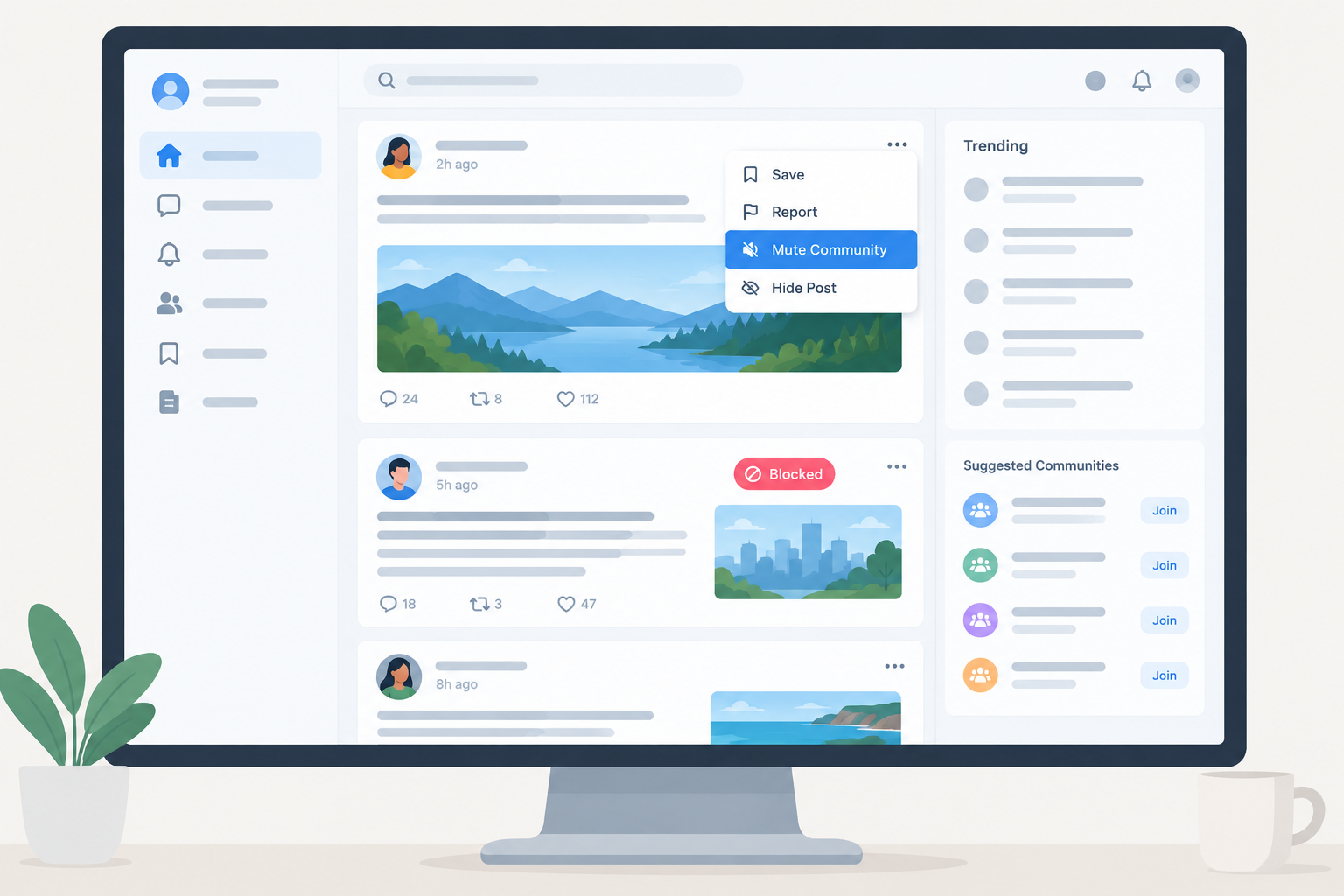
To block a subreddit on Reddit in November 2026, mute it. Open the community, use its three-dot menu and choose Mute, or add it under Settings > Preferences > Muted communities on the desktop site. Muting is free, works in the official apps and on reddit.com, and hides that community from your Home feed, Popular feed, recommendations and notifications. You no longer need Reddit Premium to do this. The old r/all feed was retired in April 2026, so filtering r/all only matters if you still use old Reddit.
Reddit used to call itself “the front page of the internet,” and it is still one of the biggest sites on the web. Like any site built on user posts, it has plenty of content you may not want to see.
How blocking used to work
Before Reddit’s big redesign, filtering your feed was simple. You could block a subreddit from the r/all page by typing its name into the “filter subreddit” box, tapping the + icon, and you were done.
In 2018, after about a year of development and testing, Reddit launched a redesigned website. It was the site’s first major visual overhaul in more than a decade. The new design had a cleaner look and some other changes, and the filter box disappeared from the r/all page.
Reddit today
The new design is now Reddit’s default view. If you prefer the classic design, it still runs at old.reddit.com, and the same account works on both versions.
Reddit’s r/all feed has also gone away. Reddit said in December 2025 that it planned to remove r/all, tested the removal in January 2026 and confirmed in February that the change was permanent. Its April 2, 2026 changelog says the final steps had started rolling out. Links to r/all now go to the Home feed, and r/popular is where trending posts show up. The change reached the iOS and Android apps first, and desktop followed that same week.
The exception is old Reddit. According to reporting from gHacks and Lifehacker, r/all still appears on old.reddit.com and for accounts with “Default to old Reddit” turned on. Reddit has not said whether that will stay.
Filters you set on old Reddit and mutes you set on new Reddit are separate systems. Reddit says that communities you filtered from r/all have to be muted separately.
How to block a subreddit
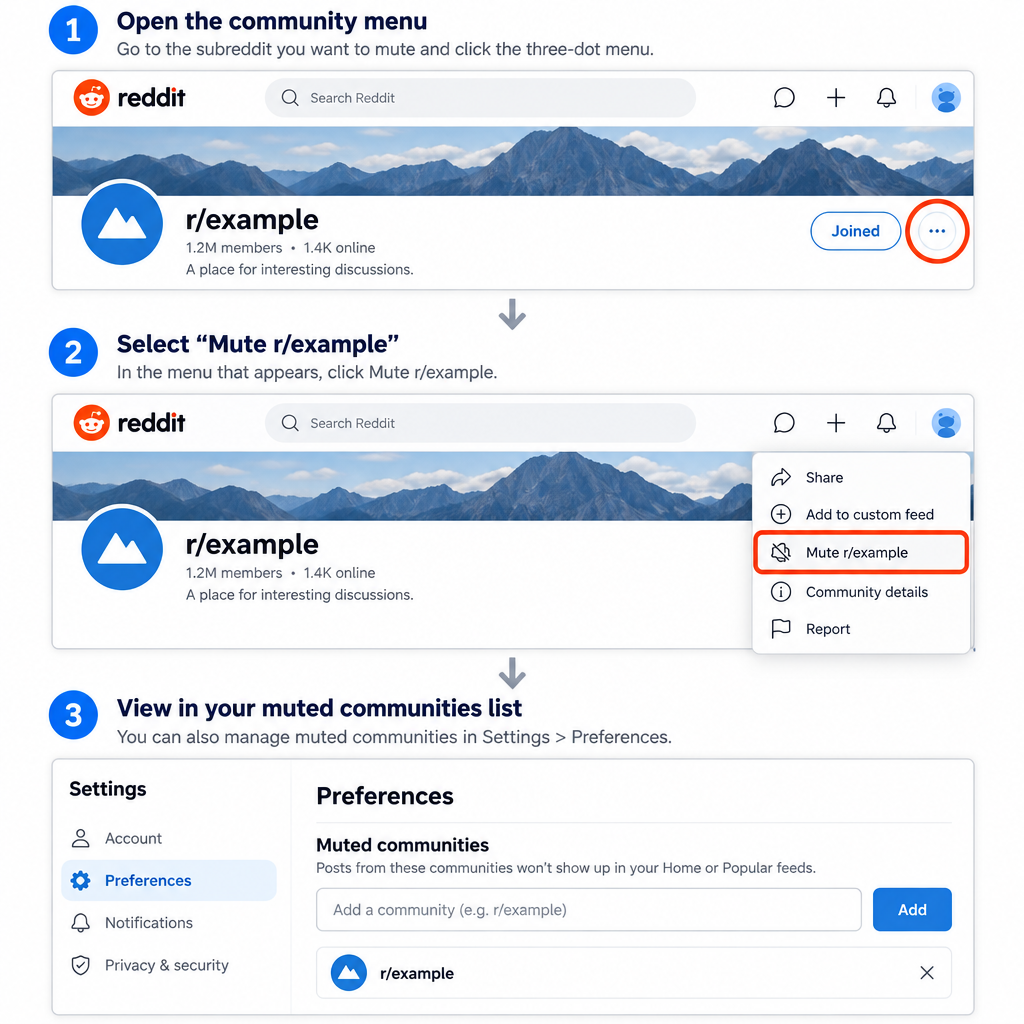
The built-in way to block a subreddit is called community muting. Reddit launched it in 2022, and it is free for anyone with a logged-in account. According to Reddit’s help center, a muted community stops showing up in your notifications, Home feed (recommendations included) and Popular feed.
Mute a subreddit on the desktop site
- Go to reddit.com and sign in.
- Open the subreddit you want to block.
- Click the three-dot (overflow) menu on the community page.
- Choose Mute r/name and confirm.
If a post from that community appears in your feed, you can also mute it from the post’s three-dot menu. That saves you from opening the community first.
Manage your muted list
To see or change everything you have muted on the desktop site, go to your avatar > Settings > Preferences > Muted communities. You can type in a subreddit name to add it, or remove one to see its posts again.
What muting does not do
Muting hides a community. It does not ban you from it. You can still visit, post and comment in a muted subreddit. You can mute up to 1,000 communities. Reddit also says you may still see an occasional post from a muted community in some mixed feeds that muting does not fully cover yet.
Reddit Premium
You do not need Premium to block subreddits anymore. Reddit Premium used to be the official way to filter subreddits out of r/all on the redesigned site. Now that muting is free and r/all has been retired on new Reddit, that benefit no longer matters.
Today, Premium is mostly about removing ads. Third-party pricing pages list it at $5.99 a month or $49.99 a year on the web, and higher when you subscribe through the app stores. Other listed perks include access to the members-only r/lounge community, custom app icons and avatar gear. Check the current price on Reddit’s own Premium page before you subscribe.
To upgrade:
- On reddit.com, click your avatar in the top-right corner.
- Open the Reddit Premium option in the menu.
- Click the button to get Premium and choose a payment method.
Once you have upgraded, you still block subreddits the same way as everyone else, by muting them.
Native mobile apps
Blocking subreddits in the official Reddit apps for Android and iPhone is easy now. Older versions of the apps had no way to do it, but muting works the same way it does on desktop.
- Open the Reddit app and sign in.
- Go to the subreddit you want to block.
- Tap the three-dot menu in the top-right corner.
- Tap Mute r/name and confirm.
Reddit’s iOS app FAQ points to muting when people ask how to stop a community from appearing in their feed. On mobile, Reddit Premium mainly removes ads. It does not unlock any extra blocking tools.
Third-party solution
On old Reddit, you can block subreddits for free with the Reddit Enhancement Suite (RES), a long-running community-made browser extension. It is built for old.reddit.com, and most of its features do not work on the redesigned site. The project has been in maintenance mode since January 2022, which means no new features. Recent releases (version 5.24.x) are still available for Google Chrome, Mozilla Firefox, Microsoft Edge and Opera.
Install RES only from your browser’s official extension store or the project’s own site. Here is how to hide a subreddit with it:
- Open your browser.
- Go to https://old.reddit.com.
- Click the RES gear icon near the top of the page and choose Settings (some versions call it Options).
- On the RES settings page, open the filteReddit module from the menu on the left.
- Toggle filteReddit on.
- Scroll down to the Subreddits section.
- Click the +add filter button in the lower-left corner of the box.
- Type the name of the subreddit you no longer want to see.
- To block more subreddits, repeat steps 7 and 8.
- When you are done, scroll up and click Save options.
Stand your ground
You have more control over your Reddit feed than you used to. Muting is free on every platform and handles most cases. Reddit Premium is now an ad-free upgrade, not a blocking tool. If you prefer old Reddit, RES still lets you filter what you see there.
Which method to use
For most people, muting is all you need. It is free, it syncs across the website and the apps because it is tied to your account, and you can undo it from Preferences in seconds. RES is only worth installing if you browse old Reddit and want finer filters, such as hiding posts by keyword or domain. If ads bother you more than any particular subreddit, that is the real reason to pay for Premium.
FAQ
Can you completely block a subreddit on Reddit?
No. Muting hides a subreddit from your feeds, recommendations and notifications, but you can still open it, post and comment there if you go to it directly. Reddit has no setting that locks you out of a community for good.
Is muting a subreddit free?
Yes. Community muting is available to every logged-in Reddit user on the website, the iPhone app and the Android app. You do not need Reddit Premium.
How many subreddits can I mute?
Reddit’s help center says you can mute up to 1,000 communities. You can see and manage the full list on the desktop site under Settings > Preferences > Muted communities.
What happened to r/all?
Reddit retired r/all in April 2026 after testing its removal earlier that year. Links to r/all now redirect to your Home feed, and r/popular shows trending posts. The feed is still visible on old.reddit.com for now.
Do subreddits I filtered on old Reddit carry over to the new site?
No. Old Reddit filters and new Reddit mutes are separate. Mute each subreddit on the new site or in the app as well if you want it hidden there too.
Does muting a subreddit notify its moderators?
Reddit does not say that moderators are told when someone mutes their community. Muting changes only what you see, and nothing about your account changes inside that community.
Sources
- What is community muting? (Reddit Help)
- Official Reddit App FAQ for iOS (Reddit Help)
- Changelog, April 2, 2026 (Reddit Help)













