
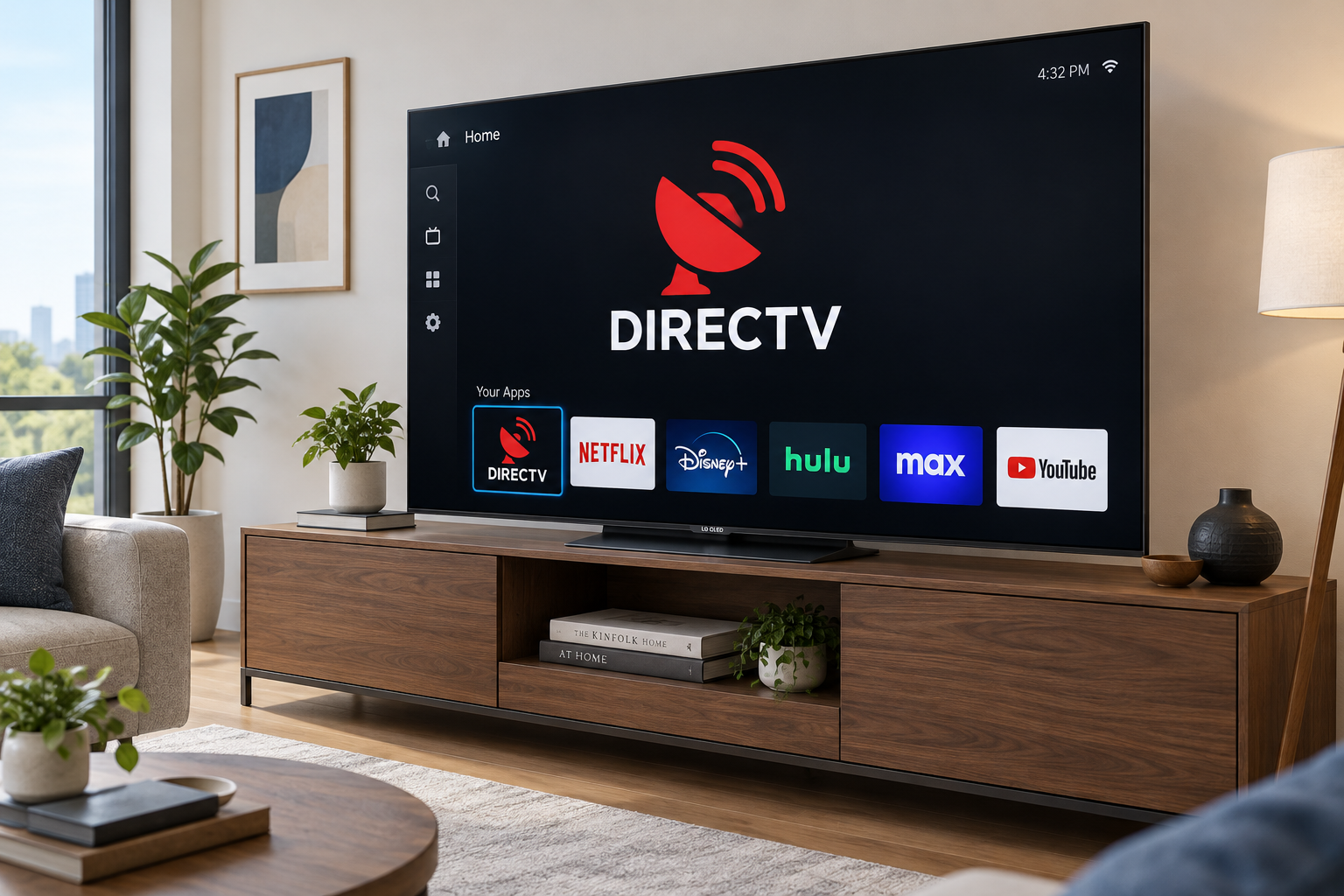
If your LG smart TV is a 2021 or newer model running webOS 6.0 or higher, you can now install the DIRECTV app directly. Open the app store from the Home menu (labelled Apps on newer TVs and LG Content Store on older ones), search for DIRECTV, select Install, then sign in with your DIRECTV user ID and password. DIRECTV and LG launched the app on December 8, 2025. If your LG TV is older than 2021, the most reliable option is a DIRECTV-compatible streaming device plugged into an HDMI port. Mirroring your phone is the last resort, because DIRECTV restricts mirroring from its app.
Smart TVs let you install games, stream shows and movies, browse the web and much more. Samsung, Sony, LG and most other brands sell them. They share many basic features, but each brand has its own app store and its own extras. Some apps come preinstalled, and others you have to download yourself.
Getting the DirecTV app on an LG smart TV
DirecTV is the app you use to watch live TV, on-demand shows and movies from your DIRECTV subscription. The service has changed names several times. It launched as DirecTV Now in November 2016, became AT&T TV Now in 2019 and then AT&T TV. It was renamed DIRECTV STREAM after DirecTV split off from AT&T in 2021. In April 2025, DirecTV dropped DIRECTV STREAM as a separate brand and folded it into its main DIRECTV service. Since July 2, 2025, the private equity firm TPG has fully owned DirecTV, after buying AT&T’s remaining 70% stake. Today there is one app, simply called DIRECTV.
LG smart TVs run webOS, a Linux-based operating system built for TVs. Apps come from LG’s own store, which is reached from the Home menu. For years, DIRECTV had no app for LG TVs, so LG owners had to cast or mirror it from another device. That changed when the official app launched in December 2025.
Check that your TV is compatible
According to DIRECTV’s support page, the app works on LG smart TVs from 2021 and newer that run webOS 6.0 or higher. To check your TV’s model year and software, press the Settings (gear) button on the remote, then go to All Settings > General > About This TV (on some models the path is Support > TV Information).
| Your LG TV | Best way to watch DIRECTV |
|---|---|
| 2021 or newer, webOS 6.0+ | Install the DIRECTV app from the LG app store |
| 2019 or 2020 model | Use a compatible streaming device on HDMI. AirPlay 2 is a fallback only |
| 2018 or older | Use a compatible streaming device on HDMI |
Install the DIRECTV app
- Make sure the TV is connected to the internet. App downloads need a stable connection.
- Press the Home button on your LG remote.
- Open Apps (on older webOS versions, LG Content Store).
- Use the search bar to search for DIRECTV.
- Select the app from the results, then select Install.
- When the installation finishes, select Launch.
- Sign in with your DIRECTV user ID and password.
You need an active DIRECTV account to watch. The app does not come with a free subscription.
What earlier webOS updates added
LG has improved webOS steadily over the years. LG introduced the features below with webOS 4.5 on its 2019 TVs, and newer versions still build on them. They help explain why newer LG TVs feel faster and why they now get apps like DIRECTV.
Better performance
The Home menu opens faster, and settings and apps load more quickly than on earlier versions.
My Channels
My Channels lets you pin your favorite live TV channels and set-top box content to the launcher bar at the bottom of the screen. Your most-watched programs are then one click away.
Improved quick settings
Quick settings appear as vertical tabs on the right side of the screen when you point the Magic Remote cursor at them. You can change picture or sound settings without covering up what you are watching.
Updated input selection
The input menu includes quick options, so you can switch between HDMI devices, antenna and other sources with fewer clicks.
Redesigned live menu
The live channel menu got a cleaner layout with more detailed program information, which makes browsing live channels easier.
How to watch DirecTV on an older LG smart TV
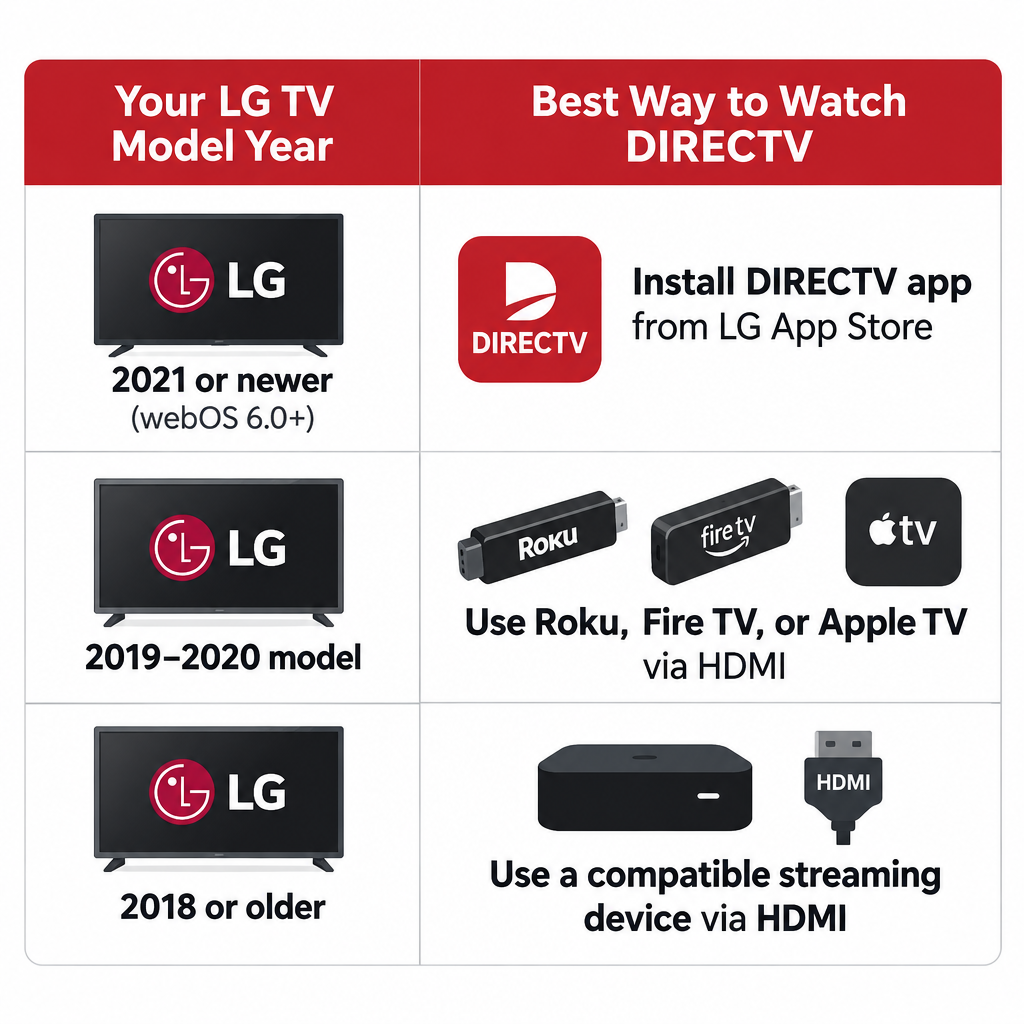
If your LG TV is older than 2021, the DIRECTV app will not show up in its app store. The best fix is a streaming device that DIRECTV supports. DIRECTV lists these:
- Roku devices on software version 9.4 or later
- Amazon Fire TV devices from the 2nd generation onward, including Fire TV Stick and Fire TV Cube
- Apple TV HD (4th generation) and Apple TV 4K
- Google TV and Android TV devices, including Chromecast with Google TV
- DIRECTV’s own Gemini streaming devices
Plug the device into a free HDMI port, use the LG input menu to switch to that port, install the DIRECTV app on the device and sign in. This gives you the full app with the device’s own remote, and the picture is far better than with mirroring.
Mirroring your phone as a last resort
Screen sharing sends your phone’s screen to the TV over Wi-Fi. It is free if you already own a compatible phone, but it has real limits with DIRECTV. DIRECTV community specialists have said the app is not allowed to support mirroring, because DIRECTV charges for each authorized TV. In practice, a mirrored DIRECTV stream can show a black screen or play sound only. Picture quality and lag also depend on your Wi-Fi.
Some people with no other option still try it. Before you do, get ready:
- Install the DIRECTV app from the Google Play Store (Android) or the App Store (iPhone) and sign in. Use a fast, stable internet connection.
- Connect your LG smart TV and your phone to the same Wi-Fi network.
Screencasting to an LG smart TV
From an Android phone (LG Screen Share, which uses Miracast):
- Turn on your LG smart TV and press the Home button.
- Open Screen Share. On some models it is under the Home menu, and on others in the network settings.
- On your Android phone, swipe down to open Quick Settings and tap the casting option. Its name depends on the phone: Smart View on Samsung, or Screen Cast, Cast or Screen Mirroring on other brands.
- A list of nearby devices on the same Wi-Fi network appears on your phone.
- Tap the name of your LG TV.
- If the TV shows a connection request, accept it with the remote.
- Wait a few seconds for your phone’s screen to appear on the TV.
- Open DIRECTV on your phone and start playing a show. If it plays on the TV, you are done. If you see a black screen or hear sound only, the app is blocking mirroring, and a streaming device is the fix.
Not every Android phone supports Miracast. If your TV does not appear in the list, your phone may not be able to use LG Screen Share.
From an iPhone (AirPlay 2): iPhones do not support Miracast, so LG Screen Share will not work. LG TVs from 2019 onward support AirPlay 2. Open Control Center, tap Screen Mirroring and choose your LG TV. The same DIRECTV mirroring restriction applies.
LG TVs can also connect to laptops, tablets and PCs in other ways, such as an HDMI cable or Windows’ own casting feature. The best method depends on the device you want to share. If you also stream IPTV on a computer, a separate guide covers the best iptv player for windows pc.
Final words
The long wait is over for most LG owners. On a 2021 or newer LG TV with webOS 6.0 or higher, install the DIRECTV app from the Home menu’s app store and sign in. That is the cleanest setup, with no phone and no extra box.
On an older LG TV, a DIRECTV-compatible streaming device such as a Roku, Fire TV Stick, Apple TV or Google TV device is the dependable choice. Treat phone mirroring as a last resort, because DIRECTV restricts it. For a broader look at what internet trends summed up streaming habits, cord-cutting is a good place to start. And if you manage social media from a computer, look into the best free gramblr alternatives.
FAQ
Is the DIRECTV app available on LG smart TVs?
Yes. DIRECTV and LG launched the app on December 8, 2025. It works on LG smart TVs from 2021 and newer that run webOS 6.0 or higher, and you download it from the app store on the TV’s Home menu.
Why can’t I find the DIRECTV app on my LG TV?
Your TV is most likely a 2020 or older model, or it runs a webOS version below 6.0. Check under Settings > All Settings > General > About This TV, and install any available software update. If the TV is too old, use a compatible streaming device on HDMI.
Do I need a DIRECTV subscription to use the app on an LG TV?
Yes. The app itself is free to download, but you must sign in with the user ID and password of an active DIRECTV account to watch.
Can I mirror DIRECTV from my phone to an LG TV?
You can try, but it often fails. DIRECTV community specialists have said the app is not allowed to support mirroring, so you may get a black screen or sound only. A streaming device or the LG app itself is the reliable route.
Is DirecTV Stream the same as DIRECTV now?
Yes. DirecTV Now became AT&T TV and then DIRECTV STREAM. In April 2025, DirecTV ended DIRECTV STREAM as a separate brand and merged it into its main DIRECTV service, which uses one DIRECTV app.
Which streaming devices work with DIRECTV on an older LG TV?
DIRECTV supports Roku (software 9.4 or later), Amazon Fire TV (2nd generation and newer), Apple TV HD and Apple TV 4K, Google TV and Android TV devices, and its own Gemini devices. Plug one into an HDMI port and switch to that input on your LG TV.
Sources
- DIRECTV: Get and troubleshoot the DIRECTV App on LG Smart TVs
- LG: DIRECTV Expands Access to Include LG Smart TVs
- DIRECTV: Streaming devices compatible with DIRECTV
- LG: How to use Screen Share on an LG TV
- LG: How to install or delete apps













