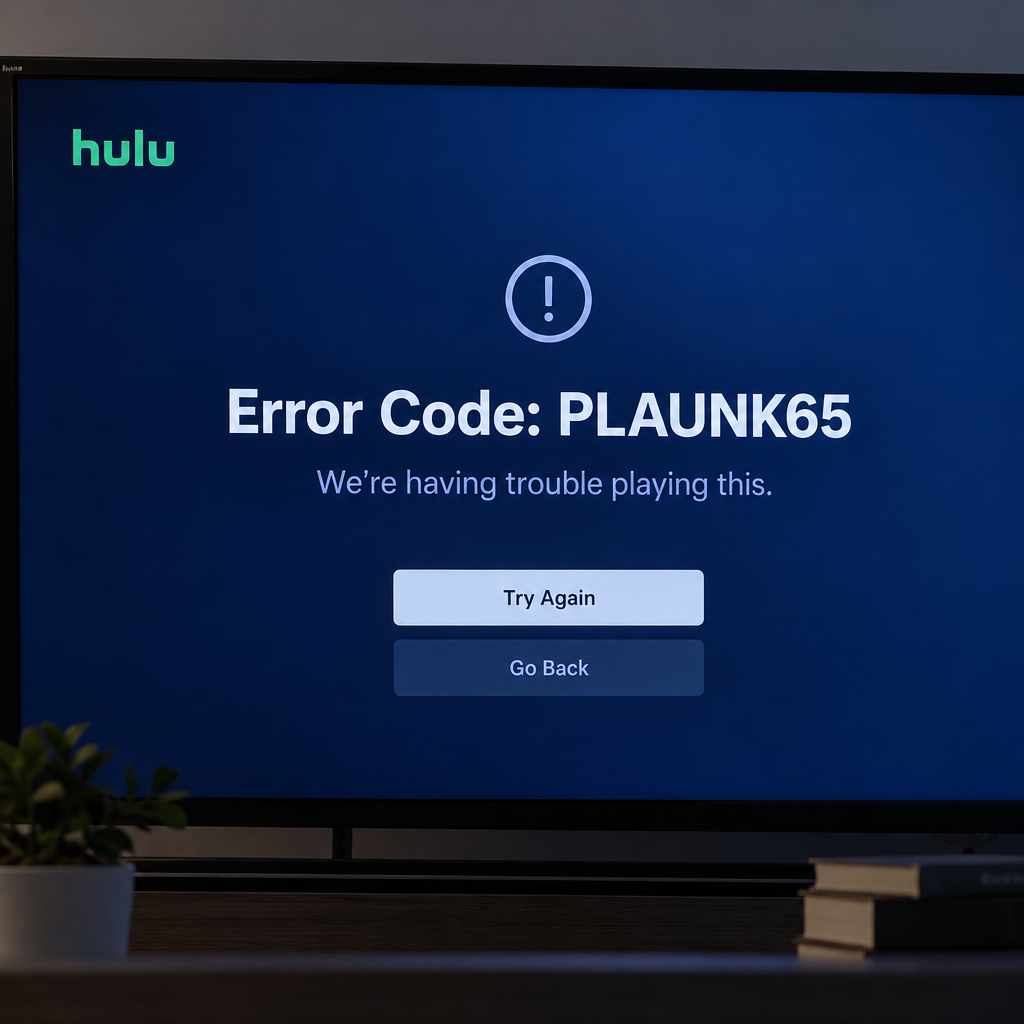
PLAUNK65 is a Hulu playback error. It appears on a blue screen when a video fails to start, and it shows up most often on Roku, Amazon Fire TV and Fire Stick, Xbox and PlayStation consoles, and smart TVs. The steps below go from the quickest, safest fixes to the more involved ones.
Hulu is an American subscription video-on-demand service owned by The Walt Disney Company. In August 2025 Disney announced that Hulu would be fully folded into Disney+, with a single combined app targeted for the end of 2026. Some device-specific Hulu apps have already been retired. The Nintendo Switch app, for example, stopped working on February 5, 2026. Until the Hulu app on your device is replaced, the fixes below still apply.
Why Hulu error code PLAUNK65 happens
PLAUNK65 usually means the Hulu player couldn’t load the stream from Hulu’s servers. In most cases the cause is a network problem: a slow or unstable connection, a router that needs a restart, or DNS and network settings that get in the way. Hulu doesn’t publish an official explanation of this code, so the fixes here go after the causes that come up most often.
The second common cause is outdated or corrupted cache data for the Hulu app, or for the Hulu website if you watch in a browser. Resetting the app or clearing the browser’s cache and cookies for Hulu usually fixes that. The third cause is the app itself. A corrupted or outdated Hulu app can throw this error, and updating to the latest version or reinstalling usually clears it.
How to fix Hulu error code PLAUNK65
Work through these methods in order. After each one, try playing a video again before you move on.
Method 1: Check and fix your internet connection
This error is tied to network problems, so check your connection first.
Check your internet speed. Hulu’s commonly cited guidance is 3 Mbps for the on-demand library, 8 Mbps for Hulu + Live TV and 16 Mbps for 4K. Run a speed test on the same device that shows the error, or on a phone connected to the same Wi-Fi in the same room. If the result is well below these numbers, fix the connection before you change anything in Hulu.
Check whether other devices are using up your bandwidth. When lots of devices share one network, every stream slows down, and Hulu playback can stall or fail. Pause big downloads, game updates and other streams, and disconnect devices you aren’t using. If you’re on Wi-Fi, move the router and the TV or streaming stick closer together, since distance and walls weaken the signal. Network-level filtering, the same kind of thing behind a telegram block on many school and office networks, can also cut Hulu streams off mid-play. If you’re on a managed network like that, test on your home connection instead.
Power cycle your networking equipment. Turn off your modem and router and unplug them from the power outlet. Wait a minute or two, plug the modem back in, wait until its lights settle, then plug in the router. If the problem continues, connect your streaming device to the router with an Ethernet cable if it has a port. A wired connection rules out Wi-Fi as the cause. If web pages on the same network also fail with err_connection_reset, the problem is your connection or your internet provider, not Hulu.
Check your router and DNS settings. Some routers have Quality of Service (QoS) settings that let you give one device priority. Putting the device you watch Hulu on at the top of the list can help on a busy network. Custom DNS services, “private DNS” apps and VPNs can also stop Hulu from working, because Hulu blocks many VPN and proxy services. Turn them off at the device or router level, not only inside a browser, then try again.
Method 2: Restart the Hulu app and your device
If your connection is fine and the error keeps coming back, restart the Hulu app and then the device. Restarting a Roku, smart TV or console clears temporary glitches. Closing Hulu completely, instead of just going back to the home screen, shuts down everything the app was running so it can start fresh.
On a Roku, go to Settings > System > System restart. On some models it’s under Settings > System > Power > System restart. On a smart TV or console, fully power it off, unplug it for about 30 seconds, then turn it back on. Plain standby isn’t enough.
Method 3: Uninstall and reinstall the Hulu app
An outdated or corrupted Hulu app can cause PLAUNK65 and other playback errors, and a clean reinstall fixes both. Roku now calls its channels “apps,” so the menu names have changed since older guides were written.
Step 1: From the Roku Home screen, highlight the Hulu app in your list of installed apps.
Step 2: Press the Star (*) button on your Roku remote and select Remove app, then confirm. After Roku’s May 2026 home screen update, you can remove an app from the Quick Access row, but that doesn’t uninstall it, so go to the full list of installed apps to uninstall Hulu.
Step 3: Restart the Roku. Then search for Hulu from the Home screen or the Streaming Store, select Add app to install it again, and sign back in.
Removing the app doesn’t cancel your Hulu subscription. If Remove app doesn’t appear, you may be billed for Hulu through Roku and still be in an active billing cycle.
Method 4: Disable your ad blocker
Ad blockers sometimes cause PLAUNK65, especially when you watch Hulu in a web browser. Browser extensions that block ads, scripts or trackers can break the scripts Hulu’s player needs. Turn the extension off for Hulu, restart the browser, sign in again and test. If that fixes it, add Hulu to the extension’s allow list. You don’t need to uninstall the blocker completely.
Ad blocking set up at the network level, such as a router feature or a DNS filtering service, can cause the same problem. Pause it briefly to test.
Method 5: Clear the Hulu app cache
Outdated or corrupted cached data can trigger this error. How you clear it depends on the device.
On Roku
Step 1: Press the Home button on your Roku remote.
Step 2: Press Home 5 times, Up once, Rewind twice and Fast Forward twice.
Step 3: The Roku freezes for a moment and then restarts, which clears cached data. When it’s back on, check whether the error is gone.
This button sequence isn’t an official Roku menu option. It forces a restart that clears temporary data. If it doesn’t work on your model, the System restart in Method 2 does the same job.
On Xbox One and Xbox Series X|S
Step 1: Press the Xbox button, go to My games & apps, select See all, then open Apps.
Step 2: Highlight the Hulu app and press the Menu button on your Xbox controller.
Step 3: Select Manage game and add-ons, open Saved data and delete the saved data for Hulu. You’ll need to sign in to Hulu again afterwards.
On PlayStation
Step 1: Turn the console off completely, not into Rest Mode, and unplug the power cord.
Step 2: Wait a few minutes, plug the power cord back in and turn the console on. Then check whether the error is fixed.
On a PS5 you can also clear the system cache from Safe Mode. Turn the console off, then hold the power button until you hear the second beep. Connect the controller with a USB cable, press the PS button and choose Clear System Software Cache. Sony suggests this for system feature problems and performance drops.
Method 6: Update your streaming device
Updating the streaming device fixes problems in its software, and on Roku the same check also updates your apps.
Step 1: Press Home on your Roku remote.
Step 2: Go to Settings > System > Software update and select Check now. Older Roku menus label this System update. If an update is available, select Update now. The same screen shows your current software version and when it was last updated.
On a Fire TV, go to Settings > My Fire TV > About > Check for Updates. On a smart TV, look for the software update option in the TV’s own settings menu, and update the Hulu app from the TV’s app store.
Method 7: Check whether Hulu is down
Sometimes the error comes from Hulu’s servers, and nothing you change at home will fix it. Check Hulu’s official support account on X and the Hulu Help Center for news about outages. If Hulu confirms a service problem, all you can do is wait for it to be fixed. If Hulu works on your phone but not on your TV, the problem is local and you should go back to Methods 1 to 6.
If nothing works
When PLAUNK65 shows up on one device but Hulu works on others on the same network, the problem is on that device. A factory reset of the streaming stick or TV is the last step to try on your own, and it wipes all your apps and sign-ins. If the error shows up on every device and every network, contact Hulu support through the Help Center with the error code, your device model and its software version. If the problem started right after a device update, contact the device maker (Roku, Amazon, Microsoft, Sony or your TV brand) as well.
On a Windows PC, Hulu failing to play alongside an audio renderer error in the browser points to the PC’s audio driver, not Hulu. Fix the audio device first, then try Hulu again.
FAQ
What does Hulu error code PLAUNK65 mean?
It’s a playback error that appears on a blue screen when Hulu can’t load a video from its servers. Hulu doesn’t publish an official definition. The usual causes are a weak or interrupted internet connection, corrupted app data, an outdated app, or a problem on Hulu’s side.
Is PLAUNK65 only a Roku problem?
No. It’s reported most often on Roku players and Roku TVs, but it also appears on Fire TV devices, Xbox and PlayStation consoles, smart TVs and web browsers. The fixes are the same everywhere, and only the menu names change from device to device.
Can a VPN cause Hulu error PLAUNK65?
Yes. Hulu blocks many VPN and proxy services because of its licensing agreements, and a blocked connection can stop playback. Turn the VPN off at the device or router level and try again on your normal home connection.
What internet speed does Hulu need?
Hulu’s commonly cited guidance is 3 Mbps for on-demand streaming, 8 Mbps for Hulu + Live TV and 16 Mbps for 4K content. These numbers are for a single stream. If several people stream at the same time, you need more.
Will clearing the Hulu app cache delete my account or watch history?
No. Your profiles, watch history and subscription are stored in your Hulu account, not on the device. You’ll just have to sign in again after clearing app data or reinstalling.
Is the Hulu app going away?
Disney is moving Hulu into Disney+ and plans to replace the standalone app with a single combined app, targeted for late 2026. Some device apps, like the one on Nintendo Switch, have already shut down. Disney has said you’ll still be able to buy a standalone Hulu subscription, and bundle subscribers can already watch Hulu content inside the Disney+ app.
Sources
- Roku Support: How to update the software on your Roku streaming device
- Roku Support: How to remove apps from your Roku streaming device
- PlayStation Support: How to use Safe Mode on PS5 consoles and PS4 consoles
- Variety: Hulu App to Be Phased Out; Fully Integrating Into Disney+
- TechRadar: Disney’s unified Hulu and Disney+ app late 2026 release window