
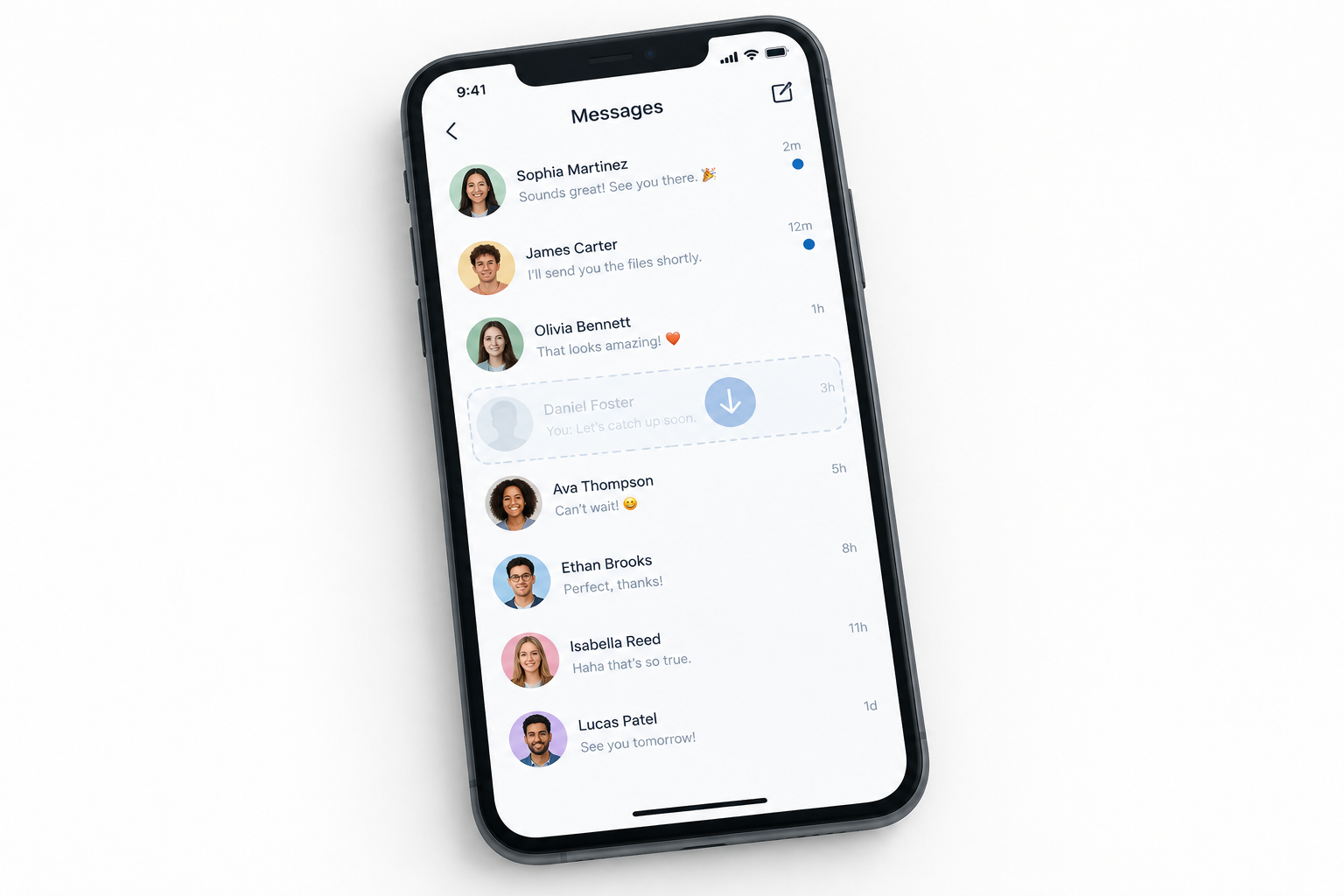
As of November 2026, Instagram still has no “restore” button for deleted direct messages. The best option is to ask the other person in the chat, because deleting a conversation only removes it from your side. Next, request a copy of your data through Accounts Center, which includes every message still stored on your account. A message that was unsent, or deleted from Instagram’s servers, can’t be brought back, and apps that promise to recover it are not worth the risk.
Why deleted Instagram messages are hard to get back
Instagram makes it easy to lose messages and offers no official way to restore them. A few indirect methods still work in the right situation, and which one applies depends on how the message disappeared.
The difference matters:
- Deleting a chat removes it from your inbox only. The other person still has the full conversation unless they delete it too.
- Unsending a message (press and hold the message, then tap Unsend) removes it for everyone in the chat.
- Encrypted chats were available on Instagram only in some regions and in eligible chats, and Meta ended support for them after May 8, 2026. Users with encrypted conversations got in-app prompts to download their messages before that date.
The recovery options, in order
Instagram Direct makes it simple to send messages, photos, videos and voice notes. Deleting them is just as simple, and it often happens by accident. Instagram has no recycle bin for DMs, so recovery depends on whether a copy still exists somewhere else.
The methods below run from quickest and safest to least reliable. Two of them still work in 2026. The Facebook method stopped working in December 2023, and third-party apps are a risk you should avoid.
1. Ask the person you were chatting with

Every Instagram message exists on your account and on the account of the person you sent it to. If you deleted the chat only on your side, they still have it.
This sounds obvious, but it is the quickest method and the one most likely to work. Ask them to forward the messages, photos or videos you need.
For text, it is often easier to ask for screenshots of the conversation. This only fails if the message was unsent, or if they deleted the chat too.
2. Download your Instagram data
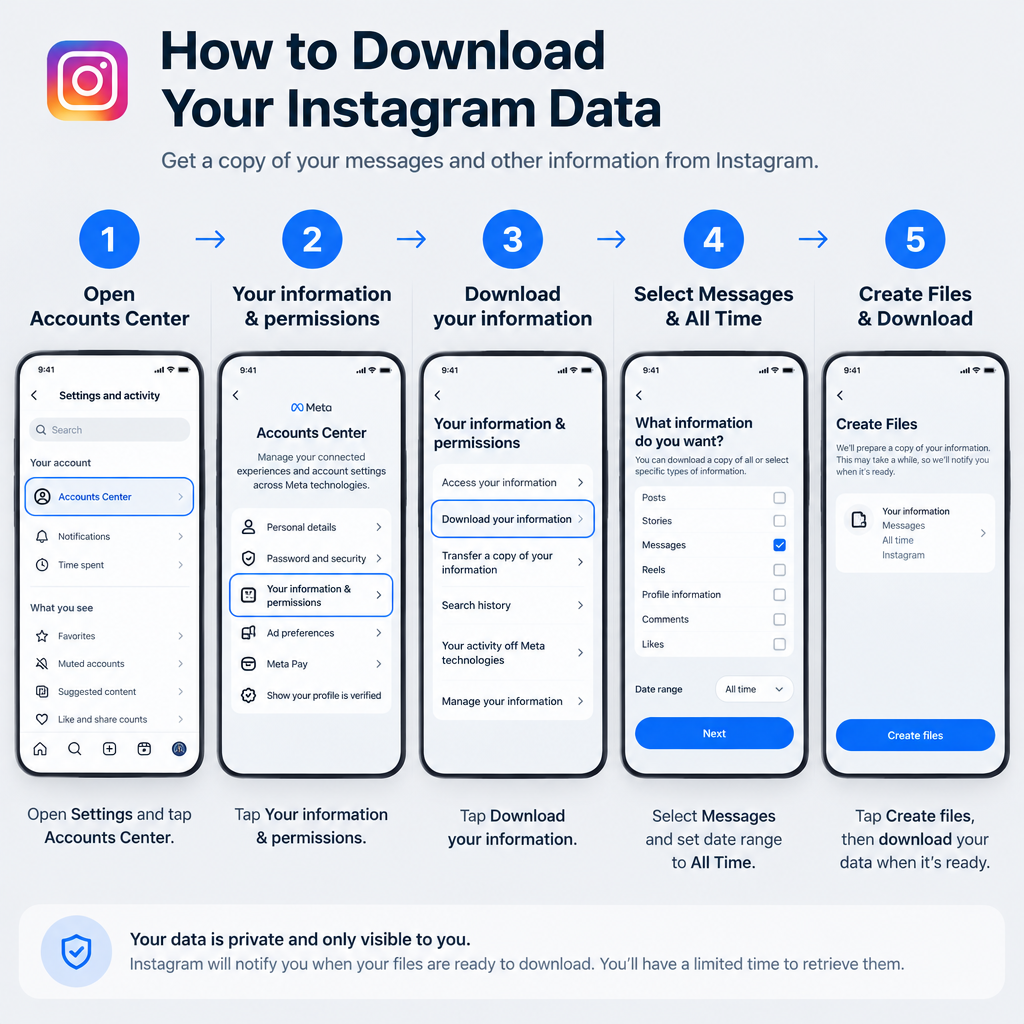
You can ask Instagram for a copy of everything stored on your account, messages included. The file shows every conversation that still exists on Instagram’s servers. That makes it useful if you can no longer find a chat in the app, and it works well as a backup before you delete anything.
Be realistic about what it can do. The export reflects what Instagram still holds. Messages you unsent, and chats that have already been fully removed from Meta’s servers, will most likely not appear. If a chat matters, request the file as soon as possible.
Instagram emails you when the file is ready. Small accounts usually get it within about a day, and larger exports take longer. The download stays available for about four days. If you miss that window, submit a new request. You will need your Instagram password to download the file, which protects your messages if someone else gets into your email account.
The data file is a record of your own account. It doesn’t replace in-app features such as Instagram Story Viewers.
How to request your Instagram data, including messages
The old route through “Privacy and Security” and “Data Download” no longer exists. The request now goes through Meta’s Accounts Center, which works the same in the iPhone app, the Android app and in a browser at instagram.com.
- In the Instagram app, go to your profile and tap the menu icon (three lines) at the top right. On the web, click More at the bottom left, then Settings.
- Open Accounts Center.
- Select Your information and permissions.
- Select Download your information (on some accounts this is labelled Export your information).
- Choose Download or transfer information, then pick your Instagram account.
- Choose Some of your information, tick Messages, and continue.
- Choose Download to device.
- Set the Date range (choose “All time” if you are not sure when the chat happened).
- Pick a Format. HTML opens in any web browser and is easier to read. JSON is machine-readable and suits tools or spreadsheets.
- Tap Create files and enter your password if asked.
When Instagram emails you that the file is ready:
- Go back to Accounts Center > Your information and permissions > Download your information.
- Find the file under available downloads and select Download.
- Enter your Instagram password when prompted.
- Unzip the file on your computer.
Open the messages folder. Each conversation has its own subfolder. In an HTML export, open the message file in your browser. In a JSON export, look for files named like message_1.json.
If you don’t see Download your information under Accounts Center, look for it in Instagram’s main settings menu. Instagram notes that the location can differ from one account to another.
3. Check Facebook (no longer works for new chats)

Facebook once let you see Instagram Direct messages in your Facebook inbox, but that ended in December 2023. You can no longer recover deleted Instagram messages this way.
Here is the history. Facebook (now Meta) bought Instagram in 2012, not 2020 as is often repeated. In September 2020 it launched cross-app messaging, which let you link your accounts and chat between Messenger and Instagram. That led to the idea that a linked Facebook account could show Instagram messages you had deleted.
In mid-December 2023, Meta ended cross-app chats between Instagram and Messenger. Existing conversations with Facebook accounts on Instagram became read-only, and they were not moved to the Facebook or Messenger inbox. New cross-app chats can’t be started.
What is left of the Facebook method
If you chatted with a Facebook user from Instagram before December 2023, that conversation may still be in your Instagram inbox as a read-only chat. Look there, not on Facebook.
For anything you deleted from Instagram Direct itself, logging into Facebook or Messenger won’t show it. Use method 1 or method 2 instead.
4. Third-party “recovery” apps

Skip them. Apps that claim to recover deleted Instagram messages can’t reach Instagram’s servers. At best they show what they captured while installed, and at worst they are spyware.
These apps say they scan your phone’s storage for traces of deleted, corrupted or lost files and piece them back together. That can work for photos saved to your camera roll. It does not work for Instagram DMs, because Instagram keeps your messages on its servers, not as files on your phone. Uninstalling or clearing the app’s cache doesn’t leave a recoverable copy of your chats behind.
The original version of this guide used KidsGuard Pro as its example. That was a bad choice. KidsGuard Pro, made by ClevGuard, is a monitoring app that has to be installed on the phone it watches. It only records messages that arrive while it is running, so it can’t bring back anything deleted before it was installed. Security researchers at Sophos and reporters at TechCrunch have described it as stalkerware. In 2020 they reported that it hid on Android under the name “System Update Service” and that it leaked data from thousands of monitored phones through an unprotected cloud storage bucket.
Installing monitoring software on someone else’s phone without their consent can also be illegal. Many apps in this category exist mainly to collect personal data.
What to do if nothing works
If the other person no longer has the chat and your data download doesn’t include it, the message is gone. Instagram support can’t restore deleted DMs.
People who subscribe to Meta Verified get access to live account support, which is one reason many look up How to Get Verified Badge on Instagram. Even that support team can’t bring back a message that has been deleted from the servers. Where it helps is account problems like hacking or a lost login.
The practical step now is prevention. Request a data download every few months, or before you clean out your inbox. Save important photos and videos to your phone as soon as you get them. Then a deleted chat stops being a problem.
FAQ
Can you see a message someone unsent on Instagram?
No. Unsending removes the message for everyone in the chat, and Instagram doesn’t store a copy you can view. Apps or tricks that claim to show unsent messages either don’t work or ask for access to your account, which puts it at risk.
If I delete an Instagram chat, does the other person still see it?
Yes. Deleting a conversation only removes it from your inbox. The other person keeps the full chat unless they delete it too, which is why asking them is the best recovery method.
Does the Instagram data download include deleted messages?
It includes every message still stored on your account. Unsent messages, and chats that have already been fully removed from Instagram’s servers, most likely won’t appear. Request the download as soon as you notice something is missing.
How long does an Instagram data download take?
Small accounts usually get the email within about a day, and large ones with lots of media take longer. The file stays available for about four days. After that, start a new request from Accounts Center.
Can Meta Verified support restore deleted DMs?
No. Get verified on instagram for the badge and the access to account support, not as a way to recover messages. Support agents can help with hacked or locked accounts, but they can’t restore deleted conversations.
What happened to encrypted Instagram chats?
Meta ended support for end-to-end encrypted chats on Instagram after May 8, 2026, saying very few people used them. Users with encrypted conversations were prompted in the app to download their messages and media before that date. Meta pointed people who want encrypted messaging to WhatsApp.
Sources
- Instagram Help Center: Download a copy of your information
- Meta Newsroom: Making it easier to manage your information across Meta’s apps
- The Register: Meta ends cross-app chats between Instagram and Messenger
- Help Net Security: Meta ditches end-to-end encrypted messaging on Instagram
- Sophos: KidsGuard stalkerware leaks data on secretly surveilled victims













