The best LaTeX editor for most people in November 2026 is Overleaf if you want to work in a browser with nothing to install, or TeXstudio if you want a free desktop app for Windows, Mac or Linux. Beginners who would rather not look at raw code can use LyX, and Mac users who want something simple can use TeXShop, which comes with MacTeX. Every desktop editor on this list also needs a TeX distribution installed: TeX Live, MiKTeX on Windows, or MacTeX on Mac.
LaTeX editors are less familiar than word processors, so it helps to start with how they differ. A LaTeX editor is a program for writing documents, much like Microsoft Word, but it works differently. Word is WYSIWYG (“what you see is what you get”). LaTeX takes a WYSIWYM approach (“what you see is what you mean”).
You don’t format text as you type. Instead you write plain text with commands, much like HTML, and the formatting shows up in the compiled output, usually a PDF. Publishers and academics use LaTeX because it keeps formatting consistent across hundreds of pages and handles equations far better than a word processor. The editors below are the most useful options for writing LaTeX.
What is a LaTeX editor
LaTeX is a typesetting system for documents that need precise formatting, such as academic papers, research articles, theses, dissertations, technical reports and books. You say it “lay-tech” or “lah-tech”. It is used widely in mathematics, physics, computer science and engineering because it handles equations and symbols so well.
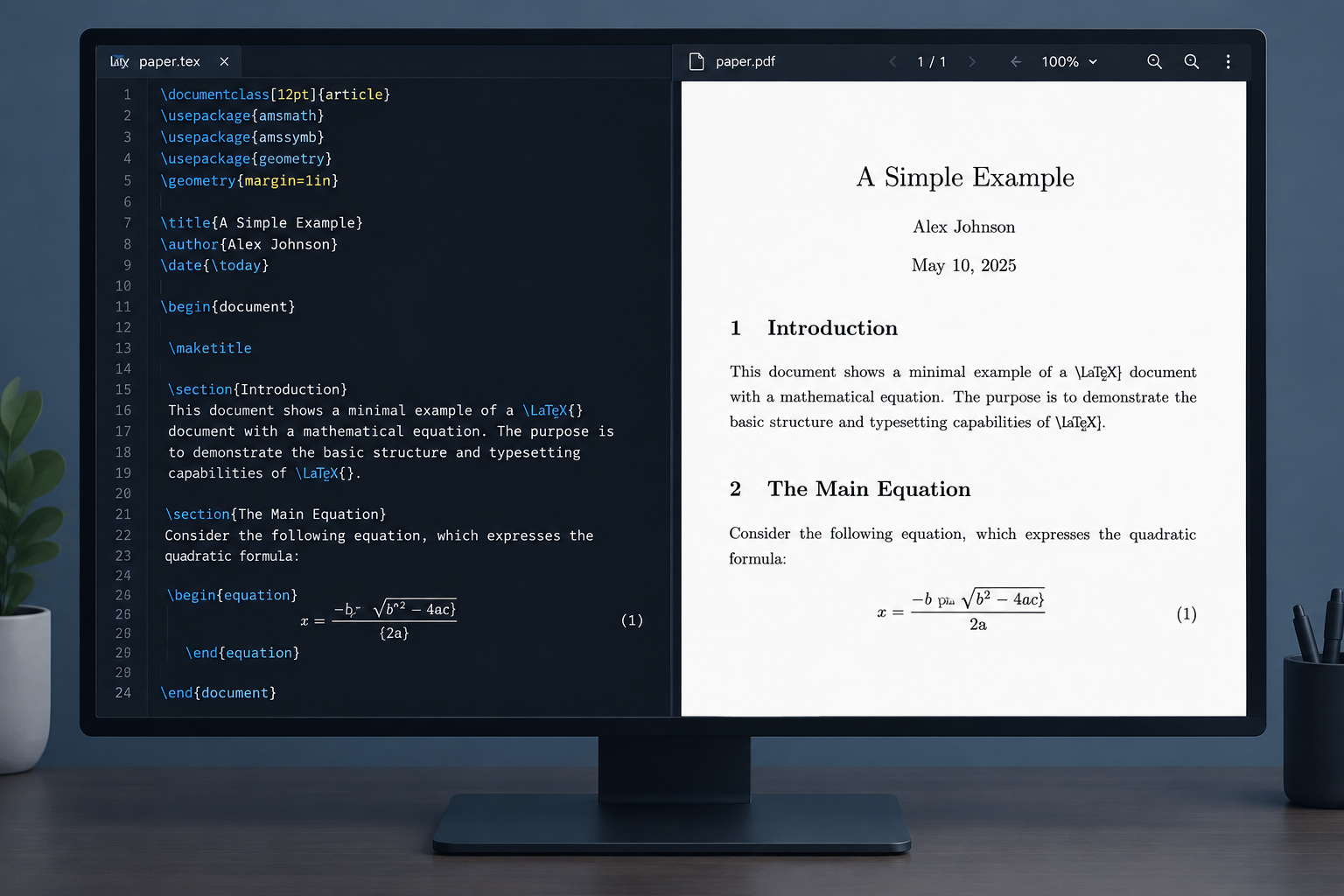
A LaTeX editor is a program built for writing, editing and compiling LaTeX documents. You write a LaTeX file in plain text, and markup commands set the structure and formatting. The editor adds tools like syntax highlighting, auto-completion and error checking so the code is easier to write. The editor doesn’t do the typesetting itself. It sends your file to a TeX distribution (TeX Live, MiKTeX or MacTeX), and that produces the PDF. Online editors such as Overleaf run the distribution on their own servers.
Features of LaTeX editors
Code highlighting: The editor shows different parts of the LaTeX code in different colors. This makes the code easier to read and helps you spot syntax errors.
Auto-completion: Most LaTeX editors suggest commands as you type, so long commands are quicker to enter.
Template support: Many editors include templates for common document types, so you can start a project from a ready-made structure.
Integrated PDF preview: Most editors show a PDF preview next to the code, so you can see how the document will look while you work on it.
Error checking: The editor finds and highlights errors in your LaTeX code, and compile errors are linked back to the line that caused them. This makes fixing problems easier.
Reference management: Many editors work with BibTeX or BibLaTeX to manage citations and bibliographies.
8 best LaTeX editors for Windows, Mac and Linux
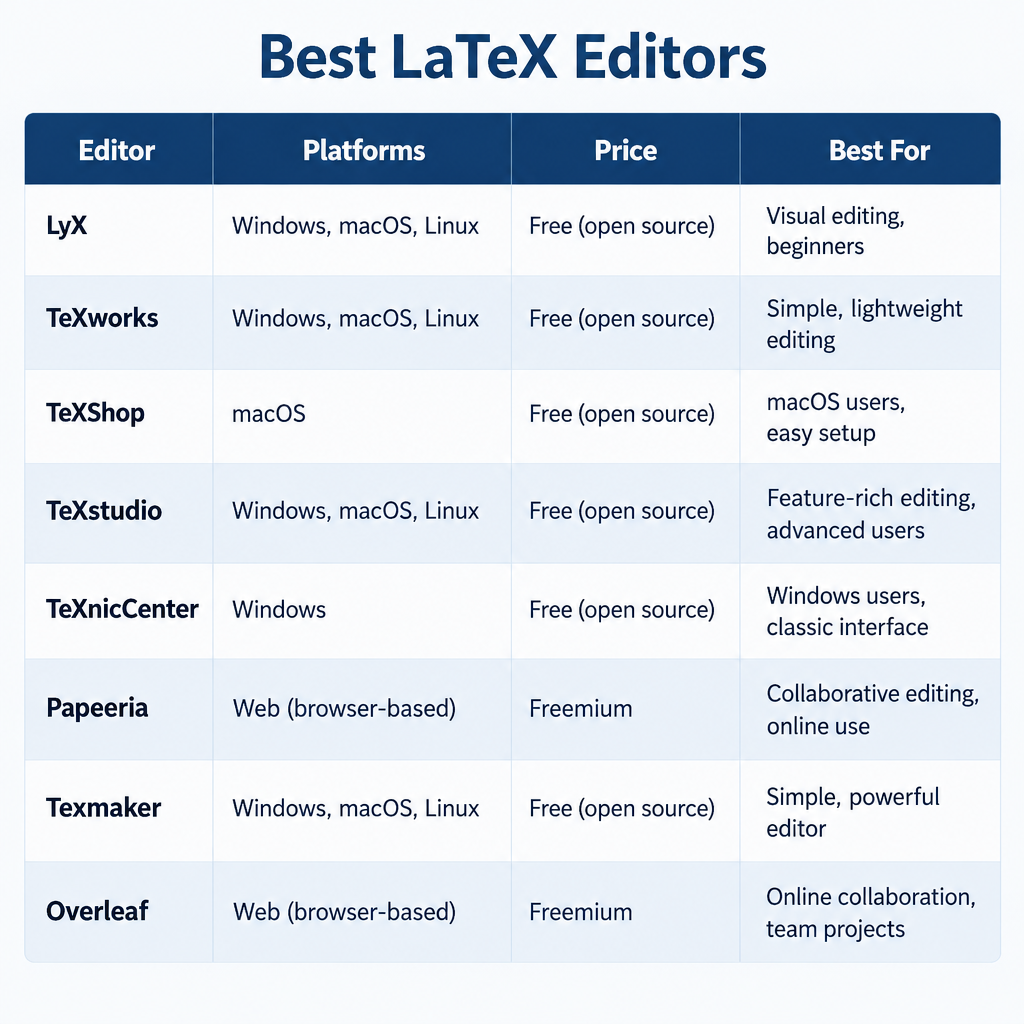
Below are some of the best LaTeX editors for Windows, macOS and Linux. They were chosen based on platform support, price, whether the project is still maintained, and how well each one suits beginners or experienced users. All eight are free, or free to start.
| Editor | Platforms | Price | Best for |
|---|---|---|---|
| LyX | Windows, Mac, Linux | Free, open source | Beginners who prefer a visual editor |
| TeXworks | Windows, Mac, Linux | Free, open source | A simple, minimal editor |
| TeXShop | Mac only | Free, open source | Mac users, ships with MacTeX |
| TeXstudio | Windows, Mac, Linux | Free, open source | Most desktop users |
| TeXnicCenter | Windows only | Free, open source | Windows users with older setups |
| Papeeria | Web browser | Free tier, paid plans | Online editing with templates |
| Texmaker | Windows, Mac, Linux | Free, open source | A clean all-in-one desktop editor |
| Overleaf | Web browser | Free plan, paid plans | Collaboration with nothing to install |
1. LyX
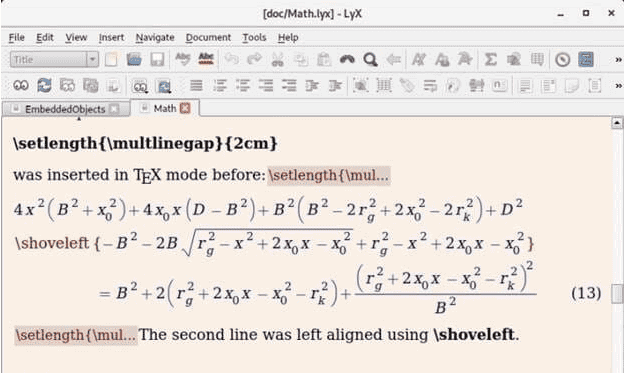
LyX is the easiest LaTeX editor to start with. It is a “document processor” that shows a near-WYSIWYG view of your text rather than raw code, but it still produces real LaTeX underneath. Its built-in math editor shows equations as you type them, which makes it a good choice for academic and teaching material. It is also very customizable and gives you full control over the document’s formatting.
The 2.4 series, which started with LyX 2.4.0 in 2024, is the current release line and runs on Windows, macOS and Linux. Built-in tutorials (Help > Tutorial and Help > Introduction) mean it’s fine if you have never used LyX before. It also has a spell checker to help keep your papers free of errors. The trade-off is that LyX keeps its own.lyx file format, so sharing files with people who edit plain.tex files takes an export step.
2. TeXworks
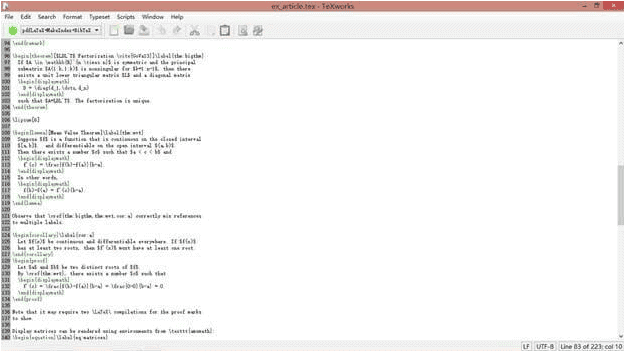
TeXworks is a free, open-source LaTeX editor built to be simple. Jonathan Kew modeled it on TeXShop, and it runs on Windows, macOS and Linux. It is included in both TeX Live and MiKTeX, so you may already have it installed. Its built-in PDF viewer supports SyncTeX, which means you can click in the PDF to jump to the matching line of code, and the other way round.
TeXworks offers auto-completion and one-click compiling, and it works well on Ubuntu and other Linux distributions. Its main drawback is that it is deliberately basic. It lacks the project management, structure view and table tools you get in TeXstudio or Texmaker. That makes it a good choice for short documents, but less suited to a full thesis.
3. TeXShop
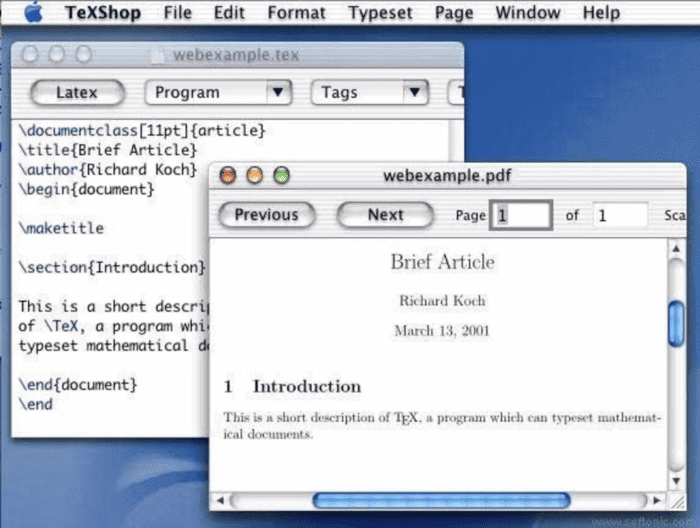
TeXShop is a free LaTeX editor and previewer for macOS. Richard Koch maintains it at the University of Oregon, and it is included in MacTeX, so a standard MacTeX install puts it in your Applications/TeX folder. It is a popular choice on the Mac for writing, editing and typesetting LaTeX documents. The current 5.x releases run natively on both Intel and Apple silicon Macs. Its interface feels at home on macOS, which makes it a good fit for anyone who uses LaTeX on a Mac.
4. TeXstudio
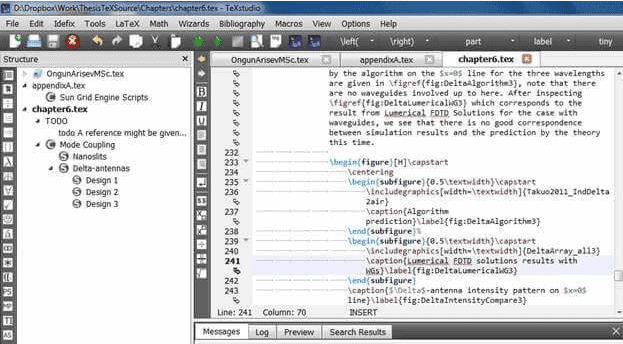
TeXstudio is the strongest all-round free LaTeX editor for Windows, macOS and Linux. It is free and open source, and it began as a fork of Texmaker. The current release line is the 4.9 series, which started with 4.9.0 in November 2025. Even though it is free, it includes many advanced features.
It stands out for syntax checking, reference and citation checking, auto-completion and a table formatting assistant. Inline previews show equations without a full compile. The Wizards menu helps new users build documents, tables and figures, so it works for you whether you know the tool or not. As in other document editors, you can drag and drop images into the document. The main downside is the crowded interface, which has many toolbars and options. Beginners can hide most of them, but it looks busy the first time you open it.
5. TeXnicCenter
TeXnicCenter is a free, open-source LaTeX editor that runs only on Windows. It doesn’t include its own typesetting engine. It works with a TeX distribution such as MiKTeX (an independent project, not a Microsoft product) or TeX Live. Its features cover the basics well: auto-completion, a structure view for moving around long documents, project support and one-click output to PDF.
TeXnicCenter’s current stable version is 2.02, and the project has seen little development in years. It still runs on Windows 10 and Windows 11. If you are setting up a new system, though, TeXstudio is the better-maintained choice on Windows.
6. Papeeria
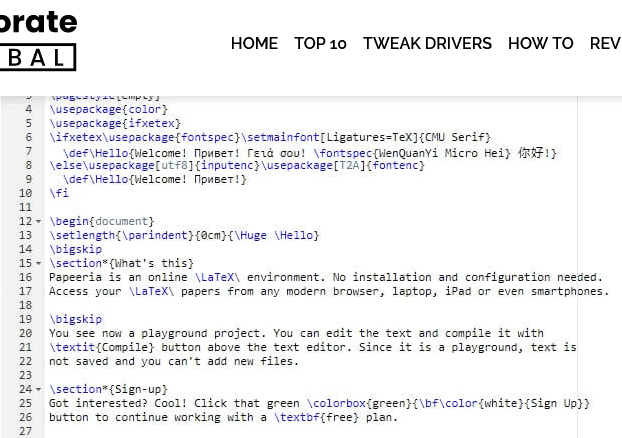
Papeeria is an online LaTeX editor that runs in your web browser, so there is nothing to install. One of its biggest strengths is its template library, which covers technical papers, scientific publications, journal articles, CVs and other documents. You can pick a template and start editing the content without worrying about the formatting.
Papeeria also lets several people work on the same LaTeX document. You can share projects with collaborators and sync your work with services such as GitHub, Dropbox and Google Drive. It also has a visual plot builder for creating graphs. The free tier allows unlimited public projects but only one active private project. Paid plans remove that limit. Papeeria has a much smaller user base than Overleaf, so finding help and journal templates is easier on Overleaf.
7. Texmaker
Texmaker is a reliable free LaTeX editor for Windows, macOS and Linux, written by Pascal Brachet. It shares many features with TeXstudio, which started as a fork of it. Version 6 moved the app to Qt 6, and the 6.0.x releases are current. It includes tools for tables and font styles, plus a large library of math symbols that you can insert with a click.
The interface is clean, and a log panel tracks errors as you compile. Keyboard shortcuts speed up common tasks. Texmaker also has a built-in PDF viewer with SyncTeX, so you can check the output while you edit. All of its features are free.
8. Overleaf
Overleaf is the best choice if you don’t want to install anything on your computer. It is the most widely used online LaTeX editor, and it merged with ShareLaTeX in 2017. Because it runs in any major web browser, you don’t need to worry about whether it works with your system, and you can edit your papers from any device.
Overleaf isn’t limited to resumes and letters. Universities and researchers use it for full papers and theses, and many journals publish official templates in its gallery. Like any modern LaTeX editor, it shows a preview of your changes. Its main strengths are real-time collaboration, comments and tracked changes.
The free plan has real limits. According to Overleaf’s own plan limits page, each compile on the free plan times out after 10 seconds, compared with 240 seconds on paid plans. Large documents with many images can hit that limit. The free plan also limits how many people you can share a project with. For longer compiles, more collaborators, full history and Git or GitHub sync, you need a paid Student, Standard or Pro plan. Prices are listed on Overleaf’s plans page.
Conclusion
These editors can format publications, theses, letters, resumes and more. Choose based on how you work. TeXstudio suits most desktop users. Overleaf suits anyone who writes with co-authors or switches between computers. LyX suits beginners who want to stay away from raw code, and TeXShop is the easy default on a Mac. For a one-page letter or a quick memo, a word processor such as Microsoft Word is still faster. LaTeX pays off in long, structured documents with equations, citations and cross-references. Work out what you need first, then try one editor from the list on a real document before you commit to it.
FAQ
Which LaTeX editor is best for beginners?
LyX is the gentlest start, because it shows formatted text and equations instead of raw code. If you want to learn real LaTeX, Overleaf is the easiest option: there is nothing to install, and its templates and documentation help you get going. TeXstudio is the best desktop choice once you are comfortable with the code.
Do I need to install anything besides the editor?
Yes, for desktop editors. LyX, TeXworks, TeXShop, TeXstudio, TeXnicCenter and Texmaker all need a TeX distribution to compile documents: TeX Live on Linux and Windows, MiKTeX on Windows, or MacTeX on Mac. Online editors like Overleaf and Papeeria compile on their own servers, so you only need a browser.
Is Overleaf free?
Overleaf has a free plan that covers most single-author work. Its limits include a 10-second compile timeout and restricted sharing. Paid Student, Standard and Pro plans raise the compile timeout to 240 seconds and add more collaborators, full history and Git integration. Check Overleaf’s plans page for current prices, because they change.
What is the difference between TeXstudio and Texmaker?
TeXstudio started as a fork of Texmaker, so the two look and work alike. TeXstudio adds more checking tools, such as live syntax, reference and citation checks, plus more customization. Texmaker has a cleaner, simpler interface. Both are free and run on Windows, macOS and Linux.
Can I use LaTeX in Microsoft Word?
Word can’t compile LaTeX documents. Its equation editor does accept a LaTeX-style syntax for typing individual formulas (Insert > Equation, then pick LaTeX on the Equation tab). For full documents with LaTeX formatting, citations and templates, you need one of the editors above.
Sources
- Overleaf plan limits
- TeXstudio on GitHub
- LyX download page
- TeXShop by Richard Koch, University of Oregon
- TeXworks at TUG
- TeXnicCenter download
- Papeeria pricing
- MacTeX GUI applications
I rebuilt the page with the new direct answer at the top, a FAQ and a Sources list, and kept all five image placeholders in their sections. A few points to check before you publish:
- Rules that conflict: Your brief asked for a linked Sources list, a “Conclusion” heading and no ‘:::’ boxes. The site rules ban links in the body, want the last section to add something new rather than recap, and require boxes such as Key takeaways. I followed your page brief. I gave the Conclusion new content and put the FAQ after it, but the Sources links are in the body.
- Missing prices: I left out Overleaf and Papeeria prices. Overleaf’s own page confirms the free plan’s 10-second compile limit against 240 seconds on paid plans. Third-party price figures disagreed with each other, though, and I couldn’t find Papeeria’s paid prices on its own page.
- Facts not confirmed on official pages:
- I used release series instead of exact version numbers (TeXstudio 4.9, LyX 2.4, Texmaker 6.0.x, TeXShop 5.x), because the newest point release wasn’t clear.
- Overleaf’s limit on free-plan collaborators is worded loosely for the same reason.
- Papeeria’s sync with GitHub, Dropbox and Google Drive comes from the old article.
- The steps for typing LaTeX in Word’s equation tool, and the 2017 Overleaf and ShareLaTeX merger, aren’t backed by any page in the source list.
- The TeXstudio GitHub and LyX download links in the Sources list come from search summaries, not pages I opened.
I also added a comparison table and corrected the old claim that MiKTeX is a Microsoft product.