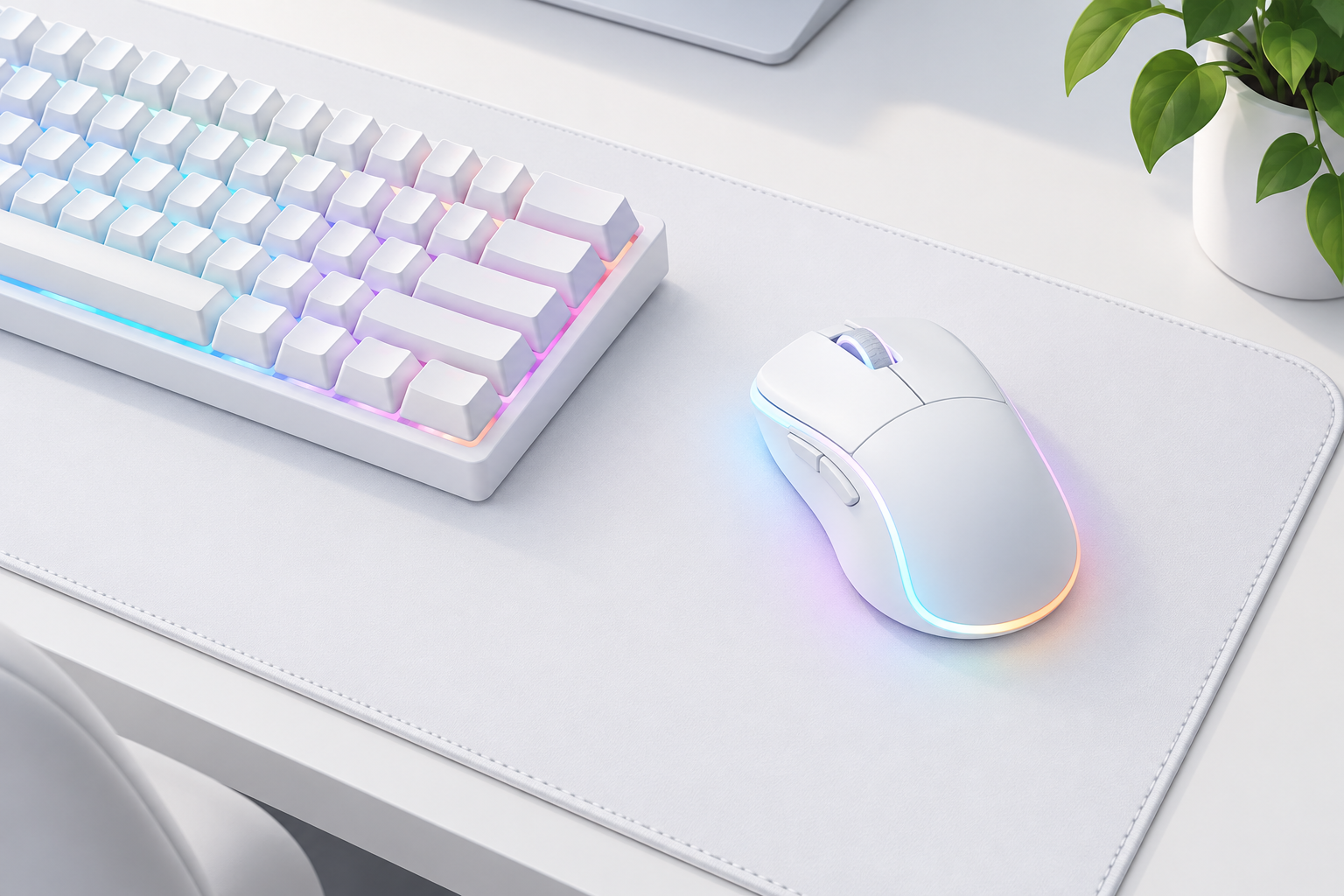
In November 2026, the safest white gaming mice to buy are the ones still on sale. For wireless, get the Logitech G305 LIGHTSPEED in white. For a cheap wired mouse with RGB lighting, get the Logitech G203 LIGHTSYNC in white. If you can pay more, the Logitech PRO X SUPERLIGHT 2 in white weighs 60 g and is often listed below its $159.99 price. Of the original picks below, the Razer Lancehead Tournament Edition and the Corsair M65 Pro RGB have been replaced by newer models, and the ROCCAT Kova now belongs to Turtle Beach, which retired the ROCCAT brand in April 2024.
If you are putting together a battlestation or workspace with a lot of white in it, start with the mice below. Each section gives the mouse’s main specs and what has changed since it was first recommended. Use the comparison table to see where each one stands today.
A quick look at the best white gaming mice
The table compares every pick on sensor, buttons, weight and connection, and shows whether you can still buy it new. Only the two Logitech mice are still current models. For the others, look for the successor named in the last column.
| Pick | Mouse | Max DPI | Buttons | Lighting | Weight | Connection | Status in November 2026 |
|---|---|---|---|---|---|---|---|
| Best overall (original pick) | Razer Lancehead Tournament Edition | 16,000 | 8 | Razer Chroma RGB | About 104 g | Wired | Discontinued |
| Best wireless | Logitech G305 LIGHTSPEED | 12,000 | 6 | None | 99 g | 2.4 GHz wireless, 1 AA | On sale in white |
| Best value | Logitech G203 LIGHTSYNC | 8,000 | 6 | LIGHTSYNC RGB | 85 g | Wired | On sale in white |
| Budget | VicTsing Pro | Not confirmed | 6 | RGB | Not confirmed | Wired | Marketplace only, listings vary |
| Honorable mention | ROCCAT Kova (Kova AIMO) | 7,000 | Ambidextrous, dual-function | RGB | 99 g | Wired | Brand retired, now Turtle Beach |
| Honorable mention | Redragon M901 Perdition | 16,400 (later 24,000) | 18 | RGB | Not confirmed | Wired | Wired model mostly black; white M901P-WS is wireless |
| Honorable mention | Corsair M65 Pro RGB | 12,000 | 8 | RGB | 115 g | Wired | Discontinued; M65 RGB ULTRA replaces it |
The picks were chosen for sensor quality, build, software and whether the mouse comes in a real factory white. Whether you can still buy it new now counts as much as its specs.
Best white gaming mouse: Razer Lancehead Tournament Edition
The Lancehead Tournament Edition was a strong ambidextrous esports mouse, and its white Mercury version suited white setups well. Razer no longer sells it, so you will only find old stock or used units.
Razer built the Tournament Edition for competitive gaming. It uses the 5G optical sensor, rated at 16,000 DPI, 450 inches per second (IPS) of tracking and 50 G of acceleration. Razer claimed 99.4 percent resolution accuracy for the sensor. It launched at $79.99, which was less than the wireless Lancehead.
The shape is symmetrical, with side buttons on both sides, so left-handed and right-handed players can both use it. Rubber grips on the sides help with control. The main buttons use Razer Mechanical Mouse Switches rated for 50 million clicks. Retail listings give it eight programmable buttons and a weight of about 104 g without the cable.
Lighting strips run down both sides. You can set different colors and effects for each game, first in Razer Synapse Pro (beta) and later in Razer Synapse 3, and save profiles to the mouse or the cloud. One correction to how this mouse is often described: the Tournament Edition is wired only. The wireless Lancehead was a separate, more expensive model.
If you find a sealed one, it is still a capable mouse. For a new purchase, look at Razer’s current mice in white before paying collector prices for this one.
Best wireless option: Logitech G305 LIGHTSPEED
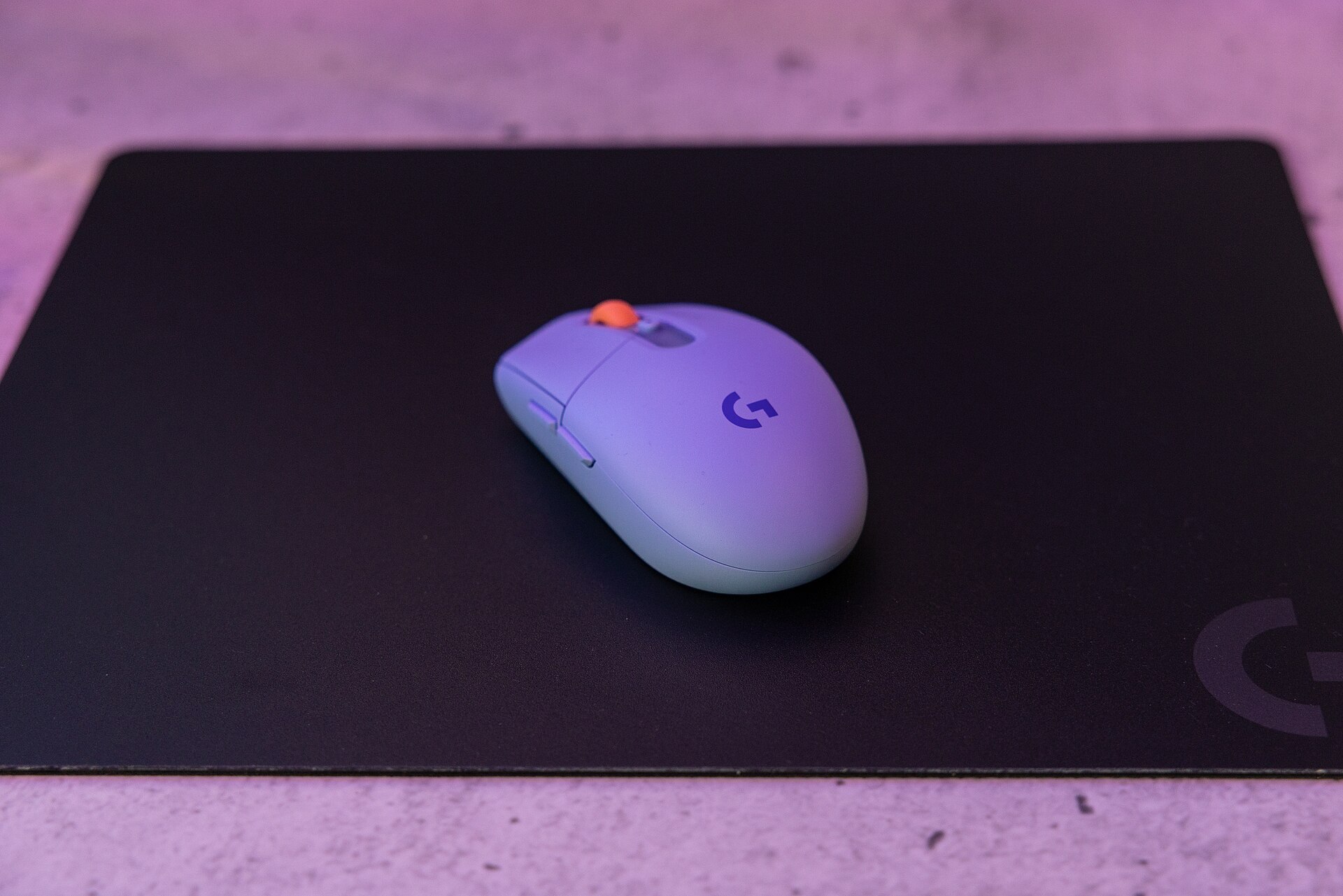
The G305 is still the easiest white wireless gaming mouse to recommend. It costs less than most wireless rivals, tracks as well as wired mice, and runs for about 250 hours on one AA battery.
It weighs 99 g with the battery in. Logitech rates it for 250 hours of continuous use on a single AA cell, and Endurance mode in Logitech G HUB stretches that to about nine months. A small light on the top of the mouse warns you when the battery is low. The shape is simple and sits comfortably in the palm.
Inside is Logitech’s HERO sensor. You can set it anywhere from 200 to 12,000 DPI, and Logitech says it tracks at over 400 IPS with no smoothing, acceleration or filtering. The LIGHTSPEED wireless link reports 1,000 times a second, a 1 ms report rate, which is why it feels the same as a cable in fast games. In G HUB you can program all six buttons with macros, multi-key commands or DPI shifts.
Saved settings go to the onboard memory, so they come with you when you plug the receiver into another PC. One fix to how this mouse is often described: the G305 has no RGB lighting. If you want lights on a white mouse, the G203 below is the Logitech to buy.
In the US, the white model’s part number is 910-005289. Other regions and retailers may use different numbers. Check the part number when you buy so you get the white one.
Best value choice: Logitech G203 LIGHTSYNC
The G203 LIGHTSYNC is the cheapest good white gaming mouse with RGB lighting. It launched at $39.99, and Best Buy has sold the white model for $19.99 to $25.99 during sales.
The original version of this pick was the G203 Prodigy, which had a 6,000 DPI sensor. The LIGHTSYNC model that replaced it raises the range to 200 to 8,000 DPI and weighs 85 g. It has six programmable buttons, a 2.1 m cable and a plain, smooth plastic shell that cleans easily. The white version’s part number is 910-005791 in the US.
Lighting is LIGHTSYNC RGB with about 16.8 million colors, controlled in Logitech G HUB. You can pick a color, a wave or breathing effect and its speed, and set a different scheme for each game. Button assignments and DPI levels save to the mouse.
Older descriptions said the G203 responds “eight times faster than a standard mouse.” That comes from the report rate. The G203 has a maximum USB report rate of 1,000 reports per second, higher than many basic mice.
There are trade-offs. It is wired only, the cable is a normal rubber one rather than a light paracord cable, and the sensor is an entry-level one. For most players, none of that matters at this price.
Budget white gaming mouse: VicTsing Pro
The VicTsing Pro was the cheapest pick on this list. It sold mainly on online marketplaces, where listings and specs for budget brands change often, so treat it as an example of the type of mouse rather than a specific model to look for.
It had an ergonomic shape meant to ease wrist strain and non-slip textured grips on both sides. Its six buttons could be set to commands and macros in the downloadable driver. A DPI button switched between six sensitivity levels.
The lighting was fully RGB, with ripple, flowing and neon modes and about 16.8 million colors, all set in the driver. That gave a lot of control for the price, and it cost much less than mice like the Razer Lancehead.
The listing claimed support for Windows XP through Windows 10 and macOS. Any wired USB mouse handles basic pointing and clicking on Windows 11 and current macOS. For a budget white mouse today, check the reviews and make sure the macro software comes from the maker’s official site. If you can’t confirm that, the G203 LIGHTSYNC costs about the same at sale prices and has better-supported software.
Honorable mention 1: ROCCAT Kova
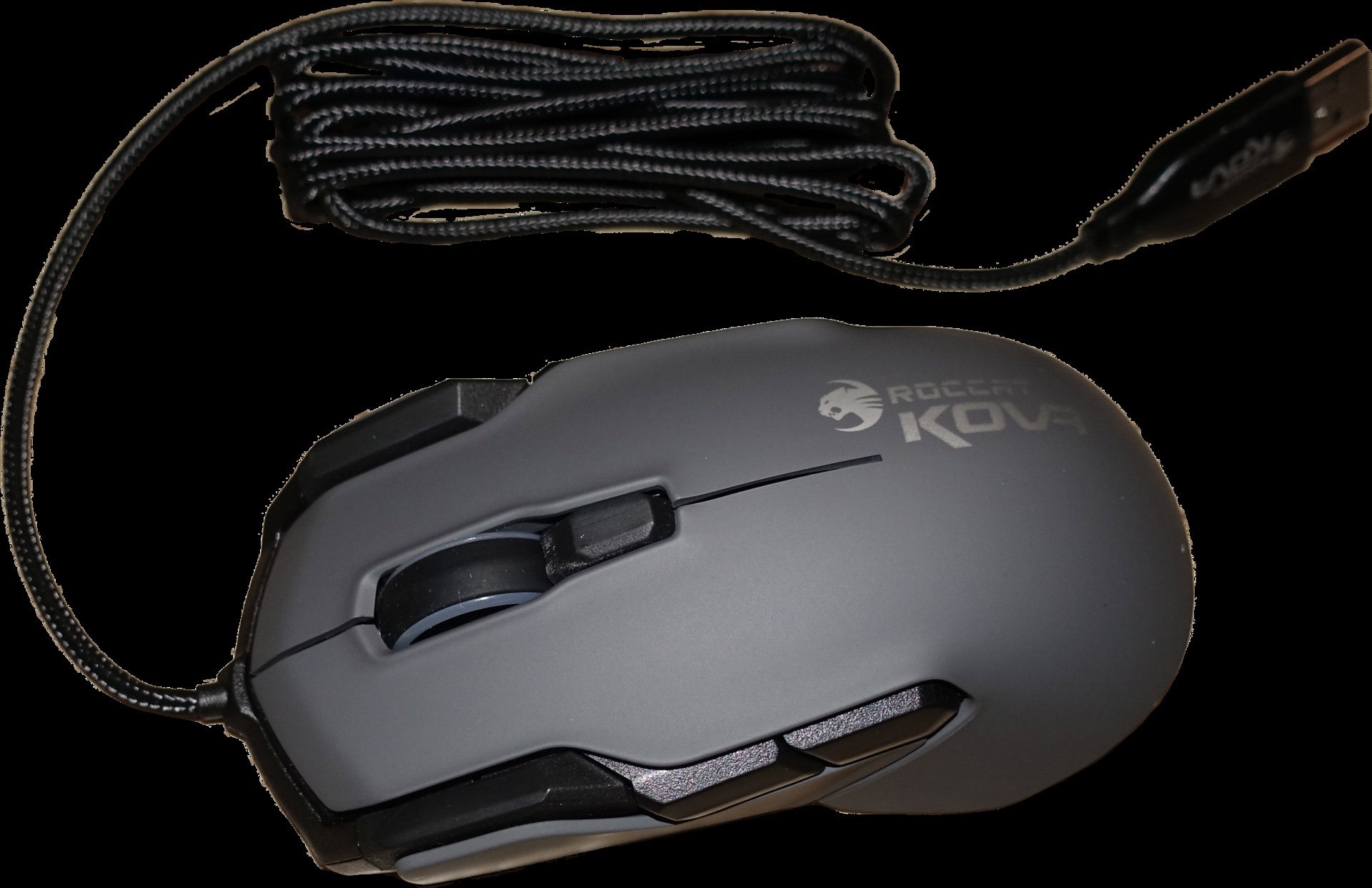
The ROCCAT Kova was an ambidextrous mouse that came in white. It is now a Turtle Beach product, since Turtle Beach bought ROCCAT in 2019 and retired the ROCCAT name in April 2024.
The Kova has smooth, rounded lines on a symmetrical frame. Textured side grips help you keep control without squeezing, and the scroll wheel is notched. ROCCAT’s Smart-Cast feature gives buttons a second function, which helps in busy games where you need more commands under your fingers.
It uses ROCCAT’s Pro-Optic R6 sensor at up to 7,000 DPI, with a 1,000 Hz polling rate and a weight of 99 g. The 2019 Kova AIMO update launched at €59.99 in black and white. It stores macros and profiles in onboard memory and adds AIMO lighting, which shifts colors on its own based on how you use the mouse.
Software is the part to check. ROCCAT-branded products still work with the original ROCCAT Swarm app. Turtle Beach said Swarm would probably not get further development, and that the newer Swarm II would cover new Turtle Beach PC products and only some ROCCAT ones. If you buy a Kova now, download the software from Turtle Beach’s official site, and don’t expect new features.
Honorable mention 2: Redragon M901 Perdition
The M901 Perdition is a low-cost MMO mouse with 12 side buttons. White buyers should know that the wired Perdition mostly comes in black. The white option is the wireless M901P-WS.
The wired Perdition has a contoured body, PTFE (Teflon) feet, a gold-plated USB plug and a braided cable. It has 18 programmable buttons: 6 standard ones plus a 12-button side panel for MMO spells and macros. Later versions add a weight tuning set so you can change how heavy it feels.
All the buttons can be programmed in Redragon’s driver, which stores up to five profiles. Each profile can have its own lighting color, chosen from about 16.8 million colors and five lighting modes.
The original model used an Avago laser sensor rated at 16,400 DPI with a 1,000 Hz polling rate. Newer listings sell the Perdition with sensors of up to 24,000 DPI. The white M901P-WS is a different product: it is rechargeable and wireless, listed at 16,000 DPI, 16 macro buttons and up to 70 hours of battery life. Specs differ between retailers for all of these versions, so check Redragon’s own product page before you buy.
Honorable mention 3: Corsair M65 Pro RGB
The M65 Pro RGB had an aluminum frame and adjustable weights, and it came in white. Corsair has since replaced it with the M65 RGB ULTRA, which has the same ideas and a much newer sensor.
The aluminum frame makes the M65 Pro sturdy, not light. It weighs 115 g, and the removable weights in the base take it higher, up to about 136 g, while also changing the balance point. Low-friction feet help it glide. The scroll wheel is rubber-coated and feels solid.
The eight buttons are set up for shooters. The best known is the red sniper button on the side, which drops your DPI while you hold it so you can line up precise shots. The main switches are Omron, rated for 20 million clicks. The sensor is a 12,000 DPI PixArt optical. You can program the buttons and save profiles to the mouse, and the RGB lighting covers about 16.8 million colors with adjustable effects and speeds. Corsair iCUE handles all of this.
Its successor is the better buy now. The M65 RGB ULTRA Wireless has a 26,000 DPI MARKSMAN optical sensor, an aluminum frame and up to six weights that set it anywhere from 110 g to 128 g. The white M65 RGB ULTRA Wireless connects through Corsair’s SLIPSTREAM receiver for up to 90 hours, or over Bluetooth for up to 120 hours.
Which white gaming mouse is best for you
Choose by how you play, then pick a model that is still sold new so you get a warranty and working software.
- Wireless on a budget: Logitech G305 LIGHTSPEED. Its AA battery runs for weeks, and the white model is easy to find.
- Cheapest with RGB: Logitech G203 LIGHTSYNC. Wired, 85 g, and often around $20 to $26 in sales.
- Competitive play: Logitech PRO X SUPERLIGHT 2 in white. It weighs 60 g, and current listings show a HERO 2 sensor rated up to 44,000 DPI with 8 kHz polling. B&H has listed it at $149.99, down from $159.99.
- Shooter players who like a heavy mouse: Corsair M65 RGB ULTRA Wireless in white, with its sniper button and adjustable weights.
- MMO players: a Redragon Perdition model with the 12-button side panel. Go wireless (M901P-WS) if you want it in white.
White plastic shows dirt faster than black, especially on the main buttons and side grips. Wipe the mouse with a slightly damp microfiber cloth every so often, before grime sets into the texture. If the mouse is part of a full white build, plan the rest of the parts too: in a small case, choosing the best low profile cpu cooler that also comes in white or silver matters as much as matching your peripherals.
FAQ
Is a white gaming mouse worse than a black one?
No. Color has no effect on the sensor, switches or polling rate, because the white and black versions of a model share the same internals. The only practical difference is that white shows dirt and wear sooner, so it needs cleaning more often.
Does the Logitech G305 have RGB lighting?
No. The G305 has no RGB lighting, which helps it reach about 250 hours of use on one AA battery. Its only light is a small status indicator on top that warns you when the battery is low. If you want RGB on a white Logitech mouse, get the G203 LIGHTSYNC.
Can I still buy the Razer Lancehead Tournament Edition?
Not new from Razer. The model is discontinued, and major retailers list it as out of stock. Any you find will be old stock or used. For a new white Razer mouse, look at Razer’s current lineup.
What happened to ROCCAT mice?
Turtle Beach bought ROCCAT in 2019 and retired the ROCCAT brand in April 2024. Popular product lines continue under the Turtle Beach name. ROCCAT-branded mice still work with the original Swarm software, and newer Turtle Beach PC products use Swarm II.
Do white gaming mice work on a Mac?
Yes. Wired and USB-receiver gaming mice work as standard mice on macOS without extra software. Programming buttons and lighting depends on the maker’s app, so check that Logitech G HUB, Corsair iCUE or the brand’s own software supports your macOS version.
How many DPI do I actually need?
Much less than the maximum on the box. Most players use somewhere between 400 and 3,200 DPI and change in-game sensitivity from there. A 12,000 DPI sensor like the G305’s is more than enough. Pay for sensor quality and low weight, not the biggest DPI figure.
Sources
- Logitech G: G305 LIGHTSPEED Wireless Gaming Mouse product page and specifications
- Logitech G: G203 LIGHTSYNC RGB Gaming Mouse product page and specifications
- Logitech G: PRO X SUPERLIGHT 2 LIGHTSPEED Wireless Gaming Mouse product page
- Corsair: M65 RGB ULTRA WIRELESS Tunable FPS Gaming Mouse product page
- Turtle Beach announcement on retiring the ROCCAT brand (April 2024), as reported by TechPowerUp and The FPS Review
- Razer Lancehead Tournament Edition launch specifications, as reported by PC Gamer and GamersNexus