
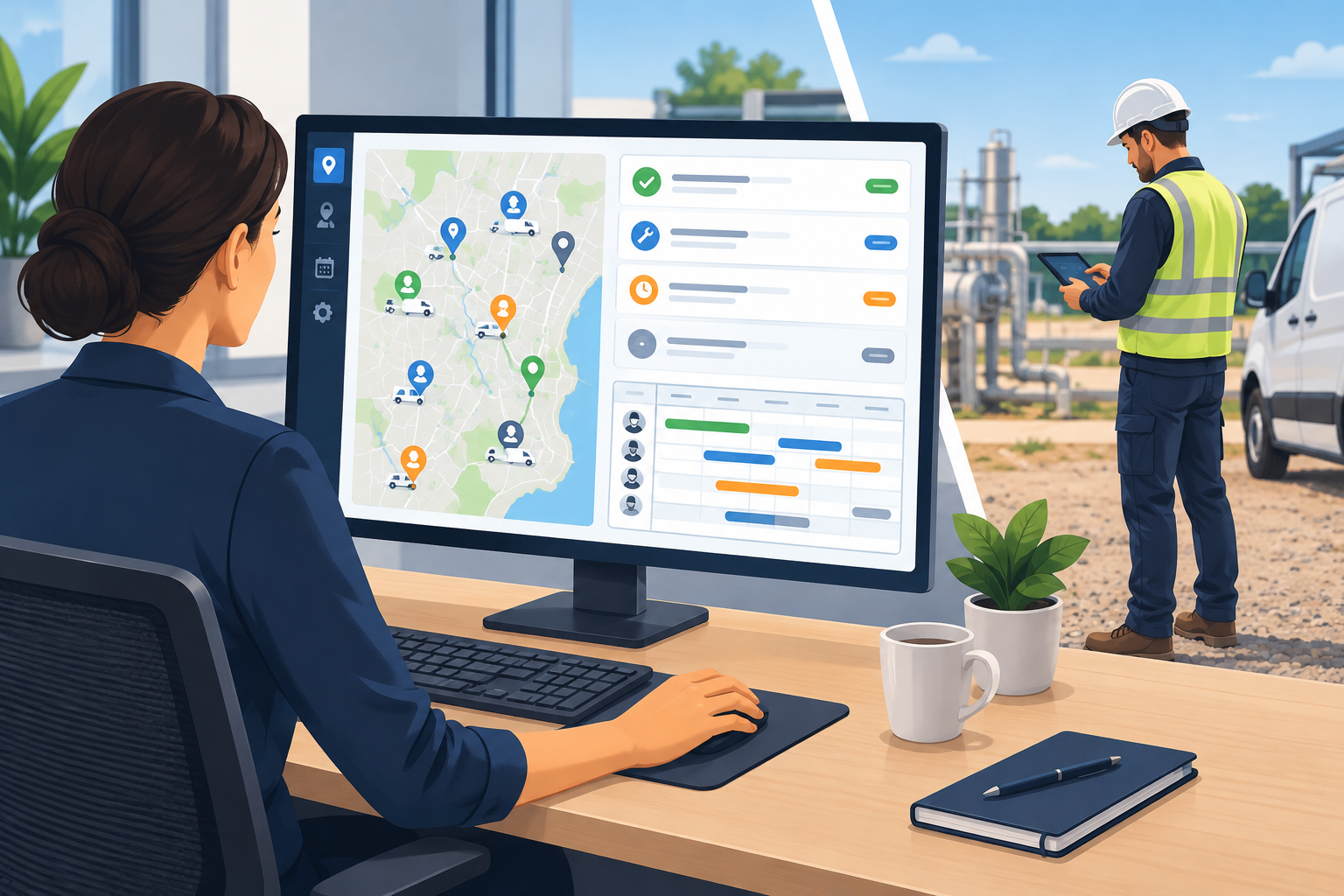
Field service management (FSM) software is a system for planning, dispatching and tracking work done by technicians outside the office, from the first booking to the final invoice. In November 2026, most FSM tools run in the cloud, with a mobile app for technicians and a web dashboard for dispatchers. The large platforms, such as Salesforce Field Service and Microsoft Dynamics 365 Field Service, now also use AI to suggest schedules and fill in job details. If your business sends people out to customer sites, choose a tool that covers scheduling, mobile work orders and invoicing first, then add extras such as inventory or customer portals when you need them.
Field service management software lets a company communicate with and manage its workers in the field. It also puts the information everyone needs in one place, so it is quick to find and accurate.
With it, you can schedule work orders, coordinate the work, see the status of each job and bill for finished work. It covers the whole workflow, from planning to monitoring, so you can improve the service you give customers.
A typical FSM system helps you manage these parts of your field service:
- Preventive maintenance contracts
- Spare parts and inventory
- Integrated billing and invoicing
- Service scheduling and dispatch
- Staff administration
- Job and installation costing
- Route optimization
- Customer portals
- Reports and analytics
The sections below explain how these tools work and the main benefits they bring.
What is a field service management system
A field service management system is the software that runs the day-to-day work of a mobile workforce: booking jobs, assigning the right technician, giving them the job details on their phone and recording what was done. A good system helps you reach your goals and makes the business more profitable. It also shows you what customers expect from a service, so you can improve and stand out from competitors.
FSM software improves communication between customers, managers and employees. It suits any company with staff who work away from the office, including contractors and subcontractors, engineering firms, HVAC, plumbing and electrical businesses, and equipment maintenance teams.
Healthcare, public transport, utilities and telecommunications companies use this kind of software too.
Why choose field service management software
FSM software lets dispatchers, technicians, managers and business owners work from one shared system instead of phone calls, paper forms and spreadsheets. Service companies need to work efficiently and to a high standard to keep customers.
Customer demand keeps changing, and it is hard to deliver good service all the time without the right tools. A good program helps you handle the daily work and keep up with competitors. Most FSM tools now run in the cloud, so everyone in the company can reach them from a browser or a phone app.
Everyone sees the same information in real time, which helps them make the best decisions for the business.
Examples of field service management software
The market splits roughly by business size. These are well-known products and the kind of business they are usually aimed at:
| Software | Usually aimed at | Notable features |
|---|---|---|
| Salesforce Field Service | Mid-size and large companies | Agentforce AI agents that help book, change or cancel appointments, plus automated scheduling that takes SLAs and travel time into account |
| Microsoft Dynamics 365 Field Service | Mid-size and large companies, especially Microsoft 365 users | Copilot features for work orders and mobile technicians, linked to Dataverse and Microsoft 365 |
| IFS Cloud and Oracle Field Service | Large enterprises with complex assets | Asset maintenance, scheduling optimization, enterprise integrations |
| ServiceTitan | Larger home service and trade businesses | Dispatch based on skills, location and performance; built-in payments |
| Jobber and Housecall Pro | Small and mid-size service businesses | Drag-and-drop scheduling, GPS tracking, quotes, invoicing and online payments |
Prices and plans change often, so check each vendor’s current pricing page and ask for a trial before you commit.
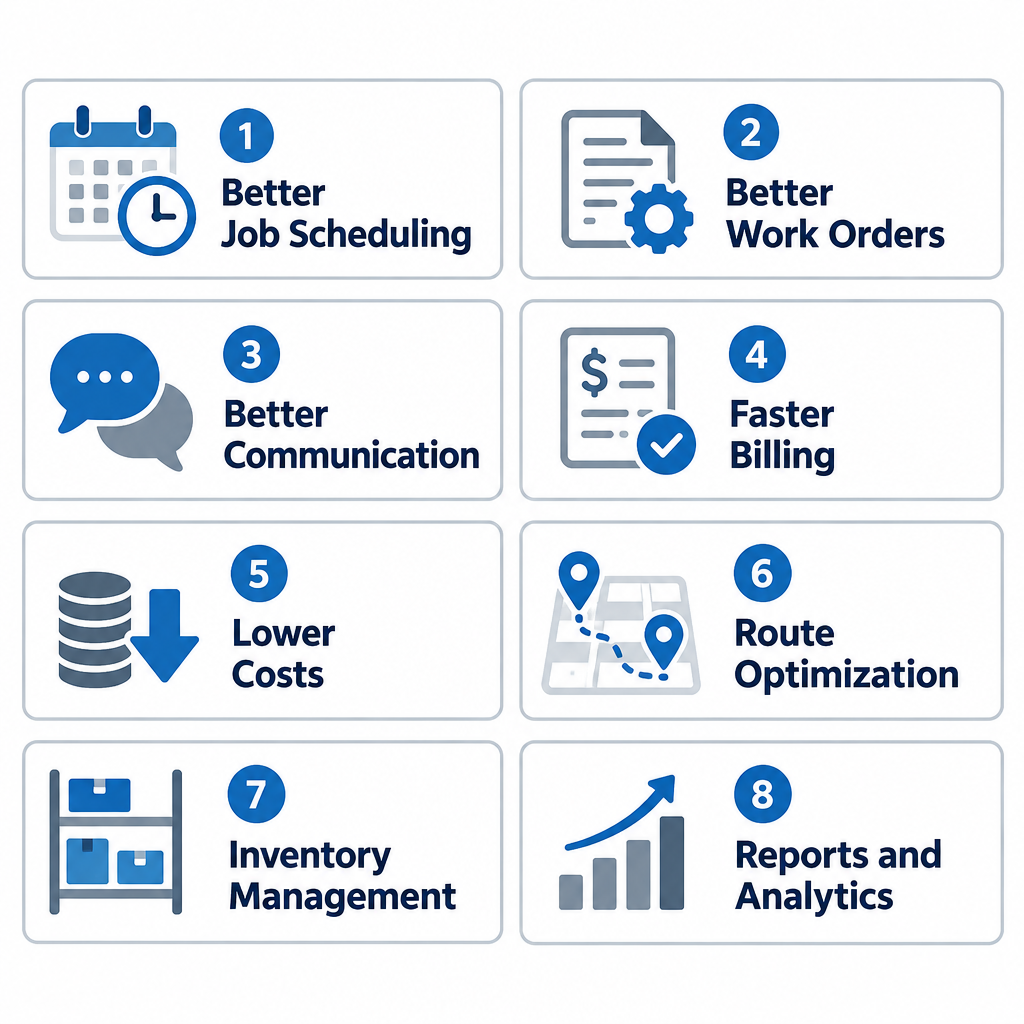
Top 8 benefits of field service management software
The main benefits of a field service management system are better scheduling, faster billing and lower costs. Here is how each one works.
1. Better job scheduling
FSM software makes it much easier to plan and manage tasks. A field service business needs a dispatch team and a smooth schedule to succeed.
With FSM software, you have accurate information to plan the work. You can see which technician has the right skills for a job, where they are, and how punctual they have been. Some platforms now go further. Salesforce, for example, says its scheduling tools look at job duration, parts availability and traffic while following rules such as service-level agreements, and can help dispatchers fill gaps left by cancellations, no-shows or jobs that finish early.
2. Better work orders
You can improve your workflow because you are no longer relying on old software or paper piling up on your desk. That clutter slows down every job and hurts productivity. You also avoid human errors that lead to delivery problems, double bookings, wrong data entries and costly disputes.
With an FSM system, you send each job to the right worker on their mobile phone. The work order can include the customer’s service history, the best route to the site, the parts and tools needed, and anything else the technician needs to serve the customer.
3. Better communication with customers and technicians
To keep customers for the long term, you need to give them efficient, high-quality service. Keeping existing customers and winning new ones are key goals for any company, and poor communication is one of the quickest ways to disappoint them.
One of the best ways to improve your service is to keep in close contact with your technicians while they are on site. They send real-time updates, so you can keep customers informed and happy.
Technicians can record quality checks, service notes, test results, hours worked and arrival times on their mobile devices. Many systems also let customers see when the technician is on the way and track their location, much like a delivery app.
4. Work automation
FSM software automates routine tasks. This improves workflow, prevents bottlenecks, reduces human error and cuts the cost of wasted time.
Automated scheduling makes coordination easier and improves profitability. When technicians record important data on paper, mistakes are common, and someone then has to type it all in again at the office.
With an automated system, each technician keeps an accurate digital record with no paper. Most FSM tools include an easy-to-use dashboard where you can follow technicians and job progress in real time. The larger platforms also add AI assistants. Microsoft, for example, offers Copilot in Dynamics 365 Field Service so users can ask questions about their data in plain language and use ready-made prompts.
5. A knowledge base and history for every customer and employee
Customers are at the heart of every company, and an up-to-date history of each customer helps you make better decisions. The system also shows you straight away when an employee is unavailable, off sick or has left a job, so the business does not lose money waiting.
With the full history of customers and employees in front of you, you can quickly decide who should step in and do the job instead. A technician who arrives at a site can also see past visits, installed equipment and earlier problems before starting work.
6. Faster billing
Billing is essential to any field service company. When it is done by hand, gathering the job details and checking the work can take weeks.
With FSM software, technicians send their job information from the site: parts and materials used, time spent, the final status of the job, photos of the work and the customer’s digital signature.
The FSM app uses this information to create invoices automatically and much faster. It can also flag parts and work covered by warranty, calculate the price, attach the documents and show anything still outstanding. Many tools also let customers pay by card or bank transfer straight from the invoice.
7. Better use of resources
FSM software helps you make better use of your people, vehicles and stock, which raises profitability. You can plan routes and assign jobs based on each technician’s skills and experience, which gives customers better service and saves the company money.
8. Lower operating costs
Cloud-based FSM software helps you predict which parts technicians need to take to each job, so fewer trips are wasted on a missing part. It also works out the best route for technicians to reach each customer.
The result is lower fuel and labor costs, while your customers still get high-quality service.
FAQ
What is the difference between FSM and CRM software?
CRM (customer relationship management) software tracks customers, sales and communication. FSM software handles the work done on site: scheduling, dispatch, work orders, parts and invoicing. Many vendors, including Salesforce and Microsoft, offer FSM as an add-on built on top of their CRM, so customer records and field jobs share the same data.
Does a small business need field service management software?
If you have more than two or three technicians, or you are losing time to paper job sheets and late invoices, FSM software usually pays for itself. Small business tools such as Jobber and Housecall Pro focus on the basics: scheduling, quotes, invoicing and payments. Enterprise platforms are often more than a small team needs.
Does field service management software work offline?
Most major FSM mobile apps let technicians view and update jobs without a signal, then sync when they are back online. This matters for basements, rural sites and plant rooms. Ask the vendor how offline mode handles photos, signatures and new work orders before you buy.
How long does it take to set up FSM software?
Small business tools can be running within days, since you mainly import customers and set up services and prices. Enterprise systems such as Dynamics 365 Field Service or Salesforce Field Service often take weeks or months, because they connect to accounting, inventory and other business systems. Plan time to train both dispatchers and technicians.
Is AI in field service software worth paying for?
AI features are most useful for companies with many technicians and complex schedules, where automatic scheduling and job summaries save real time. For a small team, solid scheduling, mobile work orders and invoicing matter far more. Treat vendor claims about time savings as marketing until you have seen them in a trial with your own jobs.
The best next step is to write down your three biggest problems, such as double bookings, slow invoices or missing parts. Then trial two or three tools that suit your company’s size against that list.
Sources
- Microsoft Learn: Copilot in Dynamics 365 Field Service overview
- Microsoft Learn: Dynamics 365 Field Service release plans (2025 release wave 2 and 2026 release wave 1)
- Salesforce: Field Service Management product page
- Salesforce: Field service scheduling and optimization
- Salesforce Trailhead: Winter ’27 release highlights for Field Service













