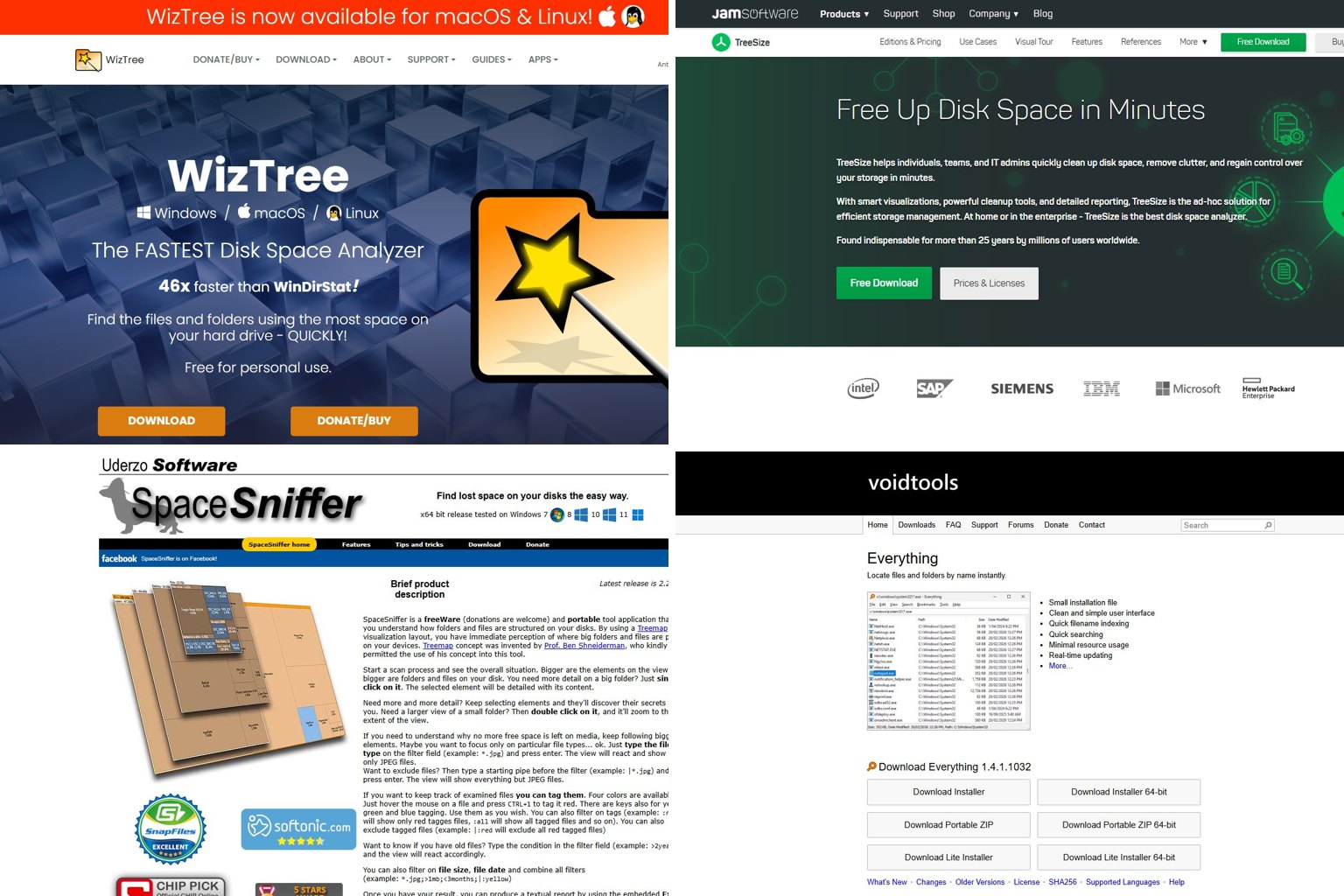
WizTree is the best WinDirStat alternative for most Windows home users. It reads the NTFS Master File Table directly, and version 4.34 came out on November 17, 2026. One thing first, though: WinDirStat itself has changed a lot since 2024, and version 2.9.3 may already do everything you need. Below you’ll find each tool judged by its November 2026 version, plain warnings about which “free” tools are actually personal-use only, and a safe way to clean up what your scan finds.
Key takeaways
- WinDirStat 2.5 and later read the NTFS MFT directly, so the old “46x faster” comparisons no longer describe it.
- WizTree is the fastest, most polished option on Windows, and since autumn 2026 it also runs on macOS and Linux.
- WizTree and TreeSize Free are free for personal use only. For work PCs, WinDirStat (GPLv3) is free for commercial use.
- On a Mac, use GrandPerspective or WizTreeMac. On Linux, use QDirStat, Baobab, Filelight or ncdu.
- Never delete hiberfil.sys, pagefile.sys or WinSxS from inside an analyzer. Use Windows settings or Disk Cleanup instead.
Fact-checked
We checked these key facts against the sources named, on November 19, 2026:
- The project lists support for Windows 7 to 11 and Windows Server 2008 R2 to 2025 (source: neowin.net)
- It reads the NTFS Master File Table directly, and version 4.34 came out on November 17, 2026 (source: diskanalyzer.com)
- WizTree’s EULA requires a supporter code per business site, and an Enterprise License for sites with over 100 staff (source: diskanalyzer.com)
- Sites with more than 100 staff need an Enterprise License, and a Multi Site Enterprise License covers unlimited locations (source: diskanalyzer.com)
- If your last memory of WinDirStat is a progress bar crawling across your C: drive, that was version 1.1.2, a mid-2000s release (source: en.wikipedia.org)
Quick answer: the best WinDirStat alternatives in 2026
Pick WizTree if you’re on Windows at home and want results in seconds. Pick TreeSize Free if you’d rather have a folder tree that looks like File Explorer. Pick SpaceSniffer if you want a no-install treemap that runs from a USB stick. Mac users should start with GrandPerspective or WizTreeMac, and Linux users with QDirStat. If you use the tool at work, or you just want open-source software, update to WinDirStat 2.9.3 before you go looking for anything else.
The picks are based on four things, in this order of weight:
- Is it still maintained? Each tool needed a release or an active project in 2025 or 2026.
- Speed and accuracy on real drives: whether it reads the MFT directly and how it handles hard links.
- Licence fit: whether it’s free for home use, free for business, or open source.
- Extras that save time: duplicate finding, export, portable use, and the platforms it runs on.
Which WinDirStat alternative should you use?
| Your situation | Pick | Why |
|---|---|---|
| Home Windows 10 or 11 PC, want speed | WizTree 4.34 | Reads the MFT directly, scans in seconds, free for personal use |
| Work PC or company laptop | WinDirStat 2.9.3 | GPLv3, free for commercial use, supports Windows Server 2008 R2 to 2025 |
| Want an Explorer-style tree with folder sizes | TreeSize Free 4.8.1 | Shows sizes as columns in a familiar tree. Private use only |
| Running from a USB stick on someone else’s PC | SpaceSniffer or WizTree portable | No installer needed |
| Mac (macOS 12 or later) | WizTreeMac 1.01 or GrandPerspective | WizTreeMac matches the Windows layout. GrandPerspective is a mature, free treemap |
| Linux desktop | QDirStat 2.0, Baobab or Filelight | QDirStat is the closest thing to WinDirStat. The other two come with GNOME and KDE |
| Linux server over SSH | ncdu or dua | Terminal tools, no desktop needed |
| Phone or MTP device plugged into Windows | WinDirStat 2.9.x | Scans MTP portable devices since version 2.9.0 |
| Network shares and Windows Server | WinDirStat or TreeSize Professional | TreeSize Free no longer supports Windows Server |
Do you still need an alternative? What changed in WinDirStat 2.x
Probably less than you think. If your last memory of WinDirStat is a progress bar crawling across your C: drive, that was version 1.1.2, a mid-2000s release. The 2.x series is a different program in the ways that count. It scans NTFS drives directly, finds duplicate files, has a dark mode and runs natively on 64-bit and ARM PCs.
Did you know?
According to the official WinDirStat blog, version 2.0.1, released October 16, 2024, was the project’s first official release in 19 years.
WinDirStat version history
| Version | Date | Key change |
|---|---|---|
| 1.1.2 | Mid-2000s | The classic treemap version most old comparisons still test against |
| 2.0.1 | October 16, 2024 | First release in 19 years: faster scanning, hash-based duplicate finder, native 64-bit and ARM builds |
| 2.2.0 | January 2025 | Performance boosts, enhancements and bug fixes |
| 2.5 | January 2026 | Dark mode, direct NTFS MFT scanning, better search, new file actions |
| 2.9.0 | 2026 | Multi-folder selection, scanning of MTP portable devices, adjustable font and toolbar scaling |
| 2.9.2 | 2026 | Licence moved to GPLv3 or later |
| 2.9.3 | October 11, 2026 | Faster direct NTFS volume scanning, lower File Watcher memory use |
The change that matters most is direct MFT scanning, added in 2.5. Every NTFS drive keeps an index called the Master File Table, which lists every file and its size. Reading that index in one pass is far faster than opening every folder one at a time, and that single trick is where WizTree’s speed lead came from. With WinDirStat now using the same method, the famous “46x faster” claim describes a program from the mid-2000s, not the one you’d download today.
WinDirStat 2.x also covers jobs people used to install a second tool for. Its resources page lists command-line export of CSV and JSON reports, which is handy if you want a scheduled disk report on several PCs. The project lists support for Windows 7 to 11 and Windows Server 2008 R2 to 2025.
Did you know?
According to the WinDirStat changelog on GitHub, version 2.9.0 can scan phones and other MTP portable devices, so you can see what fills an Android phone’s storage from your PC.
Is WinDirStat safe?
Yes, as long as you get it from an official source. WinDirStat is open source under GNU GPL v3 or later, so anyone can inspect the code on GitHub. It doesn’t delete anything unless you tell it to. The real risk is human: a treemap makes it very easy to right-click a big block and delete something Windows needs. The cleanup section below covers what’s safe to remove.
Where to download it (and where not to)
You can get WinDirStat in three official ways:
- The official website, windirstat.net.
- GitHub releases on the windirstat/windirstat project, which carry the MSI installers and the zip builds.
- winget in Windows Terminal:
winget install WinDirStat.WinDirStat.
Skip the download portals. They often lag several versions behind, wrap the installer in their own downloader, or both.
WizTree: fastest for most Windows users
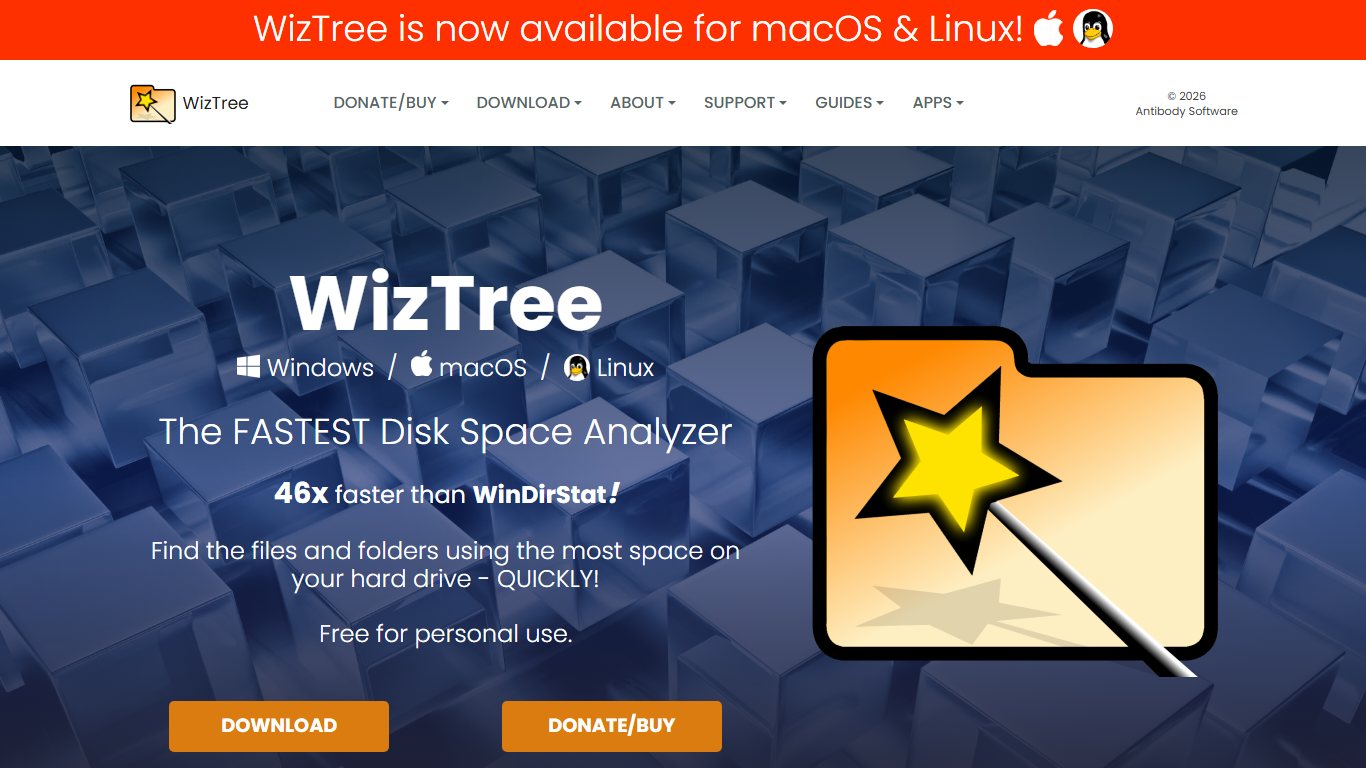
WizTree, from Antibody Software, is the best pick if you’re on a Windows home PC and want the quickest scan with the cleanest results. It reads the NTFS Master File Table directly, so a full scan of a large SSD usually finishes in seconds. Version 4.34 (5.1 MB) was released on November 17, 2026.
Why its totals look “right”
WizTree counts hard-linked files only once, so its used-space total matches what Windows reports. That matters most in the C:\Windows\WinSxS folder. Many files there are hard links to files in System32, so a tool that counts each link separately will show WinSxS as much bigger than the space it really uses.
WizTree’s main features:
- A treemap plus a “top 1,000 largest files” view, sorted by size.
- A file-type view that totals space by extension, such as .mp4, .iso or .vhdx.
- A duplicate file finder.
- Export of file details to CSV.
- Unicode file name support, an installer and a portable zip.
The licence catch
WizTree is free for personal use only. Its EULA says commercial use needs a supporter code for each business site. Sites with more than 100 staff need an Enterprise License, and a Multi Site Enterprise License covers unlimited locations. Supporter codes don’t expire. Prices are listed on diskanalyzer.com, so check there before you buy.
Pro tip
Right-click WizTree or WinDirStat and choose Run as administrator. Direct MFT scanning of NTFS drives needs admin rights, and without them both programs fall back to a much slower folder-by-folder scan.
Pros: the fastest results on NTFS, accurate hard-link handling, CSV export, a duplicate finder, and a portable build.
Cons: free for personal use only, closed source, and non-NTFS drives (FAT32, exFAT, network shares) scan the slow way.
Is WizTree safe or is it spyware?
WizTree from diskanalyzer.com is a long-running, widely used utility from Antibody Software, and its official download is the safe route. Problems start with copies hosted elsewhere. Third-party listings don’t always match the official release: Softpedia lists 4.33, while the official site shows 4.32 as its latest release. An old version isn’t dangerous in itself, but a site that doesn’t keep up with versions is no place to download executables from. You can also install it with winget install AntibodySoftware.WizTree.
WizTree vs WinDirStat
On speed, the gap that defined this comparison for 15 years has mostly closed, because both now read the MFT. WizTree still has the more polished interface, a dedicated top-largest-files list and hard-link-aware totals. WinDirStat wins on licensing (free at work), openness (GPL source code), MTP phone scanning and Windows Server support. For a home PC, choose whichever layout you like better. For anything work-related, choose WinDirStat.
WizTree for Mac and Linux (WizTreeMac vs WizTreeNix)
WizTree remains a Windows-only application. WizTreeMac 1.00 arrived on September 16, 2026 and needs macOS 12 or later. WizTreeMac 1.01 (3.4 MB, installable through Homebrew) and WizTreeNix 1.01 for Linux (x86_64 and aarch64) were both released on November 17, 2026.
| Edition | Platform | Latest version | Notes |
|---|---|---|---|
| WizTree | Windows | 4.34 (Nov 17, 2026) | Direct NTFS MFT reading, CSV export, portable zip |
| WizTreeMac | macOS 12+ | 1.01 (Nov 17, 2026) | Also available through Homebrew |
| WizTreeNix | Linux x86_64 and aarch64 | 1.01 (Nov 17, 2026) | Same layout as the Windows version |
The Mac and Linux versions don’t have NTFS’s Master File Table to lean on, so don’t expect the near-instant scans you get on Windows. Their appeal is the familiar interface if you use WizTree on a PC.
TreeSize Free: best Explorer-style view
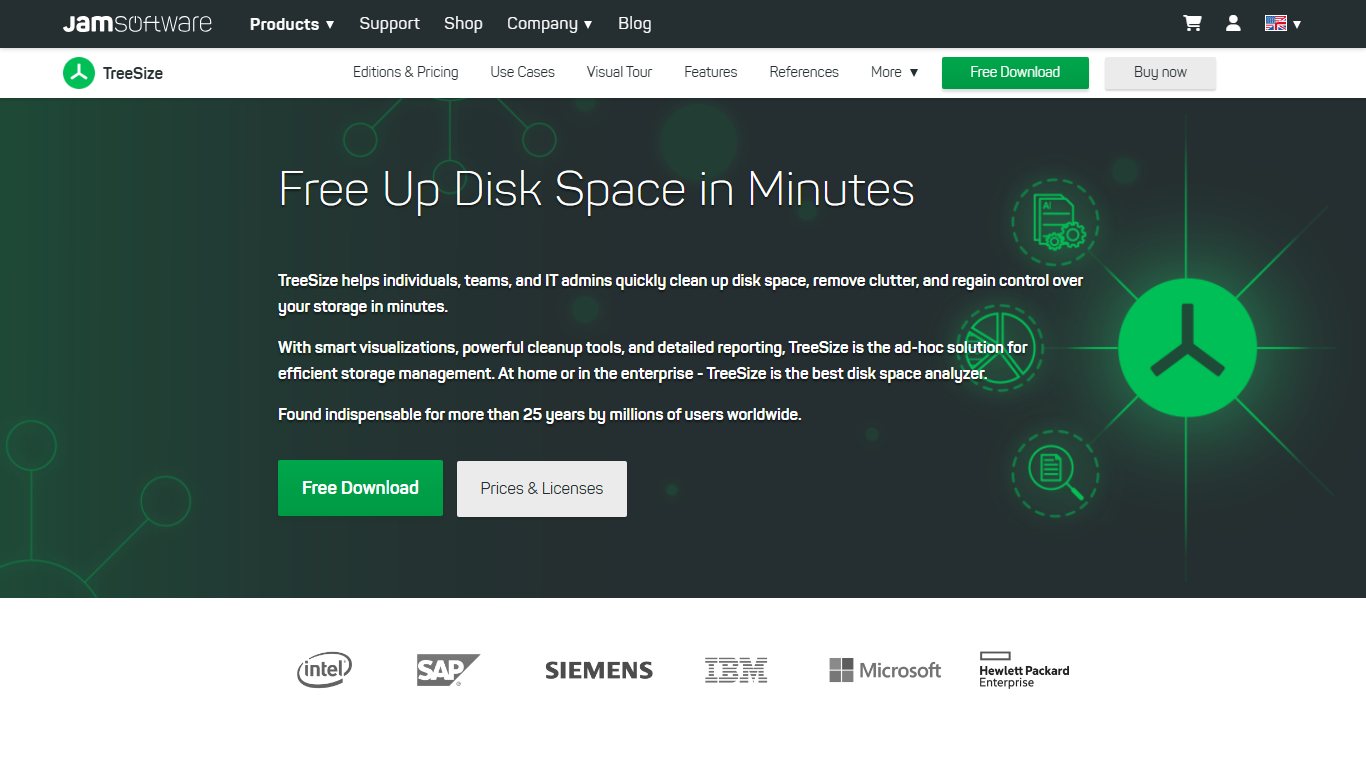
TreeSize Free, from JAM Software in Germany, is the best fit if a treemap confuses you and you want a folder tree with sizes, the way File Explorer should show them. The current portable build is 4.8.1.610, and it runs on 64-bit Windows 10 and 11 only.
Two limits to know before you install it:
- Private use only. TreeSize Free is for non-commercial use. A company machine needs a paid edition.
- No Windows Server support. TreeSize Free is no longer supported on Windows Server. Use WinDirStat or a paid TreeSize edition there.
The paid line, TreeSize Professional, is at version 9.9.1, released October 14, 2026. It adds the things IT teams pay for: duplicate file search, scheduled scans, file search, and export to formats such as Excel and HTML. JAM offers a free trial of the paid editions. Third-party listings quote different prices, so check JAM Software’s own price page for the current figure.
TreeSize vs WinDirStat (corrected comparison)
JAM’s own comparison page sets its products against WinDirStat’s old 1.x feature set. Here is the same comparison against WinDirStat 2.9.3:
| Feature | WinDirStat 2.9.3 | TreeSize Free 4.8.1 | TreeSize Professional 9.9 |
|---|---|---|---|
| Price for home use | Free | Free | Paid |
| Free for business use | Yes (GPLv3) | No | Paid licence |
| Treemap view | Yes | Limited | Yes |
| Explorer-style size tree | Yes | Yes, its core view | Yes |
| Duplicate file finder | Yes, hash-based | No | Yes |
| Export reports | CSV and JSON from the command line | Limited | Excel, HTML and more |
| Windows Server | 2008 R2 to 2025 | Not supported | Supported |
| Open source | Yes | No | No |
The honest counter-argument: if you manage file servers, TreeSize Professional’s scheduled scans and reporting are a real step up from any free tool. Paying for it can make sense there.
SpaceSniffer: best portable treemap
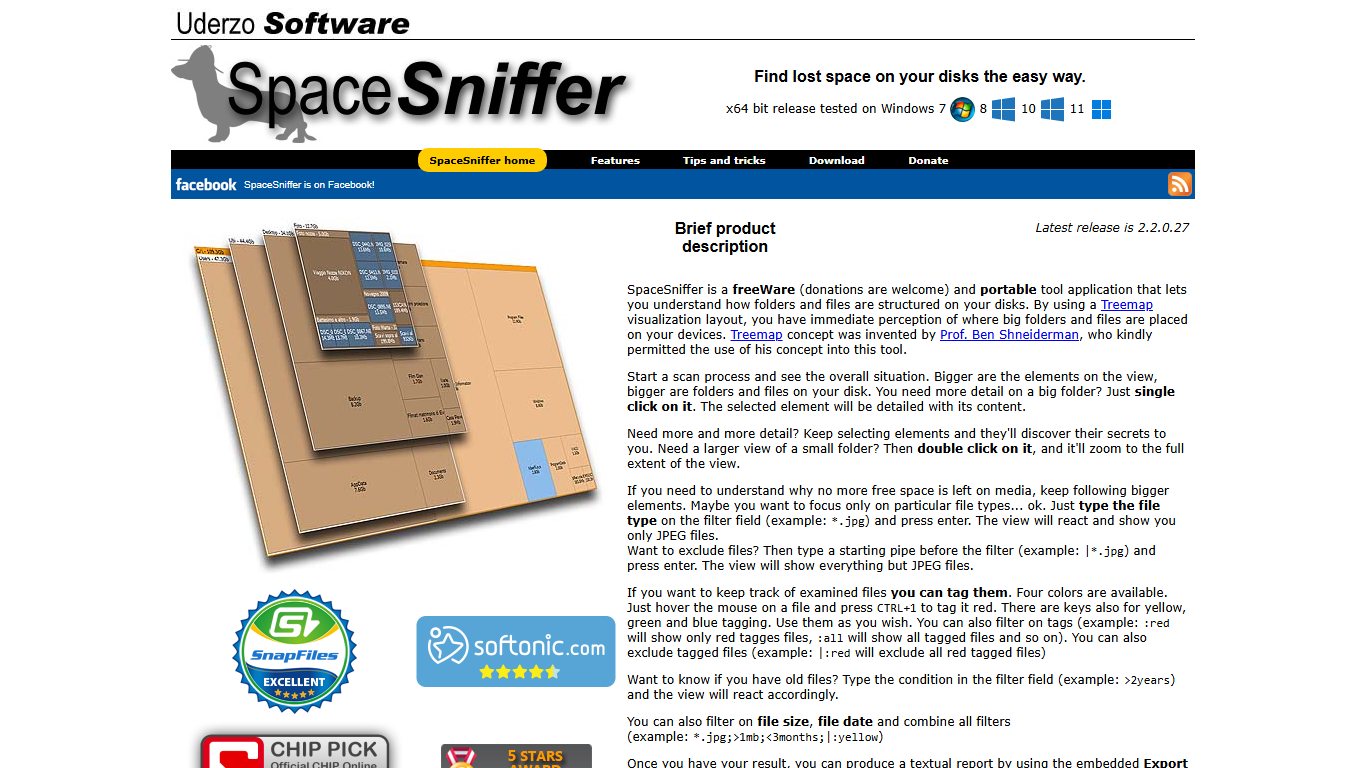
SpaceSniffer, from Uderzo Software, is Windows freeware that runs without installing. Unzip it to a USB stick and open it on any PC. Its treemap draws blocks while the scan is still running, and you zoom into a folder by double-clicking it. Many people find it less cluttered than WinDirStat’s split view.
Is SpaceSniffer still maintained?
Yes. It went years without updates, but Wikipedia lists its current stable release as 2.2.0.27, dated March 25, 2026.
What it does well:
- Live treemap: you can start exploring before the scan finishes.
- Filters: typed filters such as
*.mp4or>1GBnarrow the map to the files you care about. - Portable by design: there’s no installer, so there’s nothing left behind on a friend’s PC.
What it lacks: no duplicate finder, and scans aren’t as quick as the MFT readers on big NTFS drives. Use it for quick visual checks. For a 4 TB data drive, WizTree or WinDirStat will get you answers sooner.
Everything Search: the “find big files” shortcut
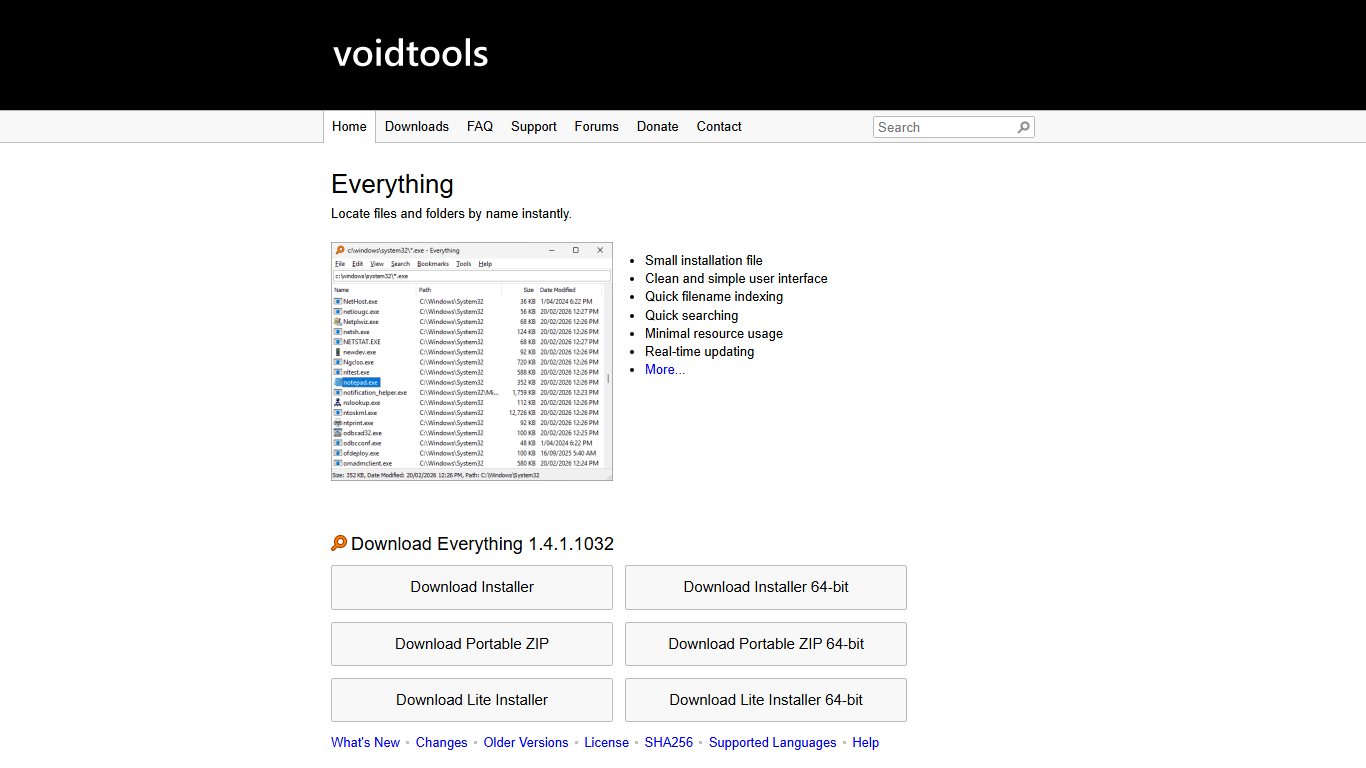
Everything, by voidtools, isn’t a disk analyzer, but it fixes the same problem in a different way. It indexes NTFS drives through the Master File Table and keeps the index up to date. Search for size:>2gb, sort by size, and you have a live list of your biggest files across every drive. It’s worth installing alongside any tool here, and it’s free for personal use.
Open-source and Mac/Linux alternatives
If you’re asking whether there’s a good open-source option because WizTree is proprietary, the answer is yes on every platform. On Windows, it’s WinDirStat itself. On Linux, the closest match is QDirStat. On a Mac, GrandPerspective is open source and free from SourceForge.
Best for Mac
GrandPerspective is the long-standing Mac treemap tool. FossHub lists version 3.8.1, released September 13, 2026, and the 3.8 series needs macOS 14 or later on Apple silicon or Intel. It’s free from SourceForge, or $2.99 on the Mac App Store if you’d like automatic updates and a way to support the developer.
WizTreeMac 1.01 is the better pick if you already know WizTree on Windows, or if you’re on macOS 12 or 13, which GrandPerspective 3.8 no longer supports. It’s also available through Homebrew.
QDirStat is also available for macOS. It’s the closest to a true “WinDirStat for Mac”, with the same tree-plus-treemap layout.
Mac tip
Before you install anything, check Apple menu > System Settings > General > Storage. It already lists big items such as old iOS backups and large files in Documents, and it can remove some of them in one click.
Best for Linux
| Tool | Desktop | Latest version | Best for |
|---|---|---|---|
| QDirStat | Any (Qt6) | 2.0 (January 2026) | WinDirStat-style tree plus treemap, cleanup actions |
| Baobab (GNOME Disk Usage Analyzer) | GNOME | Ships with your distro | Quick ring-chart overview, preinstalled on Ubuntu and Fedora Workstation |
| Filelight | KDE Plasma | Ships with KDE | Concentric ring charts. Also available for Windows |
| WizTreeNix | Any | 1.01 (Nov 17, 2026) | WizTree’s layout on x86_64 and aarch64 |
| ncdu | Terminal | 2.9.2 (October 2025) | Servers over SSH |
| dua | Terminal | 3.0.3 (November 12, 2026) | Parallel scanning on fast SSDs |
QDirStat, by Stefan Hundhammer, is the direct spiritual successor to WinDirStat on Linux. Version 2.0 moved it to Qt6, and Debian already packages it. Install it with your distro’s package manager (sudo apt install qdirstat on Debian and Ubuntu).
Command-line options
ncdu (NCurses Disk Usage) is the standard tool on Linux servers. Run ncdu / and you get a sorted, navigable list of folders, and pressing d deletes the highlighted item after a confirmation. The 2.x line is written in Zig and uses less memory than the older 1.x line, which is still kept as an LTS branch.
dua (dua-cli) is written in Rust and scans in parallel. It’s the one to try if your question is “is there a command-line tool that maxes out my SSD when scanning?” Run dua i for the interactive mode, where you can mark folders and delete them in a batch. It runs on Windows, macOS and Linux.
On Windows, the power-user route is WinDirStat’s command-line CSV and JSON export. Pair it with Task Scheduler and you get a weekly disk report without opening the program.
Speed: what the benchmarks really show
The only widely quoted benchmark comes from WizTree’s own vendor, and it compares versions nobody should be running now. It’s still worth knowing what it says, and why it no longer settles the question.
Did you know?
WizTree’s well-known “46x faster than WinDirStat” figure comes from Antibody Software’s own test on a 25 GB hard drive in a Windows XP laptop, comparing WizTree 3.40 with WinDirStat 1.1.2.
| Test drive | WizTree 3.40 | WinDirStat 1.1.2 | Source |
|---|---|---|---|
| 25 GB HDD | 4.34 seconds | 3 min 20 s | Antibody Software (vendor) |
| 460 GB SSD | 5.23 seconds | 1 min 55 s | Antibody Software (vendor) |
Those numbers were accurate for their time. The gap came from one design difference: WizTree read the MFT, and WinDirStat 1.1.2 opened every folder. WinDirStat 2.5 and later read the MFT too, and 2.9.3 sped that path up again. On an NTFS drive, both now finish in the time it takes to make a coffee, not drink one.
Here’s how the current tools approach a scan, which tells you more than any old stopwatch figure:
| Tool and version | How it scans NTFS | Admin needed for fast scan | What to expect |
|---|---|---|---|
| WizTree 4.34 | Reads MFT directly | Yes | Seconds on most SSDs |
| WinDirStat 2.9.3 | Reads MFT directly (since 2.5) | Yes | Seconds to tens of seconds |
| Everything (voidtools) | Indexes the MFT, then keeps it live | Yes, or its service | Instant after the first index |
| SpaceSniffer 2.2 | Walks folders | No | Minutes on big, crowded drives |
| dua / ncdu | Walks folders (dua in parallel) | No | Fast on SSD, slower on HDD |
Time it on your own PC
Your drive, file count and antivirus matter more than any published figure. You can compare two tools fairly in a few minutes:
- Close other heavy programs and let Windows finish any updates.
- Run each tool as administrator and scan the same drive, for example C:.
- Run each scan twice and note the second time, so both tools benefit from Windows’ file cache.
- Check Task Manager’s Memory column at the end of each scan.
If WinDirStat takes forever to scan your drive, check two things first: that you’re on 2.9.3 and not 1.1.2, and that you started it as administrator. Those two fixes solve most “it’s slow” complaints.
Comparison table: features, price, licence, platforms
This is the master table, checked as of November 19, 2026.
| Tool | Latest version and date | Platforms | Free for business? | Open source? | MFT / fast scan | Duplicate finder | Export | Portable |
|---|---|---|---|---|---|---|---|---|
| WinDirStat | 2.9.3, Oct 11, 2026 | Windows 7 to 11, Server 2008 R2 to 2025 | Yes | Yes (GPLv3+) | Yes | Yes | CSV, JSON | Yes (zip) |
| WizTree | 4.34, Nov 17, 2026 | Windows | No, supporter code per site | No | Yes | Yes | CSV | Yes |
| WizTreeMac | 1.01, Nov 17, 2026 | macOS 12+ | No | No | Not applicable on APFS | Yes | CSV | No |
| WizTreeNix | 1.01, Nov 17, 2026 | Linux x86_64, aarch64 | No | No | Not applicable | Yes | CSV | No |
| TreeSize Free | 4.8.1 | Windows 10, 11 (64-bit) | No, private use only | No | No | No | Limited | Yes |
| TreeSize Professional | 9.9.1, Oct 14, 2026 | Windows, incl. Server | Paid | No | Yes | Yes | Excel, HTML and more | Yes |
| SpaceSniffer | 2.2.0.27, Mar 25, 2026 | Windows | Freeware | No | No | No | Text report | Yes |
| GrandPerspective | 3.8.1, Sep 13, 2026 | macOS 14+ | Yes | Yes | Not applicable | No | Saved scans | No |
| QDirStat | 2.0, Jan 2026 | Linux, macOS | Yes | Yes (GPL) | Not applicable | No | Cache files | No |
| ncdu | 2.9.2, Oct 2025 | Linux, macOS, BSD | Yes | Yes | Not applicable | No | JSON export | Single binary |
| dua | 3.0.3 | Windows, macOS, Linux | Yes | Yes | Not applicable | No | No | Single binary |
Pro tip
If you use these tools at work, choose WinDirStat. It’s GPL and free for commercial use, while WizTree and TreeSize Free are licensed for personal use only.
Found the space hogs? What’s safe to delete
The analyzer’s job ends once it shows you the big blocks. What you delete next is where people get into trouble. As a rule, remove system files through Windows settings, never by right-clicking them in a treemap.
Before you start
Back up anything personal first, ideally to an external drive or OneDrive. Deleting the wrong folder in Program Files or Windows can stop apps, or Windows itself, from starting.
The usual suspects on a Windows 11 PC
| Big item | What it is | Safe way to shrink it |
|---|---|---|
| hiberfil.sys | Hibernation and Fast Startup file, often several GB | Admin Terminal: powercfg /hibernate off. This also turns off Fast Startup |
| pagefile.sys | Virtual memory | Leave it, or resize via Settings > System > About > Advanced system settings > Performance Settings > Advanced > Virtual memory > Change |
| Windows.old | Your previous Windows install after an upgrade | Settings > System > Storage > Temporary files > Previous Windows installation(s) |
| C:\Windows\WinSxS | Component store. Looks bigger than it is because of hard links | Disk Cleanup > Clean up system files > Windows Update Cleanup |
| Downloads folder | Old installers, ISOs, zip files | Sort by size and delete by hand, or let Storage Sense clear it |
| Old game installs | Steam, Epic Games, Xbox app libraries | Uninstall from the launcher, never by deleting the folder |
| System Volume Information | Restore points | Control Panel > System > System Protection > Configure, then lower Max Usage |
Free up space safely
- Open Settings > System > Storage > Cleanup recommendations and review what Windows suggests.
- Under Temporary files, tick Previous Windows installation(s) and Delivery Optimization Files, then click Remove files.
- Search Start for Disk Cleanup, choose C:, click Clean up system files, and tick Windows Update Cleanup.
- Turn on Storage Sense under Settings > System > Storage so temporary files and the Recycle Bin clear automatically.
- Use WinDirStat’s or WizTree’s duplicate finder on your Pictures and Downloads folders.
- Rescan with your analyzer to confirm what you got back.
Pro tip
Don’t delete hiberfil.sys or pagefile.sys from inside the analyzer. Windows recreates them, or refuses to delete them. Turn off hibernation or resize virtual memory in Windows settings instead.
Why your analyzer and Windows show different totals
If WinDirStat shows a different used total than Windows does, both can be “right”. They’re just counting different things. The usual causes:
- Hard links: tools that don’t de-duplicate them overstate WinSxS. WizTree counts each hard-linked file once.
- Protected folders: without admin rights, System Volume Information and some user profiles can’t be read, so the analyzer shows less than Windows does.
- Size vs size on disk: compressed files, small files and cluster slack make these differ.
- Cloud placeholders: OneDrive files set to online-only show their full size but take up almost no local space.
Running the analyzer as administrator fixes most of the difference. Windows’ own figure in Settings > System > Storage is the one to trust for “how full is my drive”.
If a scan shows a drive full of files you don’t recognise, or the drive keeps filling up by itself, stop deleting and look for the cause. That could be a runaway log file, a backup job or malware. On a work PC, that’s the point to hand it to IT.
FAQ
What’s better, WinDirStat or WizTree?
For a home Windows PC, WizTree is slightly quicker and more polished, and it counts hard links correctly. For work use or open-source preference, WinDirStat is better, because it’s GPLv3 and free for commercial use. Since WinDirStat 2.5, both read the NTFS MFT, so speed no longer decides it.
Since 2.0.1, is WinDirStat as fast as WizTree now?
Version 2.0.1 improved speed, but the big jump came in 2.5, which added direct MFT scanning. Version 2.9.3 sped that path up further. On NTFS drives, both now finish in seconds, as long as you run them as administrator.
Which is better, WinDirStat or TreeSize?
TreeSize Free is better if you want an Explorer-style list of folder sizes. WinDirStat is better if you want a treemap, a duplicate finder, CSV or JSON export, Windows Server support or free business use. TreeSize Professional beats both for scheduled reports on file servers, but it’s paid.
What is the best storage manager for PCs?
Start with what’s built in: Windows 11’s Settings > System > Storage, with Storage Sense and Cleanup recommendations. Add WizTree (home) or WinDirStat (work) to see exactly which folders are large. Use Everything if you want to find big files instantly.
What is WinDirStat and is it safe?
WinDirStat (Windows Directory Statistics) is a free, open-source disk usage viewer that shows your drive as a list, a file-type breakdown and a colour treemap. It’s safe when you download it from windirstat.net, GitHub or winget. Be careful what you delete with it.
Is WizTree free?
It’s free for personal, home use. Businesses need a supporter code for each site, sites with more than 100 staff need an Enterprise License, and supporter codes don’t expire.
Can I use WizTree at work?
Only with a commercial licence. WizTree’s EULA requires a supporter code per business site, and an Enterprise License for sites with over 100 staff. If you can’t buy one, use WinDirStat, which is free for commercial use.
Is there a WinDirStat for Mac?
Not from the WinDirStat project, but QDirStat is available for macOS with the same layout. GrandPerspective (macOS 14+) and WizTreeMac 1.01 (macOS 12+) are the other strong choices.
What’s like WinDirStat on Linux?
QDirStat 2.0 is the closest match. Baobab on GNOME and Filelight on KDE are already installed on many desktops, WizTreeNix 1.01 offers WizTree’s layout, and ncdu or dua work over SSH.
Is WinDirStat still updated?
Yes. After a 19-year gap, it has been updated regularly since October 2024. The latest release is 2.9.3, from October 11, 2026.
Is there a portable version of WinDirStat?
Yes. The GitHub releases include zip builds you can run without installing. WizTree, TreeSize Free and SpaceSniffer also have portable versions.
What is the best free disk space analyzer for Windows 11?
WizTree 4.34 for home use and WinDirStat 2.9.3 for anything commercial or if you prefer open source. Both read the MFT, find duplicates, export to CSV, and run natively on Windows 11, including ARM PCs in WinDirStat’s case.
If you only do one thing after reading this, update to WinDirStat 2.9.3 or install the latest WizTree (4.32) from the official site, diskanalyzer.com. Then run it as administrator and clear the biggest items through Windows’ own Storage settings. That usually frees more space than any extra tool will.