TreeSize Free comes with a catch that many people only spot after installing it. Its license covers non-commercial home use only, and it is not licensed for use on Windows Server. If you need something that is quicker, free to use at work, or available for Mac or Linux, the tools below are the best TreeSize alternatives. The versions, prices and license terms were last checked on 19 November 2026.
Key takeaways
- WizTree reads the NTFS Master File Table directly, so it is the fastest scanner, but its free license covers personal use only.
- WinDirStat is GPL open source, so you can use it free on a work PC. The 2.x rewrite added dark mode, duplicate detection and MFT scanning.
- TreeSize Personal and Professional are annual subscriptions, and they stop working once the subscription ends.
- On a Mac, use DaisyDisk (paid) or GrandPerspective (free). On Linux, use QDirStat, Filelight or ncdu.
- Once the scan finds the space hog, delete system files such as pagefile.sys and WinSxS through Windows tools, never by hand.
Fact-checked
We checked these key facts against the sources named, on November 19, 2026:
- WizTree 4.32 (5 August 2026): the fastest scan on NTFS drives (source: neowin.net)
- WinDirStat 2.9.3 (October 2026): free, open source and allowed for commercial use (source: en.wikipedia.org)
- According to AlternativeTo, WinDirStat 2.0 in October 2024 was the project’s first update in 19 years (source: alternativeto.net)
- Version 2.5.0 (18 January 2026) added dark mode, NTFS MFT scanning, better search and new file actions (source: alternativeto.net)
- Get it only from the developer’s site.
- FolderSizes: paid reporting for IT admins, sold as a one-time license instead of a subscription.
- DaisyDisk or GrandPerspective on Mac, and QDirStat, Filelight or ncdu on Linux (source: foldersizes.com)
Quick answer: the best TreeSize alternatives in 2026
For a home Windows PC, use WizTree. For a work PC or any situation where the license matters, use WinDirStat. Both are free, current and much better than they were a few years ago.
- WizTree 4.32 (5 August 2026): the fastest scan on NTFS drives. Free for personal use only.
- WinDirStat 2.9.3 (October 2026): free, open source and allowed for commercial use. Actively maintained again since 2024.
- SpaceSniffer: a portable, zoomable treemap that needs no installation. Get it only from the developer’s site.
- FolderSizes: paid reporting for IT admins, sold as a one-time license instead of a subscription.
- DaisyDisk or GrandPerspective on Mac, and QDirStat, Filelight or ncdu on Linux.
These picks were weighed mainly on four things: whether the license fits how you will actually use the tool, how fast it scans, whether it is still maintained in 2026, and how clearly it shows you where the space went. Platform support and extras such as duplicate finding broke ties.
Why people look for a TreeSize alternative
Most people leave TreeSize because of the license, not the features. JAM Software’s free edition is limited to private use, the paid editions moved to yearly subscriptions, and there has never been a Mac version.
There are three more reasons people search for a “TreeSize replacement.” The first is that JAM Software’s knowledge base says that once a TreeSize subscription ends, you can no longer use the software. That is a real change for anyone who bought a perpetual license years ago. The second is that the TreeSize Free 4.8.1 changelog says Free is no longer supported on Windows Server, and JAM recommends TreeSize Professional there instead. The third is speed: on large NTFS drives, WizTree usually wins.
TreeSize Free did gain one useful change in 4.8.1.610. It can now install into your user profile without administrator rights, and it is back in the drive right-click menu. That makes it simpler to set up on a relative’s locked-down laptop, as long as the laptop is for personal use.
TreeSize Free vs Personal vs Professional in one minute
TreeSize Free is a scanner for home use. Personal adds more analysis for one home user. Professional is the business edition, with scheduling, a command line, portable mode and cloud targets.
| Edition | Price / model | Commercial use | Key features | Missing |
|---|---|---|---|---|
| TreeSize Free 4.8.1 | Free | No, private use only | Folder tree with sizes, context-menu scan, install without admin | Windows Server support, export, scheduling, duplicates |
| TreeSize Personal | $25.20 per year (JAM shop), 14-day trial | No, home user | Extra charts and file search for one person | CLI, scheduling, portable mode |
| TreeSize Professional 9.8.2 | From about $49 per user per year; site license $1,920 per year | Yes | Reports, duplicate search, NTFS hardlink deduplication, scans of SharePoint, Amazon S3, Azure, SSH and MTP phones, CLI, scheduling, portable | A pay-once option |
The paid editions renew automatically every year. The JAM shop also lists a Professional Consultant license at $288 per year for technicians who work across clients.
Is TreeSize legit and safe?
Yes. JAM Software is an established German developer, and TreeSize is a real, signed product sold directly from jam-software.com. The risk comes from fake download mirrors that wrap the installer in adware, so download TreeSize, and every other tool here, only from the official site or through winget.
Comparison table: TreeSize vs the alternatives
WizTree wins on speed, WinDirStat wins on license freedom, and TreeSize Professional wins on enterprise targets such as SharePoint and S3. The table covers the Windows tools as of November 2026.
| Tool | Price | Free for work use? | Platforms | Scan method | Visualization | Duplicate finder | Portable | Latest version / date |
|---|---|---|---|---|---|---|---|---|
| TreeSize Free | Free | No | Windows (not Server) | Standard file scan | Folder tree with size bars | No | No | 4.8.1.610 (2026) |
| TreeSize Professional | From ~$49/user/year | Yes, paid | Windows | File scan plus cloud and SSH targets | Tree, charts, reports | Yes | Yes | 9.8.2 (2026) |
| WizTree | Free at home; supporter code for business | No, needs supporter code | Windows, incl. Arm via Prism | Reads NTFS MFT directly | Treemap, tree, file-type list | No | Yes | 4.32 (5 Aug 2026) |
| WinDirStat | Free (GPL) | Yes | Windows 8.1 and later | File walk, optional MFT scan (2.5+) | Treemap, tree, extension list | Yes, hash-based | Yes | 2.9.3 (Oct 2026) |
| SpaceSniffer | Free | Freeware; check terms on uderzo.it | Windows | Live file scan | Zoomable treemap | No | Yes | 2.2.0.27 (winget) |
| FolderSizes | $60 single-user Pro, one-time | Yes, paid | Windows | File scan incl. network and NAS paths | Charts, reports, tree | Yes | Installer | Current 9.x line |
Did you know?
According to AlternativeTo, WinDirStat 2.0 in October 2024 was the project’s first update in about 17 years, following version 1.1.2 in 2007.
WizTree: the fastest option for Windows
WizTree from Antibody Software is a very fast disk space analyzer for Windows because it skips the usual folder-by-folder walk. It reads the NTFS Master File Table (MFT) directly. On a typical SSD it finishes in seconds where classic scanners take minutes.
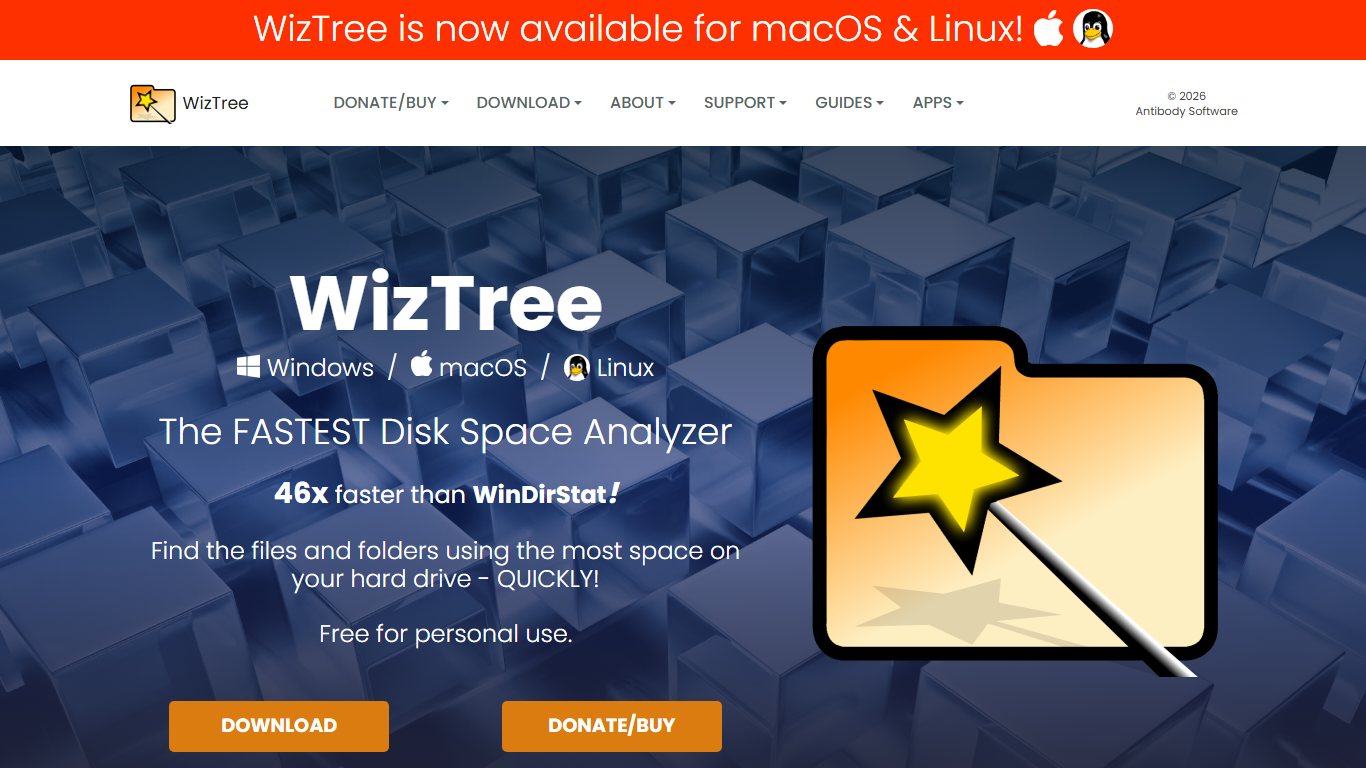
Why WizTree is so much faster than WinDirStat
Every file on an NTFS volume has a record in the MFT, which is one large index containing names, sizes and locations. A traditional scanner asks Windows for each folder’s contents one at a time, so it makes millions of separate requests. WizTree reads that single index in bulk and builds the tree in memory, which is why the gap is so wide on drives with millions of small files.
The speed has limits. The MFT trick only works on local NTFS volumes and needs administrator rights. On exFAT or FAT32 USB sticks, network shares and NAS drives, WizTree falls back to a normal scan and loses most of its lead. If you scan a NAS often, the speed difference matters less than reporting features.
What’s new in 2026
WizTree has been updated steadily this year. Version 4.29 (4 March 2026) made most settings configurable through the registry for mass deployment, and 4.30 and 4.31 followed in March with fixes and translations. The current release, 4.32 (5 August 2026), adds explicit Windows on Arm support through Microsoft’s Prism emulation. It also fixes a taskbar initialisation error on Windows Server Core and mixed-up Turkish and Thai installer translations.
The license catch for work PCs
WizTree’s EULA says it is free for personal use only. Business use needs a supporter code for each site, priced by staff count, and organisations with more than 100 staff need an Enterprise license. Third-party listings put the individual supporter code at around $25. The final business price is set on diskanalyzer.com/donate, and a code covers versions released within one year of purchase.
WizTree vs TreeSize: which is better?
For a home user on Windows, WizTree is better: it is faster, it is free and it has a clearer treemap. TreeSize Professional is the better business tool when you need scheduled reports, cloud storage scans or hardlink deduplication. Comparing TreeSize Free with WizTree only makes sense at home, because neither one is licensed for free work use.
Pro tip
Right-click WizTree or WinDirStat and choose Run as administrator. Without admin rights, both skip protected system folders, and the folder totals won’t add up to the space Windows reports as used.
WinDirStat: the free, open-source classic that’s back
WinDirStat is the best free TreeSize alternative for commercial use. It is released under the GPL, so a company can install it on any number of work PCs at no cost. Many older comparisons still describe it as abandoned, but that changed in October 2024.
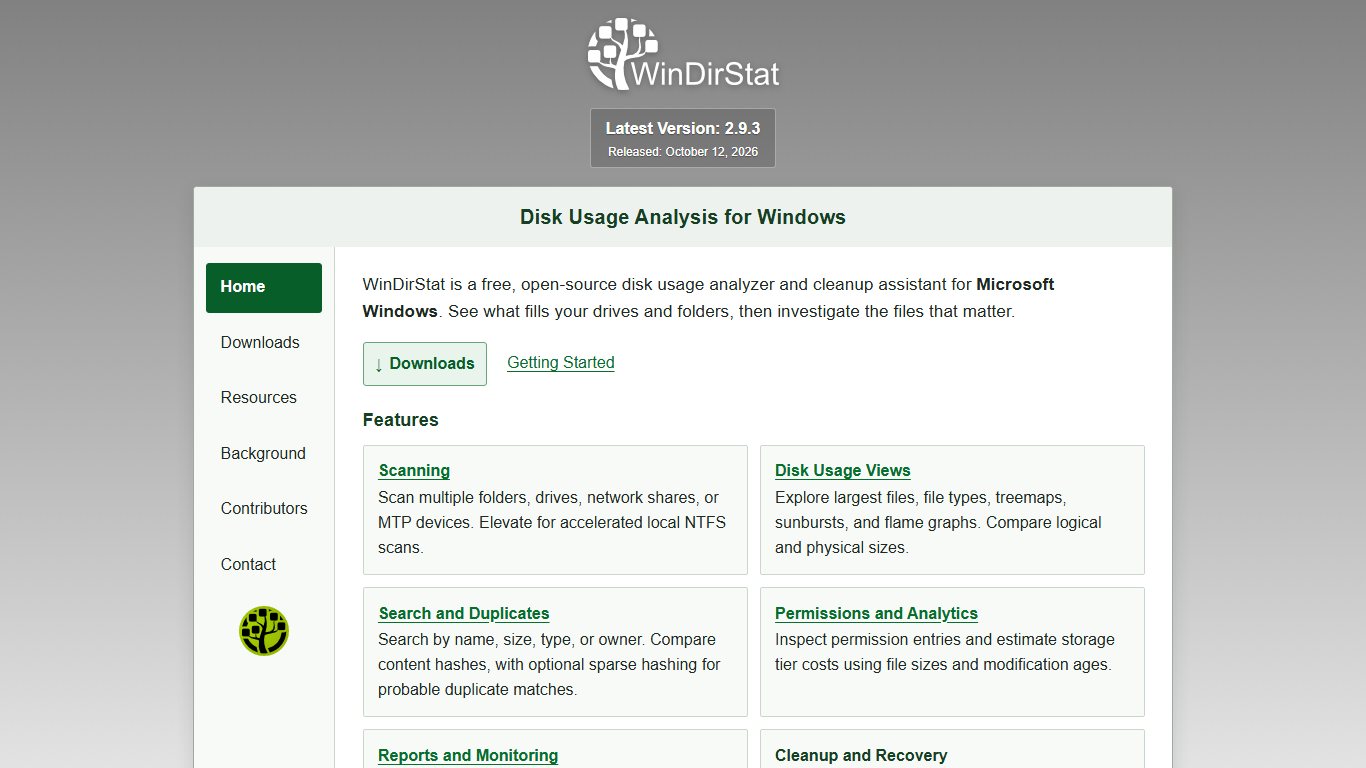
The 2.x revival
After about 17 years without an update, version 2.0 rebuilt WinDirStat with multithreaded scanning and a modernised interface. Version 2.0.1 added duplicate file detection based on file hashes, which answers a long-standing complaint in vendor comparisons. Version 2.5.0 (18 January 2026) added dark mode, NTFS MFT scanning, better search and new file actions. The official GitHub releases page now lists 2.9.3 as the latest stable build.
The MFT option closes much of the speed gap with WizTree on local NTFS drives. WizTree still feels faster on very large volumes, but the difference is no longer minutes against seconds.
Who it no longer suits
WinDirStat 2.5 dropped support for Windows 7, Windows Server 2008 R2 and 32-bit ARM. If you look after an old Windows 7 machine, you need an older 1.x or early 2.x build, and that is one more good reason to retire the machine.
WinDirStat vs TreeSize: which is better?
WinDirStat is better for most people. It is free for any use, it has a treemap and a duplicate finder, and it is actively maintained. TreeSize Free has the more polished folder list and a convenient Explorer context-menu entry, but it is limited to home use and lacks a duplicate finder. TreeSize Professional is ahead only on enterprise reporting and cloud targets.
Free and legal at work
On a company laptop, use WinDirStat. Its GPL license allows commercial use, while running TreeSize Free or WizTree without a supporter code at work breaks their license terms.
SpaceSniffer: portable treemap, no install
SpaceSniffer from Uderzo Software is a single portable executable that draws your drive as nested, zoomable blocks. You can run it from a USB stick on someone else’s PC without installing anything. It is the most visual tool here, though it can feel busy on huge drives.
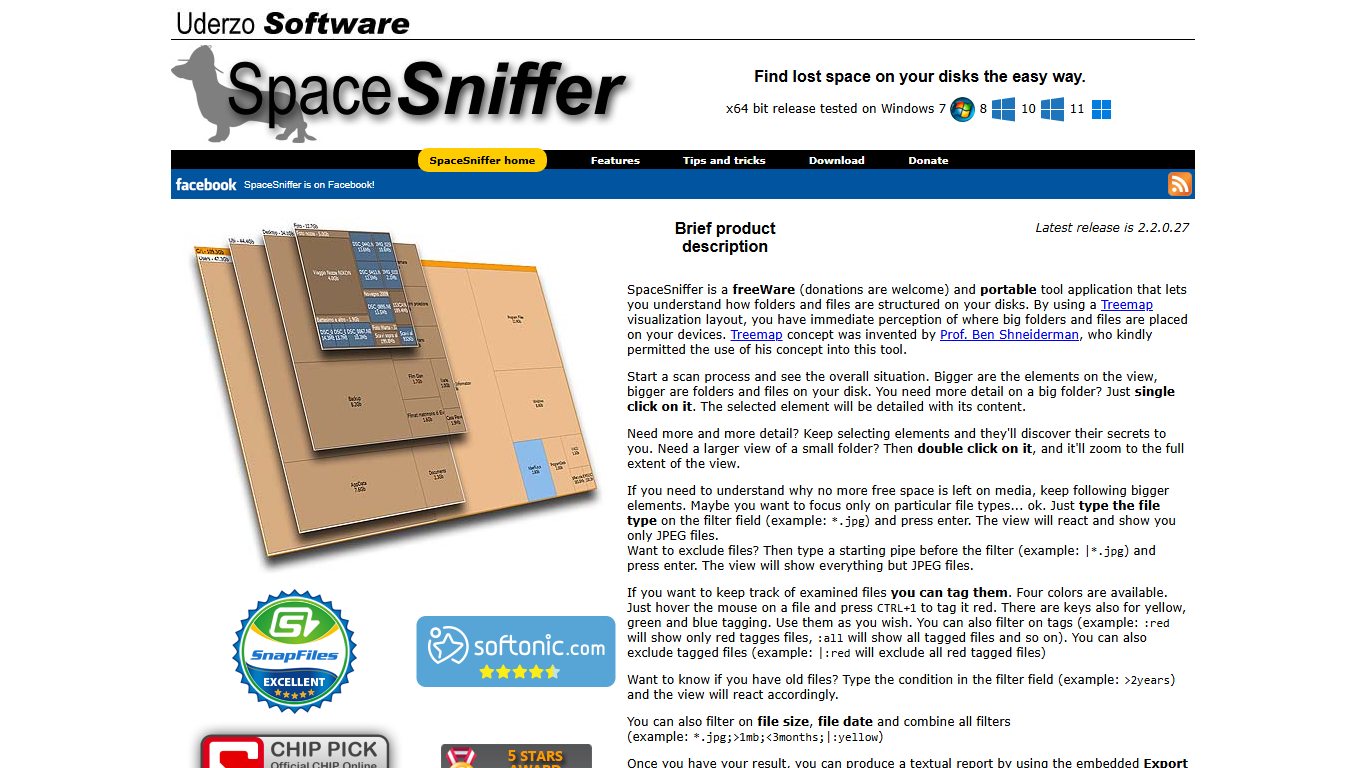
Its maintenance status confuses people. Version 1.3.0.2 dates from October 2016 and is still the build on most download mirrors. Newer 2.x builds exist, and winget lists 2.2.0.27 under the ID UderzoSoftware.SpaceSniffer.
Is SpaceSniffer still safe to use? Yes, if you get it from uderzo.it or winget. The old 2016 build is not malicious, just old. The real danger is the many fake “SpaceSniffer download” sites that bundle unwanted software with it.
FolderSizes and other tools for business and IT
For business reporting, FolderSizes from Key Metric Software is the main pay-once alternative to TreeSize Professional. A single-user Pro license costs $60 on the official order page. A site license is $700 and a country-wide license is $2,200, with no annual renewal needed to keep using the version you bought. Recent versions also include a free core feature set.
FolderSizes focuses on what admins need: scans of network shares and NAS paths, file-age and owner reports, scheduled scans and exports. That answers a common forum question about which disk analyzer can scan network shares or NAS drives. Most tools can scan a mapped drive, but FolderSizes and TreeSize Professional are built to report on them repeatedly.
TreeSize Professional is still the right purchase in some cases. If you need to analyse SharePoint, Amazon S3, Azure or SSH targets, scan an MTP-connected phone, or reclaim space by replacing duplicates with NTFS hardlinks, it covers more ground than anything else here. The trade-off is the subscription. For anyone asking whether there is a pay-once alternative now that TreeSize’s professional and commercial editions have moved to subscriptions, FolderSizes is the answer.
Already on your PC: Windows Storage settings and Storage Sense
Windows 11 and Windows 10 include a basic disk space analyzer. Go to Settings > System > Storage. It shows space by category and suggests cleanups, and for many people with a full C: drive, that is enough.
Fix it
- Open Settings > System > Storage.
- Wait for the category bars to load, then click Show more categories to see Apps, Temporary files, System and reserved, and others.
- On Windows 11, open Cleanup recommendations to review large files, unused apps and synced files.
- Open Temporary files, tick Windows Update Cleanup and Previous Windows installation(s) if listed, then click Remove files.
- Turn on Storage Sense and set how often it empties the Recycle Bin and Downloads.
The built-in tool does not have a treemap and does not rank individual folders well. If your C drive is full and you still can’t see what is taking the space, a third-party scanner is the next step.
TreeSize alternatives for Mac and Linux
TreeSize has no Mac or Linux version, but both platforms have strong free options. The closest thing to WinDirStat on a Mac is GrandPerspective. On Linux it is QDirStat.
| Tool | Platform | Price | Style | Best for |
|---|---|---|---|---|
| DaisyDisk | macOS | About $9.99, one-time, free trial | Sunburst rings | Fast, polished cleanups |
| GrandPerspective | macOS | Free from the developer; $2.99 on the Mac App Store | Treemap (GPL) | The WinDirStat look on Mac |
| OmniDiskSweeper | macOS | Free | Finder-style columns sorted by size | Quick, no-frills checks |
| QDirStat | Linux | Free (GPL) | Treemap plus tree | Desktop Linux, closest to WinDirStat |
| Filelight | Linux (KDE) | Free | Concentric rings | KDE Plasma users |
| ncdu | Linux, macOS (terminal) | Free | Text list in the terminal | Servers over SSH |
Mac
DaisyDisk is the closest equivalent to TreeSize for Mac and is worth the small one-time price if you clean up regularly. If you want a free WinDirStat-style treemap, choose GrandPerspective. OmniDiskSweeper suits people who just want a size-sorted list without visuals. On any Mac, also check Apple menu > System Settings > General > Storage before installing anything.
Linux
On a desktop, start with QDirStat, which descends from KDirStat, the program that inspired WinDirStat. KDE users already have Filelight in their software centre. On a headless server, run ncdu over SSH: it is quick, it can delete from inside the interface, and it needs no graphical desktop.
Which one should you pick?
Start with how the PC is used, then think about speed. This decision flow covers the common situations:
- Home Windows PC, you want answers fast: WizTree.
- Work or company laptop: WinDirStat, because it is free under the GPL. Choose FolderSizes or TreeSize Professional if IT needs reports.
- Huge NTFS drives with millions of files: WizTree, or WinDirStat 2.5 or later with MFT scanning enabled.
- Slow old laptop: WizTree’s portable build, which uses few resources and finishes quickly.
- Helping family remotely: install WinDirStat or WizTree through winget in one command, or carry SpaceSniffer on a USB stick.
- Windows on Arm laptop: WizTree 4.32 runs through Prism. WinDirStat dropped only its old 32-bit ARM builds.
- Mac: DaisyDisk (paid) or GrandPerspective (free).
- Windows Server: not TreeSize Free, which no longer supports Server. Use WinDirStat, a licensed WizTree or TreeSize Professional.
- Linux server: ncdu.
The main argument against this advice is that TreeSize Free remains a perfectly good home tool with a clean interface. If you already use it on a personal PC and it does the job, you have no urgent reason to switch.
Found the space hog: what’s safe to delete
Most of the very large items a scan finds are safe to remove, but only through the correct Windows tool. Deleting system files by hand can leave Windows unable to boot or update. Use this table before you press Delete.
Before you start
Create a restore point or back up personal files first. Never delete anything inside C:\Windows by hand, even if a scanner marks it as huge.
| Item | Typical location | Safe to delete? | Correct way to remove |
|---|---|---|---|
| hiberfil.sys | C:\ | Only if you don’t use hibernation | Admin terminal: powercfg /h off |
| pagefile.sys | C:\ | No, Windows needs it | Resize via System Properties > Advanced > Performance Settings > Advanced > Virtual memory |
| Windows.old | C:\ | Yes, once you won’t roll back | Settings > System > Storage > Temporary files > Previous Windows installation(s) |
| WinSxS | C:\Windows\WinSxS | Never by hand | Admin terminal: DISM /Online /Cleanup-Image /StartComponentCleanup |
| Downloads | C:\Users\you\Downloads | Yes, after checking contents | Sort by size in File Explorer, delete what you don’t need |
| Temp files | %TEMP% and C:\Windows\Temp | Yes | Settings > System > Storage > Temporary files |
| Restore points | C:\System Volume Information | Older ones, yes | Control Panel > System > System Protection > Configure > Delete |
| iPhone backups | MobileSync\Backup in your user or AppData folder | Yes, old ones | Delete inside iTunes or the Apple Devices app under backups |
| Game installs and caches | Steam, Epic or Xbox library folders | Yes | Uninstall or move from the launcher, not File Explorer |
Pro tip
Your folder sizes may not add up to the drive’s used space. The usual causes are restore points in System Volume Information, a scanner running without admin rights, or WinSxS hardlinks counted twice. Run the scan as administrator, then check System Protection.
Safe downloading: avoid fake installers
Each tool here has one official home. Anything else is a risk. Many “safe downloader” mirror sites wrap free tools in installers that push toolbars or adware, which defeats the point of cleaning up your PC.
- WizTree: diskanalyzer.com, winget ID AntibodySoftware.WizTree
- WinDirStat: windirstat.net or github.com/windirstat, winget ID WinDirStat.WinDirStat
- SpaceSniffer: uderzo.it, winget ID UderzoSoftware.SpaceSniffer
- TreeSize: jam-software.com
- FolderSizes: foldersizes.com
To install from Windows Terminal, type winget install WinDirStat.WinDirStat or winget install AntibodySoftware.WizTree. Winget pulls the package from the publisher’s own source, with no bundled extras.
Did you know?
JAM Software’s TreeSize Free 4.8.1 changelog says the free edition can no longer be used on Windows Server, and the company points server users to TreeSize Professional instead.
FAQ
Is TreeSize legit and safe?
Yes. TreeSize is a genuine product from JAM Software and is safe when downloaded from jam-software.com. Avoid third-party mirrors that repackage the installer.
Which is better, WinDirStat or TreeSize?
WinDirStat is better for most users. It is free for any use, open source, has a treemap and a duplicate finder, and is updated regularly. TreeSize Professional is better only if you need cloud, SharePoint or scheduled reports.
Is WizTree or TreeSize better?
At home, WizTree is better: it is faster thanks to direct MFT reads, and it is free. For licensed business reporting, TreeSize Professional or FolderSizes is the better choice.
What is the best storage manager for PCs?
For most Windows users, it is WizTree at home and WinDirStat at work, with Settings > System > Storage for quick routine cleanups.
Is there a free TreeSize alternative for commercial use?
Yes, WinDirStat. Its GPL license allows free use on company PCs. That makes it the answer for anyone whose TreeSize Free says private use only and who needs something for company laptops.
Is WizTree free?
Only for personal use. Using it at work requires a supporter code priced by staff count, and organisations with more than 100 staff need an Enterprise license.
Is TreeSize Free really free?
Yes, for private, non-commercial use on Windows desktops. It has no ads or trial limit, but it isn’t licensed for business use and doesn’t support Windows Server.
What is the TreeSize equivalent for Mac?
DaisyDisk is the closest polished equivalent. GrandPerspective is the free, open-source alternative that looks most like WinDirStat.
Is WinDirStat still maintained in 2026?
Yes. Version 2.0, released in October 2024 after a long gap, rebuilt it with multithreaded scanning and a modernised interface.
Does Windows 11 have a built-in disk space analyzer?
Yes, a basic one under Settings > System > Storage, with Cleanup recommendations and Storage Sense. It doesn’t show a treemap or rank individual folders as well as a dedicated tool.
Can I use WizTree at work without paying?
No. The EULA limits free use to personal use. Buy a supporter code for your site or use WinDirStat instead.
Your next step
Download WinDirStat or WizTree from the official site, run it as administrator, and sort by size. Most full drives come down to two or three items, usually Windows.old, a forgotten Downloads folder or an old phone backup. Clear those through the Windows tools listed above, then turn on Storage Sense so the drive doesn’t fill up again.