When JetBlue shows “Internal Error Code” while you book, the problem is usually on JetBlue’s side or with the particular fare and passenger mix you picked. Your device is rarely the cause. Start by checking whether jetblue.com is down. Then try the booking again in a private browser window, in a different browser, or in the JetBlue app over a different network. If it still fails, call JetBlue at 1-800-JETBLUE (538-2583) and an agent can usually finish the booking by phone.
JetBlue is a low-cost US airline that sells flights and vacation packages. It flew to 112 destinations at the end of 2025 and still says it serves more than 100. It is known for extra legroom in coach, free snacks, seatback entertainment and free Fly-Fi Wi-Fi, so a lot of people book directly on its website and app. Sometimes a booking stops partway through with an internal error code, and the steps below show how to get past it.
Why the error stops your booking
The internal error code stops you from moving past your current selection, which means you can’t finish paying on jetblue.com or in the app. The sections below explain what the message means and what to try, starting with the quickest and safest fixes.
What is the JetBlue Internal Error Code?
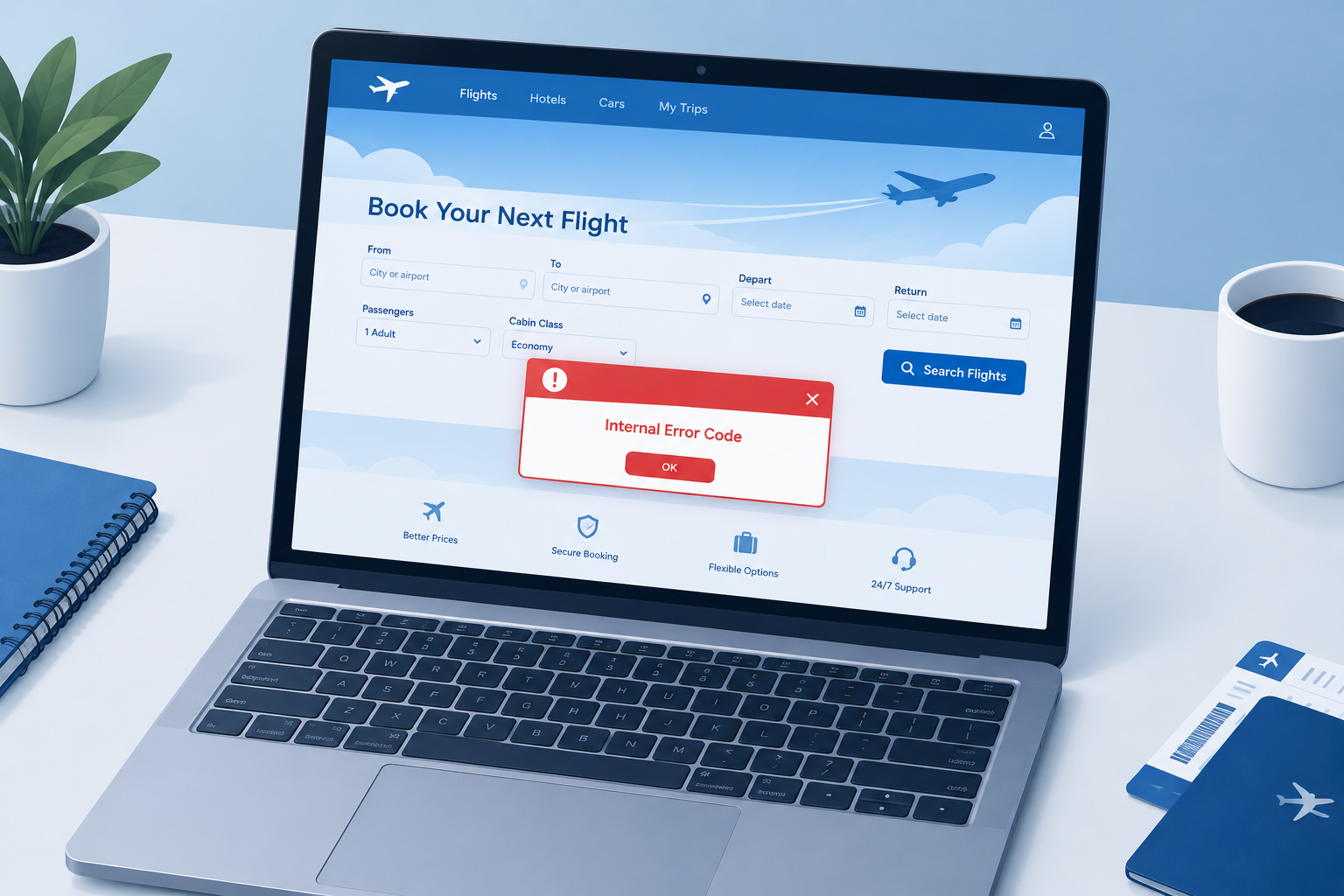
The full message reads: “Error: Unfortunately, we can’t proceed with this selection. Please reselect. Internal Error Code.” It tends to show up with certain combinations of flights, fares and passengers, and the booking fails every time you try that same combination.
JetBlue has never published an official explanation for it. Reports from travelers on deal and frequent-flyer forums point to two common causes. One is heavy traffic during big fare sales. The other is a selection the booking system can’t handle online, such as adding a lap infant to some sale fares. A browser or device problem is possible too, but it is less common than a problem on JetBlue’s side.
How to fix the JetBlue internal error code
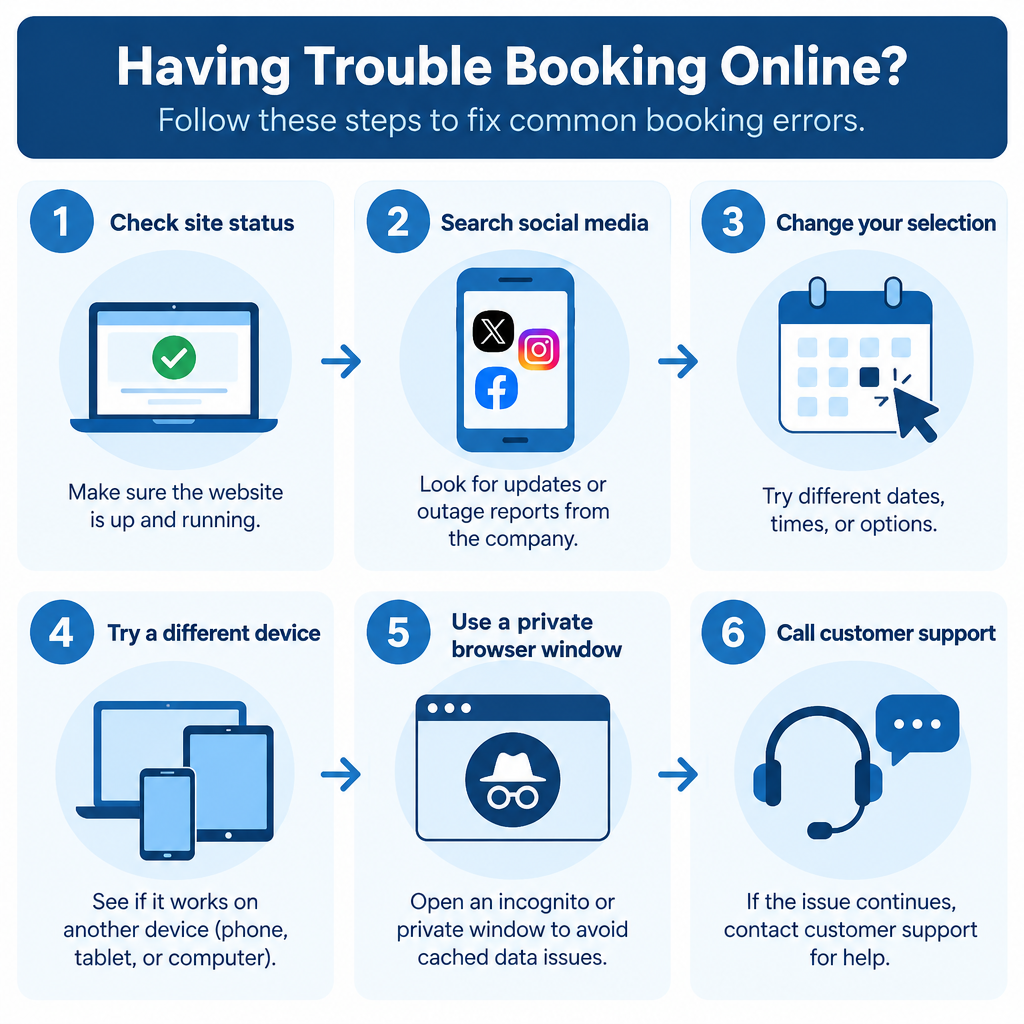
Work through these fixes in order. The first two take a minute and tell you whether anything on your end is even worth troubleshooting.
Check whether JetBlue is down
If JetBlue’s website is down, other people are getting the same error. Check an outage tracker such as Updownradar or Downdetector to see if reports have spiked in the last hour. If JetBlue is having an outage, nothing on your device will fix it. Wait a while and try again. Users on FlyerTalk have reported payment-page errors that went away after about an hour.
Check X (Twitter)
If the outage trackers show nothing, search X (formerly Twitter) for posts to @JetBlue from the last few hours. If lots of people are describing the same booking error, the problem is on JetBlue’s end.
Take tech advice from social media replies with some caution. In April 2026, Fortune reported that JetBlue apologized for one crewmember’s reply on social media, which told a customer to clear cookies to get a better fare. The airline called that reply incorrect and said cached data doesn’t affect its fares.
Change your selection
The message asks you to “reselect,” so do that before you start troubleshooting your browser. Try a different flight time, date or fare type. If you are booking with a lap infant, travelers on deal forums say it helped to book the adult seats online first and then call JetBlue to add the infant. That workaround comes from user reports, not from JetBlue, but it is harmless to try.
Use a different device
If you get the error in the JetBlue app, your phone may be the issue. The current iPhone app, “JetBlue, Book & manage trips,” needs iOS 17.0 or later. On older phones it may not install or update, or it may not work properly. Update the app from the App Store or Google Play first.
If updating doesn’t help, try booking on another device, such as a laptop or desktop computer using jetblue.com. If the booking goes through there, the problem was with the first device.
Try using another browser
A browser with a lot of stored cookies and site data, an outdated version, or an extension that interferes with the page can stop a booking site from working properly. Try these in order:
- Open a private window (Incognito in Chrome, InPrivate in Edge, Private Browsing in Safari or Firefox) and try the booking again.
- If that works, clear cookies and site data for jetblue.com in your normal browser. In Chrome, go to Settings > Privacy and security > Third-party cookies > See all site data and permissions, search for jetblue, and delete it.
- Turn off ad blockers and other extensions for jetblue.com, then reload the page.
- If the error comes back, switch to a different up-to-date browser, such as Chrome, Edge, Safari or Firefox.
Clearing cookies can fix a booking page that won’t load or keeps getting stuck. It won’t get you a cheaper fare.
Try a different network, or turn off your VPN

A bad connection can break the booking at the payment step. One FlyerTalk user got an error 400 on Wi-Fi with several browsers and on two computers, and the booking worked once they switched to mobile data. If you use a VPN, turn it off and try again. Airline and payment sites sometimes block VPN traffic. If you have no VPN running, switching between Wi-Fi and mobile data is the quickest way to rule out your network.
Contact JetBlue customer support
If nothing above works, call JetBlue. An agent can see your selection and can often finish a booking that the website keeps rejecting.
- Bookings and general help: call 1-800-JETBLUE (538-2583). Have your travel dates, passenger names and any confirmation code ready. JetBlue’s own error pages send customers to this number.
- Accessibility concerns: if your problem involves a disability or accessibility service, call 1-855-ADA-LINE (232-5463) and ask for a CRO (Complaints Resolution Official). JetBlue also has CROs at every airport.
Use only the numbers on jetblue.com. Search results are full of third-party pages listing other “JetBlue” phone numbers, and those don’t belong to the airline.
Frequently Asked Questions
Why am I getting an error message on JetBlue’s website?
Most of the time the cause is on JetBlue’s side, such as heavy traffic during a sale, or a fare and passenger mix the site can’t book online. Old cookies or a browser extension can also break the booking page. Try a private window or another browser, and if that fails, call 1-800-JETBLUE.
Is JetBlue’s website down?
That changes from hour to hour, so check an outage tracker such as Updownradar or Downdetector at the moment you get the error. A sudden jump in reports, or lots of posts to @JetBlue on X, means it’s an outage and you should wait it out.
Will clearing my cookies get me a cheaper JetBlue fare?
No. In April 2026, JetBlue told Fortune that its fares on the website and app don’t depend on cached data or personal information, and that everyone sees the same fares. Clearing cookies can fix a broken booking page, but it won’t change the price.
Can I book a lap infant online if I get the internal error?
Sometimes, but this combination is a known cause of the error. Travelers report booking the adult tickets online first and then calling JetBlue to add the infant. That comes from user reports, not from JetBlue, so confirm the infant’s details with the agent while you’re on the phone.
What phone number should I call if the JetBlue app keeps failing?
For bookings, call 1-800-JETBLUE (538-2583). For accessibility issues, call 1-855-ADA-LINE (232-5463) and ask for a CRO. Don’t use numbers from third-party directories.
Sources
- JetBlue: Air travel accessibility concerns
- JetBlue, Book & manage trips (Apple App Store)
- Fortune: JetBlue told a customer to clear his cookies after a $230 price hike
- Entrepreneur: JetBlue booking site error