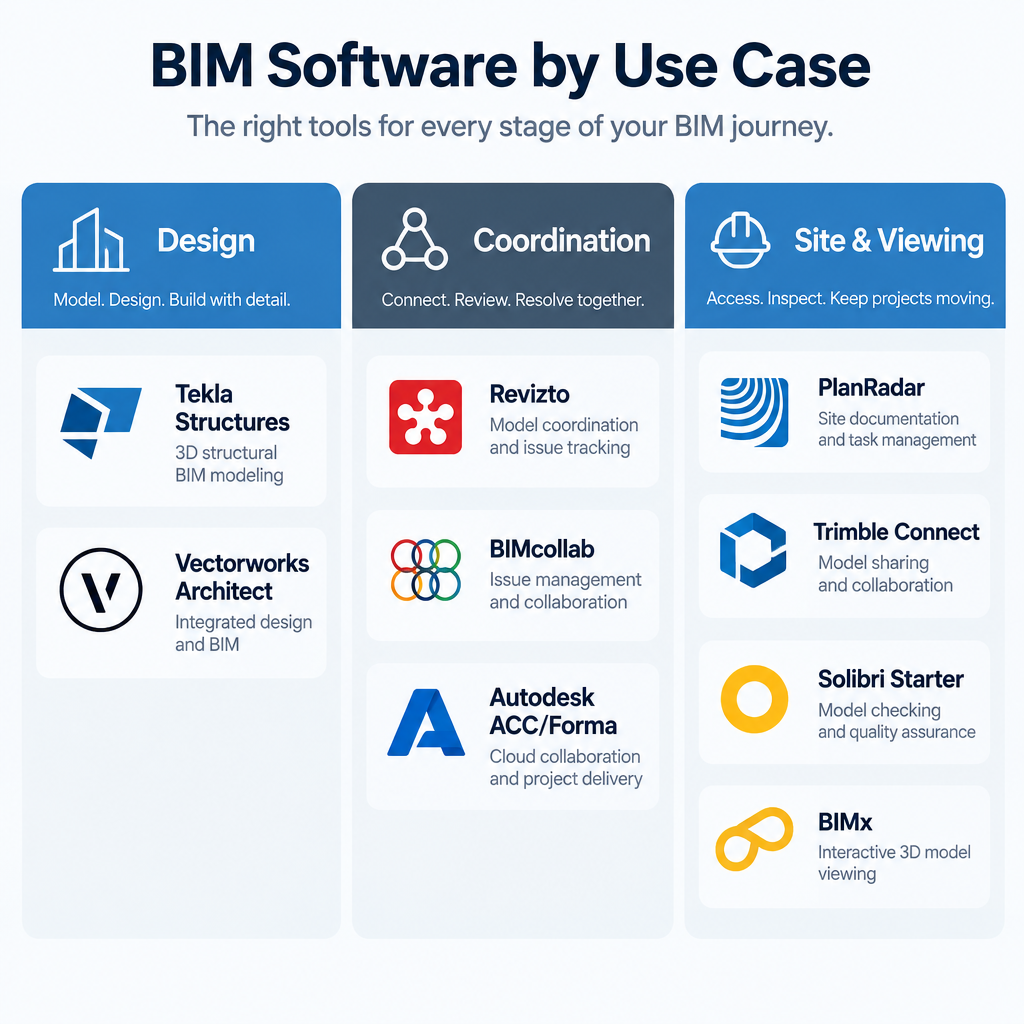
In November 2026 there is still no single BIM program that covers every job, so choose by task. For modelling, Tekla Structures 2026 suits structural steel and concrete, and Vectorworks Architect suits design work. For coordination, clash detection and issue tracking, look at Revizto, BIMcollab or Autodesk’s cloud platform, which is taking over from BIM 360. For site work and quick model checks, look at PlanRadar, Trimble Connect and the free BIMx viewer. Solibri Anywhere, once the go-to free IFC viewer, is now a legacy product, and Solibri points users to Solibri Starter instead.
Building Information Modelling (BIM) is a digital way of planning, building and managing a project. Instead of loose drawings, the team works from one shared digital model of the building or structure. The model holds the 3D geometry, data and project information together. Because everyone works from the same model in real time, the team catches conflicts early and avoids costly changes on site.
BIM is now a standard part of civil engineering and construction projects. One of its biggest benefits is the digital twin, a model of the finished asset that stays useful through every stage of the project and long after handover. Plenty of BIM software is available for civil engineers, architects and contractors. The ten tools below cover design, coordination and site management.
The 10 best BIM tools for design, coordination and site work
BIM changed civil engineering because it puts all of a project’s structural and functional information in one place, and a whole team can build and maintain that model together. The tools below were picked using vendor documentation and current release notes. Each one was judged on three things: how well it does its main job, how well it works with open standards such as IFC and BCF, and whether it is still actively developed in 2026. They are not ranked against each other, because each one solves a different problem.
1. Solibri Anywhere
Solibri Anywhere is a free desktop viewer for Windows and macOS. You can use it to open, check and review issues in BIM models, mainly IFC files. Project managers, AEC specialists and other construction professionals have used it for years to look inside models without buying a full checking licence.
Its status changed in 2026. Solibri, part of the Nemetschek Group, now lists Solibri Anywhere as a legacy offering. Its replacement, Solibri Starter, builds on the same IFC inspection features. Free users can keep the copy they already have, but only on versions before 26.4.0. If you are setting up a new workstation, start with Solibri Starter rather than looking for the old installer.
2. PlanRadar
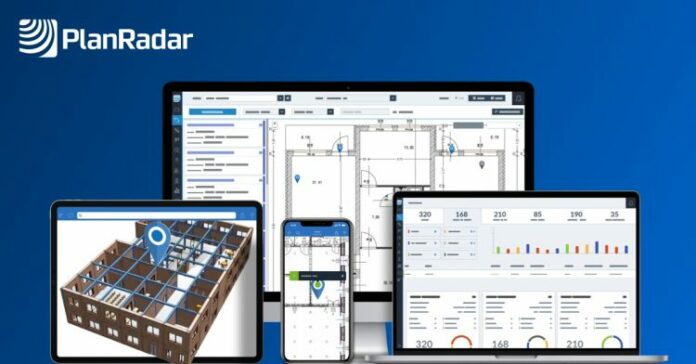
PlanRadar is construction management software that makes project documentation and communication simpler. It runs in a web browser and as mobile apps, so you can record and track construction defects and issues while you walk the site.
You pin each issue to a digital plan and add photos, text or voice notes. Then you share the update with the rest of the project team straight away. PlanRadar also handles document storage, report generation, task assignment to subcontractors and custom checklists. That makes it a good fit for site managers and inspectors who need a clear record of who fixed what, and when.
3. Autodesk BIM 360
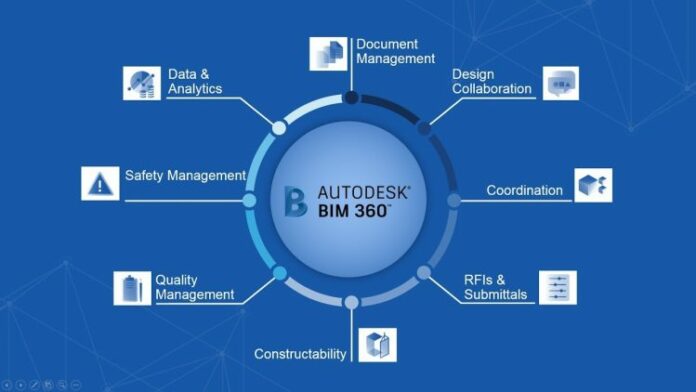
Autodesk BIM 360 is a cloud platform that gives construction teams real-time project data so they can make better decisions. It brings document management, design collaboration and model coordination together in one place. For years it was one of the most widely used BIM platforms on the market, especially for teams working in Revit.
Things look different in 2026. Autodesk now puts its new development, support and features into Autodesk Construction Cloud (ACC). Most BIM 360 modules are not being switched off, but new features added to Autodesk Docs on ACC are not guaranteed to reach BIM 360 Document Management. Autodesk retired BIM 360 Glue on July 31, 2026, and pointed Glue users to Model Coordination in ACC. Its Data Transition tool in ACC Account Admin copies Glue model data into the Files tool in Autodesk Docs.
From March 24, 2026, Autodesk Construction Cloud began moving under the Autodesk Forma name, with Autodesk Docs renamed to Forma Data Management. If you are starting a new project today, set it up on ACC rather than BIM 360. If your firm already has a subscription that includes Autodesk Docs, such as the AEC Collection or BIM Collaborate Pro, you can open projects on both platforms while you migrate.
4. Vectorworks Architect
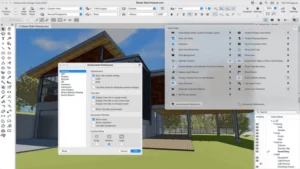
Vectorworks Architect is a 3D modelling and BIM program from Vectorworks, a company in the Nemetschek Group. It works alongside widely used tools such as Revit and SketchUp, which makes it easier for mixed project teams to collaborate. Its strengths are creative design work, accurate drawings and polished presentations.
Vectorworks 2026, released in September 2025, added several features for architects:
- Door, window and wall 2D detailing, which generates detailed plans from the 3D model
- Depth cueing for drawings and images made from BIM models
- A tool for building mixed door and window assemblies
- A sustainability dashboard for carbon calculations
In June 2026, Architect 2026 won an Architizer A+ Popular Choice award in the Design Tools category.
5. Trimble Connect
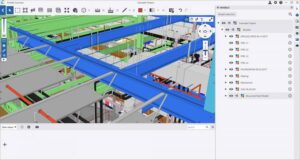
Trimble Connect is a cloud platform that gives a project one place to organise, open and share construction data. Its two main jobs are project management and design coordination.
MEP engineers, subcontractors, architects and other trades all use it, and Trimble’s products are especially common on civil infrastructure projects. Trimble Connect is best seen as collaboration software for BIM construction work. Its tight link with Tekla is a big advantage. In Tekla Structures 2026 you can edit Trimble Connect property sets from inside the model and upload PDF drawings straight to Trimble Connect.
6. AR Mapper
AR Mapper is a simple augmented reality (AR) app from Immotef, aimed at tracking progress on construction sites. It lays digital information over the real site through your phone or tablet camera, so you can see where installations and materials are meant to go.
You can use it to check things such as water supply lines, wiring and insulation against what has actually been built. People with permission can leave comments on parts of the project, and those comments are stored on a server for the rest of the team. The app combines communication, progress tracking and AR in one place. It is free on the App Store. Check the listing for supported file formats before you plan a full model overlay, because it is a lighter tool than the coordination platforms on this list.
7. Tekla
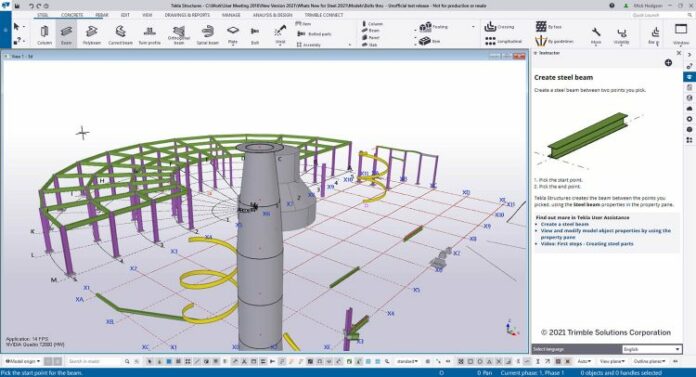
Tekla is Trimble’s family of model-based software for structural engineers, steel and concrete detailers, fabricators and contractors. With Tekla Structures, designers and engineers build detailed 3D models and produce 2D drawings for steel, concrete, timber and other materials.
The Tekla 2026 suite became available on March 11, 2026. It covers Tekla Structures, Tekla Structural Designer, Tekla Tedds and Tekla PowerFab. Here is what changed in this version:
| What changed in Tekla Structures 2026 | Why it matters |
|---|---|
| AI Cloud Fabrication Drawings service | Speeds up producing shop drawings |
| IFC4.3 export for building and bridge domains | Meets newer open BIM requirements on infrastructure work |
| 64-bit extensions only (.tsep) | Older 32-bit extensions need converting; Tekla can convert them automatically |
| SP2 (June 2026) adds Tekla Model Assistant as a preview | Early access to AI help inside the model |
Install the latest service pack before you share models with other firms, because SP2.1 was released to fix an issue in SP2.
8. BIMCollab
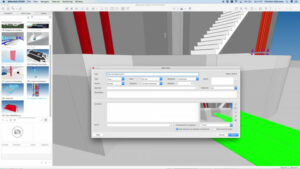
BIMcollab is an issue management system built on BCF, the BIM Collaboration Format. BCF is an open buildingSMART standard that lets different BIM programs share issues without passing whole models back and forth. BIMcollab’s aim is to connect those different programs and help building project teams handle the problems that come up during design and construction.
The product family has three main parts:
- BIMcollab Nexus is the cloud hub for BIM requirements, model collaboration, issue management and takeoffs. It is built on the IFC, BCF and IDS standards.
- BIMcollab Zoom is a desktop model checker for Windows and Mac. It checks models for clashes and rule compliance automatically.
- BCF Managers are plugins for authoring programs such as Revit, Archicad and Tekla. They let you create an issue linked to the exact model elements it concerns.
Edits you make in Zoom sync to Nexus automatically. Smart Issues generated in Zoom are the exception: you have to sync those by hand.
9. Revizto

Revizto is a cloud-based BIM collaboration platform that helps architects, engineers and construction professionals work together and communicate on projects. You can move between 2D sheets and 3D models in the same workspace, so the whole team reviews the same information.
Revizto’s issue tracking and clash management are its strongest features, and you can use them at any stage of design and construction. Clash detection, automatic clash grouping, automatic issue creation and issue tracking all happen in one environment. You can set rules so that clash groups turn into assigned issues without manual sorting. Since release 5.11, objects that only touch each other count as hard clashes, so expect more results than in older versions. Reviews say onboarding can take some time, so plan a short training period for new teams.
10. BIMx
BIMx is Graphisoft’s model viewer for projects built in Archicad. You can open and explore Archicad BIM models on a phone, tablet or computer. It comes with several display and rendering settings, element selection, gravity navigation (walking through the model at eye level), a gallery of saved views and many more features. Being able to use it on a smartphone makes Archicad models much easier to review on site or with clients.
The app is free, and Pro features add BCF-based issue creation, hiding 3D elements, layer control and a custom cut plane. Pro features came to the desktop versions in a May 2025 update. Eligible companies can unlock Pro on mobile for all their members through company-level licensing. BIMx runs on iOS and iPadOS, Android, Windows, macOS and the web. The Archicad 29.1 update also made exporting smaller BIMx files faster.
How the 10 BIM tools compare
The main difference between these tools is the job they do: some create models, some coordinate them, and some bring them to the site. Use this table to narrow the list before you book demos or start trials.
| Tool | Maker | Main job | Best for | Status in November 2026 |
|---|---|---|---|---|
| Solibri Anywhere | Solibri (Nemetschek) | Free IFC viewing and checking | Quick model reviews | Legacy; replaced by Solibri Starter |
| PlanRadar | PlanRadar | Site defects and documentation | Site managers, inspectors | Active, web and mobile |
| Autodesk BIM 360 | Autodesk | Cloud document and model management | Revit-heavy teams | New development moved to Autodesk Construction Cloud |
| Vectorworks Architect | Vectorworks (Nemetschek) | Design and BIM authoring | Architects, design studios | Active; 2026 version released September 2025 |
| Trimble Connect | Trimble | Cloud data sharing and coordination | Infrastructure and Tekla users | Active |
| AR Mapper | Immotef | AR progress tracking on site | Simple site overlays | Free iOS app |
| Tekla | Trimble | Structural modelling and detailing | Steel and concrete engineers | Active; Tekla 2026 out since March 11, 2026 |
| BIMcollab | BIMcollab | BCF issue management and model checking | Teams mixing several BIM programs | Active (Nexus, Zoom, BCF Managers) |
| Revizto | Revizto | Clash detection and issue tracking | Coordination-heavy projects | Active |
| BIMx | Graphisoft (Nemetschek) | Mobile and desktop model viewing | Archicad users and their clients | Free app with Pro options |
For a small firm, the cheapest setup that works is usually one modelling tool plus a free viewer such as BIMx. On larger jobs with several design firms, the money is better spent on a coordination platform like Revizto, BIMcollab or Autodesk Construction Cloud. One avoided clash on site can pay for a year of licences. The trade-off is that a coordination platform only pays off if every firm on the job actually uses it. If one firm refuses, you end up emailing BCF files around anyway.
FAQ
What is the best BIM software for civil engineers?
It depends on the work. For structural steel and concrete, Tekla Structures is the specialist choice, and Trimble Connect pairs with it for sharing data on infrastructure projects. Teams built around Revit usually stay with Autodesk’s cloud platform, while firms mixing several programs often add Revizto or BIMcollab for coordination.
Is BIM 360 still available in 2026?
Most BIM 360 modules still run, but Autodesk puts its new development and support into Autodesk Construction Cloud. BIM 360 Glue reached its end of life on July 31, 2026. New projects should be set up on Autodesk Construction Cloud rather than BIM 360.
Is there free BIM software?
Yes, for viewing and light review. BIMx is a free app for Archicad models, with paid Pro features, and AR Mapper is free on the App Store. Free users can keep Solibri Anywhere on versions before 26.4.0, but it is now a legacy product, and full modelling tools such as Tekla Structures and Vectorworks Architect need paid licences.
What replaced Solibri Anywhere?
Solibri Starter replaced it. Solibri says Starter builds on the IFC inspection features that Solibri Anywhere introduced. If you already have Solibri Anywhere installed, you can keep using it, but it will not get new versions.
What is BCF and why does it matter?
BCF (BIM Collaboration Format) is an open buildingSMART standard for sharing model issues between different BIM programs. Each issue carries a viewpoint, comments and links to the affected model elements, so an architect in Archicad and an engineer in Tekla can work through the same problem list. BIMcollab is built around BCF, and BIMx Pro uses it for issue creation.
Do I need Revit to use these tools?
No. Tekla, Vectorworks Architect and Archicad (with BIMx) are full alternatives for creating models. Viewers and coordination tools such as Solibri, BIMcollab, Revizto and Trimble Connect read open IFC files from almost any authoring program.
Sources
- FAQ: BIM 360 Glue End of Life (Autodesk Help)
- Solibri Anywhere (Solibri)
- Tekla Structures 2026 release notes (Tekla Support)
- Trimble Unveils 2026 Tekla Software (Trimble Newsroom)
- Vectorworks 2026 Software Suite Now Available (Nemetschek)
- BIMcollab Nexus (BIMcollab)
- Collaborative Clash Automation (Revizto)
- BIMx News (Graphisoft Community)
- AR Mapper (App Store)