
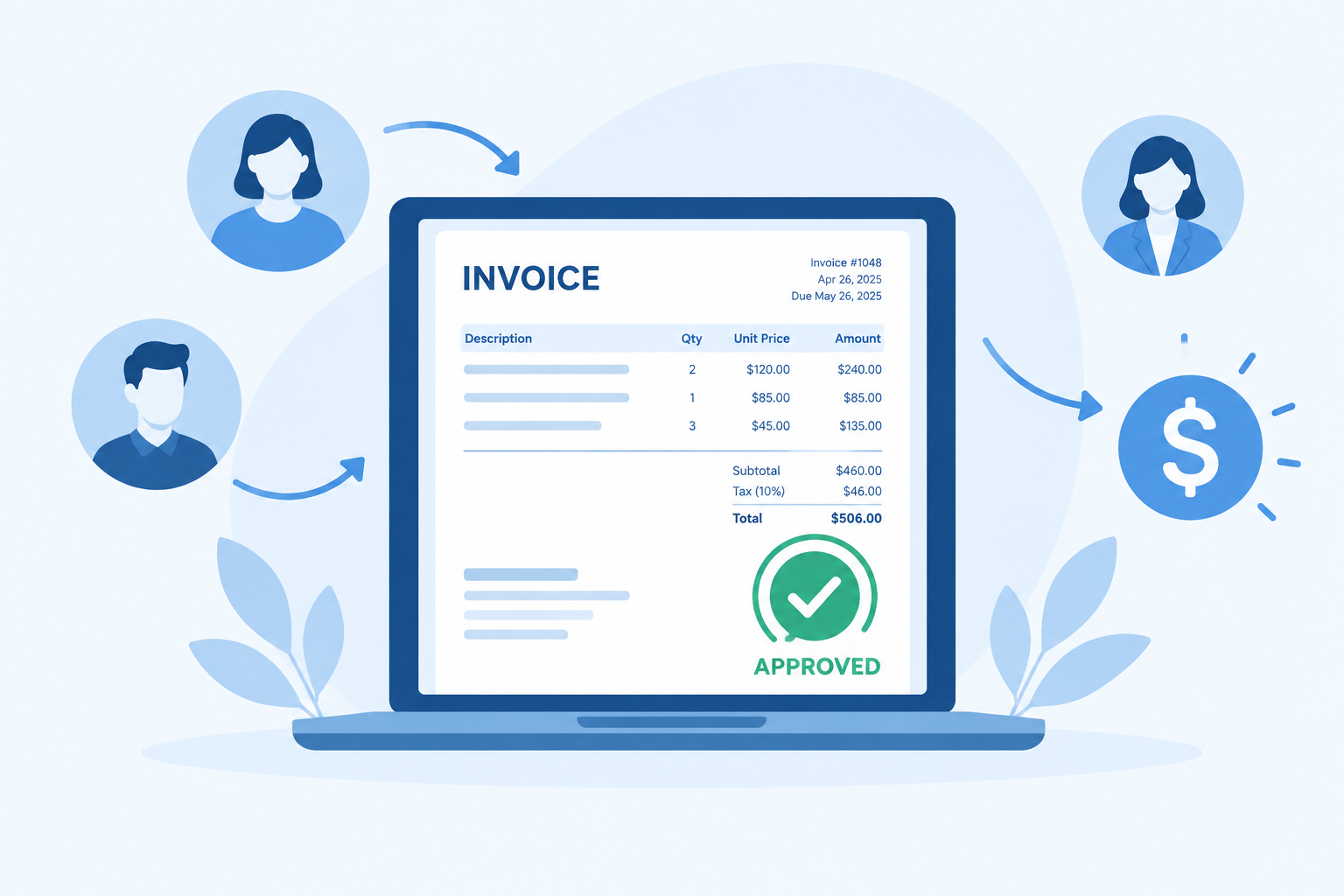
Invoice approval software sends each supplier bill to the right person, records who approved it, and keeps unapproved bills from being paid. As of November 2026, the simplest place to start is whatever your accounting system already includes. QuickBooks Online Advanced and QuickBooks Bill Pay Elite have built-in bill approval workflows with up to five approval layers. Xero’s built-in approval is a single step, so businesses that need rules based on amount or supplier usually add an app such as ApprovalMax. Dedicated payables platforms such as BILL or Stampli, or ERP-grade tools such as Tipalti, AvidXchange, Medius and Coupa, fit when you have more volume or more complex routing.
Invoices get harder to manage as your company grows. Approvals sit in inboxes, the same bill gets paid twice when it arrives by both email and post, late fees pile up, and nobody can say what is still waiting for sign-off. This guide explains how approval workflows run, what they are worth, and how 10 tools compare.
Key takeaways
- Start with the approval workflow built into QuickBooks Online Advanced or Xero, and only pay for more when your rules outgrow it.
- Xero users who need more than one approval step usually add ApprovalMax. Teams with high bill volume look at BILL or Stampli for capture, coding and payments in one place.
- Free options such as Jotform forms or Adobe Acrobat Sign stop working well once you need several approvers, matching or a clean audit trail tied to your books.
In this guide
- What invoice approval software is and how automation works
- The approval workflow step by step in QuickBooks, Xero and BILL
- Benefits, key features and best practices
- A comparison of 10 tools in three tiers
- Free and low-cost options
- FAQ
What invoice approval software is
Invoice approval software automates the approval of bills you receive from vendors and suppliers. It checks what you owe, sends each bill to the people who have to approve it, and blocks payment until they do.
It connects to your accounting system, such as QuickBooks Online or Xero, so approved bills flow into your books without anyone typing them in again.
How invoice approval software changes accounts payable
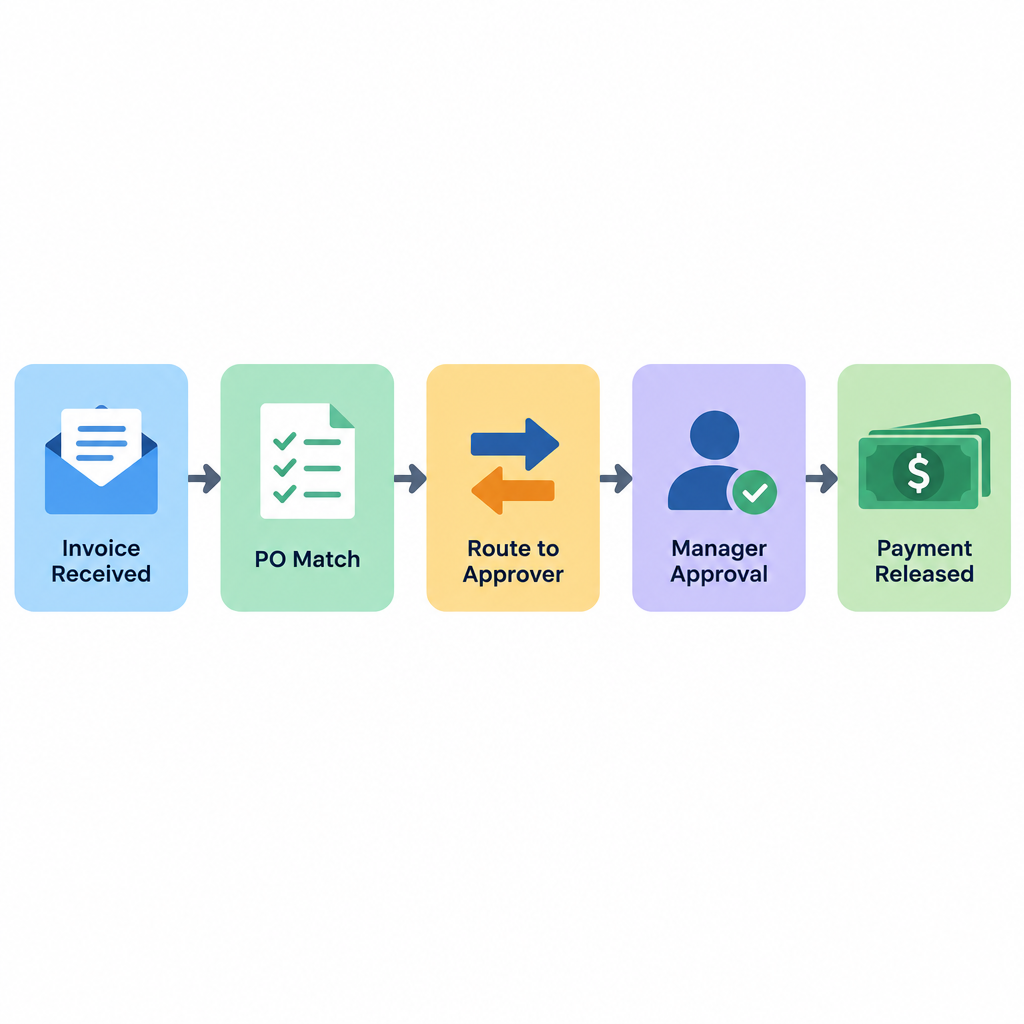
Accounts payable (AP) software replaces paper and spreadsheets with one tracked workflow. Manual AP means handling paper invoices, typing bill details into Excel and checking by hand that every payment follows company rules.
An approval system takes over those jobs. It reads invoice data so nobody retypes it, flags a bill whose invoice number has already been recorded, and shows each bill’s status (draft, awaiting approval, approved, paid) in one list.
How automation works in invoice approval
Automation moves each invoice through capture, matching, routing and reminders, so nobody has to push it along. Matching checks the bill against what you ordered. Routing sends it to the right approvers. Reminders keep it from stalling.
When a bill arrives, the system can match it against your records:
- Two-way matching compares the invoice with the purchase order, so you pay only the agreed price for the agreed quantity.
- Three-way matching adds the receiving record (goods received note or delivery receipt), so you pay only for items that actually arrived.
Exceptions: when the price or quantity on the invoice doesn’t match the PO or the receipt, the bill goes back to AP or the buyer to sort out instead of moving on to payment. ERP-grade tools such as Medius let you set tolerances, so a few cents’ difference passes and only real mismatches get flagged.
The software then routes the invoice using rules you set, such as amount, vendor or location. In QuickBooks Online Advanced, for example, the Bill Multi-Condition Approval template lets you set those conditions and add up to five approval layers in sequence. That matters most for teams that buy materials or services across several projects, where different managers sign off on different spending.
Notifications and reminders tell approvers when a bill is waiting. Some tools also set a deadline: QuickBooks automatically denies a bill that nobody reviews within 30 days, and payment release requests follow the same 30-day limit. Faster approvals help your AP team pay on time and give you a clearer view of cash flow.
Invoice capture and coding
Capture and coding cover the steps before approval: getting the bill into the system and assigning it to the right account. They save the most typing, but a small business only needs them once bill entry has become a chore.
- Email-inbox capture: suppliers send bills, or your team forwards them, to a dedicated email address, and each one becomes a draft bill automatically. BILL and Xero both give you an inbox address like this.
- OCR and AI extraction: the software reads the PDF, scan or photo and pulls out the vendor name, invoice number, date, line items and totals. ApprovalMax Capture, Stampli’s assistant Billy and BILL’s capture tools all work this way.
- Automatic GL coding: the system suggests a general ledger account, and sometimes a class, project or tracking category, based on how you coded that supplier’s bills before. You check the suggestion instead of filling in the fields yourself.
When you actually need it: if one person enters a handful of bills a month, typing them in takes minutes and capture adds little. Once you handle dozens of bills a month, or bills with many line items such as building-supply invoices, capture and auto-coding start to save real hours and cut entry errors. Extraction is never perfect. Poor scans give fewer usable data points, so someone still needs to review each draft before it goes for approval.
The invoice approval workflow, step by step
Most approval workflows follow the same seven steps, from receiving the bill to keeping the record. What changes between tools is how much of each step is automated. The table below maps each step to QuickBooks Online Advanced, Xero and BILL.
- Receive the invoice by email, upload or post.
- Enter and code it as a draft bill with vendor, amount, due date and GL account.
- Match it against the purchase order and, if you use three-way matching, the delivery record.
- Route it to the right approvers based on your rules.
- Approve or deny. Denied or mismatched bills go back to AP.
- Release payment, ideally signed off by someone other than the approver.
- Record and audit, with every action logged against the bill.
| Step | QuickBooks Online Advanced / Bill Pay Elite | Xero (built-in) | BILL |
|---|---|---|---|
| 1. Receive | Bills added or uploaded in QuickBooks | Bills entered, uploaded or emailed to the organization’s bills inbox | Bills emailed to a dedicated BILL inbox or uploaded |
| 2. Enter and code | Bill clerk role adds bills and vendors but can’t approve or pay | Bill saved as a draft, then submitted | Data extracted from the document, then reviewed |
| 3. Match | Open purchase orders can be added to a bill; no automated three-way matching | Purchase orders can be copied to a bill; no automated matching | Depends on plan and connected accounting system |
| 4. Route | Bill Multi-Condition Approval template: amount, vendor, location; up to five sequential layers | No rule-based routing: any user with approval permission can approve | Approval policies by dollar amount, number of approvers and named approvers, set only by Administrators |
| 5. Approve or deny | Bill approver role approves; bills unreviewed for 30 days are denied automatically | Approval moves the bill from Awaiting Approval to Awaiting Payment | Administrator, Accountant or Approver roles can approve |
| 6. Release payment | Separate payment release workflow; approvers find it under Expenses > Bill Payments > Pending Approvals | Payment recorded or made from Awaiting Payment | Payments sent from BILL after approval |
| 7. Record and audit | Approved bills already in your books; roles separate entry, approval and payment | Bill history shows who approved | Approval history kept and synced to your accounting system |
One setup detail catches people out in QuickBooks: a new approval workflow only checks bills entered after you turn it on, so existing unpaid bills need a manual review.
Benefits of invoice approval software
The benefits come from specific mechanisms: duplicate checks, a single status list, enforced sign-offs and predictable payment dates. Each one is covered below.
Fewer late and duplicate payments
Software flags any bill that repeats an invoice number or amount already recorded, which stops the classic double payment when the same invoice arrives by email and by post. Reminders and auto-escalation keep bills from sitting until after their due date, so you avoid late fees and keep early-payment discounts where suppliers offer them.
Most of the cost savings come from here and from less retyping. When the system reads invoice data and routes bills itself, staff stop spending hours on data entry and chasing approvals.
Visibility into every invoice
Every bill sits in one list with its status, approver and due date, so you no longer search inboxes and desk drawers. Your finance team sees what is owed and when it falls due, which feeds straight into cash-flow forecasts and payment runs. Approvers can sign off from a phone, so a manager on a job site doesn’t hold up a bill until they’re back in the office.
Controls and audit trail
Rules turn your spending policy into something the system enforces. Bills over your threshold can’t be paid until a second approver signs off. A bill clerk in QuickBooks can add bills but has no button to approve or pay them. Every action is logged with a name and time, which is the record auditors and lenders ask for.
Controls depend on the plan you’re on. Intuit warns that if you downgrade from Bill Pay Elite without QuickBooks Online Advanced, roles, permissions and approval workflows are removed, and bills that were waiting for approval can then be paid without it.
Better vendor relationships
Vendors mostly want two things: to be paid on time and to know when payment is coming. With every bill’s status in one place, you can answer “when will I be paid?” during the call instead of promising to find out. Predictable payments also put you in a stronger position when you negotiate terms.
Key features of invoice approval software
Three features matter most: custom rules, step-by-step tracking and permissions. Each is covered below.
Custom business rules and workflows
Every company approves spending differently, so the software should let you set your own rules. Common ones include:
- Amount thresholds, such as a second approver for bills over $5,000.
- Vendor rules, such as routing all bills from one supplier to a specific manager.
- Location or department rules.
Tracking every step of the process
The software records each step from submission to payment. That record shows where invoices get stuck, so you can fix bottlenecks instead of guessing.
Permissions and access control
Permissions decide who can enter, approve and pay bills, so only people you’ve authorized can approve invoices. QuickBooks, for example, offers three Bill Pay roles: bill clerk (adds bills and vendors but can’t approve or pay), bill approver (approves only) and bill payer (views and pays bills). In BILL, only Administrators can set approval policies, while users with the Administrator, Accountant or Approver role can approve bills.
Invoice approval best practices
Software only works as well as the process behind it. These practices make the biggest difference.
Document and define your approvals first
Write down who approves what before you configure anything: the amount thresholds, which suppliers go to which manager, and who covers when an approver is away. Then turn that document into templates and approval hierarchies in the tool, and require the PO number and supporting documents before a bill can move on. Start new rules from a clean starting point, because QuickBooks Online only applies a new workflow to bills entered after setup.
Measure approval time and related metrics
Measuring the process is the only way to improve it. The metrics worth tracking are:
- Approval cycle time: the time from receiving an invoice to approving it.
- Error rate: the percentage of invoices with errors or mismatches.
- Manual interventions: how often someone had to check or correct something by hand.
- Vendor query rate: how often vendors ask about payment status.
- On-time payment rate: the share of invoices paid by their due date.
Connect the approval tool to the systems that touch money
Integration keeps data moving without anyone typing it twice. Your accounting system is the minimum. Purchasing and inventory or job-costing systems come next, so invoice lines can be checked against what was ordered and delivered.
A construction firm, for example, might run estimating software, project scheduling and accounting side by side. The approval tool only needs to sync with the accounting and purchase-order data, so a bill for lumber can be matched to that job’s PO and coded to the right job-cost line before the project manager approves it. The scheduling app can stay separate.
Separate approval and payment duties
The person who approves a bill should not be the person who pays it. Separating the two roles is a basic fraud control, and good software supports it three ways:
- Audit trail: every step is logged, showing who approved each invoice and who paid it, which also makes disputes easier to resolve.
- Clear roles: people know which tasks are theirs and don’t step on each other’s work.
- Access control: only authorized users can approve invoices or release payments. In QuickBooks Online Advanced and Bill Pay Elite, a separate payment release workflow can require an admin to approve payments before they go out.
Invoice approval software compared: 10 options in three tiers
The right tier depends on your accounting system, your bill volume and how complex your approval rules are. The comparison below weighs each tool on approval-routing depth, matching, capture and coding, integrations and pricing model, using vendor documentation and published pricing. Prices and plan features change often, so confirm current details on each vendor’s pricing page before you buy.
| Tool | Tier | Best for | Approval routing | Matching | Capture and coding | Pricing model |
|---|---|---|---|---|---|---|
| QuickBooks Online Advanced / Bill Pay Elite | Built-in | Businesses already on QuickBooks Online | Amount, vendor, location; up to five sequential layers | Add an open PO to a bill | Manual entry or upload | Part of the plan |
| Xero | Built-in | Small teams with one approver | Single step | Copy a PO to a bill | Bills inbox email | Included in all plans |
| ApprovalMax | SMB add-on | Xero or QuickBooks users needing multi-step rules | Multi-step by amount, supplier and more | PO and bill approvals in one tool | ApprovalMax Capture add-on | Subscription plus add-on |
| BILL | SMB AP platform | Growing AP teams that also want payments | Dollar amount, number of approvers, named approvers | Varies by plan | Email inbox and data extraction | Per user per month, plus payment fees |
| Stampli | SMB to mid-market AP | Teams who discuss invoices with approvers | Learned routing plus custom rules | PO matching | AI extraction and coding suggestions | Custom quote |
| Jotform | Form-based | Simple approvals with no accounting link | Approval flows with conditions | None | Form fields only | Free tier, then paid plans |
| Tipalti | Mid-market | Global, multi-entity payables | Multi-level rules | Two- and three-way | AI extraction and coding | Platform fee plus per-payment fees |
| AvidXchange | Mid-market | US mid-market companies paying many suppliers | Configurable multi-level | PO matching | Invoice capture service | Custom quote |
| Medius | Mid-market and ERP | Companies on SAP, Dynamics 365 or Oracle | Rule-based, exceptions only | Two- and three-way with tolerances | Automated capture and coding | Custom quote |
| Coupa | ERP and enterprise | Large firms wanting full procure-to-pay | Enterprise approval chains | Two- and three-way via procurement | Supplier network and capture | Custom quote |
Tier 1: built into your accounting software
Built-in approval costs nothing extra and keeps everything in one ledger. It is the right starting point for most small businesses.
QuickBooks Online Advanced and Bill Pay Elite
- Best for: QuickBooks Online users who want approvals without another subscription.
- Approval-routing depth: the Bill Multi-Condition Approval template under Workflows > Templates supports amount, vendor and location conditions and up to five approval layers in sequence, plus a separate payment release workflow.
- Matching: you can add an open purchase order to a bill, but there is no automated three-way matching.
- Integrations: native to QuickBooks, so nothing to sync.
- Pricing model: included in the Advanced plan or the Bill Pay Elite tier.
- Limitation: bills unreviewed for 30 days are denied automatically, and the roles and workflows disappear if you downgrade.
Xero
- Best for: small teams where one person or a few trusted users approve everything.
- Approval-routing depth: a single step. A user with approval permission moves a bill from Awaiting Approval to Awaiting Payment.
- Matching: purchase orders can be copied into bills, with no automated matching.
- Integrations: the Xero App Store adds approval tools when you outgrow it.
- Pricing model: included in your Xero plan.
- Limitation: no rules by amount or supplier yet. In September 2026 a Xero community manager said the team is building a customizable workflow with rules by amount, supplier, account code or submitter, sequential or parallel approvers and an audit trail. It had not shipped by the time of writing.
Tier 2: SMB add-ons and AP platforms
These tools sit on top of QuickBooks, Xero or similar systems. They fit businesses whose rules or volume outgrow the built-in options.
ApprovalMax
- Best for: Xero and QuickBooks Online users who need multi-step, rule-based approvals.
- Approval-routing depth: multi-step workflows with different approvers by amount, supplier and other fields, for bills and purchase orders.
- Matching: purchase orders and bills both go through approval in the same tool, so approvers can check one against the other.
- Integrations: two-way sync with Xero, QuickBooks Online and NetSuite.
- Pricing model: subscription, sold separately from your accounting plan. ApprovalMax Capture is a paid add-on.
- Capture: ApprovalMax Capture reads emailed or uploaded PDFs, scans and photos with OCR, extracts the vendor, invoice number, date, line items and totals, and prefills a draft bill request with accounts and tracking categories.
- Limitation: it is another subscription and another login for approvers.
BILL
- Best for: growing AP teams that want approvals and supplier payments in one place.
- Approval-routing depth: approval policies by dollar amount, number of approvers and named approvers. Only Administrators can set policies. Custom approval policies sit on the Corporate tier and above.
- Matching: focused on approval and payment. Check your plan and accounting integration before relying on it for PO matching.
- Integrations: syncs with major accounting systems, including QuickBooks Online and Xero.
- Pricing model: per user per month. Published list prices in late 2026 ran from $49 (Essentials) and $65 (Team) to $89 (Corporate), with Enterprise quoted, plus per-transaction payment fees.
- Limitation: on Essentials and Team, every approver is a full paid seat, so costs climb as you add managers.
Stampli
- Best for: businesses whose approvers need to ask questions about an invoice before signing off.
- Approval-routing depth: custom rules, plus an AI assistant called Billy that learns who usually approves which bills.
- Matching: supports matching invoices to purchase orders.
- Integrations: NetSuite, SAP, Oracle, Microsoft Dynamics, Sage Intacct and QuickBooks.
- Pricing model: custom quote, with no public price list.
- Limitation: you can’t compare costs without a sales call, and it is more than a small team with a few bills needs.
Jotform (form-based approvals)
- Best for: very small teams that just need a documented yes or no on a bill.
- Approval-routing depth: Jotform Approvals lets you build approval flows with one or more approvers and conditions, triggered when someone submits a bill through a form.
- Matching: none.
- Integrations: general app integrations, but it doesn’t post approved bills to your ledger, so someone still enters them in your accounting system.
- Pricing model: free Starter plan, then paid tiers.
- Limitation: the free tier’s limits (covered below) and no link between the approval and the bill in your books.
Tier 3: mid-market and ERP platforms
These platforms suit companies with high volume, several entities or an ERP. They cost far more and take longer to set up.
Tipalti
- Best for: companies paying suppliers in many countries or across several entities.
- Approval-routing depth: multi-level approval rules.
- Matching: two- and three-way PO matching.
- Integrations: NetSuite, QuickBooks Online, Xero, Sage Intacct and Microsoft Dynamics.
- Pricing model: a monthly platform fee plus per-payment fees that vary by payment method.
- Limitation: transaction fees drive the real cost, so model your payment volume before you sign.
AvidXchange
- Best for: US mid-market companies with large supplier lists.
- Approval-routing depth: configurable multi-level approvals.
- Matching: PO matching.
- Integrations: mid-market accounting and ERP systems.
- Pricing model: custom, modular quote.
- Limitation: quote-only pricing. TPG and Corpay completed their acquisition in October 2025, taking AvidXchange private, so check contract terms carefully.
Medius
- Best for: finance teams running SAP, Microsoft Dynamics 365 or Oracle.
- Approval-routing depth: rule-based routing where clean invoices pass through and only exceptions go to people.
- Matching: two- and three-way matching with configurable tolerances.
- Integrations: pre-packaged ERP integrations for SAP, Dynamics 365 and Oracle. It sits on top of the ERP rather than replacing it.
- Pricing model: custom quote.
- Limitation: built for ERP environments, so it is overkill for a business on QuickBooks or Xero.
Coupa
- Best for: large organizations that want purchasing, invoicing and payments in one spend-management platform.
- Approval-routing depth: enterprise approval chains across purchasing and invoicing.
- Matching: two- and three-way matching tied to its procurement module.
- Integrations: major ERPs plus a large supplier network.
- Pricing model: custom quote, typically based on spend under management, user seats and transaction volume.
- Limitation: enterprise cost and a long implementation, with setup budgeted separately.
How to choose between them
Write down your approval rules, monthly bill volume and who signs off on what before you look at products. Then pick the lowest tier that handles all your rules. Use this checklist:
- Integration: it syncs bills, vendors, payments and purchase orders with your accounting system. Ask the vendor exactly which records sync and in which direction.
- Routing depth: it supports your thresholds and number of approvers today.
- Matching and capture: you only need these if you use purchase orders or handle dozens of bills a month.
- Security: roles that separate entry, approval and payment.
- Ease of use: approvers can act from an email or phone without a manual.
- Cost as you grow: many tools charge per user or per organization, so a cheap starter plan can get expensive once every department manager becomes an approver.
Free and low-cost options
You can get a basic, documented approval step for little or nothing. These options cover simple cases.
- Xero’s built-in approval: included in every plan. One approval step moves a bill from Awaiting Approval to Awaiting Payment, and you control who has approval permission.
- Jotform’s free Starter plan: Jotform’s pricing page lists 5 active forms, 100 submissions a month, 100 MB of upload space and 500 stored submissions in total, with Jotform branding. Approval flows are included. Once you go over the stored-submission limit, the oldest responses are deleted to make room, so export your records.
- Adobe Acrobat Sign: you can send a PDF invoice to one or more approvers for an e-signature and track where it is, which gives you a signed record. It doesn’t match the bill to a PO or post it to your books.
Free options stop working once you need several approvers with rules, an audit trail auditors will accept, or a link between the approval and the bill in your ledger. At that point an add-on such as ApprovalMax or a platform such as BILL costs less than the hours spent re-entering and cross-checking approvals.
Is Method the right invoice approval software for you?
Method is a strong fit if you already use QuickBooks or Xero and want your customers, invoices and workflows managed from one CRM. Its main strengths:
- Real-time, two-way sync with QuickBooks and Xero that covers customer records, invoices, estimates and payments.
- Tracking of every invoice from creation to final approval.
- Custom workflows built around your own business rules, so each invoice follows the right approval chain.
Method is mainly a CRM, built around sales and customer invoicing. Viewing and creating bills is part of its top Enterprise tier. If what you mainly need is to route supplier bills through several approvers, the built-in workflows in QuickBooks Online Advanced, or a dedicated tool such as BILL or ApprovalMax, may get you there faster. Method charges per user per month across several tiers and offers a free trial. Check current prices on its website, because they vary between listings.
Where to start
Spend an hour writing your approval rules on one page: thresholds, approvers and who releases payment. Then build them in the tool you already pay for and run a month of bills through it. If a rule won’t fit, that rule tells you which tier to look at next, whether that is ApprovalMax for multi-step Xero approvals, BILL for payments, or Medius once purchase orders and three-way matching run your AP.
FAQ
How does invoice approval software affect vendor relationships?
It makes payments more predictable. Bills get approved and paid on time, and you can tell a vendor exactly where their invoice is. That builds trust, reduces disputes and puts you in a stronger position when you negotiate terms.
What metrics show whether invoice approval is efficient?
The most useful are approval cycle time, error rate, the number of manual interventions, the vendor query rate and the share of invoices paid on time. Start with cycle time and on-time payments. Those two show quickly whether the workflow is working.
How do you choose invoice approval software that fits your business?
Start by writing down your approval rules and invoice volume. Then compare tools on integration with your accounting system, routing depth, matching, security, ease of use and cost. Pick the simplest option that handles all your rules, usually the one built into your accounting software.
Does QuickBooks Online have invoice approval built in?
Yes, on QuickBooks Online Advanced and QuickBooks Bill Pay Elite. You set it up under Workflows > Templates using the Bill Multi-Condition Approval template, which supports conditions such as amount, vendor and location, plus up to five approval layers. Bills nobody reviews within 30 days are denied automatically. If you downgrade to another plan, the roles and workflows are removed.
Can Xero handle multi-step bill approvals?
Not natively as of November 2026. Xero’s built-in approval is a single step, where a user with approval permission moves a bill from Awaiting Approval to Awaiting Payment. In September 2026 Xero said it is building a customizable workflow with rules such as amount and supplier and sequential or parallel approvers. Until it ships, apps from the Xero App Store such as ApprovalMax handle multi-step routing.
What is the difference between two-way and three-way matching?
Two-way matching checks the invoice against the purchase order for price and quantity. Three-way matching also checks the receiving record, so you only pay for goods that actually arrived. Mismatches go back to AP instead of moving on to payment.
Is there free invoice approval software?
Xero’s single-step approval is included in every Xero plan. Jotform’s free Starter plan supports form-based approval flows within its limits of 5 forms and 100 submissions a month. Adobe Acrobat Sign can collect approval signatures on PDF invoices. None of them matches bills to purchase orders or enforces multi-approver rules inside your books.
What is ApprovalMax Capture?
It is a paid add-on to ApprovalMax that uses OCR to read emailed or uploaded invoices. It extracts the vendor, invoice number, date, line items and totals, then prefills a draft bill request, including accounts and tracking categories, for Xero, QuickBooks Online or NetSuite.
What is the difference between bill approval and payment approval?
Bill approval confirms that you owe the money and the bill is coded correctly. Payment approval, called payment release in QuickBooks, confirms that the money can leave your account now. Keeping them separate, ideally with different people, is a basic fraud control.
Do small businesses really need invoice approval software?
If one owner approves and pays every bill, a built-in approval step in your accounting software is usually enough. Dedicated software starts to pay off when several people approve spending, when you process dozens of bills a month, or when you need an audit trail for lenders or auditors.
Sources
- QuickBooks Help: Set up and use bill approval and payment release workflows
- QuickBooks Help: Set up roles and permissions for paying bills
- Xero Product Ideas: Multiple levels of approval for bills
- ApprovalMax: How approval of Xero bills works
- ApprovalMax: ApprovalMax Capture features and help center
- BILL Developer Docs: Bill approval workflows
- BILL: Best invoice approval software
- Jotform: Pricing and Jotform Approvals pricing
- Adobe: What is the invoice approval workflow
- Medius: AP automation and invoice matching
- Method: CRM and accounting software integration













