Canvas LMS runs at more than half of US colleges. Google Classroom costs schools nothing, and Open edX is the strongest free, self-hosted replacement if you can run a server. Which of these suits you depends on who you teach, who runs the system and how much admin work you can take on. This guide sorts the main Moodle alternatives that way. Every tool and price was last checked on November 19, 2026, and no LMS vendor wrote or paid for it.
Key takeaways
- If your real problem is running a server, MoodleCloud starts at $160 a year for 50 users, so you may not need to switch at all.
- Canvas Free-for-Teacher has ended. Canvas Lite replaced it on September 30, 2026, and it requires an ID check, caps each course at 500 MB and does not bring old content across.
- Blackboard came out of Chapter 11 on February 27, 2026 with about $1.6 billion of funded debt removed. It is a reasonable pick again, provided your contract protects you.
- Open edX, Chamilo, ILIAS, Sakai, OpenOlat and Frappe LMS are the serious free, self-hosted options. All of them need someone technical to run them.
- Before you sign anything, check that the new LMS supports LTI 1.3 and imports Common Cartridge or Moodle backups. That decides how much of your work moves across.
Fact-checked
We checked these key facts against the sources named, on November 19, 2026:
- Moodle HQ released Moodle 5.1 on October 6, 2025 (source: moodledev.io)
- The registry shows 134,575 registered sites with 1,000 users or fewer (source: moodle.org)
- Moodle’s registry shows 161,020 registered sites and more than 412 million users (source: moodle.org)
- Moodle 5.3 LTS was released on October 5, 2026, with security support running to around 2029 (source: moodledev.io)
- The court confirmed its plan on January 23, 2026, and the plan took effect on February 27, 2026 (source: businesswire.com)
The short answer: the best Moodle alternative for you
The best Moodle alternative depends on who your learners are and who will run the platform. Universities usually move to Canvas or D2L Brightspace. Schools choose Google Classroom. Companies choose a hosted training LMS like TalentLMS or Docebo. Self-hosters choose Open edX or Chamilo.
The picks below were weighed on five criteria, in this order:
- Fit for the type of learner.
- The total cost, including admin time.
- How much hosting and maintenance falls on you.
- The vendor’s security record and financial stability.
- How well your Moodle courses migrate.
These rankings come from vendor documentation, release notes, pricing pages and published reporting. They are not based on hands-on trials.
| You are… | Best pick | Free or open-source pick | Starting cost | Why |
|---|---|---|---|---|
| University or college | Canvas LMS | Sakai or Canvas open source | Quote-based per institution | Largest US higher-ed install base and a deep LTI tool ecosystem |
| K-12 school or district | Google Classroom | Google Classroom (Education Fundamentals) | Free; Education Plus is $6 per user per year (suggested price) | Works with the Google accounts students already have |
| Solo teacher, tutor or homeschool parent | MoodleCloud Starter | Canvas Lite or Google Classroom | Free, or $160 a year | Low setup; Canvas Lite is free but requires an ID check |
| Small business, 20 to 50 staff | TalentLMS | Frappe LMS | Free for 5 users; paid plans from about $119 a month billed yearly | Fast setup with no server to run |
| Large company training | Docebo or Absorb | Open edX | Quote-based | Automation, reporting and HR integrations |
| Course seller | Teachable | LearnHouse | From $39 a month | Payments and a storefront are built in |
| Self-hoster who wants “Moodle but pleasant” | Open edX | Chamilo | Free software, plus server costs | Modern interface; Docker-based deployment through Tutor |
Is Moodle still worth using in 2026?
Yes. Moodle is still one of the most widely used LMSs in the world, and it is actively developed. Moodle’s official registry at moodle.org/stats shows 161,020 registered sites serving 412,226,523 users across 242 countries. The real number is higher, because many installs never register.
Development hasn’t slowed either. Moodle HQ released Moodle 5.1 on October 6, 2025. It added an expanded activities overview covering forums, quizzes, H5P, wikis and BigBlueButton sessions, plus course-level AI settings and DeepSeek as a built-in AI provider. Moodle 5.2 followed on May 18, 2026 as a regular, non-LTS release. Moodle 5.3, the current long-term support (LTS) release, arrived on November 9, 2026, with security fixes scheduled until around late 2029.
Some comparison pages claim Moodle lacks quizzes, certificates, AI or live classes. That is simply wrong. Moodle has all four. Its weak spots are the interface and how much work it takes to run.
Did you know?
According to Moodle’s official registry, Spain has more registered Moodle sites (13,964) than the United States (12,404). Germany, Mexico and Brazil complete the top five.
Do colleges still use Moodle?
Yes, but in the US it is a minority choice. One secondary analysis of about 3,400 US higher-ed institutions estimates Canvas at 53.4%, Blackboard at 15.7%, D2L Brightspace at 13.3% and Moodle at 12.6%. Treat these as estimates rather than official figures. Outside the US, Moodle has a much bigger share, especially in Europe and Latin America.
Most Moodle sites are small. The registry shows 134,575 registered sites with 1,000 users or fewer. In other words, Moodle’s core audience is individual schools, departments and training teams, not mega-universities.
When staying on Moodle (or moving to MoodleCloud) is the smarter fix
Sometimes the problem is how your Moodle is run, not Moodle itself. Switching LMS means rebuilding courses, retraining staff and moving grade history. That is a big job, so first check whether a smaller change would solve your problem.
Stay on Moodle if:
- Your complaint is the server, not the software. MoodleCloud, run by Moodle HQ, handles hosting, updates and backups for you.
- You need custom features or plugins that hosted alternatives don’t offer.
- You have years of courses built from Moodle-specific activities like Lesson, Workshop or Database, which won’t convert cleanly.
- You need full data control, for example for data residency or research use, and you already have IT staff.
- You’d rather pay for help than migrate. Certified Moodle Partners offer managed hosting, theming and support. Moodle Workplace, Moodle HQ’s corporate edition sold through Partners, adds multi-tenancy and features for structured learning paths. Open LMS is another commercial hosted Moodle service.
Price MoodleCloud before you switch
If running a server is what you hate, MoodleCloud’s $160-a-year Starter plan (50 users) or its Small plan at about $490 to $510 a year (200 users) may fix it without moving a single course.
Before you upgrade
Moodle 5.1 added a new /public directory, and you may need to point your web server’s document root at it after upgrading. If you skip this, your site can break. Take a full backup and test the upgrade on a copy first.
Why people switch away from Moodle
Most people leave Moodle because of the work around it, not missing features. Hosting, upgrades and plugin upkeep fall on you, the interface takes many clicks, and new teachers face a steep learning curve.
These are the most common complaints in plain English:
- Hosting and admin load. Self-hosted Moodle needs a web server, a database, PHP, cron jobs, backups and security updates. A typical forum post says “setting up and hosting Moodle requires technical know-how or a good IT person.” That’s accurate. Without one, you need MoodleCloud, a Partner or a different platform.
- Plugin upkeep. Moodle’s huge plugin directory is a strength until you upgrade. Third-party plugins can lag behind new versions, and one abandoned plugin can hold back your whole site.
- Troubleshooting. When something breaks, the cause could be the theme, a plugin, server settings or core Moodle. Admins often describe it as a needle-in-a-haystack hunt. Hosted platforms really are less work here, because the vendor owns the stack. You give up control in exchange.
- A dated, cluttered interface. Moodle 4.x and 5.x look far cleaner than older versions. Even so, teachers still complain that setting up a course takes too many clicks compared with Canvas or Google Classroom.
- The learning curve. Moodle is very flexible, and that flexibility means more settings. Gradebook categories, completion tracking and permissions confuse new users.
- The hidden cost of “free.” The software costs nothing. Server fees, an admin’s time, paid plugins, themes and outside help can easily cost more than a hosted LMS subscription.
Moodle being open source isn’t a reason to leave. It is the reason you can self-host it, inspect the code and never be locked in. The real question is whether you can pay, in money or staff time, to run it well.
What changed in 2026 that affects your choice
Three events in 2026 changed the LMS shortlist: the Canvas breach, the end of Canvas Free-for-Teacher, and Blackboard’s exit from bankruptcy. New Open edX releases also matter if you plan to self-host. Older comparison pages mention none of these.
| Date | Company/product | What happened | What it means for you |
|---|---|---|---|
| Sept 29, 2025 | Anthology (Blackboard) | Filed for Chapter 11 | Existing contracts kept running during the restructuring |
| Feb 27, 2026 | Blackboard (formerly Anthology) | Chapter 11 plan took effect; about $1.6B of funded debt eliminated | Blackboard came out as the core business with a cleaner balance sheet |
| Apr 29 to May 9, 2026 | Instructure Canvas | Unauthorized access detected; temporary shutdown; service restored May 9 | Ask any hosted vendor about its incident history and how it verifies accounts |
| May 18, 2026 | Moodle 5.2 | Regular, non-LTS feature release | Fine to run, but plan your move to 5.3 LTS |
| June 2026 | Open edX Verawood | 22nd community release, with an AI Extensions Framework | Ulmo reached end of life in August 2026, so upgrade to Verawood |
| Sept 30, 2026 | Canvas Lite | Launched as the free replacement for Free-for-Teacher | Solo teachers must pass an ID check; old content does not carry over |
| Nov 9, 2026 | Moodle 5.3 LTS | Current long-term support release | The safest Moodle version to standardise on |
The Canvas breach, explained simply
Instructure detected unauthorized activity in Canvas on April 29, 2026. It found a second round of activity on May 7, which led to a temporary shutdown, and declared Canvas fully back online on May 9. The attack was tied to Free-for-Teacher accounts, which let anyone create a Canvas account without being verified by a school.
ShinyHunters, an established extortion group, claimed responsibility. Outlets including TechRadar and TechRepublic reported that the group defaced Canvas login pages and demanded payment. Instructure said the exposed data included names, email addresses, student ID numbers and messages between users. It said it found no evidence that passwords, dates of birth, government IDs or financial data were compromised.
The group claimed it took data from roughly 9,000 schools and 275 million people. Those figures come from the attackers, and Instructure has not confirmed them. Lawsuits have been consolidated as In re Instructure Data Breach Litigation in the US District Court for the District of Utah.
Should a university still move to Canvas after the breach? For most, yes, but go in with your eyes open. The weak point was open, unverified sign-ups, and Instructure has since closed that door. When you talk to any hosted vendor, ask for its incident history, any third-party security audits (such as SOC 2 reports), how it separates customers’ data, and how quickly it promises to notify you of a breach. Self-hosting doesn’t remove the risk. It makes the risk your responsibility.
Did you know?
Berkeley Law’s Center for Law & Technology notes that the 2026 Canvas breach was tied to Free-for-Teacher accounts, which let anyone create a Canvas account without institutional verification.
Canvas Free-for-Teacher is gone: what Canvas Lite gives you
Instructure stopped accepting new Free-for-Teacher accounts and launched Canvas Lite on September 30, 2026 as its free tool for independent educators. Former Free-for-Teacher users could export their content only between September 30 and October 6, 2026. Old content does not move into Canvas Lite automatically.
Here is how Canvas Lite works:
- ID and selfie check. Teachers verify with a government ID and a selfie through Veriff, a third-party identity verification company. Students you invite skip this step. Canvas Lite asks for your ID because unverified free accounts were how the breach started.
- Storage: 500 MB per course.
- Quizzes: New Quizzes only.
- Attendance: no Roll Call tool.
- Support: no access to support agents.
- Hosting: all data is stored in the US, on a domain separate from institutional Canvas.
If you tutor or homeschool and your Free-for-Teacher courses are gone, you have three realistic options. You can rebuild in Canvas Lite, move to Google Classroom, or pay $160 a year for MoodleCloud Starter if you want a full LMS with no ID check.
If you used Free-for-Teacher
Rebuild your courses in Canvas Lite by hand or from your own exports. Old Free-for-Teacher content does not carry over automatically, so start with your most-used course.
Is Blackboard safe to pick after bankruptcy?
Yes, Blackboard is a reasonable choice again, and it is in better financial shape than before the bankruptcy. Anthology, Blackboard’s parent company, filed for Chapter 11 on September 29, 2025. The court confirmed its plan on January 23, 2026, and the plan took effect on February 27, 2026. About $1.6 billion of funded debt was eliminated, and the company now trades as Blackboard (formerly Anthology), with the LMS as its core business.
Chapter 11 is a restructuring, not a shutdown. Along the way, the company sold off side businesses. Its Enterprise Operations unit, for example, went to Ellucian for $70 million. What’s left is a company focused on teaching and learning software. If you pick Blackboard, ask for contract terms that guarantee you can export your data and protect you if the company is sold, as you should with any vendor.
Best Moodle alternatives for universities and colleges
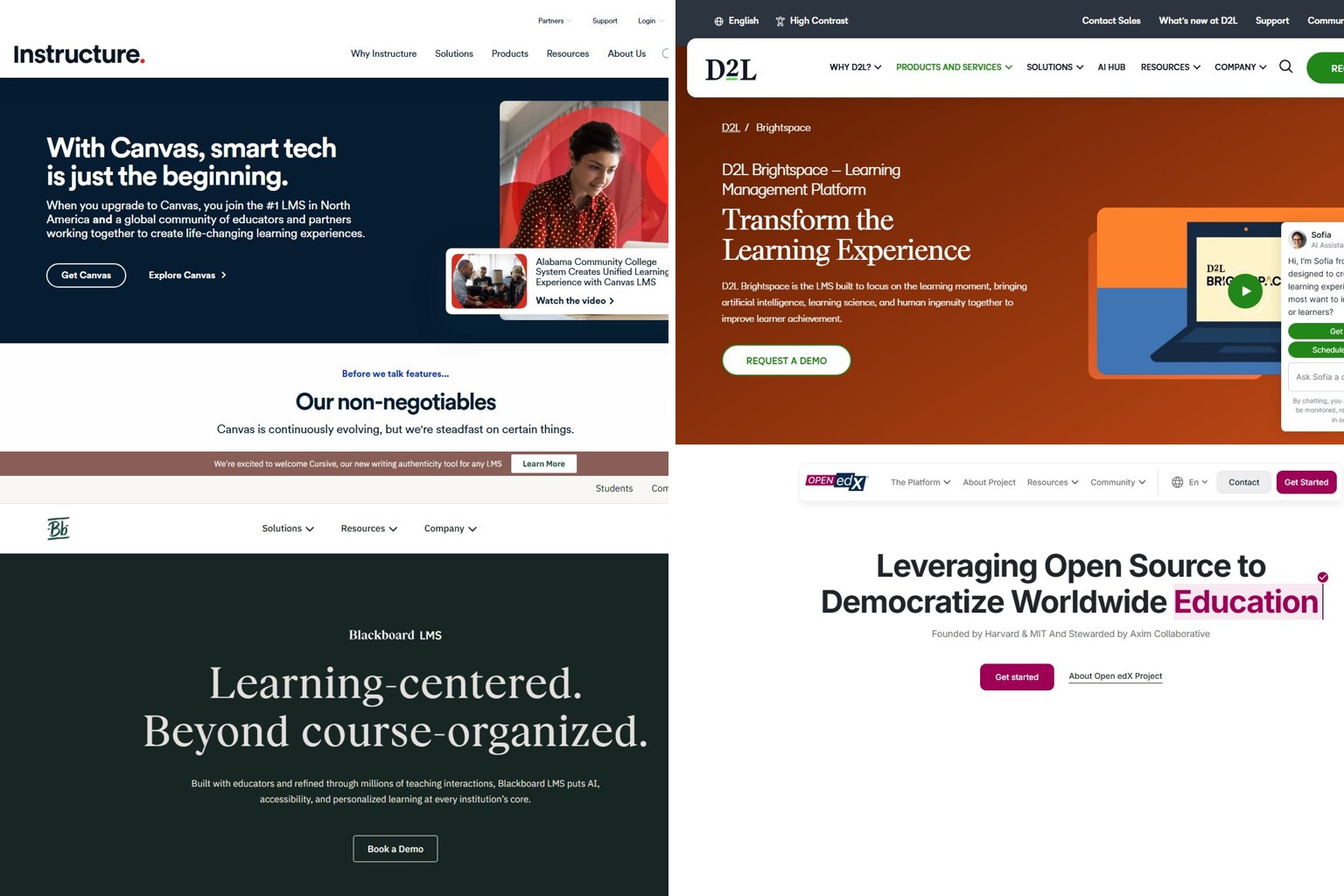
For a university, the realistic shortlist is Canvas LMS, D2L Brightspace and Blackboard. All three integrate with student information systems (SIS) and single sign-on (SSO) and support LTI tools. All three sell on institution-wide quotes rather than public prices.
Canvas LMS
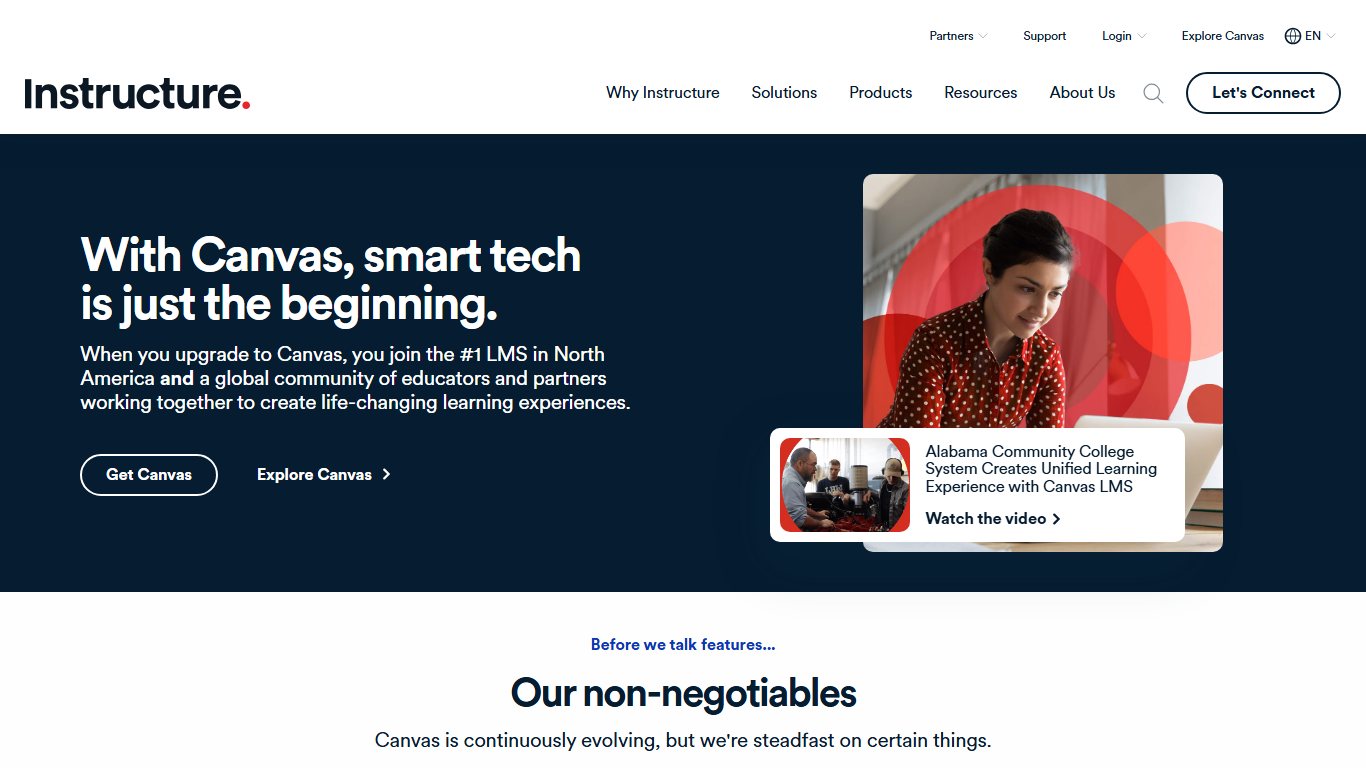
Canvas is the default choice in US higher education, with an estimated 53.4% of institutions. Instructure makes it. Teachers like its clean course layout, SpeedGrader for marking, and its large ecosystem of LTI tools, which are add-ons that plug into the LMS.
- Strengths: easy for new staff to learn, strong mobile apps, a reliable cloud service, and most edtech vendors build for Canvas first.
- Limits: less low-level customisation than Moodle, and fewer options for odd activity types. Its 2026 security incident will also come up in procurement reviews.
- Pricing model: an annual institutional subscription, usually priced by enrolment.
- Best for: colleges that want a mainstream platform staff already know and the widest choice of tools.
D2L Brightspace
D2L Brightspace suits institutions that care about competency-based learning, accessibility and detailed analytics. D2L says Brightspace serves more than 1,500 customers worldwide, in higher education, K-12 and corporate training. It holds an estimated 13.3% of US higher ed.
- Strengths: flexible course design, release conditions (rules that show content only when a learner has met set criteria) and strong reporting. It is also common in Canadian institutions.
- Limits: instructors coming from Moodle or Canvas take longer to learn it, and you need a quote to see the price.
- Best for: universities and colleges with structured programmes, outcome-based accreditation or large online divisions.
Blackboard
Blackboard Learn remains the second most common LMS in US higher ed, at an estimated 15.7%. Its newer Ultra interface is far cleaner than the classic one many people remember.
- Strengths: mature features, long institutional experience, and a now-stable balance sheet after February 2026.
- Limits: its reputation took damage during the bankruptcy, and some institutions are still mid-move from the old interface to Ultra.
- Best for: institutions already on Blackboard that would rather upgrade than migrate, or buyers who value a full suite from one vendor.
Canvas vs Moodle: which is better?
Canvas is better if you want a hosted platform that teachers can learn quickly and you’re happy to pay for it. Moodle is better if you want free software, full control over your data and deep customisation, and you have someone to run it.
| Factor | Canvas LMS | Moodle LMS |
|---|---|---|
| Cost | Paid institutional subscription; Canvas Lite is free for individuals | Free software; MoodleCloud from $160 a year |
| Hosting | Hosted by Instructure (an open-source core exists) | Self-hosted, MoodleCloud, or a Moodle Partner |
| Ease of use | Cleaner, fewer clicks, quicker for new teachers | More settings, steeper learning curve |
| Data control | Your data sits with Instructure under contract | Full control when self-hosted |
| Security record (2026) | April to May 2026 breach tied to Free-for-Teacher accounts | Depends mostly on how well your own server is maintained |
| Customisation | LTI tools and themes, with limited changes to core | Thousands of plugins and full code access |
| AI features | Vendor-managed | Course-level AI settings and a choice of AI providers, including DeepSeek, since 5.1 |
| Best for | Colleges standardising on one mainstream platform | Schools, NGOs and trainers who need control or a low budget |
If you’re a college switching from Moodle to Canvas, expect your teachers to adapt faster. You’ll give up some flexibility, and you’ll rely on Instructure’s security practices instead of your own.
Best free and open-source Moodle alternatives (self-hosted)
The strongest open-source Moodle alternative is Open edX if you run large or MOOC-style courses. Chamilo is the easiest for small schools. Sakai and ILIAS suit universities. Every option here costs nothing to license, but you still pay for servers and the time of someone who can run Linux, databases and upgrades.
| Platform | License/free? | How hard to host | Best for | Who maintains it | Managed hosting available? |
|---|---|---|---|---|---|
| Open edX | Free, open source (AGPL) | Hard; easier with Tutor (Docker) | MOOCs, large catalogues, professional courses | Axim Collaborative and community | Yes, through Open edX service providers |
| Chamilo | Free, open source (GPL) | Moderate | Small schools, NGOs, training teams | Chamilo Association | Yes, through Chamilo providers |
| ILIAS | Free, open source (GPL) | Moderate to hard | Universities and public bodies, especially in German-speaking countries | ILIAS open source e-Learning e.V. | Yes, through ILIAS partners |
| OpenOlat | Free, open source (Apache 2.0) | Moderate | Universities and corporate academies | frentix (Switzerland) and community | Yes, from frentix |
| Sakai | Free, open source (ECL 2.0) | Hard | Universities with their own IT teams | Apereo Foundation | Yes, from commercial affiliates |
| Frappe LMS | Free, open source (AGPL) | Easy to moderate | Small teams already using Frappe or ERPNext | Frappe Technologies | Yes, via Frappe Cloud |
| Canvas LMS (open source) | Free, open source (AGPL) | Hard | Teams that want Canvas without a contract | Instructure (code on GitHub) | No; the hosted version is the paid product |
| LearnHouse | Free, open source | Easy (Docker) | Course creators and small academies | LearnHouse project | Yes, hosted plans |
Open edX
Open edX is the platform behind edX. It is the most capable open-source Moodle alternative for polished, large-scale courses. Ulmo, the previous community release, added LTI Advantage Complete certification and a new permissions model for Content Libraries. Verawood, the 22nd community release, arrived in June 2026. It added an AI Extensions Framework, more detailed team management and a new sidebar in Studio, the course-authoring tool. Ulmo reached end of life in August 2026, so new installs should start on Verawood.
Is Open edX overkill for a few hundred learners? Usually, yes. It runs several services, and its strengths (scale, video-led courses, certificates) mostly pay off at thousands of learners. If you want a “Moodle but pleasant” platform you can run with Docker, Tutor (the official Docker-based way to install Open edX) makes setup realistic. Upgrades and backups will still need regular attention.
Chamilo
Chamilo is the simplest open-source LMS to run here. It is a sensible choice for a small school or training team with one technically confident person. It covers courses, quizzes, SCORM, certificates and learning paths, and its interface is lighter than Moodle’s. Its plugin ecosystem is smaller, so check that it has every activity type you need before committing.
ILIAS and OpenOlat
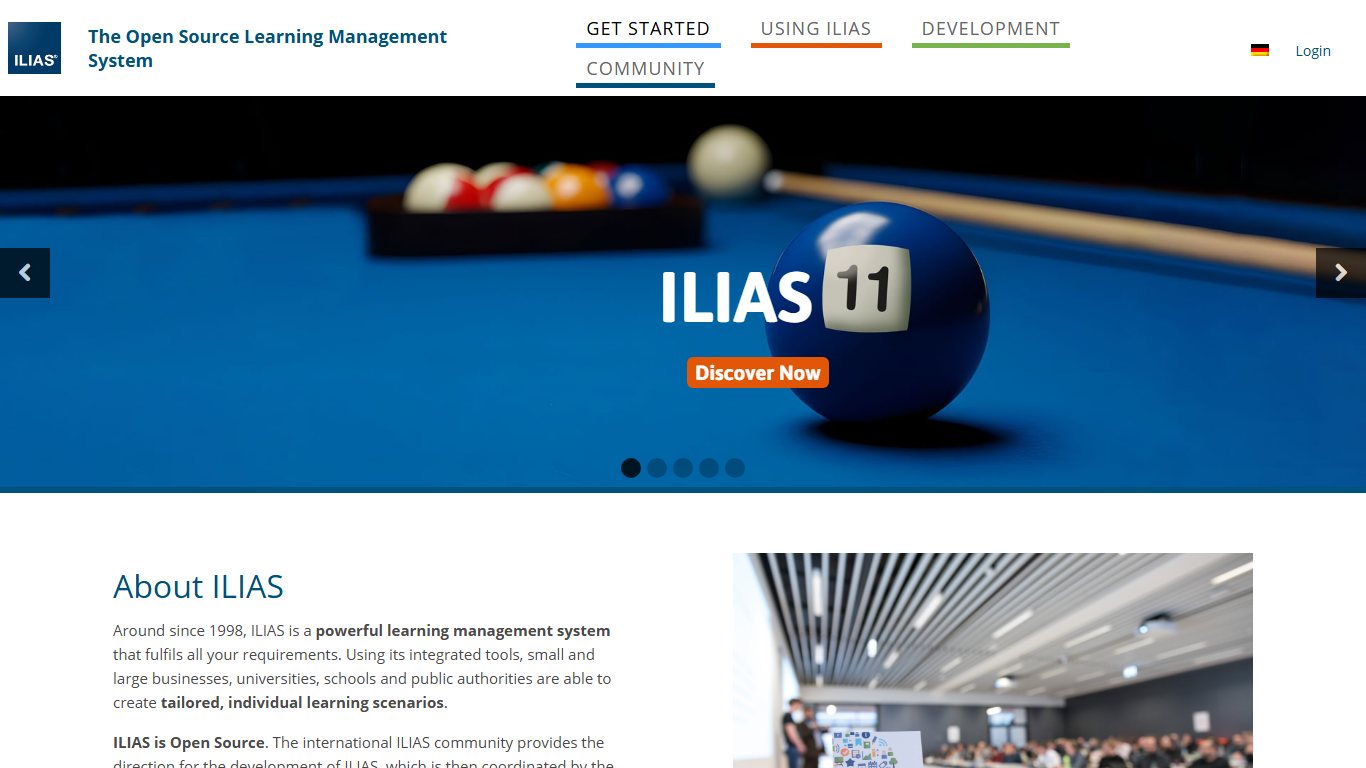
ILIAS and OpenOlat are mature European platforms. Universities and public bodies use them because they value data control, hosting on their own servers and strong role-based permissions. ILIAS is especially common in Germany, Austria and Switzerland. OpenOlat came from the University of Zurich and is developed by frentix. Both make sense if your institution must keep data in the EU and wants a professional services partner nearby.
Sakai
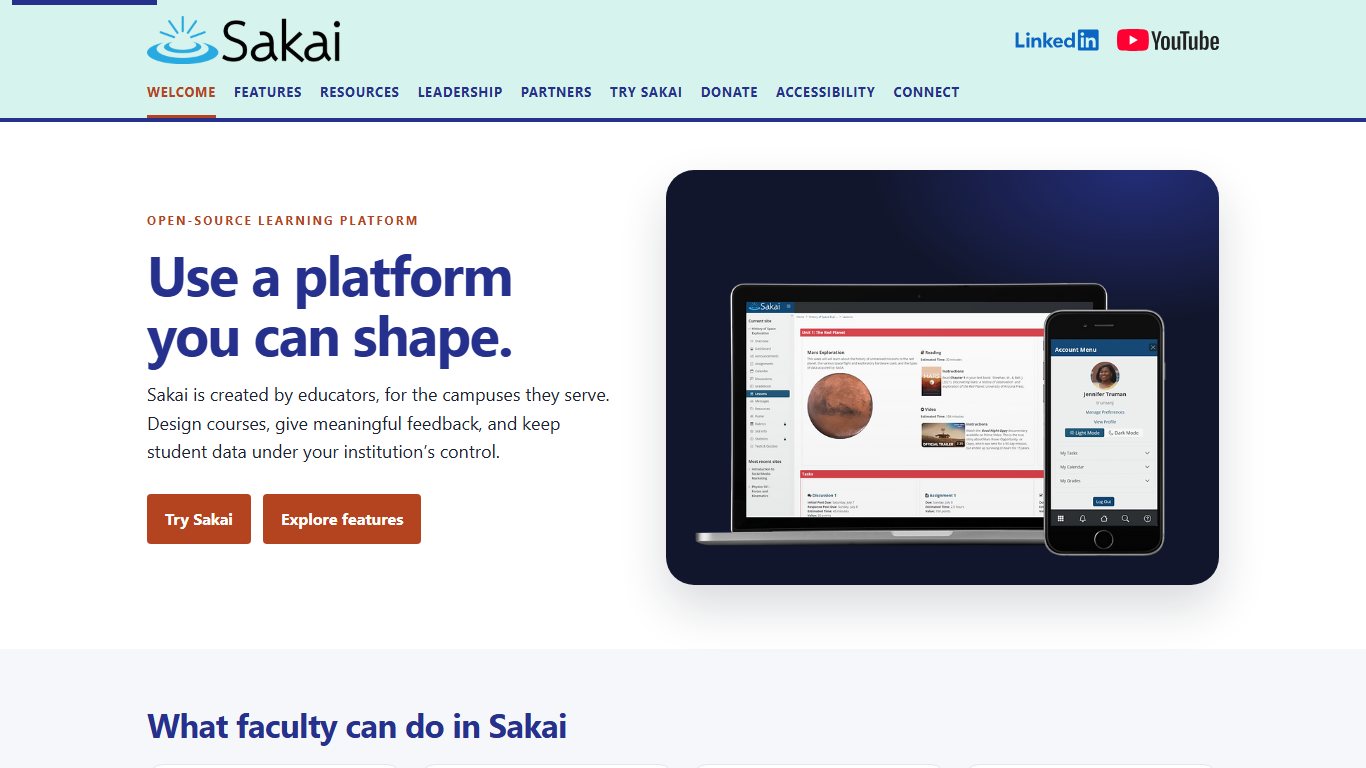
Sakai is a university-grade LMS run by the Apereo Foundation, an open-source community largely made up of universities. It has a smaller community than it did 15 years ago, but it is actively maintained and still suits institutions that want an open-source, research-university feature set. It takes real IT staff to run.
Frappe LMS
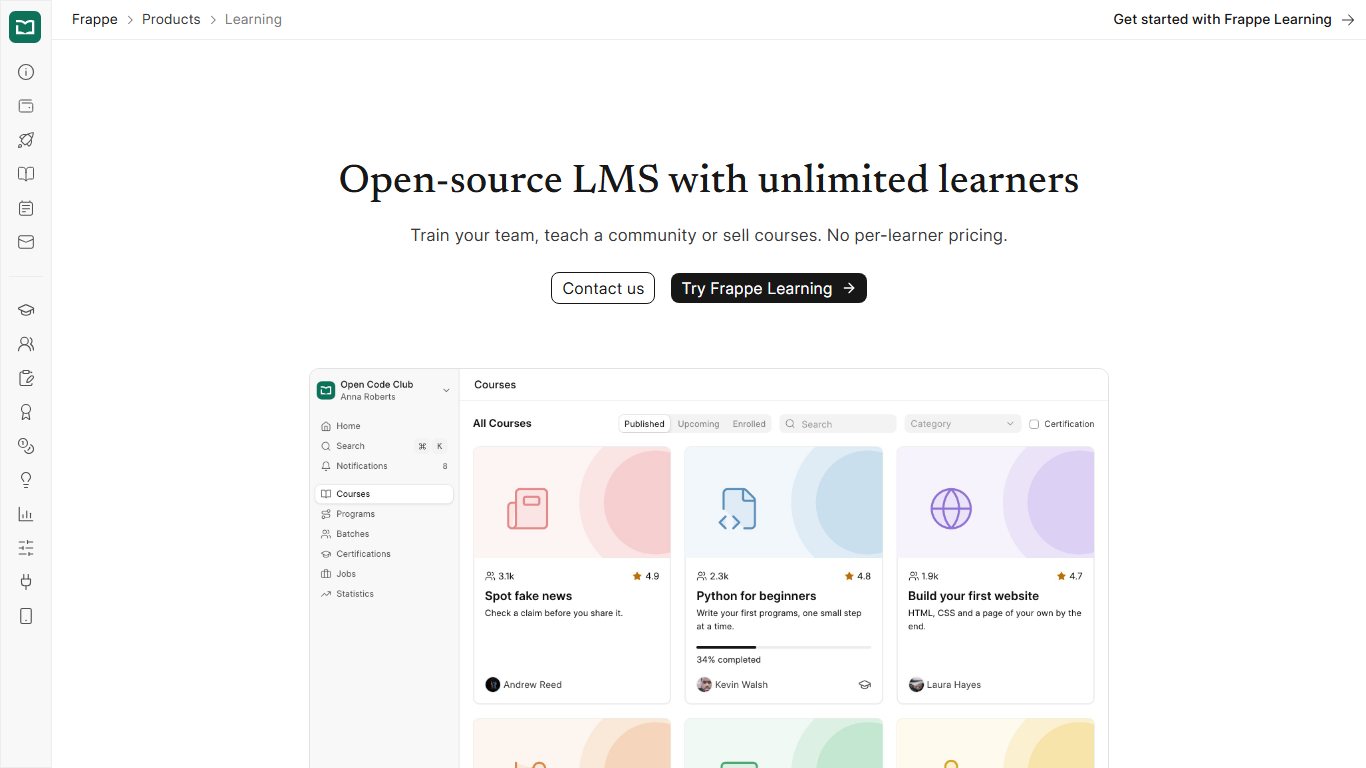
Frappe LMS is a lightweight learning app built on the Frappe framework, the same base as the ERPNext business software. It fits a small business that wants simple courses, quizzes and certificates for 20 to 50 employees without paying per user. It is far less feature-rich than Moodle, which suits some teams fine.
Canvas LMS open source
Instructure publishes the Canvas core as open source on GitHub, so you can technically run Canvas without paying. Self-hosted Canvas is a heavy Ruby on Rails application, and many hosted features aren’t included. It only makes sense for teams with strong DevOps skills.
Best options for K-12, solo teachers, tutors and homeschoolers
For schools, Google Classroom is the easiest Moodle alternative because it is free with Google Workspace for Education Fundamentals. For individual teachers and homeschool families, the realistic options are Google Classroom, Canvas Lite and MoodleCloud Starter.
Google Classroom
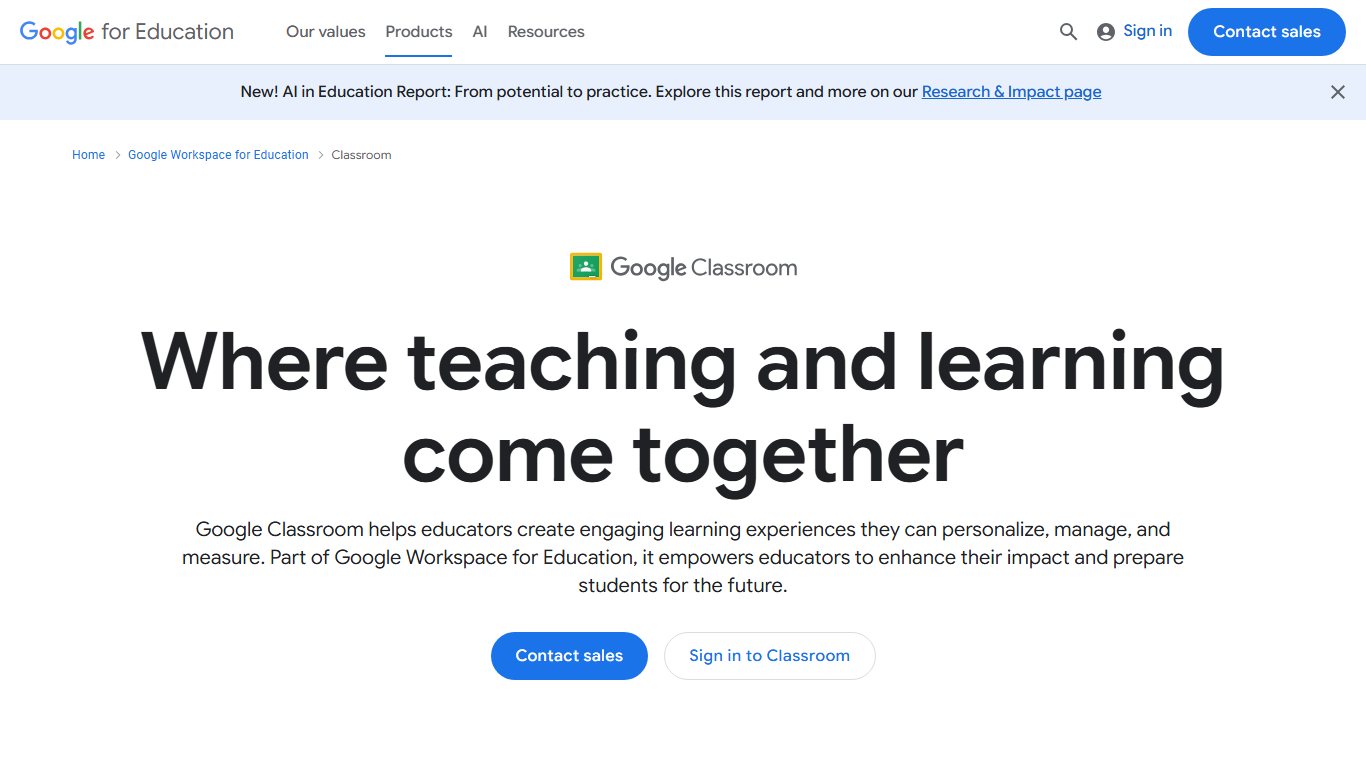
Google Classroom is a light LMS built into Google Workspace for Education. It handles assignments, grading, announcements and Google Drive files with almost no training. Education Fundamentals is free for qualifying schools. Google’s newer per-user pricing lists Education Plus at a suggested $6 per user per year.
Is Google Classroom a real LMS? Yes, a basic one. It lacks Moodle’s detailed completion rules, advanced quiz logic and complex gradebook weighting. For most K-12 classes, it doesn’t need them.
Schoology
PowerSchool Schoology Learning is a K-12 LMS that districts usually buy alongside PowerSchool’s student information system. It suits districts that want gradebook and SIS sync in a single vendor relationship. PowerSchool had a serious SIS data breach in late 2024, disclosed in January 2025, so ask the same security questions you would ask Instructure.
Canvas Lite
Canvas Lite is free and polished. It is fine for a tutor running a few small courses, as long as you accept the Veriff ID check, the 500 MB per-course cap, New Quizzes only and no support agent access. Video-heavy courses will hit the storage limit quickly, so host videos elsewhere and embed them.
MoodleCloud Starter
MoodleCloud Starter costs $160 a year for 50 users and 1 GB of storage. Moodle HQ handles hosting and updates. You get the full Moodle feature set with no server to run, which makes it a strong choice for a homeschool co-op or a private tutor.
If you teach children and sign up for a tool yourself, remember that schools in the US must follow FERPA, the federal student privacy law, and many districts have approved-vendor lists. Ask your school before you put student records on any platform you signed up for personally.
Best Moodle alternatives for company training
For company training, TalentLMS is the quickest and cheapest place to start. Docebo, Absorb and Cornerstone suit large enterprises that need automation and HR integrations. LearnUpon fits customer and partner training, and 360Learning suits collaborative, peer-built content.
| Platform | Best for | Pricing model | Watch for |
|---|---|---|---|
| TalentLMS | Small and mid-size businesses | Free for 5 users; paid plans from about $119 a month billed yearly ($149 billed monthly) | User caps per tier; check yours before buying |
| Docebo | Large enterprises with AI-assisted content and automation | Quote-based | Add-on modules raise the price |
| Absorb LMS | Mid-market and enterprise compliance training | Quote-based | Annual contracts with user minimums |
| LearnUpon | Training customers, partners and staff on one platform | Quote-based | Prices by active users |
| 360Learning | Peer-led training built by internal experts | Quote-based for larger plans | Best value when teams create content themselves |
| Litmos | Ready-made compliance course libraries | Quote-based | Content library may be priced separately |
| Cornerstone | Large HR-led talent and learning programmes | Quote-based | Long implementations, best with dedicated admins |
What’s the cheapest LMS for a small business training 20 to 50 employees? Among hosted options, it’s MoodleCloud: the Starter plan costs $160 a year for 50 users, if your team can live with Moodle’s interface. TalentLMS costs more but is faster to set up and more polished. Its free tier covers only 5 users, so a team of 20 to 50 will need a paid plan.
Across these vendors, the extras that cost money are usually the same. Expect to pay more for e-commerce, custom domains, SSO, API access, advanced reports, ready-made content libraries and premium support. Ask for the price of the plan you’ll actually need in year two, not just the starter tier.
If you sell courses: Teachable, LearnDash and LearnHouse
Course-selling platforms are storefronts with a learning area attached. They aren’t full replacements for an LMS. They handle payments, sales pages and email marketing well. They are weak at cohorts, detailed gradebooks, SIS integration and enforcing deadlines.
- Teachable is fully hosted. Third-party price trackers in 2026 list Starter at $39 a month with a 7.5% transaction fee, then Builder ($89) and Growth ($189) with no Teachable transaction fee. Card processing fees still apply on every plan.
- LearnDash is a WordPress plugin sold as a yearly licence that costs a few hundred dollars for one site. You also pay for hosting and handle WordPress updates yourself, which is a familiar kind of maintenance for Moodle admins.
- LearnHouse is an open-source, Docker-friendly platform with a hosted option. It is built around creators and course sales, so it fits schools poorly.
Lock-in is the hidden cost. Your sales pages, customer lists and payment setup are hard to move later. Before you upload a full catalogue, check that you can export student data and course files.
If you came here looking for somewhere to take courses rather than run them, a roundup of Skillshare alternatives will suit you better than an LMS.
What a Moodle replacement really costs
For under 200 users, MoodleCloud is usually the cheapest managed option. Self-hosted Moodle can cost less in cash but more in staff time. Paid alternatives charge more, and in return you hand off support and product development.
| Option | Users | Storage | Price per year | What you still handle yourself |
|---|---|---|---|---|
| Self-hosted Moodle | Unlimited | Whatever your server has | Server fees plus admin time | Everything: updates, backups, security, plugins |
| MoodleCloud Starter | 50 | 1 GB | $160 | Course setup and user management |
| MoodleCloud Mini | 100 | 2.5 GB | $260 | Course setup and user management |
| MoodleCloud Small | 200 | 5 GB | About $490 to $510 | Course setup and user management |
| MoodleCloud Medium | 500 | 20 GB | About $1,190 to $1,240 | Course setup and user management |
| MoodleCloud Standard | 750 | 50 GB | $2,040 | Course setup and user management |
| TalentLMS Core (billed yearly) | Check the plan cap | Vendor-managed | About $1,428 | Content only |
| Google Classroom (Fundamentals) | School-wide | Pooled Google storage | $0 | Course content; your school admin manages accounts |
Worked example. Here is what the main options cost at three sizes:
- 50 users. MoodleCloud Starter costs $160 a year. TalentLMS Core costs about $1,428 a year on annual billing, roughly nine times as much, though setup is faster and support is included. Self-hosting only wins if you already have a server and enjoy running it.
- 200 users. MoodleCloud Small costs about $490 to $510 a year. A self-hosted install needs regular patching and backups. Even a few hours of admin time a month, at a typical IT rate, can easily cost more than that.
- 500 users. MoodleCloud Medium costs about $1,190 to $1,240 a year. At this size, hosted corporate LMSs move to custom quotes, and institutional platforms like Canvas or Brightspace price on enrolment. That’s when it’s worth requesting three quotes.
How to move your courses off Moodle without losing work
Moving off Moodle is safe if you export everything first, move standard formats like SCORM and H5P rather than Moodle-only activities, test with a pilot course, and keep the old site read-only for a term. Expect quizzes and files to transfer reasonably well. Gradebook history and complex activities transfer badly.
Move off Moodle
- List every active course, its owner, and which activities it uses.
- Back up each course: Course > More > Course reuse > Backup, including user data if you need history.
- Export each gradebook: Course > Grades > Export, as Excel or CSV.
- Download user lists: Site administration > Users > Bulk user actions > Download.
- Download your original SCORM and H5P packages separately.
- Confirm the new LMS supports LTI 1.3 and imports Moodle backups or Common Cartridge.
- Move one pilot course, have a teacher and a few students test it, and fix any problems.
- Migrate the rest in batches and keep Moodle read-only for at least one term.
Before you start: what to export
Make a full backup of every course before you cancel any hosting. Keep the .mbz backup files in two places: your own storage and a cloud drive. Export gradebooks, user lists, cohorts and completion reports as spreadsheets, because those are what an auditor or a student appeal will ask for later.
Keep a safety net
Keep a read-only copy of the old Moodle site for at least one term. That way you can check grades, submissions and forum posts after the switch.
What carries over and what doesn’t
Will your quizzes and gradebook survive a migration out of Moodle? Quiz questions usually make it through. Grade history and its calculation rules usually don’t. Plan to keep the history as exported records rather than live data.
- Usually transfers well: files, pages, SCORM packages, H5P content, and question banks (through backups, Common Cartridge or question export formats such as Moodle XML or QTI, depending on the target).
- Transfers with fixes: assignments, forums, quizzes with complex settings, and completion rules.
- Rarely transfers: Workshop, Lesson, Database and wiki activities, plus custom plugins, gradebook formulas, student submissions and grade history.
Canvas’s course import tool offers a Moodle package option. Other platforms mostly expect Common Cartridge, SCORM or a manual rebuild. LTI 1.3 support matters as much as content import, because your tools for video, plagiarism checking and publisher materials connect through LTI.
Running both systems during the switch
Run both systems for one full term. New courses start on the new platform, while old courses finish on Moodle. Put a banner on the Moodle login page with the cut-off date. Assign one person to handle “where’s my course?” questions. Switch Moodle to read-only only after final grades are confirmed.
How to choose: a 5-question checklist
Answer these five questions before you book any vendor demos. Your answers will narrow the list to two or three candidates.
- Who are your learners? Children, university students, employees, customers or paying strangers each point to a different category above.
- Who will run it? With no IT person, choose a hosted option such as MoodleCloud, Canvas, Google Classroom or TalentLMS. With a capable admin, open-source options like Open edX, Chamilo or ILIAS become realistic.
- What is the real budget? Count admin time, add-ons and year-two prices, not just licence fees.
- What data and privacy rules apply? FERPA in US schools, GDPR in the EU, and any data residency rules your institution has. Ask where data is hosted and how breaches are reported.
- Which integrations must you keep? SIS sync, SSO through Microsoft Entra ID or Google, LTI 1.3 tools, and video platforms. A missing integration can rule out a vendor faster than any feature.
For most readers, start by pricing MoodleCloud, then compare it with one hosted alternative from your category. If MoodleCloud solves the hosting pain, you avoid a migration. If it doesn’t, you’ll know exactly what you’re paying the new platform to fix.
FAQ
Is Moodle still relevant in 2026?
Yes. Moodle’s registry shows 161,020 registered sites and more than 412 million users. Moodle 5.3 LTS was released on November 9, 2026, with security support running to around 2029. It remains one of the most used LMSs in the world, especially outside the US.
What are the top 5 LMS platforms?
By overall use in education, the top five are Canvas LMS, Moodle, Blackboard, D2L Brightspace and Google Classroom. In corporate training, the leaders include TalentLMS, Docebo, Absorb, Cornerstone and LearnUpon.
Do colleges still use Moodle?
Yes. One secondary estimate puts Moodle at about 12.6% of US higher-ed institutions, behind Canvas, Blackboard and D2L. Its share is much higher in Europe and Latin America.
Is Canvas or Moodle better?
Canvas is better for colleges that want an easy hosted platform and are happy to pay a subscription. Moodle is better for anyone who needs low cost, full data control and deep customisation, and has someone to run it.
What is the best free alternative to Moodle?
For schools, Google Classroom, which is free with Google Workspace for Education Fundamentals. For individual teachers, Canvas Lite is free if you pass its ID check. For businesses that can self-host, Frappe LMS or Chamilo.
What is the best open-source alternative to Moodle?
Open edX for large or MOOC-style courses, Chamilo for small schools and training teams, and Sakai, ILIAS or OpenOlat for universities with their own IT staff.
Is Canvas still free for teachers?
Not through Free-for-Teacher, which has ended. Canvas Lite launched on September 30, 2026 as a free replacement. It requires a Veriff ID and selfie check, limits courses to 500 MB, supports New Quizzes only and includes no access to support agents.
Was Canvas hacked, and is it safe to use now?
Yes. Instructure detected unauthorized access on April 29, 2026, shut Canvas down temporarily after a second round of activity on May 7, and restored full service on May 9. The attack was tied to Free-for-Teacher accounts, which have since been replaced by ID-verified Canvas Lite. Canvas is operating normally, and the institutions using it remain under contract.
Is Blackboard going out of business?
No. Its parent company, Anthology, completed Chapter 11 on February 27, 2026, eliminated about $1.6 billion of funded debt, and now operates as Blackboard (formerly Anthology), with the LMS as its core business.
Is Google Classroom a real LMS?
Yes, a lightweight one. It covers assignments, grading and class communication very well, but lacks Moodle’s advanced completion tracking, complex quizzes and detailed gradebook rules.