These steps are for the Sony DualShock 4 controller that comes with the PS4. The troubleshooting advice also works for most other controllers with analog sticks.
Causes of PS4 controller drift

If your character or the camera keeps moving when you aren’t touching the controller, the analog stick is probably drifting.
PS4 controller drift usually has one of three causes:
- Dirt or debris around the analog stick.
- A broken analog stick or a faulty potentiometer (the sensor that reads the stick’s position).
- General wear and tear from regular use.
If cleaning doesn’t fix the problem, look into getting the controller repaired or replaced before you open it up.
How to fix PS4 controller analog stick drift
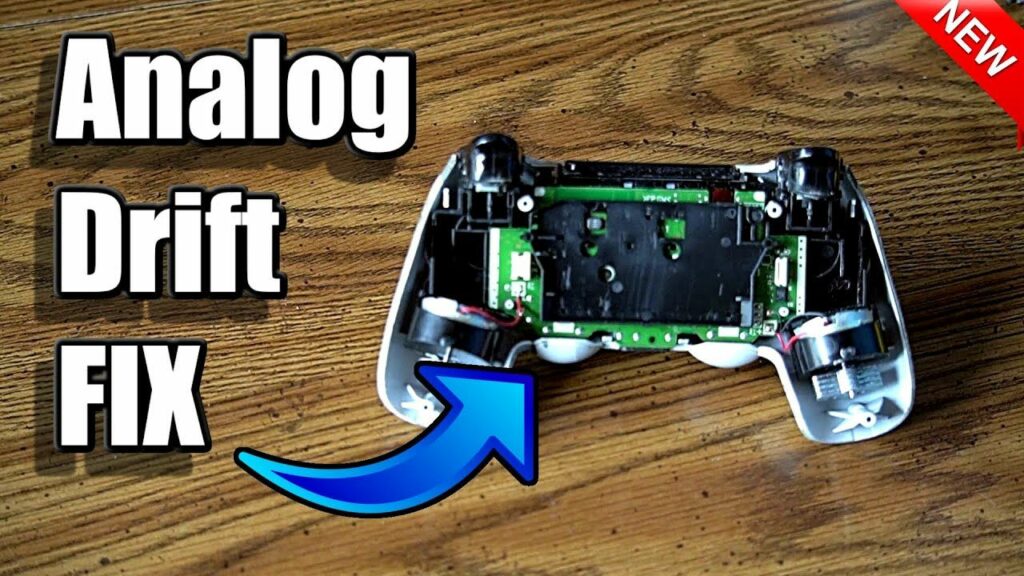
Turn your controller off before each fix, then follow the steps below in order.
After each fix, test the analog sticks. Rotate each one in a full circle, then press down on it to check L3 and R3.
-
Reset your PS4 controller. A reset fixes many problems that appear out of nowhere. For a soft reset, hold the PS button for about 10 seconds to turn the controller off, then connect it to the console with a USB cable and press the PS button. If that doesn’t work, do a hard reset. Turn off the PS4 and unplug it. Find the small hole on the back of the controller near the L2 button. Use an unfolded paper clip to press and hold the reset button inside for at least five seconds. Then connect the controller with the USB cable and press the PS button to pair it again.
-
Clean your PS4 controller. Use a dry microfiber cloth to gently wipe the gaps around the analog stick. For dirt that won’t come off, use a cotton swab dipped lightly in isopropyl alcohol. Use compressed air to blow out dirt you can’t reach. Cleaning your DualShock 4 every few months helps stop the buildup that leads to drift.
-
Get your PS4 controller repaired or replaced by Sony. If you bought the controller recently, it may still be under warranty. Sony’s standard controller warranty lasts 12 months. Go to the PlayStation Repairs page on playstation.com, choose the DualShock 4, and follow the steps to see whether you qualify for a free repair or replacement. You’ll need the serial number, which is printed on the back of the controller near the barcode.
-
Take your PS4 controller apart to clean the analog stick. To clean the stick properly, you have to remove the outer shell and lift out the battery to reach the circuit board. Use a cotton swab with a little isopropyl alcohol. Don’t spray compressed air at the internal parts. Be very careful not to disconnect anything except the battery while the controller is open.
-
Replace the PS4 analog sticks. If you have the tools and the patience, you can replace the analog stick module, which includes the potentiometers. Replacement sticks are cheap (around $10 from parts sellers such as iFixit), but you’ll also need a soldering iron and desoldering tools, because the module is soldered to the board. Unless you want to do the job yourself, buying a new controller is usually easier and often costs about the same once you count tools. Only open the controller after the warranty has run out. Sony can refuse a warranty claim on a controller that has been opened or damaged during a home repair.
FAQ
Can you calibrate a PS4 controller to stop drift?
No. The PS4 has no setting for calibrating the analog sticks, so a reset, cleaning or a repair are the real fixes. Some games let you raise the stick dead zone in their settings. A bigger dead zone hides mild drift, but it doesn’t fix the worn part.
Is PS4 controller drift covered by Sony’s warranty?
Yes, if the controller is still within its 12-month warranty and hasn’t been opened or physically damaged. Start a request on the PlayStation Repairs page and have the serial number from the back of the controller ready. Once the warranty has run out, your options are a paid repair shop, a home repair or a new controller.
Does drift come back after cleaning?
Often it does. Cleaning removes dirt, so it helps when debris is the cause. If the potentiometer is worn, drift usually comes back within weeks. When that happens, replacing the stick module or the controller is the lasting fix.
How do I fix corrupted data on a PS4?
If one game shows corrupted data, delete it and install it again. If the error came from a download, open Notifications, press the OPTIONS button, select Downloads, highlight the greyed-out title, then press OPTIONS and choose Delete. If the problem keeps happening across games, shut down the PS4, start it in Safe Mode and choose Rebuild Database. You can also try updating the system software and cleaning the game disc.
How can I fix the PS4’s HDMI port?
First, check that the HDMI cable is pushed all the way into both the PS4 and the TV. To find the faulty part, try a different HDMI input on the TV, a different HDMI cable or a different TV. If the PS4 shows no picture on any screen, the console’s HDMI port probably needs a professional repair.
How can I fix a PS4 that won’t turn on?
Unplug the power cable for at least 30 seconds, then plug it back in and try again. If that doesn’t work, try a different power cable and a different wall outlet. Also dust off the vents, because an overheating console may refuse to start. If it still won’t power on, contact PlayStation Support or a repair shop.
Sources
- How to troubleshoot DUALSHOCK 4 wireless controller issues (PlayStation Support)
- How to find DUALSHOCK 4 wireless controller serial and model numbers (PlayStation Support)
- Controllers Support (PlayStation Support)
- How to fix NP-32062-3 (PlayStation Support)